
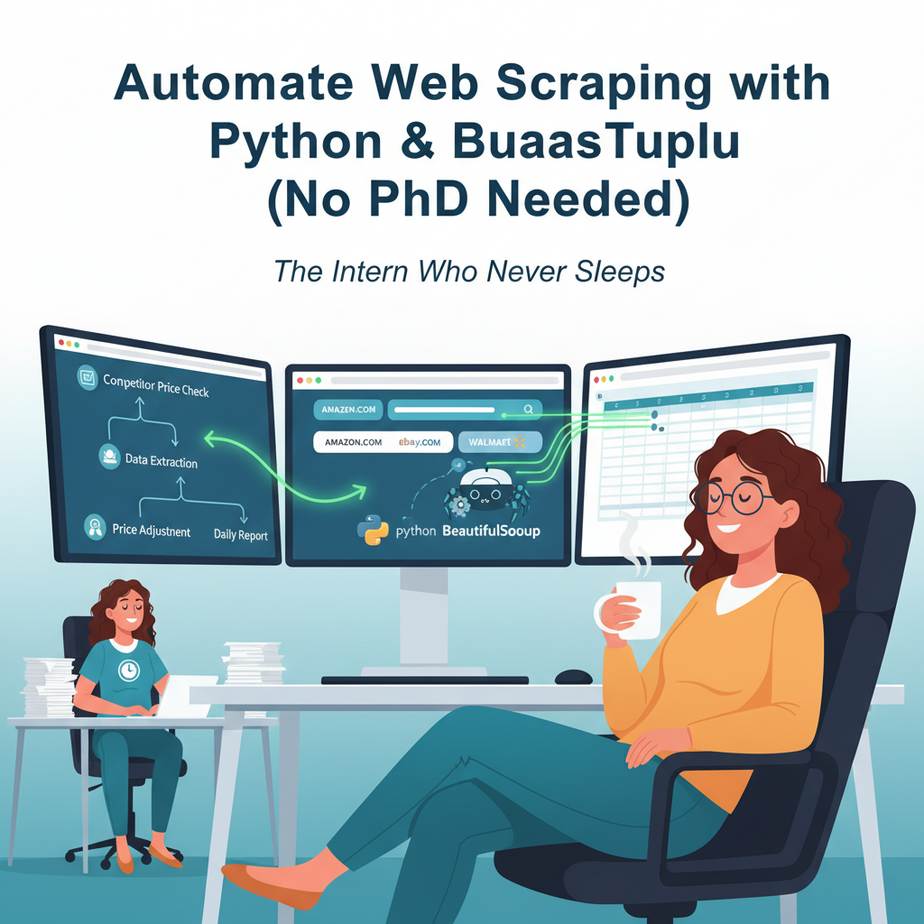
Hook: The Intern Who Never Sleeps
Meet Sarah. She runs a small e-commerce store and spends 3 hours every Monday manually checking 20 competitor websites to adjust her prices. It’s repetitive, boring, and errors creep in. If she misses a price drop, she loses a sale. If she over-prices, she loses a customer.
Meet the new intern: a Python script that does Sarah’s Monday task in 3 minutes while she sips coffee. The intern is fast, accurate, and never complains.
Welcome to web scraping. This isn’t some dark-web hacking thing. It’s about automating the collection of public data that’s already visible to anyone. It’s the foundation of price monitoring, lead generation, and market research.
Why This Matters: Your Data, Your Advantage
Manual data collection is a classic “bottleneck” in business. It’s slow, prone to errors, and scales poorly. Whether you’re:
- A marketer pulling leads from directories
- A founder validating a product idea with public data
- A consultant building reports for clients
Scraping automates the tedious part of your job. It replaces interns glued to spreadsheets, fetches data for your dashboards, and feeds your AI models. It turns a 4-hour manual task into a 3-minute automated job.
What This Tool / Workflow Actually Is
Web scraping is like having a robot that reads websites for you. It navigates to a page, finds the specific pieces of information you want (like a product title, price, or email address), and copies them into a structured format like a spreadsheet or database.
What it IS: A program that automates fetching public webpage data.
What it IS NOT: A magic wand that hacks into private sites, bypasses logins, or ignores a website’s terms of service. We scrape responsibly.
Prerequisites: Your First Steps
This lesson is designed for absolute beginners. You don’t need to be a programmer. You just need to be willing to run commands on your computer.
What you need:
- A computer with internet access
- Python installed (download from python.org)
- A simple text editor (like VS Code, Sublime, or even Notepad++)
- One cup of coffee and a bit of patience
If you’ve never used Python, that’s fine. This lesson will hold your hand. Think of Python as the language you give instructions to your robot intern.
Step-by-Step Tutorial: Building Your First Scraper
We’ll scrape a fictional book website called “Tomes & Tales” to extract book titles and prices. The principles apply to any site.
Step 1: Install Your Toolkit
Open your command line (Terminal on Mac/Linux, Command Prompt/PowerShell on Windows) and run these two commands. This installs the libraries that power our scraper.
pip install requests
pip install beautifulsoup4
Why? `requests` fetches the website’s HTML code, and `beautifulsoup4` (BS4) is a library that helps us pick out specific data from that HTML.
Step 2: Write the Scraping Script
Open your text editor and create a new file named `book_scraper.py`. Copy-paste the code below. I’ll explain each line.
import requests
from bs4 import BeautifulSoup
import csv

# 1. Define the URL we want to scrape
url = 'http://books.toscrape.com/'  # A safe practice site

# 2. Fetch the webpage's HTML
response = requests.get(url)

# 3. Check if the request was successful
if response.status_code == 200:
    # 4. Parse the HTML with BeautifulSoup
    soup = BeautifulSoup(response.text, 'html.parser')

    # 5. Find all book containers (this depends on the site's HTML structure)
    books = soup.find_all('article', class_='product_pod')

    # 6. Prepare a list to hold our data
    book_data = []

    # 7. Loop through each book and extract its title and price
    for book in books:
        title = book.h3.a['title']
        price = book.find('p', class_='price_color').text
        # Clean the price text
        price = price.replace('£', '')
        book_data.append([title, price])

    # 8. Save the data to a CSV file
    with open('books.csv', 'w', newline='', encoding='utf-8') as file:
        writer = csv.writer(file)
        writer.writerow(['Title', 'Price'])
        writer.writerows(book_data)

    print(f"Success! Scraped {len(book_data)} books. Data saved to 'books.csv'.")

else:
    print(f"Failed to fetch page. Status code: {response.status_code}")
Line-by-Line Explanation:
- Imports: We bring in our tools (requests, BeautifulSoup, and CSV writer).
- URL: We target a specific page. For real use, you’d use your client’s website.
- Fetch: `requests.get()` is our robot walking to the website.
- Check: We make sure the site didn’t give us an error (like a 404).
- Parse: BeautifulSoup turns the messy HTML into an object we can search.
- Find Elements: We look for the HTML containers that hold each book. This is the part you often need to inspect the website’s “Inspect Element” tool to figure out.
- Extract & Loop: We go through each book, grab its title and price, and clean the price text.
- Save: We write everything to a CSV file, which Excel or Google Sheets can open.
Step 3: Run Your Scraper
Save the file. Go back to your command line, navigate to the folder where you saved `book_scraper.py`, and run:
python book_scraper.pyYou should see a success message. A new file, `books.csv`, will appear in the same folder. Open it, and you’ll have a clean list of book titles and prices!
Complete Automation Example: A Weekly Price Monitor
Let’s make this a real business automation. Imagine you’re a retailer that needs to monitor 5 key products on a competitor’s site every Monday morning.
Automation Workflow:
- Trigger: Every Monday at 8 AM.
- Action 1: Python script scrapes the competitor’s product pages.
- Action 2: Script compares today’s prices with last week’s (stored in a database or previous CSV).
- Action 3: If a price drops by more than 10%, the script sends an email alert to the pricing manager.
- Action 4: The script saves the new prices to a historical log for trend analysis.
The Code Snippet for Email Alert (using `smtplib`):
import smtplib
from email.mime.text import MIMEText

def send_alert(product, old_price, new_price, email_to):
    subject = f"Price Drop Alert: {product}"
    body = f"Price for {product} dropped from £{old_price} to £{new_price}."

    msg = MIMEText(body)
    msg['Subject'] = subject
    msg['From'] = 'scraper-alerts@yourcompany.com'
    msg['To'] = email_to

    # Configure your SMTP server details here (use environment variables in production!)
    with smtplib.SMTP('smtp.yourcompany.com', 587) as server:
        server.starttls()
        server.login('your_email', 'your_password')
        server.send_message(msg)

    print(f"Alert sent for {product}.")

# Call this function when a price drops > 10%
# send_alert('Product XYZ', 100, 85, 'manager@company.com')
Real Business Use Cases (Where This Solves Real Problems)
- E-commerce Price Monitoring: A small retailer tracks 50 competitor products daily. The scraper feeds this data to a dashboard, allowing the owner to make real-time pricing decisions and boost margins.
- Real Estate Lead Generation: A real estate agent scrapes public property listing sites (like Zillow) for new listings in a specific neighborhood. The scraper emails them a daily digest of new homes, cutting lead time from days to minutes.
- Job Posting Aggregation: A recruiting agency scrapes multiple job boards for specific roles (e.g., “Senior Python Developer in London”) and compiles a single spreadsheet. This saves hours of manual searching and speeds up candidate outreach.
- Market Research & Sentiment Analysis: A startup scrapes product reviews from an e-commerce site to analyze customer sentiment. They feed this text data into a simple AI model to identify common pain points with competitors’ products, informing their own product development.
- Stock & Inventory Alerts: A distributor scrapes supplier websites for stock levels on critical components. When stock drops below a threshold, the scraper triggers an automated reorder request via email or a form API, preventing production delays.
Common Mistakes & Gotchas
- Ignorance of `robots.txt`: Always check `example.com/robots.txt` before scraping. This file tells you which parts of the site the owner allows bots to access. Ignoring it can get your IP banned.
- Too Many Requests, Too Fast: Hammering a website with requests every second can crash their server or get you blocked. Add delays between requests with `import time` and `time.sleep(2)`.
- Assuming Site Structure is Static: Websites change. If the site redesigns, your scraper will break. This is called “brittle” code. For long-term projects, consider using APIs first, or build monitoring to alert you when scrapers fail.
- Not Handling CAPTCHAs or Logins: Our basic scraper cannot pass CAPTCHAs or scrape behind a login. That requires more advanced (and often legally gray) techniques. Stick to public data for beginners.
How This Fits Into a Bigger Automation System
Web scraping is rarely an isolated task. It’s the first link in a data supply chain:
- Into a CRM: Scraped leads are automatically added to your CRM (like HubSpot) via API, so your sales team has fresh targets.
- Into Email Marketing: Scraped event data can trigger a targeted email campaign to a specific segment.
- Into Voice Agents: Your scraper can feed a database that a voice agent (like an AI phone system) queries. “What’s the current price of product X?” the agent can now answer from your latest data.
- Into Multi-Agent Workflows: One agent scrapes data. A second agent analyzes it. A third agent drafts a report. This is the future of automated business intelligence.
- Into RAG Systems: Scraped documents (FAQs, manuals) become part of a knowledge base for a chatbot, making it answer questions about your products or competitors intelligently.
What to Learn Next
You’ve just built a web scraper. You’ve tasted automation. Now, imagine chaining that scraper with an email system, a database, and a scheduler. That’s a full-blown automation pipeline.
In our next lesson, “Automating Email with Python: Your Personal Notification System”, we’ll learn how to take that CSV of scraped data and send it to stakeholders automatically. We’ll also cover scheduling, so your scraper runs itself.
This is how you build AI automation systems—not with magic, but with practical, step-by-step workflows. Now go scrape something useful.
“,
“seo_tags”: “web scraping, python automation, business automation, data collection, beginners guide, beautifulsoup”,
“suggested_category”: “AI Automation Courses





