
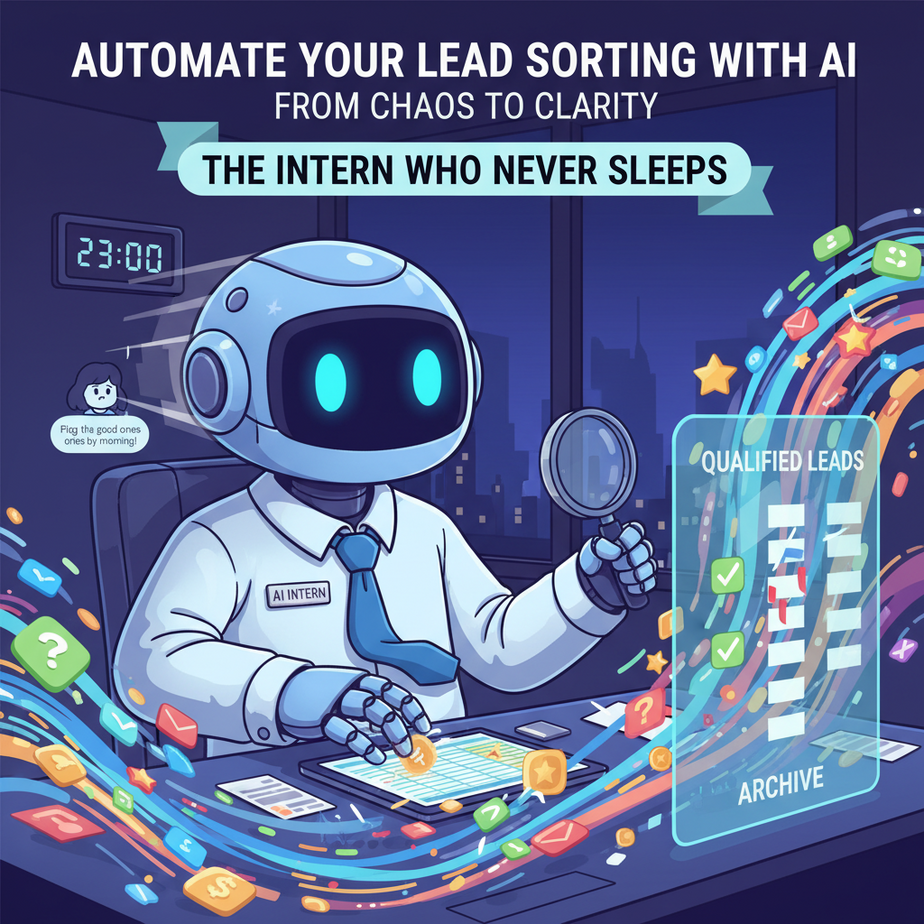
The Intern Who Never Sleeps
Picture this: It’s 11 PM. Your inbox has 27 new leads from your website form. Sarah from marketing says she needs the “good ones” flagged by tomorrow’s meeting. The “good ones” are subjective—some have company emails, others use Gmail. Some wrote a novel in the message field, others just sent “hello.” You spend two hours clicking, guessing, and copying emails into a spreadsheet. You make mistakes. You miss a $100K opportunity because you glossed over it at midnight.
This isn’t entrepreneurship; it’s digital janitorial work. You don’t need a bigger brain; you need a smarter intern. One that reads every submission instantly, scores them on your criteria, and drops the hot leads directly into your CRM pipeline—before you even wake up.
Today, you’re going to build that intern.
Why This Matters: From Grunt Work to Growth Engine
Lead qualification is the gatekeeper to revenue. Done manually, it’s slow, biased, and exhausting. The second you systematize it, you create leverage.
- Time: Reclaim 5-10 hours per week of manual sorting.
- Money: Never miss a high-value lead because it got buried.
- Sanity: Replace the chaos of a notification anxiety with a calm, automated dashboard.
- Scale: Your system handles 100 or 10,000 leads with the same precision.
This replaces the need for a dedicated intake intern. It turns a reactive panic into a proactive system.
What This Workflow Actually Is
What it is: An automated pipeline that ingests a lead submission (e.g., from a form, email, or chat), uses an AI model (like GPT-4o mini) to analyze the content, and returns a structured score and tag. The result is then pushed to a destination (like a Google Sheet or CRM) with zero manual intervention.
What it is NOT: A magic black box that predicts the future. It’s a rules-based AI interpreter that applies *your* qualification logic consistently. It won’t guess buyer intent without context, and it requires a well-defined scoring rubric. It’s a copilot, not a psychic.
Prerequisites: Just Bring Your Logic
If you can write a paragraph and set up a free Zapier or Make (formerly Integromat) account, you can do this. No coding. No servers. No PhDs.
- A defined set of lead qualification criteria (e.g., company size, urgency, message length).
- A Zapier/Make account (free tier is enough).
- Access to your lead source (Google Forms, Typeform, a dedicated email inbox).
- A target destination (Google Sheets is perfect for beginners).
Don’t have a lead form yet? No problem. We’ll start with a template you can test in minutes.
Step-by-Step Tutorial: Build Your Lead AI Intern
We’ll use Zapier and its built-in AI tools for this. It’s the most accessible platform for non-developers. The core concept is the same in Make or n8n.
Step 1: Define Your Qualification Rubric
Before you automate, you must audit. What makes a lead “hot”? Grab a notebook. Score past leads on a 1-5 scale across these (or your own) factors:
- Intent: How clear is their problem? (Vague=1, Specific=5)
- Authority: Do they mention a role or decision-making power? (No=1, Yes=5)
- Budget/Scale: Company size or project scope? (Small/Unknown=1, Enterprise=5)
Write down a simple formula. Example: (Intent + Authority + Budget) / 3. A lead scoring 4+ gets a “Hot” tag and an immediate alert. A score of 2-3 gets a “Nurture” tag and is emailed a resource. Below 2? “Cold.”
Step 2: Set Up Your Trigger
We need a way to feed leads into your system. Let’s use a Google Form for a universal test.
- Create a Google Form with fields for: Name, Email, Company, Message.
- Link it to a Google Sheet (Form responses will populate here).
- Open Zapier. Create a new Zap.
- Choose Google Forms as the trigger app. Select “New Form Response in Google Sheets.”
- Connect your Google account and select the spreadsheet you just created.
- Test the trigger. Submit a dummy lead to your form.
Step 3: The AI Analysis (The Magic Part)
This is where we bring in the AI. In Zapier, we’ll use the AI Actions tool.
- Add a new step: Choose Zapier AI Actions (or if you prefer, connect OpenAI directly, but Zapier’s built-in is simpler for beginners).
- Select “Analyze Text” or create a custom action.
- Prompt Engineering is Key: Here’s your exact prompt to copy-paste. This is the brain of your intern. Replace `[YOUR RUBRIC]` with your actual criteria from Step 1.
Copy-Paste Prompt (Copy exactly):
You are a meticulous lead qualification analyst. Your job is to score a lead based on the provided rubric and input.**Rubric:**
- Intent (1-5): How specific is their stated problem or need?
- Authority (1-5): Do they mention a role, title, or decision-making power?
- Budget/Scale (1-5): Is there any mention of company size, budget, or project scale?**Input Data:**
- Name: [Name]
- Email: [Email]
- Company: [Company]
- Message: [Message]**Task:**
1. Analyze the Message field specifically for Intent and Authority clues.
2. Score each factor from 1 to 5. Justify your score in one sentence per factor.
3. Calculate the average score (Intent + Authority + Budget) / 3. Round to one decimal.
4. Assign a final tag based on the average:
- >= 4: "Hot Lead - Immediate Action"
- >= 2.5 and < 4: "Nurture Lead - Send Resource" - < 2.5: "Cold Lead - Archive" **Output Structure (RETURN ONLY JSON):** { "intent_score": 3, "authority_score": 4, "budget_score": 2, "average_score": 3.0, "tag": "Nurture Lead - Send Resource", "justification": "Vague problem description, mentioned 'marketing director', no budget cues." }Connect your fields from the Google Form trigger to the AI Action prompt variables.
Step 4: Route Based on the Output
Now, use Zapier's built-in "Path" feature (or Filters) to act on the AI's decision.
- Add a new step: Paths by Zapier.
- Configure Path A: If the "tag" field from the AI step contains "Hot Lead".
- In Path A, add steps to: Send a Slack alert to your sales channel, AND create a new row in a "Hot Leads" Google Sheet tab.
- Configure Path B: If the "tag" contains "Nurture Lead".
- In Path B, add a step to send an automated email via Gmail or Outlook with a helpful resource (like a case study link).
- Configure Path C: If the "tag" contains "Cold Lead".
- In Path C, add a step to log the lead in a "Cold Archive" Sheet for future reference.
Step 5: Test & Deploy
Turn on your Zap. Submit 3-5 varied test leads (one hot, one lukewarm, one cold). Watch the automation fire. Check your destination Sheets and your inbox.
Adjust your rubric in the AI prompt if scores feel off. This is iterative—you're training your intern.
Complete Automation Example: The Coaching Consultancy
Let's walk through a real end-to-end flow.
Business: A business coaching consultancy for tech founders.
Lead Source: A "Book a Discovery Call" Typeform on their website.
Automation Workflow:
- Trigger: New Typeform submission.
- AI Analysis: The AI prompt is tuned to score for: Founder status (Authority), mentioned growth stage or revenue (Budget/Scale), and clarity on coaching need (Intent).
- Path A (Hot): AI score >= 4.5. Zapier instantly:
- Sends a DM via Slack to the lead coach: "HOT LEAD: [Name], [Company]. Score: [X]. Ready for call."
- Adds a row to the coach's CRM (e.g., Airtable) with a "Call Tomorrow" tag.
- Sends a personal follow-up email from the coach's assistant (using a template, but personalized with the lead's name).
- Path B (Nurture): Score 2.5 - 4.4. Zapier adds them to a "Nurture Sequence" in an email tool like ConvertKit. This sequence sends three high-value educational emails over 10 days.
- Path C (Cold): Score < 2.5. Zapier logs them in a "Lead Archive" sheet for quarterly review.
Result: The founder no longer screens every lead. They only see the pre-qualified, high-intent leads ready for a conversation. The system handles 95% of the qualification, working 24/7.
Real Business Use Cases (Beyond the Consultancy)
This pattern is universal. Swap the trigger and the rubric.
- Freelance Web Developer: Lead source is a project brief form. Rubric: Project scope clarity, tech stack mentioned, timeline urgency. Hot leads get an instant Calendly link for a scoping call.
- E-commerce Brand (B2B): Lead source is a wholesale inquiry form. Rubric: Order volume hinted, business type (e.g., "retailer" vs. "student"). Hot leads auto-forward to the sales manager; others get a catalog PDF.
- Real Estate Agent: Lead source is a Zillow/Realtor.com lead. Rubric: "Looking to buy" vs. "Just curious," urgency mention (e.g., "must move by X"). Hot leads get a personalized video intro text message.
- Non-Profit Fundraiser: Lead source is a donation inquiry form. Rubric: Gift capacity mentioned, affiliation with cause. Major donors trigger a personal thank-you call from the development officer; others are entered into a monthly newsletter.
- SaaS Startup (Free Trial): Lead source is the trial signup email. Rubric: Work email domain (vs. Gmail), company size (if asked), feature interest checked. Hot trial users trigger an in-app onboarding bot message from the Customer Success team.
Common Mistakes & Gotchas
- Vague Rubrics: If your prompt is "Is this a good lead?" you'll get garbage. Be specific: score factors, set boundaries.
- Over-Automating Cold Leads: For low-scoring leads, the cost of an automated email might be negative. Start with just logging. You can always add nurturing later.
- Ignoring Feedback: If your "hot" leads keep flaking, your rubric is wrong. Review the AI's justification monthly and adjust.
- Platform Limits: Zapier's free plan has task limits. If you have high volume, upgrade to a paid plan or explore Make.com's generous free tier.
How This Fits Into a Bigger Automation System
This lead sorter is the first module in your revenue engine. It hands off to downstream systems:
- CRM: Hot leads in your Salesforce/HubSpot automatically get a "New Lead" stage and are assigned to a rep.
- Voice Agents: Your AI phone bot can reference this score. If a hot lead calls, the bot knows to route to a human immediately.
- Multi-Agent Workflows: After a hot lead books a call, another automation (Agent 2) can draft a meeting prep brief for the salesperson.
- RAG Systems: Cold leads are sent to a knowledge base. If they ask a question later, the system can pull from your case studies to re-engage them.
This isn't a standalone trick. It's the foundational layer for intelligent, responsive business operations.
What to Learn Next: The Automated Follow-Up Engine
You've just built the most important filter. But what happens to leads who aren't hot *yet*? How do you keep them warm without manual touchpoints?
In the next lesson, we'll build Lesson 6: The Nurture Sequence Engine. We'll take the "Nurture" path from this automation and turn it into a dynamic, AI-powered email sequence that adapts to a lead's behavior. If they download a whitepaper, they get a different next email. If they click a link, they get a personal note from you.
You've moved from manual chaos to automated clarity. Your business is now listening, scoring, and responding. The next step is to make it breathe.
Stay tuned, and keep building.
",
"seo_tags": "AI automation, lead generation, business automation, Zapier, workflow automation, non-technical founder, no-code AI",
"suggested_category": "AI Automation Courses





