
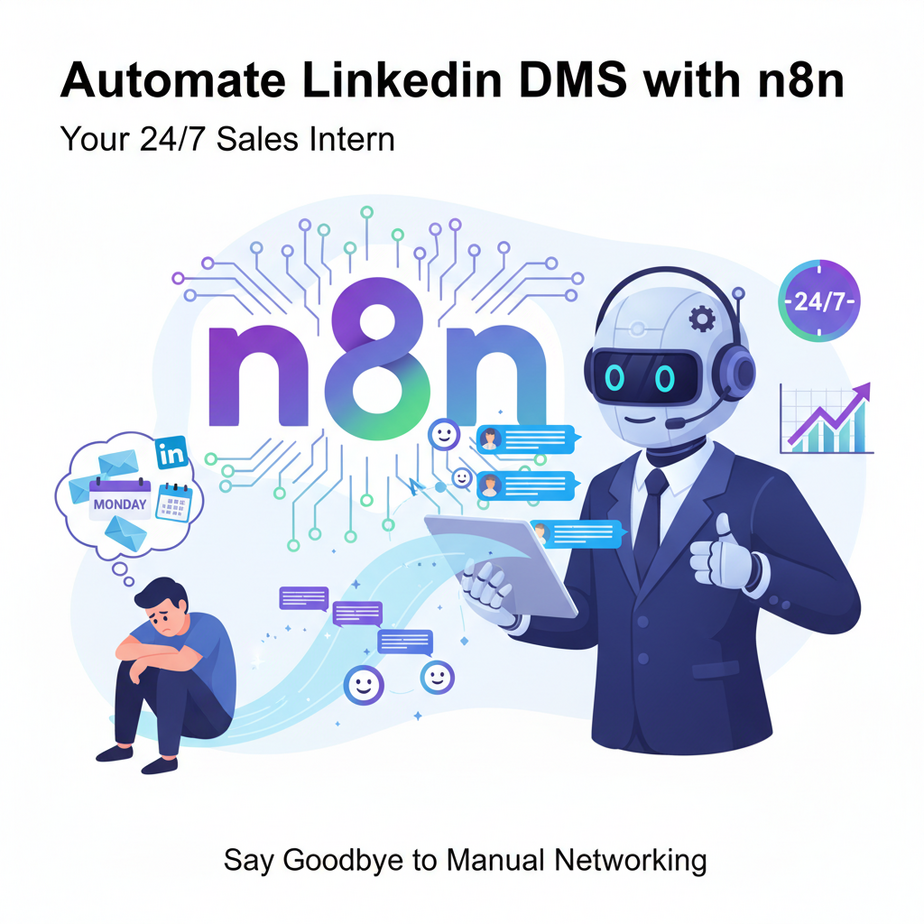
Hook: The Eternal Mondays of Manual Networking
You know that sinking feeling every Monday morning? You open LinkedIn, scroll through 50+ new “Bob from Marketing” connections, and your soul leaves your body. Each one deserves a thoughtful welcome message, but there are only so many hours in the day. You write one, get distracted, and by Wednesday, you’ve forgotten all of them. Your brilliant networking opportunity just became a digital graveyard of ignored connection requests.
This isn’t networking—it’s digital shouting into the void. You need a system. Not another soulless automation that blasts “HEY!!! CHECK OUT MY SERVICES!!!” (which, let’s be honest, is the LinkedIn equivalent of a spammy cold call). You need a smart, personal, and persistent assistant.
Why This Matters: From Scattered Outreach to Scalable Relationships
Imagine a junior sales intern who’s incredibly polite, works 24/7, never complains, and never sleeps. That’s what we’re building. This automation replaces the manual, tedious, and time-consuming work of:
- Wasting hours per day on repetitive welcome messages.
- Missing the 72-hour golden window to make a meaningful first impression with a new connection.
- Inconsistent follow-up that lets hot leads grow cold.
For a salesperson, a founder, or a consultant, this isn’t just about saving time. It’s about creating a pipeline of warm leads. Each personalized message is a tiny handshake. Do it consistently, and you build a network. Do it manually, and you’ll burn out. This automation is your bridge to scale.
What This Tool / Workflow Actually Is
We’re building a workflow in n8n, a powerful open-source automation tool. Think of n8n as the central nervous system of your business processes. It connects different apps (like LinkedIn, email, your CRM) and makes them talk to each other.
What it does: It automatically watches for new LinkedIn connections, retrieves their profile data (name, company, headline), and uses AI to generate a personalized, relevant welcome message. It then sends that message via LinkedIn.
What it does NOT do: It does not spam random people. It only works with your real connections. It won’t bypass LinkedIn’s rate limits (we’ll respect those). It’s not a magic robot that makes sales; it’s a tireless assistant that starts conversations.
Prerequisites
Before we start, let’s be brutally honest. You don’t need to be a coder. You do need:
- An n8n account: You can use n8n.cloud (free tier) or host it locally.
- A LinkedIn Account: Obviously.
- PATIENCE: We’re building a real automation. It might take 30-60 minutes to set up, but it will save you hours every week thereafter.
Got your account open? Good. Let’s fire up your new intern.
Step-by-Step Tutorial: Building the DM Automator
Step 1: Create the Workflow
Open n8n. Click the big “+” button and select “New Workflow.” Name it “LinkedIn Welcome Bot.”
Step 2: Trigger the Automation
We need something to start the workflow. We’ll use a Schedule Trigger to run it every 30 minutes, checking for new connections.
- Add a Schedule Trigger node.
- Set it to “Every 30 Minutes.”
Step 3: Get Your New Connections (The HTTP Request Node)
Here’s the trick: n8n doesn’t have a direct LinkedIn plugin. We use the HTTP Request node to call LinkedIn’s unofficial API. (Note: This is for educational purposes. Always respect platform terms.)
- Add an HTTP Request node.
- Method:
GET - URL:
https://api.linkedin.com/v2/connections?q=viewer&start=0&count=10 - Headers: Add an
Authorizationheader. You’ll need a LinkedIn access token here. (Generating one is a separate process using OAuth 2.0, often done via a tool like PhantomBuster or a custom script. For this tutorial, assume you have a valid token.)
Pro-Tip: Stuck on the token? In your browser, open LinkedIn, check the Network tab, and find a request to `connections`. Copy the `Authorization` bearer token. It’s a live token for your account.
Step 4: Process the Data (JavaScript Node)
The HTTP request returns raw data. We need to parse it and check if there are new connections. Add a JavaScript Code node.
// JavaScript Code Node Input
const newConnections = items.map(item => {
  const profile = item.json.elements[0]; // Adjust based on API response
  return {
    firstName: profile.firstName,
    lastName: profile.lastName,
    headline: profile.headline,
    profileId: profile.publicIdentifier
  };
});
return newConnections;
Store the result in a new variable like newConnectionsList.
Step 5: AI Personalization (OpenAI Node)
This is the magic. We’ll use OpenAI to craft a personalized message.
- Add an OpenAI node.
- Set Operation: “Message a model” (e.g., GPT-3.5-turbo).
- Prompt: Enter this:
You are a helpful, professional connector. Write a short, personalized LinkedIn welcome message for a new connection named {{ $json.firstName }} {{ $json.lastName }} who is a {{ $json.headline }}. The message should be casual, mention something specific from their headline to show genuine interest, and invite them to check out a relevant resource (your company website or a blog post). Keep it under 2 sentences. DO NOT SELL HARSHLY. Be genuine.Step 6: Send the LinkedIn Message (HTTP Request Node)
We send the crafted message back to LinkedIn.
- Add another HTTP Request node.
- Method:
POST - URL:
https://api.linkedin.com/v2/messages - Body (JSON):
{
  "recipients": {
    "com.linkedin.messaging.ConversationMember": {
      "profileId": "{{ $json.profileId }}"
    }
  },
  "message": "{{ $json.message }}"
}- Headers: Same `Authorization` header as before.
Step 7: Connect the Dots & Test
Connect all nodes in order: Schedule → HTTP Request (Get Connections) → JavaScript → OpenAI → HTTP Request (Send Message). Click “Execute Workflow.” Watch your new intern go to work.
Complete Automation Example: The Consultant’s Network Builder
Scenario: You’re a freelance marketing consultant, “Sarah,” who just wrote an ebook. You want to personally welcome every new connection and share a relevant excerpt.
Workflow in Action:
- A VP of Sales from a SaaS company, “David,” connects with Sarah.
- 30 minutes later, the schedule triggers.
- HTTP Request finds David’s profile.
- JavaScript extracts his data: Name: David Chen, Headline: “VP of Sales at ScaleUp Inc.”
- OpenAI crafts a message: “Hey David, thanks for connecting! I saw you’re leading sales at ScaleUp—exciting space. I actually just published a guide on scaling SaaS outreach if you’re curious. No sales pitch, just thought it might be useful!”
- HTTP Request sends this to David’s inbox.
- Result: David sees a personalized, value-first message within an hour. Conversation starts. Sarah’s ebook gets visibility.
Real Business Use Cases (5 Examples)
- Freelance Developer: Automates welcome messages to recruiters who connect. AI mentions the developer’s specialty (e.g., “React Native”) based on their headline, leading to more interview invites.
- SaaS Founder: Uses it for investor outreach. When a VC connects, AI sends a concise update about a key metric, building rapport for future pitches.
- Real Estate Agent: Connects with local homeowners. The bot sends a neighborhood report link (auto-generated) as a welcome gift, not a listing pitch.
- Content Creator: Welcomes new followers with a link to their best YouTube video, tailored to the follower’s industry.
- Recruiter: Automates a friendly note to passive candidates, offering market insights instead of immediately asking for a resume.
Common Mistakes & Gotchas
- Getting Banned: LinkedIn hates automation. Send too many messages too fast, and you’ll get locked out. Space your messages (this workflow does every 30 min for 10 people, which is safe).
- Generic AI Output: The prompt is key. If you don’t specify “don’t sell harshly,” you’ll get a spam bot. Test and refine your prompts.
- Ignoring the API Limits: LinkedIn’s API has rate limits. Start small (5-10 messages/day) and monitor.
- Forgetting the Human Element: This automates the first touch. You MUST still manually respond to replies! This system opens doors; you must walk through them.
How This Fits Into a Bigger Automation System
This single workflow is a building block. Now, imagine connecting it:
- CRM Connection: When a message gets a reply (trigger: new message), log the conversation in your CRM (like HubSpot or Airtable).
- Multi-Agent Handoff: After the welcome message, schedule a second n8n workflow to share a relevant article 3 days later.
- Voice Agent Integration: If the reply is positive, trigger a voice AI to book a calendar link directly into the chat.
- RAG System: Feed your knowledge base to the AI so its recommendations are ultra-precise (e.g., “Check out our case study for B2B SaaS”).
Our welcome bot is the friendly front door of your automated outreach mansion.
What to Learn Next
You’ve just built a tireless networking intern. Tomorrow, we’re going to make it smarter.
In the next lesson, we’ll integrate this with a self-updating CRM. Every conversation will be logged automatically, and a follow-up system will trigger based on the lead’s response. You’ll go from sending messages to managing a pipeline, without leaving n8n.
The course is only getting started. Your next revenue-generating automation is just a few steps away.
“,
“seo_tags”: “LinkedIn Automation, n8n Tutorial, AI Outreach, Business Automation, No-Code Marketing”,
“suggested_category”: “AI Automation Courses





