
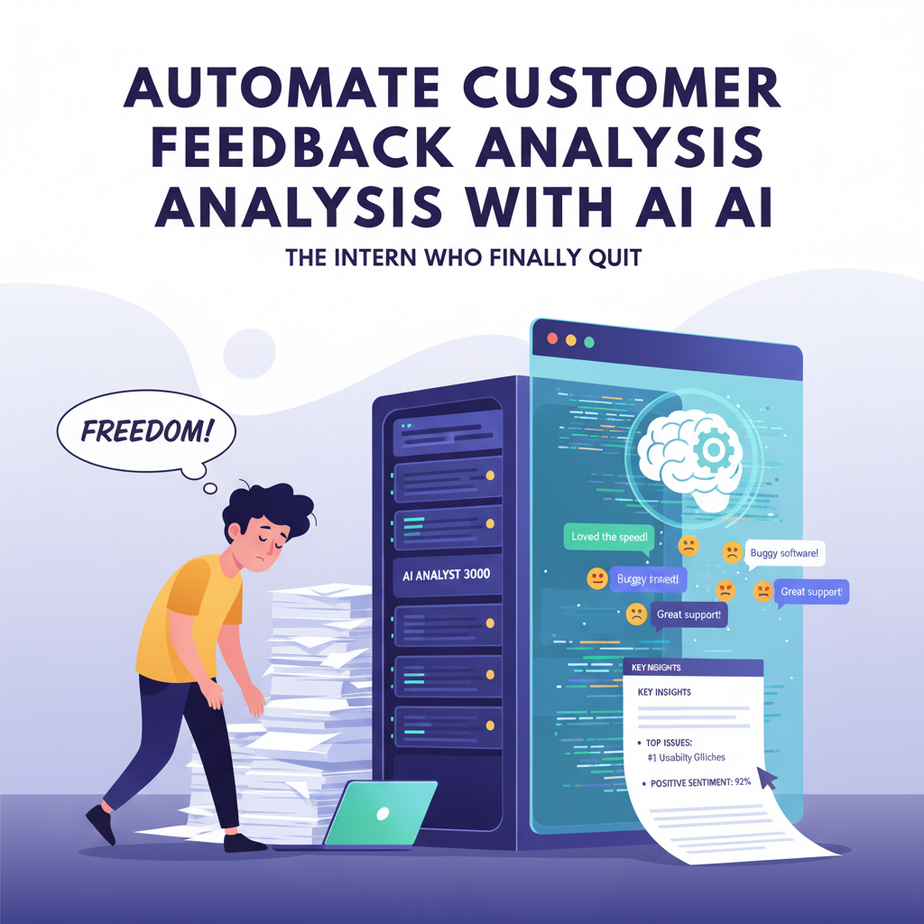
The Intern Who Finally Quit
Imagine hiring a brilliant intern who gets excited about every customer review. They read 500 of them, highlight the important bits, and hand you a neat summary every Monday. Then imagine they quit because… well, humans get bored. Or they sleep. Or they start wondering why they’re reading reviews instead of becoming a TikTok star.
Here’s the problem: customer feedback is the richest, rawest insight into your business. But sifting through hundreds of pieces of feedback is like trying to find a specific grain of sand on a beach. You either miss the gold, or you spend your entire day digging.
Today, we’re building your AI intern that never sleeps, never gets bored, and gets smarter every single day. We’re going to automate customer feedback analysis from start to finish.
Why This Matters: From Noise to Revenue
Manual feedback analysis is a business killer. You miss patterns, slow down your response time, and make decisions based on gut feelings instead of data. Your competitors who automate this will adapt faster, fix bugs quicker, and spot opportunities you never saw.
This automation replaces 10-20 hours of manual work per week. It turns a chaotic pile of text into a dashboard of clear, actionable insights. It’s like upgrading from a candle to a spotlight.
What This Actually Is (And Isn’t)
This is a workflow that takes raw text—reviews, survey responses, emails—and uses AI to classify sentiment (positive, negative, neutral), categorize topics (pricing, bugs, features), and summarize key takeaways.
What it IS: A reliable, hands-off system that delivers a weekly digest of feedback insights.
What it ISN’T: A magic mind-reader. The AI gives probabilities and categories, which you must validate. It’s a powerful assistant, not a replacement for human judgment.
Prerequisites: You Need Curiosity, Not a PhD
If you can copy-paste a code snippet and run it in a browser, you’re set. We’ll use Python (the friendliest programming language for this) and a simple API from OpenAI or a similar provider. No server setup, no complex infrastructure.
You’ll need a free account with an AI service (we’ll use OpenAI for this example) and a text editor (VS Code is perfect and free).
Step-by-Step: Building Your Feedback Analyzer
We’re building this step-by-step, like assembling a Lego set with very clear instructions.
- Set Up Your Environment: Install Python. Open your terminal or command prompt and install the necessary library.
We’ll use the openai library. This is our tool for talking to the AI brain.
pip install openaiNow, go to OpenAI’s platform, create a project, and generate an API key. Treat this key like a password; don’t share it. We’ll store it as an environment variable for safety.
- Prepare Your Data: For this tutorial, we’ll use a simple CSV file named
feedback.csvwith columns:id,source, andtext.
id,source,text
1,review,"The battery life is amazing, but the charging port feels cheap."
2,survey,"I love the new dark mode, but the app crashes when I export PDFs."
3,email,"Why does my subscription cost $29 now? It was $19 last month."
4,review,"Customer support was super helpful and resolved my issue in 5 minutes!"
5,survey,"Not a fan of the new logo, but the features are great."
- Build the Analysis Engine: We’ll write a Python script that reads the CSV, sends each entry to the AI, and parses the response.
Here’s the core script. Save this as analyze_feedback.py.
import csv
import os
from openai import OpenAI

# Set your API key (load it from an environment variable for security)
client = OpenAI(api_key=os.environ.get("OPENAI_API_KEY"))

def analyze_feedback(text):
    """
    Sends feedback text to AI for sentiment and categorization.
    Returns a dictionary with sentiment and topics.
    """
    system_prompt = """
    You are a business analyst. Analyze customer feedback.
    Provide a JSON response with:
    - 'sentiment': 'positive', 'negative', or 'neutral'
    - 'topics': list of main topics (e.g., ['pricing', 'bug', 'feature', 'support'])
    - 'summary': a 1-2 sentence summary of the key point
    """

    user_message = f"Feedback: {text}"

    response = client.chat.completions.create(
        model="gpt-3.5-turbo",
        messages=[
            {"role": "system", "content": system_prompt},
            {"role": "user", "content": user_message}
        ],
        response_format={"type": "json_object"}
    )

    # Extract the JSON content
    import json
    try:
        analysis = json.loads(response.choices[0].message.content)
        return analysis
    except json.JSONDecodeError:
        return {"sentiment": "error", "topics": [], "summary": "Failed to parse"}

# Main execution
results = []
with open('feedback.csv', 'r') as file:
    reader = csv.DictReader(file)
    for row in reader:
        analysis = analyze_feedback(row['text'])
        print(f"Processing ID {row['id']}...")
        results.append({
            'id': row['id'],
            'source': row['source'],
            'text': row['text'],
            'sentiment': analysis['sentiment'],
            'topics': ', '.join(analysis['topics']),
            'summary': analysis['summary']
        })

# Save the results
output_file = 'analyzed_feedback.csv'
with open(output_file, 'w', newline='') as file:
    fieldnames = ['id', 'source', 'text', 'sentiment', 'topics', 'summary']
    writer = csv.DictWriter(file, fieldnames=fieldnames)
    writer.writeheader()
    writer.writerows(results)

print(f"Analysis complete! Results saved to {output_file}")
- Run It: In your terminal, set your API key and run the script.
export OPENAI_API_KEY="your-api-key-here"
python analyze_feedback.py
After a few seconds, you’ll have a new file, analyzed_feedback.csv, filled with your AI-powered analysis.
Complete Automation Example: The Weekly Insight Engine
Let’s automate this completely. We’ll use a tool like schedule in Python to run this every Monday morning, then send the insights via email.
import schedule
import time
import smtplib
from email.mime.text import MIMEText
import csv
import json
from openai import OpenAI
import os

client = OpenAI(api_key=os.environ.get("OPENAI_API_KEY"))

def analyze_and_email():
    # ... (Insert the analysis function from step 3 here) ...

    # After analysis, generate a summary email
    with open('analyzed_feedback.csv', 'r') as file:
        reader = csv.DictReader(file)
        feedback_rows = list(reader)

    # Count sentiments
    sentiment_counts = {'positive': 0, 'negative': 0, 'neutral': 0}
    for row in feedback_rows:
        sentiment_counts[row['sentiment']] += 1

    # Top topics
    topic_counts = {}
    for row in feedback_rows:
        topics = row['topics'].split(', ')
        for topic in topics:
            if topic:
                topic_counts[topic] = topic_counts.get(topic, 0) + 1

    top_topics = sorted(topic_counts.items(), key=lambda x: x[1], reverse=True)[:3]

    email_body = f"""
    Weekly Customer Feedback Digest
    -------------------------------
    Total Feedback Analyzed: {len(feedback_rows)}

    Sentiment Breakdown:
    - Positive: {sentiment_counts['positive']}
    - Negative: {sentiment_counts['negative']}
    - Neutral: {sentiment_counts['neutral']}

    Top 3 Topics:
    {', '.join([f'{topic} ({count})' for topic, count in top_topics])}

    Actionable Insight:
    If negative feedback is trending around 'pricing', consider reviewing your plans.
    """

    # Send Email
    msg = MIMEText(email_body)
    msg['Subject'] = 'Weekly Feedback Insights'
    msg['From'] = 'system@yourbusiness.com'
    msg['To'] = 'you@yourbusiness.com'

    with smtplib.SMTP('smtp.gmail.com', 587) as server: # Use your email provider's SMTP
        server.starttls()
        server.login('your_email@gmail.com', 'your_app_password')
        server.send_message(msg)

    print("Weekly email sent!")

# Schedule it
schedule.every().monday.at("09:00").do(analyze_and_email)

while True:
    schedule.run_pending()
    time.sleep(60) # Check every minute
Run this script, and it will sit and wait, acting like your permanent intern.
Real Business Use Cases
- E-commerce Store: Problem: Reviews are scattered across Amazon, Shopify, and your site. Solution: Aggregate them, analyze for common complaints (e.g., “shipping”), and prioritize fixes.
- SAAS Company: Problem: Feature requests are lost in support tickets. Solution: Auto-categorize every ticket to identify “feature request” themes and build a prioritization queue.
- Restaurant Chain: Problem: Yelp/Google reviews are too voluminous to manage per location. Solution: Analyze by location to find which manager is praised for “service” or which kitchen has “cold food” issues.
- Consultant/Freelancer: Problem: Client emails and feedback forms are unstructured. Solution: Tag projects and extract billing/ scope issues automatically, improving project proposals.
- Educational Platform: Problem: Survey responses from students are qualitative and hard to quantify. Solution: Analyze for sentiment trends around specific courses or instructors to guide curriculum updates.
Common Mistakes & Gotchas
Mistake 1: Trusting AI 100%. The AI can misclassify. Always do a quick spot check, especially with the first few analyses.
Mistake 2: Forgetting Costs. Each API call costs money. Run a test on 5 rows first, check your bill, and scale accordingly. Set up spending alerts!
Mistake 3: Garbage In, Garbage Out. If your data is messy (e.g., irrelevant emojis, spam), clean it first. The AI is smart, but junk data will yield junk results.
Mistake 4: No Human Loop. The output should trigger a human review or action. This is automation that augments your intelligence, not replaces it.
How This Fits Into a Bigger Automation System
This feedback analyzer is a powerful piece of your business brain. Here’s how it connects:
- CRM (like HubSpot or Salesforce): The analysis can tag customer records, triggering different follow-up flows (e.g., a negative review gets a support ticket).
- Email/Marketing Automation (like Mailchimp): Use positive sentiment topics to find evangelists for testimonials, or address negative topics in newsletters to show you’re listening.
- Voice Agents: Analyze call transcripts to feed common issues into a knowledge base, helping your AI phone agent resolve issues faster.
- Multi-Agent Workflows: An “Agent Orchestrator” could assign issues: one agent reads the feedback, another drafts a response to the customer, and a third creates a bug report for your dev team.
- RAG Systems (Retrieval-Augmented Generation): This analyzed feedback becomes a database. When a new ticket comes in, the AI can pull from past feedback to provide context-aware answers.
What to Learn Next
Now that you have your automated feedback analyst, you’ve unlocked the door to a deeper world. In our next lesson, we’ll connect this to an AI agent that not only analyzes feedback but also drafts personalized responses to customers in your brand’s voice.
We’re building an army of AI interns. This is Lesson 6 of our AI Automation Academy. Master this, and you’re no longer managing chaos—you’re orchestrating clarity.
Now go run that script. Your new intern is waiting for its first task.





