
Hook
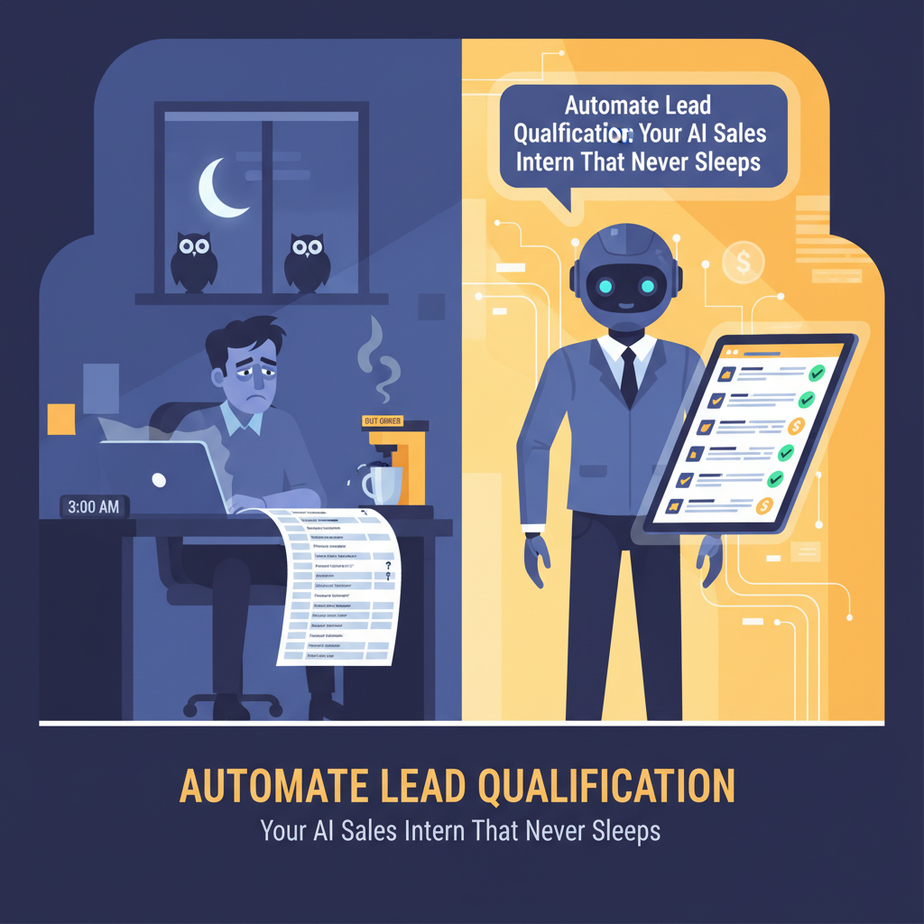
Picture this: It’s 3 AM. The owls are hooting, your coffee machine is on strike, and you’re staring at a spreadsheet filled with new sign-ups. Each row represents a potential customer, but also a potential time sink. Is ‘EnthusiasticEggplant2000’ from a free Gmail account actually serious about your B2B SaaS, or just a bot on a joyride? Your sales team, bless their cotton socks, will spend precious hours digging through LinkedIn profiles, company websites, and social media to figure this out. They’ll send generic emails, get generic replies, and maybe, just maybe, uncover a gem. It’s like sending your best agents on a treasure hunt armed with a rusty spoon and a blurry map. Exhausting, inefficient, and frankly, a waste of everyone’s brilliance.
What if you had an intern? A tireless, lightning-fast, always-on intern whose sole job was to sort through the noise, identify the gold, and even draft a *personalized* hello, all before your sales team even poured their first coffee? That’s what we’re building today.
Why This Matters
In business, leads are like fresh produce. They don’t stay fresh forever. The faster you act, the higher your chances of conversion. But manual qualification? That’s the black hole where promising leads go to die, sales reps burn out, and revenue opportunities turn into ‘what ifs’.
This automation isn’t just about saving time; it’s about scaling your business without hiring an army. It turns your lead pipeline into a finely tuned sorting machine. It frees your human sales team from the mundane, repetitive detective work, allowing them to focus on what they do best: building relationships and closing deals. Think of it as upgrading from a clunky, manual conveyor belt to a sleek, AI-powered sorting facility. Your sales team will thank you, your accountant will send flowers, and your sanity will remain intact.
What This Tool / Workflow Actually Is
At its core, this workflow is a smart assistant that takes raw lead data, analyzes it using Artificial Intelligence, makes decisions based on that analysis, and then takes action. We’ll be using a combination of:
- An **automation platform** (like Zapier or Make.com) to connect everything. This is your digital plumbing.
- An **AI Language Model** (like OpenAI’s ChatGPT or Google’s Gemini Pro) to act as your intelligent qualifier and personalized message writer. This is your super-smart intern.
- Your **CRM, email system, or spreadsheet** to feed leads in and track outcomes. This is your lead factory floor.
What it IS: A system that automatically reviews new leads, scores them, and crafts tailored initial responses, categorizing them for your sales team.
What it IS NOT: A replacement for human sales interaction or complex negotiation. It won’t close deals on its own (yet!), nor will it magically create qualified leads out of thin air. It’s an accelerator, not a magic wand.
Prerequisites
Relax, this isn’t rocket science. We’re building a robot, not launching one. Here’s what you’ll need:
- An account with an automation platform: Zapier or Make.com are excellent choices. Most offer free tiers to get started.
- An account with an AI provider: OpenAI (for ChatGPT APIs) or Google AI Studio (for Gemini Pro APIs). You’ll need API access, which usually involves setting up a billing method, but costs are typically pennies per qualification.
- A source of leads: This could be a Google Sheet, your CRM (like HubSpot, Salesforce, Pipedrive), a form submission tool (Typeform, Jotform), or even new entries in an Airtable base.
- Basic computer literacy: If you can click buttons and copy-paste text, you’re golden. No coding degree required. I promise.
Step-by-Step Tutorial
Let’s build your first AI Sales Intern. We’ll use Make.com for this example, but the concepts translate directly to Zapier.
Step 1: Set Up Your Trigger – New Lead Arrives!
This is where your automation starts. Every time a new lead appears, your automation wakes up.
- Log into Make.com (or Zapier).
- Create a new ‘Scenario’ (Make) or ‘Zap’ (Zapier).
- Choose your lead source. For simplicity, let’s use a Google Sheet named ‘New Leads’.
- Select ‘Watch New Rows’ (Make) or ‘New Spreadsheet Row’ (Zapier) as your trigger.
- Connect your Google Sheet and select the spreadsheet and worksheet where new leads appear. Make sure your sheet has columns like ‘Name’, ‘Email’, ‘Company’, ‘Industry’, ‘Message/Interest’.
- Test the trigger to ensure it pulls in sample data.
Step 2: Send Lead Data to Your AI Intern (OpenAI)
Now, let’s give your AI intern the lead’s resume.
- Add a new module to your scenario. Search for ‘OpenAI’ and select ‘Create a Completion’ (for older models) or ‘Create a Chat Completion’ (for newer models like GPT-3.5-turbo or GPT-4).
- Connect your OpenAI account using your API Key. (You can find this in your OpenAI developer dashboard).
- Configure the prompt. This is critical. This is where you tell the AI exactly what you want it to do.
Here’s a prompt you can copy-paste. Adjust the criteria as needed for *your* business:
You are an expert sales lead qualification specialist for [Your Company Name], a company that provides [brief description of what your company does, e.g., 'B2B SaaS for marketing automation'].

Your task is to analyze a new lead based on the provided information and determine if they are a 'Qualified Lead' or 'Unqualified Lead'.

A 'Qualified Lead' meets most of the following criteria:
- Appears to be a legitimate business or professional (not a personal email, clearly defined company).
- Industry aligns with our target market (e.g., Marketing, Sales, E-commerce, Tech).
- Shows specific interest related to [Your Company's product/service].
- Their role suggests decision-making authority or influence (e.g., Founder, CEO, VP, Marketing Manager, Head of Sales).

An 'Unqualified Lead' shows signs of being:
- A personal email address without clear business context.
- From an irrelevant industry.
- Vague interest or spam-like submission.
- A student, job seeker, or competitor researching.

After qualification, draft a *highly personalized* first outreach email. Keep it concise, professional, and directly reference their submitted information. Assume the email will be sent from [Your Name/Your Company Sales Team].

Return your output in a JSON format with two keys:
1. "qualification": "Qualified Lead" or "Unqualified Lead"
2. "email_draft": "The personalized email draft"

Lead Information:
Name: {{1.Name}}
Email: {{1.Email}}
Company: {{1.Company}}
Industry: {{1.Industry}}
Message: {{1.Message/Interest}}
Step 3: Branching Logic – Qualified or Unqualified?
Your AI has made a decision. Now, what do we do with it?
- Add a ‘Router’ module (Make) or ‘Path’ (Zapier) after the OpenAI step. This creates conditional paths.
- Create two routes: one for ‘Qualified Leads’ and one for ‘Unqualified Leads’.
- Set up a ‘Filter’ (Make) or ‘Path Rule’ (Zapier) on each route.
- For the ‘Qualified’ path: Condition should be
{{OpenAI_Output.qualification}}equals"Qualified Lead" - For the ‘Unqualified’ path: Condition should be
{{OpenAI_Output.qualification}}equals"Unqualified Lead"
- For the ‘Qualified’ path: Condition should be
Step 4 (Qualified Path): Update CRM & Send Personalized Email
For your golden leads, let’s roll out the red carpet.
- Update CRM: Add a module for your CRM (e.g., HubSpot, Salesforce). Select ‘Update a Contact’ or ‘Create a Deal’. Map the lead’s information and update a custom field like ‘Lead Status’ to ‘AI Qualified’.
- Send Email: Add an ‘Email’ module (e.g., Gmail, Outlook 365, or your email marketing tool).
- Recipient:
{{1.Email}} - Subject: A compelling subject line, perhaps incorporating their company name.
- Body: Use the
{{OpenAI_Output.email_draft}}from your AI intern. - Sender Name: Your sales team’s name.
- Recipient:
Step 5 (Unqualified Path): Log & Monitor
Even unqualified leads need to be tracked, just in case.
- Update Google Sheet/CRM: Add a module to update your original Google Sheet (or CRM). Set the ‘Lead Status’ to ‘AI Unqualified’ and perhaps add a ‘Notes’ field with the AI’s reason for disqualification (if your prompt returned it).
- Internal Notification (Optional): Send a brief internal Slack message or email to your team if they want to review unqualified leads occasionally.
Complete Automation Example
Let’s run through a full scenario for a hypothetical company, ‘Apex Growth AI’, which sells AI-powered marketing analytics software.
Scenario: New Website Signup
A new user fills out a ‘Request a Demo’ form on Apex Growth AI’s website. This form automatically adds a new row to a Google Sheet called ‘Apex Leads’.
- Trigger: Make.com’s ‘Watch New Rows’ for ‘Apex Leads’ detects a new entry:
Name: Sarah Chen Email: sarah.chen@innovatecorp.com Company: InnovateCorp Industry: Technology & Consulting Message: "Interested in AI-driven insights for our enterprise clients. Currently using manual dashboards, need something more scalable." - OpenAI Module: The prompt from Step 2 is executed. The AI processes the data.
AI Response (simplified for clarity): { "qualification": "Qualified Lead", "email_draft": "Hi Sarah, thanks for your interest in Apex Growth AI! We understand the challenges of scaling insights for enterprise clients with manual dashboards. Our AI-powered analytics are designed precisely for companies like InnovateCorp looking to streamline and automate their reporting. Would you be open to a quick 15-minute call next week to see how we could specifically help InnovateCorp?" } - Router/Path: The AI’s
"qualification": "Qualified Lead"routes the automation down the ‘Qualified’ path. - CRM Update: A module connected to HubSpot updates Sarah Chen’s contact record. ‘Lead Status’ is set to ‘AI Qualified’. A note is added: ‘AI identified as a strong fit due to enterprise client focus and need for scalable analytics.’
- Send Email: A Gmail module sends the personalized
email_draftdirectly to Sarah Chen from ‘Apex Growth AI Sales Team’.
All this happens within seconds, while your human sales team is still debating who finished the last oat milk.
Real Business Use Cases (MINIMUM 5)
1. SaaS Company (e.g., CRM for Small Businesses)
Problem: High volume of free trial sign-ups, many are students, competitors, or personal projects. Sales team wastes time contacting non-ICP (Ideal Customer Profile) users.
Solution: Automation qualifies sign-ups based on company name, website domain, email address (avoiding free domains), and stated role. Qualified leads get a personalized welcome and demo offer; unqualified leads receive a generic self-help link or are archived.
2. Real Estate Agency
Problem: Website contact forms generate inquiries for diverse properties (rentals, sales, commercial, residential). Agents manually sift through messages to route them to the correct specialist.
Solution: AI analyzes the inquiry message for keywords (‘rent apartment’, ‘buy house’, ‘commercial space’, ‘investment property’) and lead details (budget, location). It then routes the lead to the appropriate agent (rental, sales, commercial specialist) and drafts an initial “I’ve received your inquiry” email referencing their specific needs.
3. E-commerce Store (for B2B bulk orders)
Problem: Many inquiries about bulk discounts come from small businesses that don’t meet minimum order quantities, or individuals. Sales reps spend time explaining policies.
Solution: AI qualifies leads based on company size (from website/LinkedIn if available), stated order quantity, and specific product interest. Qualified bulk buyers get routed to a B2B sales rep with a pre-populated inquiry summary; unqualified leads receive an automated email with a link to general bulk order FAQs and minimum requirements.
4. Coaching/Consulting Business
Problem: Discovery calls are booked by individuals who aren’t ready for high-ticket services or don’t fit the coaching niche. High no-show rates for unqualified prospects.
Solution: AI reviews a detailed pre-call questionnaire (income, goals, current challenges). It identifies prospects who are a strong fit, drafting an email to schedule a ‘Strategy Session’ and updating their CRM profile. Less qualified prospects receive resources or an invitation to a group workshop instead.
5. Recruitment Agency
Problem: High volume of job applications, many from candidates who don’t meet minimum experience or skill requirements. Recruiters manually screen hundreds of resumes.
Solution: AI analyzes application data (experience, skills, target role, education) against job requirements. It pre-screens and flags ‘Highly Qualified’ candidates for recruiter review and an immediate ‘next steps’ email. Candidates who don’t meet core criteria receive a polite ‘we’ll keep your resume on file’ message.
Common Mistakes & Gotchas
- Vague AI Prompts: Garbage in, garbage out. If your prompt is unclear, the AI will guess. Be specific about your qualification criteria and desired output format (like the JSON structure we used).
- Over-reliance on AI: The AI is a tool, not a guru. Always monitor its output, especially in the beginning. It can make mistakes, miss nuances, or have ‘hallucinations’.
- Not Handling Edge Cases: What if the AI can’t decide? Or returns a non-standard output? Build in error handling or default paths. For example, if qualification is neither ‘Qualified’ nor ‘Unqualified’, route it to a ‘Manual Review’ queue.
- Forgetting to Test: Test with various lead types – good, bad, and ambiguous – before deploying widely. Don’t just test once; test with every change to your prompt or workflow.
- Ignoring Lead Quality at the Source: AI can only work with the data it’s given. If your initial forms are too open-ended and collect junk, the AI will still be working with junk. Improve your forms first.
- Being Too Aggressive with Follow-up: While speed is good, don’t bombard leads. Ensure your personalized emails sound human and genuine, not like they were written by a robot (even if they were!).
How This Fits Into a Bigger Automation System
This lead qualification system isn’t a standalone island; it’s a crucial cog in a much larger machine. Think of it as the first station in your automated sales pipeline:
- CRM Integration: This workflow directly feeds and updates your CRM. A qualified lead isn’t just an email; it’s a CRM contact with a ‘hot’ status, ready for your sales team to pick up directly.
- Email Marketing Sequences: Once qualified and categorized, leads can automatically enter specific email nurture sequences. For example, qualified leads might get a series of emails showcasing relevant case studies, while unqualified leads might get added to a general newsletter.
- Multi-Agent Workflows: This simple qualification is just the beginning. A ‘Qualified Lead’ could then be handed off to a *second* AI agent whose job is to find available slots in your sales rep’s calendar and send an automated scheduling invite.
- RAG Systems (Retrieval Augmented Generation): Imagine a lead asks a very specific question in their ‘message’ field. Your AI qualification system could be augmented with RAG to pull answers from your knowledge base *before* drafting the email, making the initial outreach even more informed and powerful.
- Voice Agents: For highly qualified leads, this system could trigger a personalized text message or even a pre-recorded AI-powered voice agent call to gather more information or confirm interest, all before a human steps in.
This single automation creates a powerful ripple effect, making every subsequent sales and marketing effort more targeted and effective.
What to Learn Next
You’ve just built your very own tireless AI sales intern, a true game-changer for your business. You’re no longer just sorting leads; you’re building a revenue engine.
But what if that intern could also *schedule* meetings for your sales team? What if it could *analyze* sales call transcripts to identify key objections? Or better yet, what if it could dynamically adjust its follow-up based on a lead’s email engagement?
Next up in our Academy, we’re going to take that concept of ‘dynamic follow-up’ and turn it into reality. We’ll explore how to build adaptive AI workflows that respond to customer behavior in real-time, making your sales and marketing efforts feel truly bespoke. Get ready to supercharge your automation further – the future of frictionless sales is waiting!





