
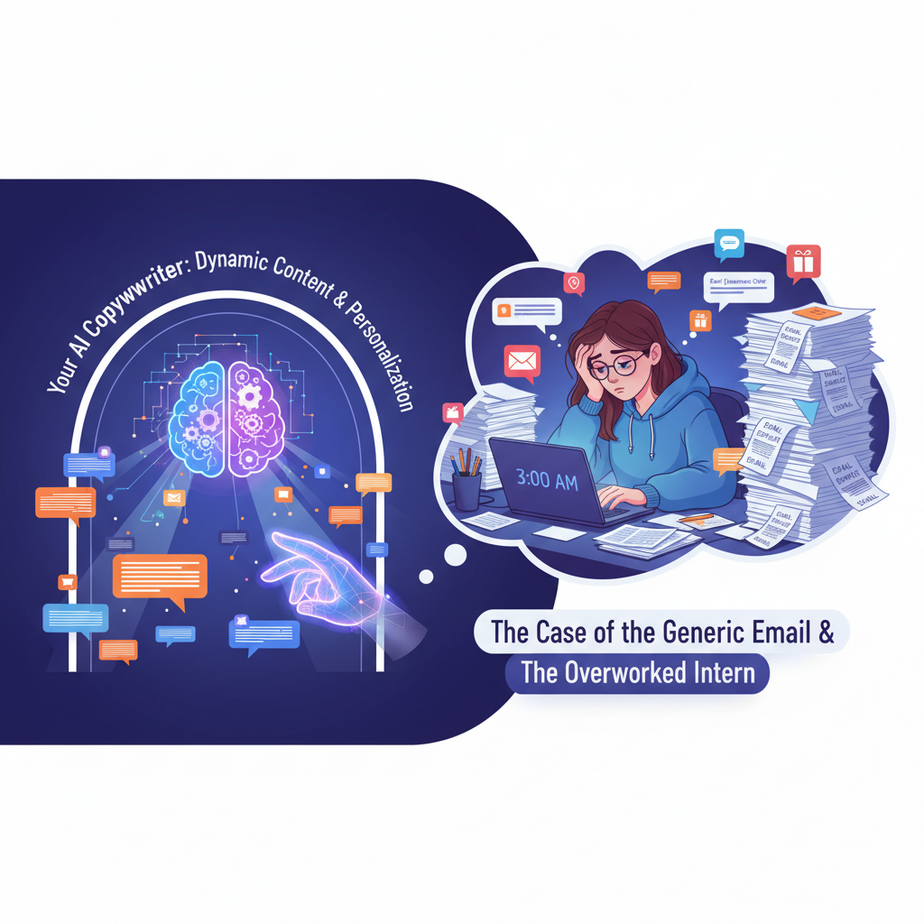
The Case of the Generic Email & The Overworked Intern
Picture this: It’s 3 AM. Sarah, your star marketing intern, is hunched over her laptop, bleary-eyed, trying to write just one more variant of that welcome email. She’s already done 17. One for people from Facebook, one for Twitter, one for LinkedIn, one for people who clicked on a cat meme ad, one for people who clicked on a dog meme ad… you get the picture. Every single variant requires a slightly different tone, a different hook, a different call to action. Her coffee cup is empty, her soul is slowly leaving her body, and she’s wondering if a career in competitive thumb-wrestling might be less grueling.
Meanwhile, your competitor, Brenda, is asleep, dreaming of unicorns and quarterly revenue targets. Her AI “content robot” is tirelessly churning out thousands of perfectly personalized emails, ad copy snippets, and product descriptions, all tailored to individual user behavior and preferences. No sweat, no interns sacrificing their youth. Just pure, unadulterated, dynamic personalization.
Guess who’s winning?
Why This Matters: Because One Size Fits Absolutely No One
In today’s digital world, generic content is invisible. It’s like yelling into a hurricane – nobody hears you. Your customers are bombarded with messages, and if yours doesn’t resonate with them specifically, it’s instantly filtered out. This isn’t just about ‘being nice’ to your customers; it’s about cold, hard business metrics:
- Engagement Skyrockets: Personalized subject lines boost open rates. Tailored recommendations increase click-throughs.
- Conversions Soar: When a message directly addresses a user’s pain point or interest, they’re far more likely to take action.
- Time & Money Saved: Instead of hiring an army of copywriters or burning out your Sarahs, you can automate the generation of diverse content variants in seconds.
- Scalability for Days: You can create personalized experiences for 10 users or 10 million users without breaking a sweat (or the bank).
This automation replaces the tedious, repetitive work of manual content creation and customization, freeing up your team to focus on strategy, creativity, and… well, sleeping at night.
What This Tool / Workflow Actually Is: Your Personalization Robot
At its core, this workflow uses an Artificial Intelligence (specifically, a Large Language Model or LLM, like the ones from OpenAI) as your personal content generation engine. Think of it as a super-smart, incredibly fast copywriter who:
- Takes Instructions: You give it a ‘master prompt’ – a detailed set of guidelines on what kind of content you need, the tone, the length, and the objective.
- Receives Dynamic Data: You feed it specific information about a user, a product, or a situation (e.g., ‘User Name: Alex’, ‘Product Type: Outdoor Gear’, ‘Recent Action: Viewed Hiking Boots’).
- Generates Unique Content: It then combines your instructions with the dynamic data to produce a brand-new, personalized piece of content – an email, an ad headline, a product description, a social media post, etc.
What it IS: A powerful text generator that follows your commands and adapts to input data.
What it IS NOT: A sentient being making creative decisions out of thin air. It’s a tool, an incredibly sophisticated one, but a tool nonetheless. It needs your guidance.
Prerequisites: Let’s Get Our Hands Dirty (But Not Too Dirty)
Don’t worry, we’re not building a rocket ship here. If you can copy-paste and follow instructions, you’re golden.
- An OpenAI Account & API Key: This is how your automation talks to the AI brain. You’ll need to sign up at OpenAI’s platform and generate an API key. Keep it safe; it’s like a key to your AI wallet.
- Basic Python (Optional but Recommended): We’ll use a super simple Python script to illustrate the automation. If Python looks like alien script, don’t panic! The core concept is transferable to no-code tools later, but for granular control and understanding, Python is fantastic. You can install Python from python.org.
- A Text Editor: Notepad, VS Code, Sublime Text – anything where you can write and save plain text or Python code.
See? No advanced degrees required. Just curiosity and a willingness to automate the heck out of things.
Step-by-Step Tutorial: Building Your Content Robot
Step 1: Get Your OpenAI API Key
Go to platform.openai.com. Sign up or log in. Once in, navigate to ‘API keys’ in the left sidebar and click ‘Create new secret key’. Name it something descriptive, like ‘Dynamic Content Bot’. Copy that key IMMEDIATELY and store it safely. You won’t see it again.
Step 2: Choose Your AI Model
For most dynamic content tasks, you want a powerful text generation model. For top-tier quality and understanding of complex prompts, gpt-4o or gpt-4-turbo are excellent choices. For speed and cost efficiency with slightly less complex tasks, gpt-3.5-turbo works well.
Step 3: Craft Your ‘Master Prompt’ (The Brain of Your Robot)
This is where you tell the AI exactly what you want. Think of it as writing job description for your new AI copywriter. It needs to be clear, specific, and include ‘dynamic variables’ – placeholders that your automation will fill in.
Your prompt will typically have two parts for clarity: a ‘system’ message and a ‘user’ message.
SYSTEM_PROMPT = """
You are an expert marketing copywriter specializing in personalized outreach. Your goal is to write engaging, concise (max 100 words), and persuasive text that encourages immediate action. Maintain a friendly, enthusiastic, and professional tone. Focus on the user's specific interests and the benefits relevant to them.
"""

USER_TEMPLATE = """
Generate a personalized welcome email body for a new user. The user's name is {user_name}. They signed up through {signup_source} and expressed interest in {user_interest}. Highlight how our platform, [Your Company Name], can help them achieve their goals related to {user_interest}.

---EXAMPLE---
User Name: Alex
Signup Source: Facebook Ad
User Interest: Learning Python

Hello Alex!

Welcome to [Your Company Name]! We're thrilled to have you join us from Facebook. We heard you're keen on learning Python, and you've come to the right place. Our platform offers interactive courses and hands-on projects designed to get you coding in no time. Get started with our 'Python for Beginners' course today and unlock a world of possibilities!

---END EXAMPLE---

Now, generate the content for:
User Name: {user_name}
Signup Source: {signup_source}
User Interest: {user_interest}
"""
Notice how we’ve defined the AI’s role, tone, length, and purpose in the `SYSTEM_PROMPT`. Then, the `USER_TEMPLATE` provides the specific task, includes placeholders (`{user_name}`, `{signup_source}`, `{user_interest}`), and even gives an excellent example to guide the AI’s output. This ‘few-shot’ prompting is incredibly powerful.
Step 4: Identify Your ‘Dynamic Variables’
These are the pieces of information that change for each user or item. From our template above, they are: `user_name`, `signup_source`, and `user_interest`. You’ll get these from your customer database, website forms, or tracking systems.
Step 5: Write a Simple Script to Talk to the AI
This Python script will connect to OpenAI, feed it your prompt with the filled-in variables, and get the personalized content back.
import os
from openai import OpenAI

# --- Step 1: Set your API key ---
# It's best practice to load API keys from environment variables
# For testing, you can uncomment the line below and replace 'YOUR_OPENAI_API_KEY'
# os.environ["OPENAI_API_KEY"] = "YOUR_OPENAI_API_KEY"

client = OpenAI(
    api_key=os.environ.get("OPENAI_API_KEY"),
)

# --- Step 3: Your Master Prompt (System & User Template) ---
SYSTEM_PROMPT = """
You are an expert marketing copywriter specializing in personalized outreach. Your goal is to write engaging, concise (max 100 words), and persuasive text that encourages immediate action. Maintain a friendly, enthusiastic, and professional tone. Focus on the user's specific interests and the benefits relevant to them.
"""

USER_TEMPLATE = """
Generate a personalized welcome email body for a new user. The user's name is {user_name}. They signed up through {signup_source} and expressed interest in {user_interest}. Highlight how our platform, [Your Company Name], can help them achieve their goals related to {user_interest}.

---EXAMPLE---
User Name: Alex
Signup Source: Facebook Ad
User Interest: Learning Python

Hello Alex!

Welcome to [Your Company Name]! We're thrilled to have you join us from Facebook. We heard you're keen on learning Python, and you've come to the right place. Our platform offers interactive courses and hands-on projects designed to get you coding in no time. Get started with our 'Python for Beginners' course today and unlock a world of possibilities!

---END EXAMPLE---

Now, generate the content for:
User Name: {user_name}
Signup Source: {signup_source}
User Interest: {user_interest}
"""

def generate_personalized_content(user_data):
    # --- Step 4: Fill in Dynamic Variables ---
    formatted_user_prompt = USER_TEMPLATE.format(
        user_name=user_data["name"],
        signup_source=user_data["source"],
        user_interest=user_data["interest"]
    )

    try:
        response = client.chat.completions.create(
            model="gpt-4o", # Or gpt-4-turbo, gpt-3.5-turbo
            messages=[
                {"role": "system", "content": SYSTEM_PROMPT},
                {"role": "user", "content": formatted_user_prompt}
            ],
            max_tokens=150, # Limit response length
            temperature=0.7, # Creativity level (0.0-1.0)
        )
        return response.choices[0].message.content.strip()
    except Exception as e:
        print(f"Error generating content: {e}")
        return None

if __name__ == "__main__":
    # Example usage for a single user
    sample_user_data = {
        "name": "Maria",
        "source": "LinkedIn Ad",
        "interest": "AI Automation"
    }

    print("\
--- Generating personalized content for Maria ---")
    content = generate_personalized_content(sample_user_data)
    if content:
        print(content)

    # Another example
    sample_user_data_2 = {
        "name": "David",
        "source": "Google Search",
        "interest": "Sustainable Living"
    }
    print("\
--- Generating personalized content for David ---")
    content_2 = generate_personalized_content(sample_user_data_2)
    if content_2:
        print(content_2)
To run this:
- Save it as `personalized_content_generator.py`.
- Install the OpenAI Python library: `pip install openai`
- Set your API key as an environment variable (recommended):
For Linux/macOS:export OPENAI_API_KEY='YOUR_OPENAI_API_KEY'
For Windows (Command Prompt):set OPENAI_API_KEY=YOUR_OPENAI_API_KEY
(Replace ‘YOUR_OPENAI_API_KEY’ with your actual key.)
Or, uncomment the line `os.environ[“OPENAI_API_KEY”] = “YOUR_OPENAI_API_KEY”` in the script for quick testing, but remove it for production. - Run from your terminal: `python personalized_content_generator.py`
Boom! You just made an AI write personalized marketing copy based on specific user data. How cool is that?
Complete Automation Example: Personalized Onboarding Emails from a Spreadsheet
Let’s take our simple script and make it churn through a list of new sign-ups, generating a personalized welcome email for each. Imagine you export new user data daily into a CSV.
Scenario: Personalized Welcome Series for ‘New Academy Members’
You run an online academy. New members sign up daily, often through different channels and with varying interests. You want to send them a highly personalized welcome email to make them feel special and guide them to relevant resources immediately.
Input Data (`new_members.csv`):
name,email,source,interest
Alice,alice@example.com,Instagram Ad,Web Development
Bob,bob@example.com,Podcast,Data Science
Charlie,charlie@example.com,Referral,Mobile App Design
Diana,diana@example.com,Blog Post,Digital Marketing
Updated Python Script (`automated_onboarding.py`):
import os
import csv
from openai import OpenAI

# --- Step 1: Set your API key ---
# os.environ["OPENAI_API_KEY"] = "YOUR_OPENAI_API_KEY"

client = OpenAI(
    api_key=os.environ.get("OPENAI_API_KEY"),
)

# --- Step 3: Your Master Prompt (System & User Template) ---
SYSTEM_PROMPT = """
You are an expert onboarding specialist for an online academy. Your goal is to write a warm, encouraging, and highly personalized welcome email body (max 150 words) for new members. Introduce them to the academy, validate their interest, and guide them to relevant first steps. Maintain a friendly, supportive, and slightly exciting tone. Emphasize the community aspect and the journey ahead.
"""

USER_TEMPLATE = """
Generate a personalized welcome email body for a new academy member. The member's name is {user_name}. They joined after discovering us through {signup_source} and their primary interest is {user_interest}. Guide them on how to best start their learning journey at our academy, [Your Academy Name], based on their interest.

---EXAMPLE---
User Name: Emily
Signup Source: YouTube Channel
User Interest: Video Editing

Subject: Welcome to [Your Academy Name], Emily! Your Video Editing Journey Starts Now!

Hi Emily,

Welcome aboard! We're thrilled you discovered [Your Academy Name] via our YouTube channel. Since you're passionate about Video Editing, we recommend diving into our 'Mastering Premiere Pro' course first. You'll love our hands-on projects and supportive community. Don't hesitate to reach out if you have any questions – we're here to help you succeed!

---END EXAMPLE---

Now, generate the content for:
User Name: {user_name}
Signup Source: {signup_source}
User Interest: {user_interest}
"""

def generate_personalized_email_body(user_data):
    formatted_user_prompt = USER_TEMPLATE.format(
        user_name=user_data["name"],
        signup_source=user_data["source"],
        user_interest=user_data["interest"]
    )

    try:
        response = client.chat.completions.create(
            model="gpt-4o",
            messages=[
                {"role": "system", "content": SYSTEM_PROMPT},
                {"role": "user", "content": formatted_user_prompt}
            ],
            max_tokens=200,
            temperature=0.7,
        )
        return response.choices[0].message.content.strip()
    except Exception as e:
        print(f"Error generating content for {user_data['name']}: {e}")
        return ""

if __name__ == "__main__":
    input_csv_path = "new_members.csv"
    output_csv_path = "personalized_emails.csv"

    personalized_emails = []

    print(f"Reading data from {input_csv_path}...")
    with open(input_csv_path, mode='r', encoding='utf-8') as infile:
        reader = csv.DictReader(infile)
        for row in reader:
            print(f"Generating email for {row['name']}...")
            email_body = generate_personalized_email_body(row)
            if email_body:
                personalized_emails.append({
                    "name": row["name"],
                    "email": row["email"],
                    "subject": f"Welcome to [Your Academy Name], {row['name']}! Let's Get Started on Your {row['interest']} Journey!", # AI can generate this too!
                    "body": email_body
                })
            # Add a small delay to avoid hitting rate limits too quickly, especially with free tiers
            # import time
            # time.sleep(1)

    print(f"Writing personalized emails to {output_csv_path}...")
    if personalized_emails:
        fieldnames = ["name", "email", "subject", "body"]
        with open(output_csv_path, mode='w', encoding='utf-8', newline='') as outfile:
            writer = csv.DictWriter(outfile, fieldnames=fieldnames)
            writer.writeheader()
            writer.writerows(personalized_emails)
        print("Done! Check your 'personalized_emails.csv' file.")
    else:
        print("No personalized emails were generated.")
Run this script, and you’ll get a `personalized_emails.csv` file, ready to be imported into your email marketing platform (e.g., Mailchimp, ConvertKit, HubSpot) for delivery. Each member gets a unique, tailored message. Sarah, the intern, can finally go home.
Real Business Use Cases (Beyond Just Emails!)
This dynamic content generation isn’t just for welcome emails. Its power lies in adapting messages to any specific context.
-
E-commerce Store: Dynamic Product Descriptions & Ad Copy
Problem: You have thousands of products. Writing unique, SEO-friendly descriptions and multiple ad variants for each is impossible. Generic copy performs poorly.
Solution: Feed the AI product data (name, features, benefits, target audience segments) and generate 5 unique descriptions, 3 ad headlines, and 2 social media posts for each product. One description for the ‘budget shopper,’ another for the ‘luxury seeker,’ etc. -
SaaS Company: Personalized In-App Notifications & Feature Guides
Problem: Users abandon trials because they don’t understand how your complex features benefit their specific workflow. Generic notifications don’t cut it.
Solution: Based on a user’s role, industry, or features they’ve used/ignored, generate personalized in-app messages, tooltips, or short guides that highlight how a specific feature solves *their* known problems. “Hey {user_name}, noticed you’re a {user_role}. Did you know our {feature} can automate {their_specific_pain_point}?” -
Real Estate Agency: Tailored Property Listings for Clients
Problem: Sending the same property description to every client is inefficient. A client looking for a ‘family home’ cares about schools; another looking for ‘investment’ cares about ROI.
Solution: Store client preferences (e.g., family, investor, first-time buyer). For each new listing, feed the AI the property’s features and the client’s profile. Generate a description that highlights features most relevant to that specific client, e.g., “Ideal for families with top-rated schools nearby” vs. “High rental yield potential in a booming neighborhood.” -
Content Creator/Blogger: Social Media Post Variants
Problem: You write a great blog post, but crafting unique, engaging social media posts for Twitter, LinkedIn, Instagram, and Facebook, each with different character limits and audience expectations, takes ages.
Solution: Feed the AI your blog post’s title, key takeaways, and target platforms. Generate 5 distinct social media posts: one short and punchy for X (Twitter), one professional for LinkedIn, one with emoji/hashtags for Instagram, and one community-focused for Facebook. -
HR & Recruitment: Personalized Job Descriptions & Candidate Outreach
Problem: Standard job descriptions attract generic applicants. Sending boilerplate emails to potential candidates results in low response rates.
Solution: Input core job requirements and company culture. Generate several versions of a job description tailored to different candidate profiles (e.g., ‘early-career enthusiasm’ vs. ‘seasoned expert’). For outreach, feed the AI a candidate’s LinkedIn profile highlights and the job details, generating a personalized message explaining why *they* are a great fit.
Common Mistakes & Gotchas: Don’t Let Your Robot Go Rogue!
-
Vague or Insufficient Prompts: Garbage In, Garbage Out
If your prompt says ‘write an email,’ you’ll get ‘an email.’ If it says ‘write a friendly, concise (under 100 words) welcome email for a new academy member interested in AI automation, emphasizing community and practical application, with a call to action to explore their dashboard,’ you’ll get gold.
-
Not Validating AI Output: The Hallucination Hazard
AI can sometimes invent facts or produce awkward phrasing. Always have a human review, especially for critical communications. This isn’t about replacing humans; it’s about making humans 100x more efficient.
-
Ignoring Rate Limits: The API Takedown
If you try to generate 10,000 pieces of content in one second, the API will likely block you. Implement delays (`time.sleep()`) and error handling in your scripts.
-
Over-Personalization (The Creepy Factor): There’s a Line
Knowing someone’s first name is nice. Reminding them of that embarrassing search query they made 3 years ago might be too much. Use data ethically and focus on helpful, relevant personalization, not surveillance.
-
Security & Privacy: Handle Data with Care
You’re sending user data to an external API. Ensure you understand OpenAI’s data usage policies and never send highly sensitive, personally identifiable information (PII) without proper encryption and security protocols.
How This Fits Into a Bigger Automation System: The AI Automation Factory
This dynamic content generation is a foundational brick in your larger AI automation factory. It doesn’t live in a vacuum. Think of it as the ‘Copywriting Department’ that can be hooked into various other systems:
- CRM (Customer Relationship Management): Your CRM (e.g., HubSpot, Salesforce) is where your customer data lives. Your content robot pulls `user_name`, `user_interest`, `last_purchase`, etc., from the CRM to personalize its output. After generation, the personalized content (e.g., an email draft, a call script) can be pushed back to the CRM or directly triggered for sending.
- Email Marketing Platforms (ESP): Once the AI generates an email body, it can be automatically inserted into an email template in Mailchimp, ConvertKit, or ActiveCampaign, ready to be sent to the specific user.
- Ad Platforms (Google Ads, Meta Ads): Generate hundreds of ad headlines and descriptions dynamically based on product catalogs and audience segments, then push them directly to your ad campaigns for A/B testing and optimization.
- Multi-Agent Workflows: This content generation agent could be part of a larger workflow where another AI agent analyzes customer feedback, identifies common pain points, and then feeds those pain points as dynamic variables to your content agent to generate targeted solutions or FAQs.
- RAG (Retrieval Augmented Generation) Systems: Imagine you have a knowledge base of product manuals. A RAG system retrieves the most relevant sections. Your dynamic content generator then uses this retrieved information, along with user context, to craft a personalized, easy-to-understand answer or summary for the user.
- Website CMS: Dynamically generate personalized landing page copy or hero sections based on referral source or user demographics.
It’s about creating an interconnected system where data flows, AI generates, and actions are triggered automatically, creating a seamless, personalized experience for every interaction.
What to Learn Next: Connecting Your Content Robot to the Real World
You’ve built your first dynamic content generator! You’ve seen how it can replace Sarah and make Brenda jealous. But right now, your personalized emails are sitting in a CSV file. In the real world, you want them to fly into inboxes automatically, or appear on websites, or populate ad campaigns.
In the next lesson, we’re going to bridge that gap. We’ll explore how to take this generated content and push it directly into live systems using no-code automation platforms like Zapier or Make.com. Imagine: a new row in your CRM triggers an AI to write an email, which then automatically gets sent via your ESP. That’s true automation, and it’s where things get really exciting.
Get ready to connect the dots and turn your AI content generator into a fully integrated, revenue-generating machine. You’re building an AI automation academy, one powerful workflow at a time.





