
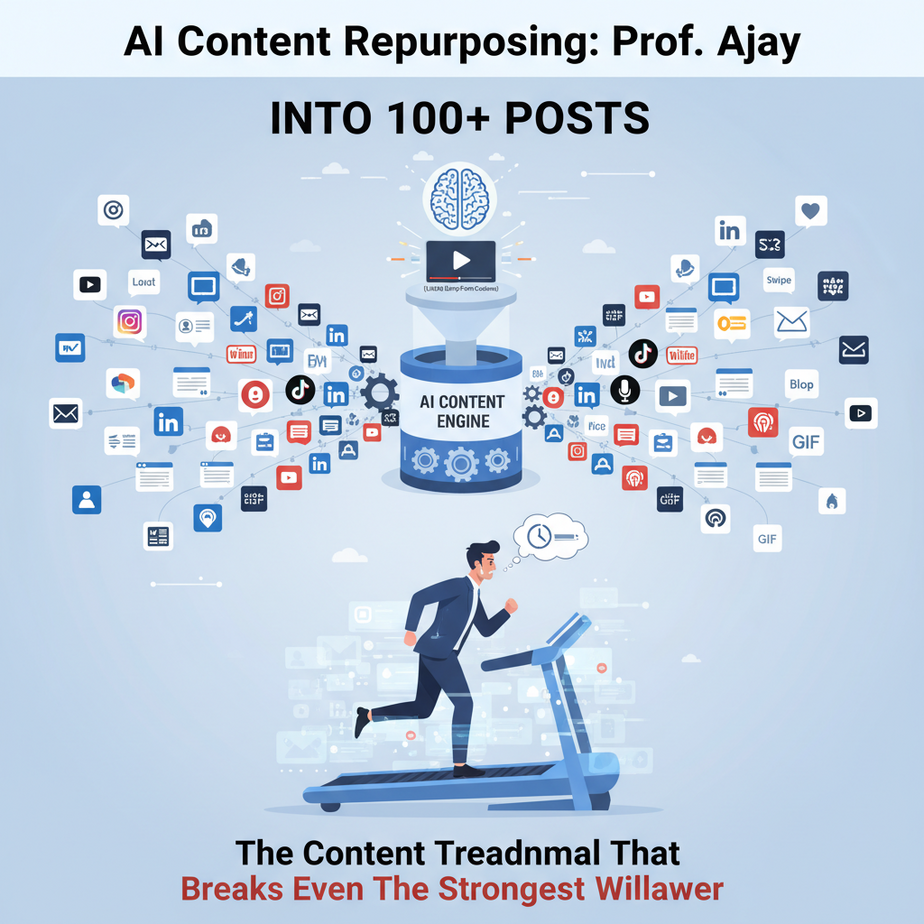
The Content Treadmill That Breaks Even The Strongest Willpower
Ah, the digital age. Where every business, every creator, every aspiring guru needs to be everywhere, all the time. YouTube, TikTok, Instagram, X (Twitter for the old souls), LinkedIn, Facebook, your blog, your newsletter… it’s a never-ending buffet of platforms demanding your attention, and more importantly, your content.
I’ve seen it a thousand times. A brilliant founder records an hour-long webinar, packed with gold. Then they stare at the recording, a cold sweat breaking out, realizing they now need to:
- Write a blog post summarizing it.
- Pull out 5 key takeaways for LinkedIn.
- Craft 10 snappy tweets.
- Come up with 3 viral-worthy YouTube Short ideas.
- Design an infographic.
And all this, every single week. It’s like trying to bake a 5-tier wedding cake, then immediately needing to bake 50 cupcakes, 30 cookies, and a dozen eclairs, all from the same original batter, by yourself, before the oven even cools down. Most people give up. They burn out. They decide consistency is a myth invented by mythical content unicorns. Or they hire an army of expensive interns.
What if I told you there’s a better way? A way to turn that single webinar, that one podcast episode, that meticulously crafted blog post, into a full month’s worth of multi-platform content with minimal effort? Welcome to the AI Content Repurposing factory, where your digital interns work 24/7 without coffee breaks or salary demands.
Why This Matters: Your Sanity, Your Wallet, Your Reach
Let’s get straight to the brass tacks, shall we? This isn’t about making your content ‘easier.’ It’s about:
1. Astronomical Time Savings: Imagine cutting down content creation time by 80%. What could you do with those extra hours? Focus on strategy? Spend time with family? Maybe even… sleep?
2. Massive Cost Reduction: Think about it. A dedicated social media manager, a blog ghostwriter, a short-form video editor… those are serious salaries. This automation significantly reduces the reliance on manual labor for content ideation and first drafts. It’s like firing half your content team and replacing them with a tireless, super-smart robot.
3. Unprecedented Scale & Consistency: The more platforms you’re active on, the wider your reach. The more consistent you are, the faster you build authority and trust. AI lets you maintain a constant, high-quality presence across ALL your channels, without missing a beat.
4. Maximizing ROI on Existing Content: You poured hours into that webinar. Don’t let it die after one viewing. This workflow ensures every piece of content you create gets stretched, squeezed, and celebrated across every corner of the internet. It turns a single ‘asset’ into dozens of ‘mini-assets,’ each driving traffic back to your core message.
This isn’t just a trick; it’s a fundamental shift in how you produce and distribute value. It’s about moving from a chaotic, manual content scramble to a lean, automated publishing machine.
What This Tool / Workflow Actually Is
At its core, this workflow is an AI-powered content distillery. You pour in your raw, long-form content – a YouTube video transcript, a podcast audio file, a lengthy blog post – and out comes perfectly formatted, platform-specific content ready for your audience.
What it does:
- Summarizes & Extracts: It can read an hour-long transcript and pull out the 3 most important points in seconds.
- Reformats: It takes those points and rewrites them into a snappy tweet, a engaging Instagram caption, a concise blog intro, or a punchy YouTube Short script.
- Generates Ideas: Beyond just direct repurposing, it can brainstorm new angles, hooks, and calls-to-action based on your original content.
- Adapts Tone & Style: With proper prompting, it can shift from your formal blog voice to a casual, conversational social media tone.
What it does NOT do (yet):
- Replace human creativity entirely: It’s a fantastic first-draft generator and idea machine, but the final polish, unique voice, and strategic oversight still need you.
- Guarantee virality: No AI can promise a viral hit. It provides the fuel; you provide the spark.
- Create stunning visuals: While some AI tools *can* generate images, this workflow primarily focuses on text generation. You’ll still need a human or another AI tool for graphics/video editing.
- Publish automatically without review: Always, always, always review AI output. It can hallucinate, misunderstand context, or simply sound a bit… robotic.
Think of it as your most diligent, lightning-fast digital intern. It does all the tedious, repetitive heavy lifting, leaving you free to be the visionary editor-in-chief.
Prerequisites: Don’t Panic, It’s Easier Than You Think
Alright, Professor Ajay here, and I promise you, this isn’t rocket science. If you can copy-paste and type into a chat box, you’re 90% there. No coding required for this initial setup, I swear on my vintage ’90s floppy disk collection.
Here’s what you’ll need:
- An Internet Connection: (Duh. If you’re reading this, you’ve got one.)
- Access to a Large Language Model (LLM): This means tools like ChatGPT (Free or Plus), Claude, Gemini, or even Copilot. For our purposes, the web interface of any of these will work perfectly. Think of them as your AI assistant.
- Your Long-Form Content: This could be:
- A YouTube video URL
- A podcast audio file (you’ll need to transcribe it first, I’ll show you how)
- A blog post URL or plain text
- A webinar recording (also needs transcribing)
- Basic Prompting Prowess: Don’t worry, I’ll give you the exact prompts to copy-paste. You just need to know what a ‘prompt’ is (it’s simply the instruction you give the AI).
- A Human Brain: Still essential for reviewing, refining, and adding that unique spark of genius.
That’s it. Seriously. No obscure software downloads, no command line wizardry, no obscure API keys (for now!). Let’s get started.
Step-by-Step Tutorial: The Content Repurposing Assembly Line
Ready to build your content factory? Let’s take that long-form content and turn it into a multi-platform content goldmine.
Step 1: Obtain Your Raw Material (The Transcript)
Our AI needs text. If you have a blog post, great, you already have text. If you have video or audio, we need to convert it.
- For YouTube Videos:
- Go to the YouTube video you want to repurpose.
- Below the video, click the ‘…’ (More actions) button, then select ‘Show transcript’.
- A pane will open on the right. If it shows timestamps, click the ‘…’ menu within the transcript pane and select ‘Toggle timestamps’.
- Copy the entire transcript.
- For Podcast Audio / Other Videos:
- You’ll need a transcription service. Many tools like Happy Scribe, Otter.ai, Descript, or even built-in features in Google Docs/Microsoft Word can transcribe audio to text.
- For a quick, free option, you can even upload short audio files to YouTube Studio as a private video and use its transcript feature, then delete the video.
- Once transcribed, copy the plain text.
Congratulations, you now have the raw clay for your AI sculptor.
Step 2: Choose Your AI Intern (Your LLM)
Open up your preferred Large Language Model’s web interface. ChatGPT, Claude, Gemini – they all work. For consistency, I’ll refer to it simply as ‘the AI’ from now on.
Step 3: The Master Prompt (Batch Content Generation)
This is where the magic happens. We’re going to give the AI a powerful instruction that asks it to create multiple types of content from a single input. Copy and paste this prompt, then replace the bracketed sections.
You are Professor Ajay's elite content repurposing AI. Your task is to transform a provided long-form content transcript into various short-form formats suitable for different platforms.

Here's the long-form content transcript:
---
[PASTE YOUR FULL TRANSCRIPT HERE]
---

Based on this transcript, generate the following:

1.  Blog Post Introduction & Key Takeaways:
    -   A compelling blog post introduction (approx. 150 words) that hooks the reader and summarizes the core topic.
    -   3-5 concise bullet points of the most important, actionable takeaways from the entire transcript. Each should be 1-2 sentences.

2.  YouTube Shorts / TikTok Scripts (3 Ideas):
    -   Generate 3 distinct script ideas, each for a 30-60 second vertical video.
    -   Each script should include:
        -   A strong hook (e.g., "Stop scrolling if...")
        -   A concise explanation of ONE key concept from the transcript.
        -   A clear call-to-action (e.g., "Follow for more," "Link in bio for full video").
        -   Suggested on-screen text or visuals.
    -   Format each script clearly.

3.  Social Media Blitz (LinkedIn, X/Twitter, Instagram):
    -   LinkedIn Post: A professional summary (approx. 150-200 words) highlighting key insights and value for professionals, including 2-3 relevant hashtags.
    -   X/Twitter Thread (5 tweets): A concise thread starting with a hook tweet and breaking down 4 key points from the transcript. Include 1-2 relevant hashtags per tweet.
    -   Instagram Post Caption: A concise, engaging caption (approx. 100 words) for an imagined infographic or Reel, focusing on 1-2 core benefits, using emojis and 3-5 relevant hashtags.

Ensure all generated content maintains a [YOUR DESIRED TONE, e.g., 'friendly and informative', 'authoritative and inspiring'] tone and is highly engaging.
Step 4: Review and Refine
Once the AI spits out its glorious content, do NOT publish it immediately. This is crucial.
- Read Through Everything: Check for accuracy, clarity, and tone.
- Inject Your Voice: Tweak sentences to sound more like YOU. Add personal anecdotes if appropriate.
- Optimize: Add specific calls-to-action, links, and ensure hashtags are truly relevant.
- Check for Redundancy: Sometimes the AI repeats itself. Edit it out.
This review step turns AI-generated draft into human-perfected content.
Complete Automation Example: “5 Tips for Boosting Local SEO”
Let’s imagine you’ve just uploaded a 25-minute YouTube video titled “5 Killer Tips to Dominate Local SEO in 2024.” You’ve got the transcript ready.
Step 1: Get the Transcript
You copy-paste the entire transcript from YouTube into a text editor.
Step 2: AI Prompt Injection
You open your AI (e.g., ChatGPT) and paste the master prompt, replacing `[PASTE YOUR FULL TRANSCRIPT HERE]` with your Local SEO transcript, and `[YOUR DESIRED TONE]` with ‘helpful and expert’.
You are Professor Ajay's elite content repurposing AI. Your task is to transform a provided long-form content transcript into various short-form formats suitable for different platforms.

Here's the long-form content transcript:
---
[...imagine 25 minutes of transcript about Local SEO tips...]
---

Based on this transcript, generate the following:

1.  Blog Post Introduction & Key Takeaways:
    -   A compelling blog post introduction (approx. 150 words) that hooks the reader and summarizes the core topic.
    -   3-5 concise bullet points of the most important, actionable takeaways from the entire transcript. Each should be 1-2 sentences.

2.  YouTube Shorts / TikTok Scripts (3 Ideas):
    -   Generate 3 distinct script ideas, each for a 30-60 second vertical video.
    -   Each script should include:
        -   A strong hook (e.g., "Stop scrolling if...")
        -   A concise explanation of ONE key concept from the transcript.
        -   A clear call-to-action (e.g., "Follow for more," "Link in bio for full video").
        -   Suggested on-screen text or visuals.
    -   Format each script clearly.

3.  Social Media Blitz (LinkedIn, X/Twitter, Instagram):
    -   LinkedIn Post: A professional summary (approx. 150-200 words) highlighting key insights and value for professionals, including 2-3 relevant hashtags.
    -   X/Twitter Thread (5 tweets): A concise thread starting with a hook tweet and breaking down 4 key points from the transcript. Include 1-2 relevant hashtags per tweet.
    -   Instagram Post Caption: A concise, engaging caption (approx. 100 words) for an imagined infographic or Reel, focusing on 1-2 core benefits, using emojis and 3-5 relevant hashtags.

Ensure all generated content maintains a helpful and expert tone and is highly engaging.
Step 3: AI Output (Example Snippets)
The AI churns out something like this:
1. Blog Post Intro & Takeaways:
Introduction:
"In today’s competitive digital landscape, local businesses often find themselves battling giants online. But what if you could carve out your own digital territory, drawing in customers right from your neighborhood? That’s the power of Local SEO. Our latest 25-minute video, ‘5 Killer Tips to Dominate Local SEO in 2024,’ breaks down the essential strategies you need to put your business on the map, literally. From optimizing your Google Business Profile to mastering local citations, we unveil actionable steps that can dramatically increase your visibility and foot traffic. Stop losing customers to competitors who simply know the local SEO game better. It’s time to leverage these proven tactics and watch your local presence soar."
Key Takeaways:
- Google Business Profile (GBP) is King: Optimize every section of your GBP with accurate information, photos, and regular updates to rank higher in local searches and map results.
- Local Citations Still Matter: Ensure consistent Name, Address, Phone (NAP) information across numerous online directories to build trust and authority for search engines.
- Hyper-Local Content Wins: Create blog posts and website content that speaks directly to local events, landmarks, and community interests to attract a highly relevant audience.
- Reviews Drive Reputation: Actively encourage customer reviews on GBP and other platforms, and respond professionally to all feedback, positive or negative, to boost local trust signals.
2. YouTube Shorts Script Idea #1:
Title: "Local SEO Secret: Is Your GBP Perfect?"
Hook (0-3s): (Fast cuts, pointing at screen) "STOP! Are you making THIS mistake with your Google Business Profile?"
Content (3-25s): (Show quick clips of GBP sections) "Your Google Business Profile isn’t just a listing; it’s your #1 local SEO tool. Make sure every field is filled out: services, hours, photos, Q&A. And for goodness sake, add your products! Incomplete profiles vanish in local searches."
CTA (25-30s): (Energetic, pointing) "Go check your GBP NOW! Follow for more local SEO hacks!"
On-Screen Text: #LocalSEO #GoogleMyBusiness #GBPOptimization
3. LinkedIn Post:
"Just released a deep dive on ‘5 Killer Tips to Dominate Local SEO in 2024’ and the insights are crucial for any local business aiming to thrive online. We covered everything from mastering your Google Business Profile to leveraging local citations and hyper-local content. My biggest takeaway? Consistency across all your online properties is non-negotiable. Every small optimization you make to your GBP, every positive review you garner, and every local event you mention on your blog adds up to significant local search visibility. Don’t underestimate the power of showing up where your local customers are actively searching. Check out the full video for actionable strategies to elevate your local presence. #LocalSEO #SmallBusiness #DigitalMarketing #GoogleBusinessProfile"
This is just a fraction of what the AI would generate, giving you a ready-made content arsenal from one piece of video.
Real Business Use Cases (Who Needs This Automation?)
The beauty of this automation is its universal applicability. If you produce content, you need this. Here are five examples:
-
Online Course Creator
Problem: An online course creator launches a new module on advanced digital advertising. They have an hour-long video lesson for students, but need to promote it to potential new students across social media, email, and their blog without manually re-writing everything.
Solution: The AI takes the transcript of the video lesson. It generates short blog snippets highlighting the module’s benefits, a LinkedIn post discussing key takeaways, a series of X/Twitter tips from the lesson, and YouTube Short ideas showcasing a specific technique taught in the module. This provides a consistent promotional drumbeat without extra effort.
-
Marketing Agency
Problem: A small marketing agency needs to create fresh, diverse content for 10 different clients every week. Manual content ideation and copywriting for each platform (blog, Facebook, Instagram, LinkedIn) is resource-intensive and slow, eating into client budgets and agency profit margins.
Solution: When a client provides a new product sheet, a case study, or a webinar recording, the agency feeds the content into the AI. It rapidly generates initial drafts for blog outlines, social media updates, and even email newsletter snippets for each client, drastically cutting down on copywriter time and speeding up content delivery.
-
E-commerce Store (with a blog/podcast)
Problem: An e-commerce store that sells niche outdoor gear runs a weekly podcast reviewing new products and sharing adventure tips. They struggle to translate their long-form audio content into engaging visual social media posts or quick blog updates that drive traffic to product pages.
Solution: The podcast transcript is fed to the AI. It pulls out key product features for Instagram captions, extracts actionable tips for short vertical video scripts (e.g., "3 Camping Hacks You Didn’t Know!"), and summarizes product benefits for short blog posts that link directly to the items discussed, creating a seamless content-to-commerce flow.
-
Consultant / Coach
Problem: A business consultant regularly conducts hour-long client strategy sessions, hosts webinars, and records video advice for their private community. They know this content is valuable but lacks the time to extract shareable insights for their public brand building on LinkedIn and their personal blog.
Solution: Transcripts of webinars or approved client insights are fed into the AI. It generates punchy LinkedIn posts summarizing key strategic frameworks, a series of quotable X/Twitter statements, and short blog articles based on common client challenges and solutions, establishing the consultant as a thought leader without manual content creation.
-
Real Estate Agent / Broker
Problem: A busy real estate agent records video tours of new listings, market update vlogs, and Q&A sessions for potential buyers/sellers. Each video is packed with information, but they need to quickly generate social media posts and email blurbs to attract views and inquiries.
Solution: The transcript from a video tour is given to the AI. It generates compelling Instagram captions with key property features and neighborhood highlights, a Twitter thread announcing the listing with a link, and a concise email snippet for their newsletter, all from one source. This ensures every listing gets maximum multi-channel exposure rapidly.
Common Mistakes & Gotchas (Avoid These Traps, Grasshopper)
Like any powerful tool, AI can be misused. Here are the common pitfalls I see beginners stumble into:
-
Vague Prompts = Vague Output
Mistake: "Make me some social media posts from this."
Gotcha: The AI doesn’t know your audience, platform specifics, or desired tone. You’ll get generic, uninspired content.Fix: Be hyper-specific. Specify platforms, character limits, tone, inclusion of emojis/hashtags, and what action you want the reader to take. (Refer back to our detailed prompt example!).
-
Forgetting the Human Touch (No Review!)
Mistake: Copy-pasting AI output directly to your social media or blog without reading it.
Gotcha: AI hallucinates, misinterprets, or simply sounds bland. You could end up sharing incorrect information or sounding like a robot. This immediately breaks trust with your audience.
Fix: Always review, edit, and inject your unique voice. AI is a drafting tool, not a ghostwriter… yet.
-
Lack of Input Context
Mistake: Pasting a small, out-of-context snippet of text and expecting a full content suite.
Gotcha: The AI lacks the broader understanding of your topic, leading to shallow or irrelevant output. You need to give it enough "meat" to work with.
Fix: Provide the *full* long-form transcript or text. The more context, the better the AI’s understanding.
-
Expecting Polished Masterpieces
Mistake: Believing the first output from the AI is publication-ready perfection.
Gotcha: AI generates drafts. Often good drafts, but drafts nonetheless. They require human refinement for nuance, style, and brand alignment.
Fix: See AI as your ultra-fast junior copywriter who needs a good editor (that’s you!) to truly shine.
-
Ignoring Platform Nuances
Mistake: Using a Twitter post for LinkedIn, or a blog intro for an Instagram caption.
Gotcha: Each platform has its own unspoken rules, audience expectations, and format preferences. What works on TikTok crashes and burns on LinkedIn.
Fix: Explicitly tell the AI the platform and its requirements in your prompt. Then, during review, ensure it fits the platform perfectly.
How This Fits Into a Bigger Automation System
What we just built is a powerful standalone content repurposing engine. But in the grand scheme of an automated business, it’s a vital cog in a much larger machine. Think of it as the content generation module in your multi-story AI factory.
-
Input Stream Automation (Upstream)
Instead of manually copying transcripts, imagine a system that automatically pulls new YouTube video transcripts, podcast RSS feeds, or new blog posts the moment they’re published. Tools like Zapier or Make.com can detect new content and automatically feed the text to an AI API (like OpenAI’s API or Claude’s API), kicking off the repurposing process without human intervention.
-
Content Calendar & Scheduler Integration (Downstream)
Once the AI generates the repurposed content, you wouldn’t want to copy-paste it into Hootsuite or Buffer manually. Instead, the AI output (structured as JSON, for example) can be directly sent to your content calendar tool (e.g., Airtable, Notion) or social media scheduler, populating your schedule days or weeks in advance. All you’d need to do is review and approve.
-
Feedback Loops & Optimization
In advanced systems, engagement data (likes, shares, comments) from your social media posts could be fed back into the AI. This data could inform future prompt adjustments, allowing the AI to learn what types of repurposed content resonate best with your audience.
-
Multi-Agent Workflows
This single AI we used for repurposing could be one ‘agent’ in a team. Another agent might be responsible for generating accompanying images, a third for translating the content into multiple languages, and a fourth for posting to specific niche forums.
-
RAG Systems & Internal Knowledge Base
If your long-form content is part of an internal knowledge base (e.g., product documentation, company webinars), this repurposing pipeline can not only create external marketing content but also generate internal summaries, FAQs, and training materials from the same source, powered by a Retrieval Augmented Generation (RAG) system.
This module handles the ‘creation’ part. The next steps in a fully automated system involve ‘distribution’ and ‘optimization’. We’ve just opened the floodgates to consistent, multi-channel content that fuels your entire business.
What to Learn Next (Don’t Stop Now!)
You’ve just built your first automated content repurposing machine. You’re no longer scrambling for new ideas; you’re leveraging existing assets like a pro. This is a game-changer for consistency, reach, and frankly, your personal sanity.
But this is just the beginning, my friend.
To truly ascend to AI automation mastery, your next steps involve turning these manual copy-pastes into seamless, hands-free operations:
- Automating Transcript Extraction: Learn how to programmatically pull YouTube transcripts or transcribe audio files using APIs, so your AI always has fresh input without you lifting a finger.
- Connecting AI to Your Tools: Discover how to use tools like Zapier and Make.com to send your AI-generated content directly to your social media scheduler, content calendar, or email marketing platform.
- Brand Voice & Fine-Tuning: Explore how to train or fine-tune AI models to perfectly match your unique brand voice and specific content guidelines, moving beyond generic outputs to truly on-brand messaging.
The content factory we built today is just one assembly line. Soon, we’ll connect it to others, creating a fully automated ecosystem that runs your business while you focus on what truly matters: innovation, strategy, and maybe even a proper vacation.
Keep that curious mind sharp. Our next lesson will dive into connecting these powerful AI outputs to the tools you already use, turning your content creation into an unstoppable force. See you there.





