
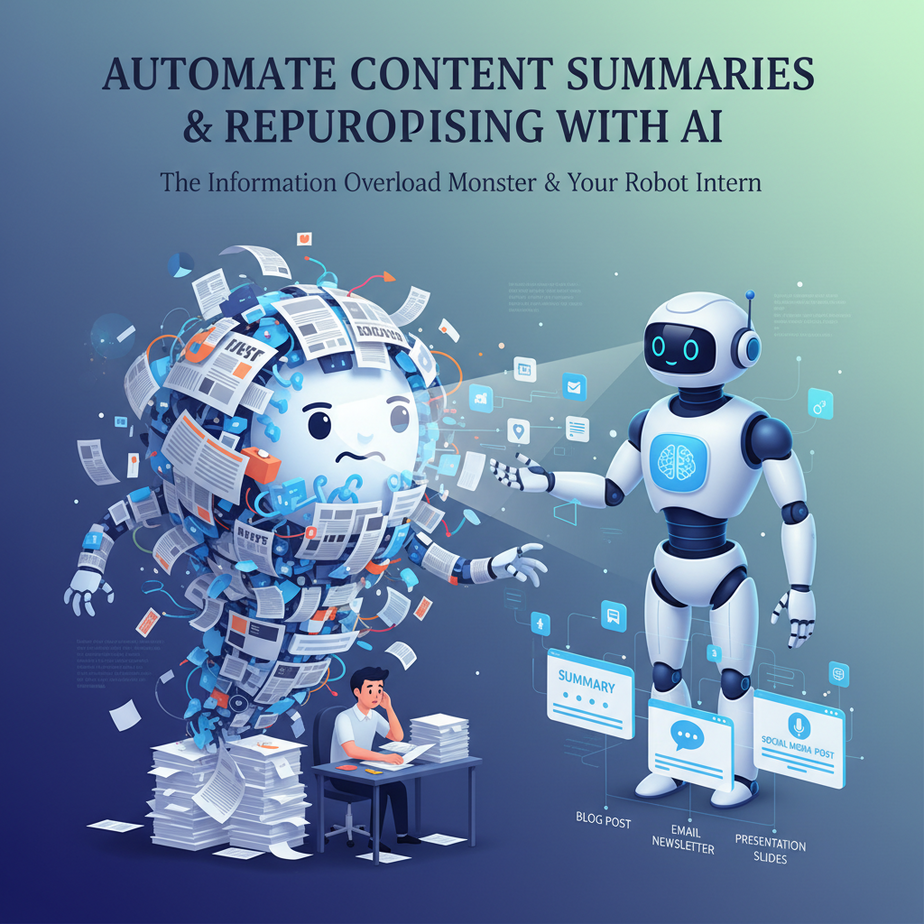
The Information Overload Monster & Your Robot Intern
Alright, listen up. Ever felt like you’re drowning in a sea of words? Endless articles, reports, meeting notes, client briefs… and then, just for kicks, someone asks you to summarize it all. Oh, and then repurpose it for Twitter, LinkedIn, and maybe a carrier pigeon. It’s enough to make you want to go live in a cave, right?
I remember one student, bless his cotton socks, trying to manually summarize 10 industry reports every week. His eyes looked like two bloodshot marbles rolling in a soup of caffeine. He spent 20 hours doing what a decent AI could do in 20 minutes.
That’s where we come in. Imagine having a super-fast, hyper-efficient robot intern. This intern doesn’t complain about the coffee, doesn’t need lunch breaks, and definitely doesn’t scroll TikTok on the clock. Its job? To digest mountains of text, extract the juicy bits, and then spit them out in exactly the format you need. All on autopilot.
Today, we’re building that robot intern. We’re going to automate the tedious, mind-numbing task of content summarization and repurposing, so you can go back to being a visionary, not a human photocopier.
Why This Matters: Your Brain, Your Business, Your Bank Account
Let’s get real about impact. This isn’t just about saving your eyeballs from text fatigue. This is about:
- Time Saved: Hours. Days, even. What took a human half a day can be done in seconds.
- Money Saved: Think about what you pay a junior copywriter or an assistant to do this work. Now imagine that cost drops to pennies per task.
- Scale & Speed: Want to summarize 100 articles? 1000? No problem. Your ‘content factory’ can now operate at warp speed, producing more content, faster.
- Consistency: AI doesn’t have bad days. It follows instructions precisely, every time.
- Decision Making: Quickly digest complex reports or market research to make faster, better-informed business decisions.
This automation effectively replaces hours of manual summarization, content brainstorming sessions, and the slow, agonizing process of adapting content for different platforms. It frees up your team (or *you*) to do the creative, strategic work that actually moves the needle.
What This Tool / Workflow Actually Is
At its core, this workflow uses a Large Language Model (LLM) – like the ones powering ChatGPT – to perform two key functions:
- Summarization: Taking a long piece of text and condensing it into a shorter, coherent version while retaining the most important information.
- Repurposing: Taking that summary (or even the original text) and transforming it into a new format suitable for a specific platform or audience. Think blog posts to tweet storms, or research papers to LinkedIn updates.
What it DOES:
- Condense long articles into short paragraphs or bullet points.
- Extract key takeaways and action items from meeting notes.
- Generate social media posts, email snippets, or even headlines from existing content.
- Save you from reading every single word of that 80-page whitepaper.
What it DOES NOT do (YET):
- Replace deep human critical analysis or truly original thought.
- Understand subtle sarcasm or highly nuanced context without explicit instructions.
- Fact-check its own summaries with 100% accuracy (it can ‘hallucinate’ or confidently present incorrect information).
- Magically generate perfectly viral content every time without good prompts from you.
Think of it as a highly skilled, incredibly fast scribe, not a wise old sage. You still need to be the brain.
Prerequisites: Don’t Panic, It’s Easier Than You Think
Relax, even if you think ‘code’ is a secret language spoken only by disgruntled teenagers in dark rooms, you’ll be fine. We’re keeping it simple.
- An OpenAI API Key: This is your access pass to the powerful AI models. You’ll need to sign up for an OpenAI account and generate an API key. Yes, it costs money, but we’re talking pennies per task. It’s cheaper than that triple-shot latte you’re probably sipping. Sign up here.
- Basic Python Setup (Optional but Recommended): If you want to run the code locally, you’ll need Python installed. If not, you can conceptualize this process using no-code tools like Zapier or Make (I’ll mention how). But for ultimate control, Python is king.
- A Text Editor: Notepad, VS Code, Sublime Text… anything to write and save text.
- A Web Browser: To access OpenAI and eventually, your results.
Reassurance: If you’ve never touched Python, don’t sweat it. We’re talking copy-paste and hit run. Think of it as pushing buttons on a very fancy remote control.
Step-by-Step Tutorial: Building Your Robot Content Intern
We’ll use a simple Python script to interact with the OpenAI API. If Python isn’t your jam, understand that the *logic* here translates directly to visual builders in tools like Zapier or Make, where you’d select “OpenAI” as an action and fill in similar parameters.
1. Get Your OpenAI API Key
- Go to platform.openai.com and sign up or log in.
- Once logged in, navigate to the API keys section (usually under your profile icon in the top right, then “View API keys”).
- Click + Create new secret key. Name it something descriptive, like “AcademySummarizer”.
- IMMEDIATELY COPY THIS KEY. You won’t be able to see it again. Treat it like your social security number – don’t share it!
2. Set Up Your Python Environment (If Using Python)
- Install Python: If you don’t have it, download from python.org/downloads. Make sure to check ‘Add Python X.Y to PATH’ during installation.
- Open your terminal/command prompt.
- Install the OpenAI Python library:
pip install openai
3. Create Your Python Script (summarizer.py)
Open your text editor and paste the following code. We’ll break it down.
import os
from openai import OpenAI

# --- CONFIGURATION --- #
# Get your API key from environment variable (BEST PRACTICE!)
# Or replace os.environ.get with your key directly for quick testing, but NOT recommended for production.
# Example: OPENAI_API_KEY = "sk-YOUR_VERY_SECRET_KEY"
OPENAI_API_KEY = os.environ.get("OPENAI_API_KEY")

if not OPENAI_API_KEY:
    print("Error: OPENAI_API_KEY environment variable not set. Please set it or hardcode for testing.")
    exit()

client = OpenAI(api_key=OPENAI_API_KEY)

def call_openai_api(prompt, model="gpt-3.5-turbo", max_tokens=500, temperature=0.7):
    """Makes a call to the OpenAI Chat Completion API."""
    try:
        response = client.chat.completions.create(
            model=model,
            messages=[
                {"role": "user", "content": prompt}
            ],
            max_tokens=max_tokens,
            temperature=temperature # Controls creativity. 0 is deterministic, 1 is very creative.
        )
        return response.choices[0].message.content.strip()
    except Exception as e:
        print(f"An error occurred: {e}")
        return None

def summarize_text(long_text, length="briefly", format="bullet points"):
    """Summarizes a given text with specified length and format."""
    prompt = f"Summarize the following text {length} and provide the summary in {format}.\
\
Text: {long_text}"
    print(f"\
--- Generating {length} summary in {format} ---")
    return call_openai_api(prompt, max_tokens=500)

def repurpose_summary(summary, target_platform="LinkedIn post", audience="business professionals", style="professional and engaging"):
    """Repurposes a summary for a specific platform, audience, and style."""
    prompt = f"Transform the following summary into a {target_platform} for {audience}, in a {style} tone.\
\
Summary: {summary}"
    print(f"\
--- Repurposing for {target_platform} ---")
    return call_openai_api(prompt, max_tokens=500)


if __name__ == "__main__":
    # --- EXAMPLE USAGE --- #
    # Create a dummy article to summarize
    dummy_article = """
    Title: The Future of Remote Work: A Comprehensive Analysis

    The global pandemic dramatically accelerated the adoption of remote work, transforming traditional office structures and prompting a re-evaluation of workplace dynamics. A recent study by Gartner indicates that 80% of companies plan to allow employees to work remotely at least part-time after the pandemic, while 47% intend to permit full-time remote work.

    This shift brings numerous benefits, including increased employee flexibility, reduced commuting times, and access to a broader talent pool for employers. Companies can also potentially save on office overheads, as evidenced by a projected 30% reduction in real estate costs for firms embracing hybrid models.

    However, challenges persist. Maintaining company culture, fostering team cohesion, and preventing employee burnout are significant hurdles. Cybersecurity risks are also amplified with distributed workforces, necessitating robust security protocols. Leaders are tasked with adapting their management styles, focusing on outcomes rather than presenteeism, and investing in collaboration tools.

    Looking ahead, successful remote work models will likely be hybrid, blending in-office collaboration with remote flexibility. The emphasis will be on asynchronous communication, clear goal setting, and intentional efforts to build community among geographically dispersed teams. The future isn't about working from home; it's about working effectively from anywhere.
    """

    print("Original Article:")
    print(dummy_article)
    print("-" * 50)

    # Step 1: Summarize the article
    short_summary = summarize_text(dummy_article, length="concisely", format="a few key bullet points")
    if short_summary:
        print("Concise Summary (Bullet Points):")
        print(short_summary)
        print("-" * 50)

        # Step 2: Repurpose the summary for LinkedIn
        linkedin_post = repurpose_summary(
            short_summary,
            target_platform="LinkedIn post",
            audience="business professionals and founders",
            style="professional, insightful, and encouraging discussion"
        )
        if linkedin_post:
            print("Generated LinkedIn Post:")
            print(linkedin_post)
            print("-" * 50)

        # Step 3: Repurpose for Twitter (X)
        twitter_thread = repurpose_summary(
            short_summary,
            target_platform="Twitter (X) thread (3 tweets)",
            audience="tech enthusiasts and remote workers",
            style="concise, engaging, and using relevant hashtags"
        )
        if twitter_thread:
            print("Generated Twitter (X) Thread:")
            print(twitter_thread)
            print("-" * 50)

    print("Automation complete!\
")
4. Understand the Code: The Professor’s Explainer
import osandfrom openai import OpenAI: This is how we bring in the tools we need – `os` for handling environment variables, and `openai` for talking to the AI.OPENAI_API_KEY = os.environ.get("OPENAI_API_KEY"): THIS IS IMPORTANT. Instead of pasting your secret key directly into the script (bad practice, like leaving your house keys under the doormat), we’re telling Python to look for an ‘environment variable’ named `OPENAI_API_KEY`. You’ll set this up next. If you’re just testing, you can uncomment `OPENAI_API_KEY = “sk-YOUR_VERY_SECRET_KEY”` and replace `YOUR_VERY_SECRET_KEY` with your actual key, but remember to remove it later!client = OpenAI(api_key=OPENAI_API_KEY): This initializes our connection to OpenAI.call_openai_api(...): This is our core function that sends your ‘prompt’ (instructions) to the AI and gets a response. Noticemodel="gpt-3.5-turbo"– this is a fast, cost-effective model.max_tokenslimits the response length.temperaturecontrols how creative or ‘random’ the AI is (0 is very factual, 1 is more imaginative).summarize_text(...): This function takes your long text and constructs a prompt to ask the AI for a summary, letting you specify length and format.repurpose_summary(...): This function takes a summary and constructs a prompt to transform it for a different platform, audience, and style. This is where the real magic happens!if __name__ == "__main__":: This block runs when you execute the script directly. It’s our ‘playground’ for demonstrating the full workflow.
5. Set Your API Key as an Environment Variable
This is crucial for security. Instead of hardcoding your API key, we store it separately.
- On Windows:
- Search for “Environment Variables” in the Windows search bar and select “Edit the system environment variables”.
- Click “Environment Variables…” button.
- Under “User variables for [Your Username]”, click “New…”.
- For “Variable name”, enter
OPENAI_API_KEY. - For “Variable value”, paste your actual OpenAI API key (the one starting with
sk-). - Click OK, OK, OK to close all windows. You might need to restart your terminal/IDE for changes to take effect.
- On macOS/Linux:
- Open your terminal.
- Type:
nano ~/.bashrcornano ~/.zshrc(depending on your shell). - Add the following line to the end of the file, replacing
sk-YOUR_ACTUAL_KEYwith your key:export OPENAI_API_KEY="sk-YOUR_ACTUAL_KEY" - Press
Ctrl+X, thenY, thenEnterto save and exit. - Apply the changes:
source ~/.bashrcorsource ~/.zshrc.
6. Run Your Automation!
Save the file as summarizer.py (or any other .py name) in a folder you can easily access.
Open your terminal/command prompt, navigate to that folder (using cd command), and run:
python summarizer.pyWatch as your robot intern processes the dummy article, summarizes it, and then generates a LinkedIn post and a Twitter thread right before your very eyes. You can replace dummy_article with any text you want to process!
Complete Automation Example: From Blog Post to Social Media Blitz
Let’s take a real-world scenario. You just published a killer 2000-word blog post about “The 5 Trends Shaping E-commerce in 2024”. You need to get the word out, but writing unique posts for LinkedIn and a Twitter thread takes forever.
The Manual Way:
- Read the entire blog post (again).
- Mentally (or physically) pull out key points.
- Draft a LinkedIn post, trying to sound professional and engaging.
- Switch gears, draft a 3-tweet thread for X, using emojis and hashtags.
- Proofread everything, adjust for character limits.
- Spend 1-2 hours of your precious life.
The Automated Way (using our script):
- Get the Text: Copy-paste your entire blog post into the
dummy_articlevariable in yoursummarizer.pyscript. - Define Your Output: Adjust the calls to
summarize_textandrepurpose_summaryin theif __name__ == "__main__":block. For example, you might want a “medium-length summary, focusing on actionable insights” and then repurpose it for “Facebook post” or “email subject lines”. - Run the Script:
python summarizer.py - Review & Refine: The AI spits out your summary, LinkedIn post, and Twitter thread in seconds. You review for accuracy, tweak a few words for your unique brand voice, add a specific call-to-action, and *bam* – you’re ready to schedule. Total time: 5-10 minutes.
You’ve just saved yourself serious time and mental energy, allowing you to focus on engaging with your audience, strategizing the next blog post, or maybe just enjoying that coffee.
Real Business Use Cases (Beyond the Blog Post)
This isn’t just for bloggers. The core principle of summarizing and repurposing applies across a vast range of businesses.
-
Marketing Agencies:
Problem: Clients send huge reports, case studies, or competitor analyses. Marketing teams need to quickly grasp key points to inform strategy, client updates, or internal briefs.
Solution: Automate summarization of these documents into executive summaries or bullet-point highlights. Then, repurpose key findings into client-facing emails, internal slack updates, or even initial ad copy ideas.
-
Course Creators & Educators:
Problem: Long research papers, dense textbooks, or lengthy lecture transcripts need to be broken down into digestible learning materials for students.
Solution: Feed the documents into the summarization tool. Generate concise student notes, quiz questions, flashcards, or discussion prompts from the summarized content. This greatly speeds up content preparation.
-
Consultants & Analysts:
Problem: Massive client project documentation, meeting minutes, or industry whitepapers need to be condensed for busy executives or for quick internal team updates.
Solution: Summarize complex project proposals, detailed meeting transcripts, or market research reports into actionable executive summaries, key decisions, and next steps, saving countless hours in report writing.
-
E-commerce Businesses:
Problem: Generating engaging product descriptions from technical specifications or summarizing vast amounts of customer reviews to identify trends.
Solution: Input technical product specs to generate compelling, benefit-oriented product descriptions. Summarize hundreds of customer reviews to quickly identify common complaints, desired features, or glowing praise, informing product development and marketing efforts.
-
Journalists & Researchers:
Problem: Sifting through endless news articles, scientific papers, or interview transcripts to find crucial information or to create outlines for new stories.
Solution: Quickly summarize dozens of articles on a topic to get a high-level overview. Repurpose key findings into interview questions, article outlines, or rapid-fire news snippets. Speeds up the research and content creation process exponentially.
Common Mistakes & Gotchas (Don’t Be That Guy)
Even a robot intern can get confused if you don’t give clear instructions. Here’s what to watch out for:
-
Vague Prompts:
Mistake: “Summarize this.”
Correction: “Summarize this text concisely, focusing on the main arguments and key takeaways, presented as 3-5 bullet points for a C-level executive.” The more specific you are about length, format, tone, and audience, the better the output.
-
Blind Trust (Hallucinations):
Mistake: Assuming the AI is 100% accurate and publishing its output without review.
Correction: Always, always, ALWAYS review the AI’s output, especially for factual accuracy. It’s an assistant, not a deity. Treat its output as a first draft.
-
Exceeding Token Limits:
Mistake: Feeding entire books into the AI and wondering why it breaks or costs a fortune.
Correction: LLMs have input limits (tokens). For very long documents, you might need to chunk them up and summarize each chunk, then summarize the summaries. This is a more advanced technique we’ll cover later.
-
Not Iterating on Prompts:
Mistake: Trying a prompt once, getting a mediocre result, and giving up.
Correction: Prompt engineering is an art. If the first output isn’t perfect, refine your prompt. Add more constraints, examples, or specific instructions. It’s a dialogue, not a monologue.
-
Ignoring Context:
Mistake: Asking the AI to repurpose content without giving it context about the target platform or audience.
Correction: Tell the AI explicitly: “for Twitter, make it punchy, use hashtags, max 280 characters per tweet.” “For an email, be friendly and include a clear call to action.”
How This Fits Into a Bigger Automation System
This summarization and repurposing automation is just one cog in a much larger, more powerful machine. Think of it as upgrading a single workstation in your factory. But what if that workstation could talk to others?
- CRM Integration: Summarized client interaction logs can be automatically appended to CRM records, giving sales reps instant context. Repurposed key takeaways from sales calls can become personalized follow-up emails.
- Email Marketing: Your automation can take a weekly blog post, summarize it, and then generate an email newsletter draft automatically, ready to be sent to your subscribers.
- Content Calendar Automation: Imagine a system that monitors industry news, summarizes relevant articles, and then suggests content ideas directly into your content calendar, complete with draft headlines and social media snippets.
- Voice Agents & Chatbots: Summarized FAQs or product manuals can be fed into a RAG (Retrieval Augmented Generation) system, making your customer service chatbots incredibly smart and efficient.
- Multi-Agent Workflows: This simple summarizer is like one specialized agent. Later, we’ll learn to chain multiple agents together – one for research, one for summarizing, one for creative writing, one for editing – creating an entire autonomous content team.
This is where things get truly exciting. You’re not just automating a task; you’re building intelligent systems that can orchestrate entire business processes.
What to Learn Next: Building Your Content Empire
Congratulations, you’ve just built your first robot content intern! You’ve taken the first critical step towards taming the information beast and scaling your content output.
But this is just the beginning. Our little robot intern is smart, but it’s still waiting for *your* instructions for each new piece of content.
In the next lessons, we’re going to level up. We’ll explore:
- Advanced Prompt Engineering: How to write prompts that consistently get exactly what you want, every time.
- Automated Content Curation: How to automatically find articles, podcasts, or videos on a topic, summarize them, and even identify trends, without you lifting a finger.
- Chaining Automations: How to link this summarizer to other tools – like your email client, social media scheduler, or CRM – to create a truly hands-free content engine.
- Introducing RAG: How to make your AI reference *your specific data* (internal documents, knowledge bases) for even more accurate and context-aware summaries and repurposing.
The goal isn’t just to make content faster; it’s to build a system that *thinks* about content, researches it, creates it, and distributes it, largely on its own. Your brain can then focus on strategy, creativity, and the big picture.
Stay curious, keep building, and I’ll see you in the next lesson. We’ve got a content empire to build.





