
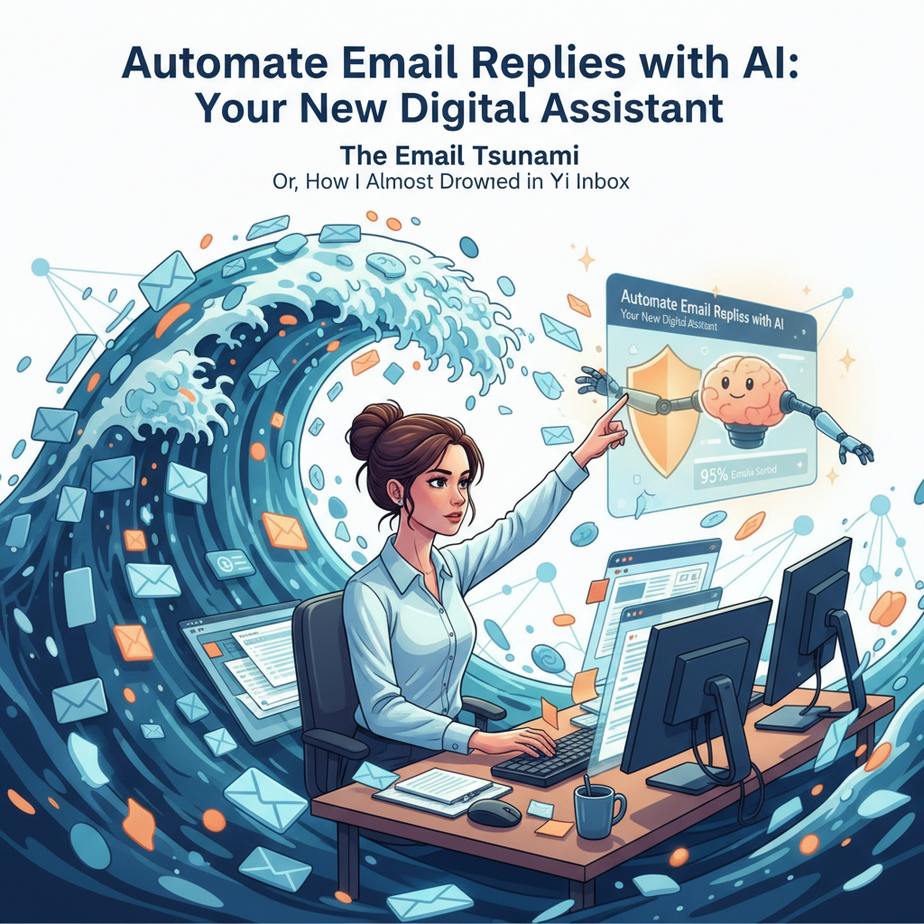
The Email Tsunami: Or, How I Almost Drowned in My Inbox
Ah, the inbox. That digital beast that never sleeps. Remember Sarah? My imaginary, perpetually overwhelmed intern? She used to spend hours every day, painstakingly crafting replies to the same ten questions: “Where’s my order?”, “What’s your refund policy?”, “Can I book a demo?”
Her fingers were cramping, her eyes glazed over, and frankly, her replies started sounding like a broken record. We tried templates, but then every customer felt like a number. We tried hiring more Sarahs, but apparently, good interns don’t grow on trees (or, you know, want to spend their lives writing “your order is on its way” 300 times a day).
It was a slow, painful death by a thousand emails. The kind of mundane, soul-crushing work that makes you question your life choices. But what if I told you there’s a way to give Sarah (or you!) those hours back? A way to keep replies personal, prompt, and professional, without turning your team into email-typing robots?
Today, we’re going to build your very own digital email assistant. One that doesn’t complain, doesn’t need coffee, and works 24/7.
Why This Matters: Reclaiming Your Sanity and Your Revenue
Let’s get real. Every minute you or your team spends manually typing out a response to a FAQ is a minute *not* spent on strategy, sales, innovation, or, you know, actually enjoying life.
This isn’t about replacing humans. It’s about replacing the soul-numbing repetition that drains creativity and costs you money. Imagine:
- Saving Hours Daily: Seriously, for businesses drowning in email, this could be 5-10 hours *per person* per week. That’s a part-time employee’s worth of time, reallocated.
- Faster Response Times: Customers hate waiting. AI drafts can be generated in seconds, significantly improving customer satisfaction.
- Consistent Brand Voice: No more wildly different tones from different team members. The AI learns your brand voice and sticks to it.
- Scalability: Whether you get 5 emails a day or 500, your digital assistant doesn’t bat an eye. It scales with your business without demanding a raise.
- Focus on High-Value Work: Your team gets to tackle complex issues, build relationships, and drive growth, instead of being glorified typists.
This isn’t just a productivity hack; it’s a strategic move that impacts customer retention, team morale, and your bottom line. It’s time to fire the “repetitive task” part of your brain and hire an AI.
What This Workflow Actually Is: Your AI Email Drafting Co-pilot
At its core, this automation leverages a Large Language Model (LLM) – think of it as a super-smart digital brain – via an Application Programming Interface (API). In plain English, you’re sending a message to a powerful AI over the internet, giving it some context and an incoming email, and asking it to draft a reply.
What it DOES:
- Drafts Responses: Generates well-structured, polite, and relevant email drafts based on your instructions and the incoming message.
- Extracts Information: Can pull key details from an incoming email (e.g., order numbers, customer names, specific questions).
- Applies Context: Uses your provided company policies, product information, or preferred tone to customize the reply.
- Saves Time: Drastically reduces the manual effort in responding to common inquiries.
What it DOES NOT do (YET):
- Act as a Fully Autonomous Agent (unless you tell it to): We’re setting it up as a *drafting co-pilot*, not an auto-sender. Human review is crucial.
- Understand Nuance Perfectly: Complex, emotionally charged, or highly sensitive emails still require human empathy and judgment.
- Replace Your Entire Support Team: It frees them up for more complex, high-value interactions.
- Generate Factually Incorrect Information (if given good context): While LLMs can ‘hallucinate,’ providing clear, up-to-date context significantly reduces this risk for common business queries.
Think of it as having an incredibly efficient, well-informed intern who drafts every single email for you, but you still get the final say before it goes out the door. It’s an assistant, not the CEO.
Prerequisites: You, a Computer, and a Spark of Curiosity
Good news, team! You don’t need a PhD in computer science or a garage full of servers for this. Here’s what you’ll need:
- A Computer & Internet Connection: Obvious, but worth stating.
- An LLM API Key: This is your ‘license’ to talk to the AI brain. Popular options include OpenAI (GPT-3.5 or GPT-4), Anthropic (Claude), or Google (Gemini). For this lesson, we’ll generally reference concepts applicable to most, but specific code examples might lean towards a widely accessible one like OpenAI due to its current popularity. You’ll typically get some free credits to start.
- Basic Copy-Paste Skills: If you can copy text and paste it, you’re golden.
- A Text Editor or IDE: Something simple like Notepad, VS Code, or even a browser-based Python environment (like Google Colab) will work for our example code.
- (Optional but Recommended) Python Installed: While you can often use no-code tools for this, understanding the basic API call in Python gives you maximum flexibility. Don’t worry if you’re new to Python; we’ll keep it simple.
Don’t be intimidated by the ‘API’ part. It’s just a way for two computer programs to talk to each other. We’re going to make that conversation as easy as possible for you.
Step-by-Step Tutorial: Setting Up Your First AI Email Draft
Step 1: Get Your LLM API Key
First things first, you need to sign up for an API key from an LLM provider. Let’s use OpenAI as our running example, as it’s very common.
- Go to platform.openai.com/signup.
- Create an account or log in.
- Once logged in, navigate to the API keys section (usually under your profile settings or ‘API keys’ in the left sidebar).
- Click ‘Create new secret key’. IMPORTANT: Copy this key immediately and save it somewhere secure. You won’t be able to see it again after you close the window. Treat it like a password. This is how your code will authenticate with the AI.
Step 2: Understand the “Prompt” – The AI’s Instruction Manual
The magic of talking to an AI is all in the “prompt.” This is your instruction manual for the AI. It tells it what to do, what role to play, what context to use, and what kind of output you expect.
A good prompt usually has a few components:
- Role/Persona: “You are a friendly customer support agent for [Your Company Name].”
- Task: “Draft a polite email response to the customer’s inquiry.”
- Context/Information: “Our refund policy is 30 days. Attach link: [Your Policy Link].”
- Input (the actual email): The text of the email you received.
- Output Format (optional): “Respond in a formal but helpful tone.”
Step 3: Constructing Your First API Call (The ‘Hello World’ of AI Emails)
Let’s simulate a simple API call. For beginners, the easiest way to grasp this is usually with Python, as its libraries make API calls very straightforward. If you don’t have Python, just read through this section to understand the logic – many no-code tools follow similar principles.
First, install the OpenAI Python library (if you’re using Python):
pip install openaiNow, here’s a basic Python script. Replace YOUR_API_KEY_HERE with the key you saved, and adjust the incoming email and context.
import openai

# --- Configuration ---
# Your OpenAI API key. Store this securely, e.g., as an environment variable in a real app.
# For this example, we're putting it directly, but NOT recommended for production.
openai.api_key = 'YOUR_API_KEY_HERE'

# --- Incoming Email Data ---
incoming_email_subject = 'Question about my recent order'
incoming_email_body = """
Hi Team,

I placed an order (ORDER-12345) last week and haven't received a shipping update.
Can you tell me when it will arrive?

Thanks,
Sarah Connor
"""

# --- Your Company Context / Persona ---
company_name = 'Acme Widgets'
customer_support_persona = """
You are a friendly and helpful customer support agent for Acme Widgets.
Your goal is to provide clear, concise, and empathetic responses.
Our standard shipping usually takes 5-7 business days.
Tracking links are provided once the item ships.
"""

# --- Making the API Call ---
try:
    response = openai.chat.completions.create(
        model="gpt-3.5-turbo",  # Or "gpt-4" for potentially better quality
        messages=[
            {"role": "system", "content": customer_support_persona}, # System message sets the tone/context
            {"role": "user", "content": f"Incoming email subject: {incoming_email_subject}\
Incoming email body: {incoming_email_body}\
\
Please draft a polite and informative email response." }
        ],
        max_tokens=250, # Limits the length of the response
        temperature=0.7 # Controls creativity (0.0 for deterministic, 1.0 for very creative)
    )

    # --- Extracting the AI's Drafted Response ---
    ai_draft = response.choices[0].message.content

    print("\
--- AI Drafted Email ---\
")
    print(ai_draft)

except Exception as e:
    print(f"An error occurred: {e}")
    print("Make sure your API key is correct and you have billing set up.")
Run this script. What you’ll see printed in your console is the AI’s drafted email! Pretty neat, huh?
Step 4: Review and Refine (The Human Touch)
The AI gives you a *draft*. Your job is to review it, make any minor tweaks for personalization or accuracy, and then send it. This step is crucial for maintaining quality, brand voice, and ensuring no AI hallucinations slip through.
Complete Automation Example: The “Customer Service Magic Box”
Let’s imagine you run an e-commerce store. You’ve got an influx of common questions. Here’s how you’d set up a more robust (but still beginner-friendly) automation.
Scenario: Automating Order Status and Refund Policy Inquiries
You want an AI to draft responses for two common types of emails:
- Order Status: Customers asking “Where’s my stuff?”
- Refund Policy: Customers asking “Can I get a refund?”
Instead of manually checking orders or copy-pasting policy, the AI will draft the initial reply, ready for a human to add specific order details or confirm eligibility.
Workflow Components:
- Incoming Email: From a customer.
- Knowledge Base: Your company’s specific policies (e.g., standard shipping times, refund policy link).
- AI Orchestrator: A script or a no-code tool (like Zapier or Make.com) that triggers the AI.
- LLM API: To generate the draft.
- Drafting Interface: Where a human reviews the draft.
Python Example (Conceptual – a real system would use a database or more complex email integration):
import openai

openai.api_key = 'YOUR_API_KEY_HERE'

# --- Your Knowledge Base ---
# In a real system, this would come from a database, CRM, or RAG system.
knowledge_base = {
    "shipping_policy": "Our standard shipping takes 5-7 business days. You'll receive a tracking number via email once your order ships. Delays can occur during peak seasons.",
    "refund_policy_link": "https://www.yourstore.com/refund-policy",
    "refund_details": "We offer a 30-day return window for unopened items. Customers are responsible for return shipping unless the item is defective."
}

# --- Function to get AI Draft ---
def get_ai_email_draft(incoming_subject, incoming_body, customer_name="customer"):
    # Determine the type of inquiry (simplified for example)
    inquiry_type = "general"
    if "order" in incoming_subject.lower() or "shipping" in incoming_body.lower():
        inquiry_type = "order_status"
    elif "refund" in incoming_subject.lower() or "return" in incoming_body.lower():
        inquiry_type = "refund_policy"

    # Construct persona and context based on inquiry type
    persona = f"You are a friendly customer support agent for Acme Widgets. Your goal is to provide clear, concise, and empathetic responses."
    context = ""
    if inquiry_type == "order_status":
        context = f"Here is our shipping policy: {knowledge_base['shipping_policy']}"
    elif inquiry_type == "refund_policy":
        context = f"Here is our refund policy: {knowledge_base['refund_details']} Please also provide this link: {knowledge_base['refund_policy_link']}"
    else:
        context = "Please answer based on general knowledge and be helpful." # Fallback for unknown queries

    messages = [
        {"role": "system", "content": persona + "\
" + context},
        {"role": "user", "content": f"Incoming email subject: {incoming_subject}\
Incoming email body: {incoming_body}\
\
Please draft a polite and informative email response for {customer_name}. Ensure it addresses their specific question and maintains a helpful tone." }
    ]

    try:
        response = openai.chat.completions.create(
            model="gpt-3.5-turbo",
            messages=messages,
            max_tokens=300,
            temperature=0.7
        )
        return response.choices[0].message.content
    except Exception as e:
        return f"Error generating draft: {e}"

# --- Simulate Incoming Emails ---
email1_subject = "Where is my order, ORDER-98765?"
email1_body = "Hi, I ordered a widget last week and it hasn't arrived. Can you check on it?"
customer1_name = "John Doe"

email2_subject = "Refund question for a defective item"
email2_body = "My widget arrived broken. What's your refund process?"
customer2_name = "Jane Smith"

# --- Get and Print Drafts ---
print("\
--- Draft for John Doe (Order Status) ---\
")
draft1 = get_ai_email_draft(email1_subject, email1_body, customer1_name)
print(draft1)

print("\
--- Draft for Jane Smith (Refund Policy) ---\
")
draft2 = get_ai_email_draft(email2_subject, email2_body, customer2_name)
print(draft2)
This example shows a basic branching logic: the AI gets different context depending on the detected inquiry type. In a real application, you’d feed the output of this function into your email client or a CRM, where a human can review and click ‘send’.
Real Business Use Cases: Who Needs This Robot? (Everyone)
-
E-commerce Store: “The Fulfillment Ninja”
Problem: Swamped with basic “Where’s my order?” and “What’s your return policy?” emails. Manual lookups and replies take hours, delaying more critical customer service.
Solution: AI drafts initial responses for these common queries. For “Where’s my order?”, it acknowledges receipt, states standard shipping times, and asks for the order number if not provided. For returns, it explains the general policy and provides a link to the full terms. Human agents then quickly personalize with specific order tracking or eligibility confirmation.
-
SaaS Company: “The Onboarding Concierge”
Problem: New users constantly ask about basic features, password resets, or common setup issues. Support agents are tied up with repetitive L1 questions instead of complex troubleshooting or proactive outreach.
Solution: AI drafts replies explaining how to reset a password, pointing to relevant knowledge base articles for feature explanations, or guiding users through initial setup steps. The human team focuses on advanced technical issues and proactive customer success initiatives.
-
Freelancer/Consultant: “The Scheduling & Scoping Assistant”
Problem: Buried under introductory emails asking about rates, availability, or project scope. Spending valuable billable time just answering initial inquiries.
Solution: AI drafts replies that politely outline service offerings, standard rates, links to portfolio, and asks qualifying questions to help filter serious leads. It can even suggest booking a discovery call using a calendar link. This allows the freelancer to spend more time on actual client work.
-
Real Estate Agent: “The Property Information Desk”
Problem: Constant inquiries about property details, open house schedules, or general buying/selling processes. Repetitive information sharing eats into time spent showing properties or closing deals.
Solution: AI drafts detailed responses to inquiries about specific listings (if fed property data), provides open house schedules, explains the home-buying process, or offers to connect them with a mortgage broker. The agent steps in for personalized follow-ups and viewings.
-
Small Business Owner (e.g., Cafe, Salon): “The Booking & Info Bot”
Problem: Managing phone calls and emails for bookings, opening hours, menu questions, or service details can be disruptive and time-consuming.
Solution: AI drafts immediate replies for booking requests (confirming receipt and asking for details), provides current opening hours, answers menu/service questions, or directs them to an online booking system. This frees up staff to focus on serving customers in-person.
Common Mistakes & Gotchas: Don’t Let Your Robot Trip Over Itself
- Lack of Context: The AI isn’t clairvoyant. If you don’t give it enough background (your company info, policies, desired tone), it will just make stuff up, or give generic, unhelpful replies. Solution: Be explicit in your
systemmessage or initial prompt. - Not Reviewing Drafts: Treating the AI as a fully autonomous sender is a recipe for disaster. Typos, hallucinations, or misinterpretations can harm your brand. Solution: Always have a human review and approve drafts, especially initially.
- Overly Complex Prompts: Trying to make one prompt do too many things can confuse the AI. Keep instructions clear and concise. Solution: Break down complex tasks. If you need it to classify and then respond, consider two separate AI calls or a more structured prompt.
- Sharing Sensitive Data: Be mindful of what information you feed directly into public LLM APIs without proper security layers. Don’t send PII (Personally Identifiable Information) or confidential company data without understanding your provider’s data handling policies. Solution: Sanitize data, or ensure you’re using enterprise-grade LLM solutions with data privacy agreements.
- Ignoring Temperature Settings: The
temperatureparameter controls how “creative” the AI is. A high temperature (e.g., 0.8-1.0) is great for brainstorming, but bad for factual, consistent customer support. Solution: Keeptemperaturelow (0.0-0.5) for business-critical responses where accuracy and consistency are paramount. - Poor Error Handling: APIs can fail. If your system doesn’t handle errors gracefully, it can lead to frustrated users or missed emails. Solution: Implement
try-exceptblocks (as shown in our example) and notify humans when a draft fails to generate.
How This Fits Into a Bigger Automation System: The Email Factory
What we built today is like the first automated workstation in your email factory. But imagine connecting it to a whole assembly line:
- CRM Integration (Salesforce, HubSpot, Zoho): Instead of copying emails, incoming queries are automatically logged in your CRM. The AI-drafted reply is attached to the customer’s record, and a task is created for a human to review. This ensures every interaction is tracked.
- Email Platform Integration (Gmail API, Outlook 365 API): Use tools like Zapier or Make.com to automatically pull new emails from your inbox, send them to our AI script, and then push the AI’s draft back into your email client as a ‘Reply’ or ‘Draft’.
- Retrieval Augmented Generation (RAG) Systems: Instead of hardcoding your
knowledge_basedictionary, imagine the AI automatically pulling the *most relevant* policy documents, product manuals, or FAQs from your vast company knowledge base. This is what RAG does – it enhances the AI’s knowledge with your specific, up-to-date data. - Multi-Agent Workflows: One AI agent categorizes the incoming email (e.g., ‘refund’, ‘shipping’, ‘technical issue’). Another AI agent, specialized in that category, drafts the response using RAG. A third AI agent might even check the draft for tone and adherence to brand guidelines.
- Voice Agents & Chatbots: The same underlying LLM logic used for email drafting can power your customer-facing chatbots or even voice agents, ensuring consistent information across all channels.
This single automation is a powerful starting point. It’s the first domino to fall in a long line of efficiency improvements waiting to happen.
What to Learn Next: Expanding Your AI Arsenal
Congratulations! You’ve just built your first truly useful AI automation. You’ve taken a tedious, time-consuming task and offloaded it to a digital assistant. You’re no longer drowning; you’re surfing the email tsunami.
But this is just the beginning. The next logical step in our AI Automation Academy is to dive deeper into Advanced Prompt Engineering.
We’ll learn how to:
- Craft prompts that extract *exactly* the information you need.
- Design prompts for complex decision-making and task routing.
- Build multi-turn conversations with the AI.
- Create ‘persona’ prompts that make your AI sound *just like* you want it to.
Understanding prompts deeply is like learning the secret language of the robots. It’s how you unlock even more powerful automations and turn your AI assistant into a true strategic partner.
Are you ready to become a master communicator with your digital workforce? I thought so. See you in the next lesson!





