
Hook
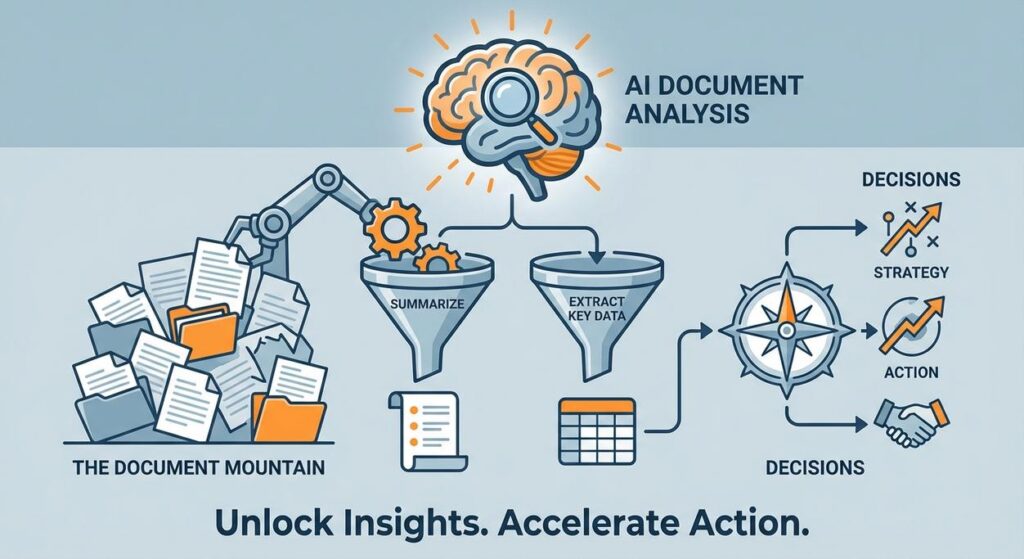
Alright, you intrepid automators, gather ’round. Let’s talk about the elephant in every modern business room: the document mountain. You know the one. It’s that ever-growing pile of PDFs, Word docs, emails, reports, contracts, customer feedback surveys, market research studies, and probably a few old grocery lists you accidentally saved. It sits there, menacingly, daring you to read it all. You spend hours, sometimes days, just trying to extract the one crucial piece of information, or summarize the gist of a 50-page report so you can actually make a decision before the deadline screams past.
It’s like trying to find a needle in a haystack, but the haystack is also on fire, and you’re wearing mittens. Manual document analysis is slow, error-prone, and frankly, soul-crushing. What if I told you there’s a way to deputize a tireless, hyper-focused robot researcher to sift through that mountain for you, plucking out exactly what you need, perfectly summarized, in seconds?
Why This Matters
This isn’t just about avoiding a papercut. This is about transforming how you make decisions, manage risk, and allocate resources. Here’s why automating document analysis is a game-changer:
- Lightning-Fast Decision Making: The sooner you have key insights from complex documents (contracts, market reports, legal briefs), the faster you can react and strategize. No more waiting for a human to finish reading for three days straight.
- Massive Time & Cost Savings: Think about the person (maybe you!) who spends hours reading, highlighting, and summarizing. That’s billable time, or time away from more strategic tasks. AI can do it in a fraction of the time, for a fraction of the cost. You’re effectively replacing or supercharging a junior analyst or a very patient intern.
- Consistent Data Extraction: Humans get tired, distracted, and sometimes miss things. AI, given clear instructions, extracts data with robotic precision and consistency, reducing errors in critical data capture.
- Enhanced Risk Management: Quickly identify red flags in contracts, compliance documents, or financial reports. Don’t let a crucial clause slip by because someone skimmed too fast.
- Scalability: Need to analyze 10 documents? 100? 1000? A human struggles. An AI scales effortlessly, processing vast quantities of information without complaint.
This automation elevates you from being a document "reader" to a document "strategist." It frees up your intellectual capacity for higher-level thinking, rather than glorified data entry or endless reading.
What This Tool / Workflow Actually Is
This workflow leverages the power of Large Language Models (LLMs) to understand, summarize, and extract specific information from unstructured text documents. It’s essentially training an AI to be your personal, super-fast research assistant.
- Document Ingestion: The first step is getting your document’s text into a format the AI can read. For this lesson, we’ll start with plain text, but know that in advanced setups, this involves converting PDFs, scanning images (OCR), or pulling data from databases.
- AI Processing (The "Brain"): You give the AI specific instructions (a "prompt") on what you want: summarize this report into 3 bullet points, find all mentioned company names and their addresses, identify the key risks in this contract, etc.
- Structured Output: Crucially, we train the AI to provide its findings in a structured, machine-readable format, like JSON. This isn’t just a blob of text; it’s organized data that you can immediately use in other systems.
What it DOES do:
- Summarize lengthy documents into concise overviews.
- Extract specific data points (names, dates, dollar figures, entities, sentiment) from text.
- Identify key themes, risks, or opportunities within documents.
- Transform unstructured text into structured, actionable data.
What it DOES NOT do:
- Replace human interpretation of highly nuanced or subjective information.
- Understand implied context or subtle human emotions without specific training.
- Guarantee 100% accuracy on every single data point, especially with poor quality input documents (e.g., blurry scans). Human review is still crucial for high-stakes scenarios.
- Access external databases or context unless explicitly provided (though we’ll get into RAG later).
Prerequisites
Don’t sweat it. If you made it through the last lesson, you’re more than ready. If this is your first time, welcome aboard! Here’s what you’ll need:
- An OpenAI Account: With API access and a generated API key. If you don’t have one, check the previous lesson (or the OpenAI Platform link below). You’ll need some credit for usage.
- A Computer with Internet Access: The usual.
- Python Installed: We’ll use a simple Python script to interact with the OpenAI API. It’s copy-paste-ready.
- A Text Editor: VS Code, Sublime Text, etc.
- A Sample Text Document: Just a simple
.txtfile with some decent amount of text (a few paragraphs to a few pages) that you want to analyze.
See? No advanced astrophysics degrees required. Just a willingness to make your computer do the boring work.
Step-by-Step Tutorial
Step 1: Get Your OpenAI API Key (or confirm you have it)
If you followed the last lesson, you should have this. If not:
- Go to the OpenAI Platform.
- Log in or create an account.
- Navigate to the API Keys section.
- Click "Create new secret key."
- Copy this key immediately! Store it safely. You’ll need it for the script.
Step 2: Prepare Your Sample Document
For this exercise, we’ll use a simple text file. Let’s imagine it’s a short, fictional business report.
- Create a new text file (e.g.,
report.txt) in a directory where you’ll save your Python script. - Paste some text into it. For example:
Company: InnovateTech Solutions Inc.
Date: October 26, 2023

Subject: Q3 2023 Market Expansion Report

This report summarizes InnovateTech's market expansion efforts and financial performance during the third quarter of 2023. Our primary focus was on penetrating the Southeast Asian market, specifically targeting the e-commerce and fintech sectors in Vietnam and Indonesia.

Key Achievements:
- Successfully onboarded 3 major e-commerce clients in Vietnam, leading to a 15% increase in regional revenue.
- Established a strategic partnership with 'FinBoost Global', a prominent Indonesian fintech accelerator, which is expected to yield 5 new client engagements by Q1 2024.
- Launched our localized 'InnovatePay' solution in both markets, resulting in 12,000 new user sign-ups.

Challenges Encountered:
- Faced unexpected regulatory hurdles in the Philippines, delaying our planned Q4 entry into that market.
- Initial marketing campaigns in Indonesia showed lower-than-expected ROI, requiring a pivot in strategy.
- Competitor 'GlobalConnect' launched a similar service in Vietnam, increasing market competition.

Financial Highlights:
- Total Q3 Revenue: $1,250,000 (up 10% from Q2).
- Regional Southeast Asia Revenue: $300,000 (a 15% increase QoQ).
- Marketing Spend: $180,000.

Recommendations:
1. Re-evaluate Philippines market entry strategy, possibly focusing on 2025.
2. Optimize Indonesian marketing efforts by partnering with local influencers.
3. Develop a competitive response strategy for GlobalConnect in Vietnam.
4. Allocate additional budget of $50,000 for localized content creation in Indonesia for Q4.
Step 3: Crafting the AI Analysis Prompt
This is where you tell the AI exactly what to do. We want both a summary and specific data points. We’ll ask for JSON output for easy parsing.
You are an expert business analyst. Your task is to review the provided business report and perform two actions:
1. Summarize the key findings, achievements, challenges, and recommendations into 4-5 concise bullet points.
2. Extract specific entities: Company Name, Reporting Date, Total Q3 Revenue, Regional Southeast Asia Revenue, and the additional budget recommended for Q4.

Provide the output in JSON format with two top-level keys: 'summary' (an array of strings) and 'extracted_data' (an object with key-value pairs).

Example Output Structure:
{
  "summary": [
    "Summary point 1",
    "Summary point 2"
  ],
  "extracted_data": {
    "Company Name": "",
    "Reporting Date": "",
    "Total Q3 Revenue": "",
    "Regional Southeast Asia Revenue": "",
    "Additional Q4 Budget Recommended": ""
  }
}

Here is the report content:
"""
{DOCUMENT_CONTENT_HERE}
"""
Why this prompt is effective:
- Role-Playing: "You are an expert business analyst" sets the context.
- Clear, Multi-Part Task: Explicitly states both summarization and extraction goals.
- Structured Output Request: "Provide the output in JSON format" is vital for automation.
- Example Output Structure: Shows the AI precisely what the JSON should look like, reducing errors and ensuring consistency.
- Placeholder for Content:
{DOCUMENT_CONTENT_HERE}is where our Python script will inject the actual report.
Step 4: Writing the Python Script to Automate Analysis
Open your text editor, create a file named document_analyzer.py in the same directory as your report.txt, and paste the following code:
import os
import openai
import json

# --- Configuration --- START ---
# Set your OpenAI API key as an environment variable (recommended)
# Or, uncomment the line below and replace 'YOUR_OPENAI_API_KEY' with your actual key
# os.environ["OPENAI_API_KEY"] = "YOUR_OPENAI_API_KEY"

# Get API key from environment variable
openai.api_key = os.getenv("OPENAI_API_KEY")

if not openai.api_key:
    print("Error: OpenAI API key not found. Please set it as an environment variable (OPENAI_API_KEY) or uncomment and set it directly in the script.")
    exit()

DOCUMENT_PATH = "report.txt"
OUTPUT_JSON_PATH = "analysis_results.json"
# --- Configuration --- END ---

def read_document(file_path):
    try:
        with open(file_path, 'r', encoding='utf-8') as f:
            return f.read()
    except FileNotFoundError:
        print(f"Error: Document not found at {file_path}")
        return None
    except Exception as e:
        print(f"An error occurred while reading the document: {e}")
        return None

def analyze_document(document_content):
    if not document_content:
        return None

    prompt_template = f"""
You are an expert business analyst. Your task is to review the provided business report and perform two actions:
1. Summarize the key findings, achievements, challenges, and recommendations into 4-5 concise bullet points.
2. Extract specific entities: Company Name, Reporting Date, Total Q3 Revenue, Regional Southeast Asia Revenue, and the additional budget recommended for Q4.

Provide the output in JSON format with two top-level keys: 'summary' (an array of strings) and 'extracted_data' (an object with key-value pairs).

Here is the report content:
"""
{document_content}
"""
"""

    print("Sending document for AI analysis...")
    try:
        response = openai.chat.completions.create(
            model="gpt-3.5-turbo", # Or "gpt-4" for better results (higher cost)
            messages=[
                {"role": "system", "content": "You are a helpful assistant designed to output JSON."},
                {"role": "user", "content": prompt_template}
            ],
            response_format={"type": "json_object"},
            temperature=0.2 # Keep it low for factual extraction to reduce creativity/hallucination
        )

        # Parse the JSON string from the AI's response
        analysis_json_str = response.choices[0].message.content
        return json.loads(analysis_json_str)
    except json.JSONDecodeError as e:
        print(f"Error decoding JSON from AI response: {e}")
        print(f"Raw AI response: {analysis_json_str}")
        return None
    except Exception as e:
        print(f"An error occurred during AI analysis: {e}")
        return None

def write_json_output(data, file_path):
    if not data:
        print("No data to write.")
        return
    try:
        with open(file_path, 'w', encoding='utf-8') as f:
            json.dump(data, f, indent=4)
        print(f"Analysis results saved to {file_path}")
    except Exception as e:
        print(f"Error writing JSON output: {e}")

# --- Main execution ---
if __name__ == "__main__":
    report_content = read_document(DOCUMENT_PATH)
    if report_content:
        analysis_results = analyze_document(report_content)
        if analysis_results:
            write_json_output(analysis_results, OUTPUT_JSON_PATH)
Before you run:
- Install OpenAI library: Open your terminal or command prompt and run:
pip install openai - Set your API Key: As before, set
OPENAI_API_KEYas an environment variable. Or, for quick testing, uncomment and replace"YOUR_OPENAI_API_KEY"in the script. - Run the script: In your terminal, navigate to the directory and execute:
python document_analyzer.py
You should see a new file, analysis_results.json, pop up in your directory, containing a beautifully summarized and extracted data set from your report!
Complete Automation Example
Let’s revisit "InnovateTech Solutions Inc." They get dozens of market research reports, competitor analyses, and internal project updates every quarter. Each document is typically 20-50 pages long. Their management team is drowning.
The Problem:
Key decision-makers struggle to keep up with the volume of information. They often miss crucial insights, leading to slower strategic shifts or overlooked opportunities. Manually distilling these reports takes skilled analysts days, and even then, summaries might miss points important to specific stakeholders.
The Automation:
- Document Collection: All incoming reports (saved as text or converted PDFs) are dropped into a designated "Reports to Analyze" folder (or Google Drive/SharePoint).
- Automated Trigger: A simple script (or a no-code tool like Make/Zapier) monitors this folder. When a new document appears, it triggers our
document_analyzer.pyscript. - AI Analysis: The script reads the new document. Instead of just summarizing, the prompt is expanded to:
- Summarize the Executive Summary (3 bullets).
- Extract all competitor names and their stated strategies.
- Identify any mentioned market risks or opportunities.
- Pull out all monetary figures and associated contexts.
- Extract primary author(s) and publication date.
- Structured Output to Database/Dashboard: The AI generates a comprehensive JSON output. This JSON isn’t just saved as a file; it’s automatically pushed to a small internal database or a Google Sheet.
- Notification & Dashboard Update: An alert is sent to the management team (e.g., Slack, email) stating "New report analyzed!" The extracted data instantly populates a "Quarterly Report Insights" dashboard, showing a concise overview of all new reports, key trends, and risks at a glance.
Result: Managers no longer have to read every document. They get curated, actionable insights delivered directly to their dashboard, allowing them to make faster, better-informed decisions. The time of several analysts is freed up for deeper, strategic thinking rather than grunt work.
Real Business Use Cases (MINIMUM 5)
This automated analysis is a powerhouse for various industries:
-
Legal Firms / Compliance Departments
Problem: Reviewing hundreds of contracts, legal briefs, or regulatory documents for specific clauses, terms, or compliance risks is incredibly time-consuming and prone to human error, especially under pressure.
Solution: AI reviews new contracts or regulatory updates, automatically extracting key dates, parties involved, liability clauses, renewal terms, and identifying any deviations from standard templates. The output is structured JSON that can be fed directly into a contract management system for flagging or further human review.
-
Real Estate Agencies
Problem: Analyzing property appraisal reports, zoning regulations, and environmental assessments for multiple listings is a massive manual effort to determine property viability and potential risks.
Solution: An automation processes property reports, extracting square footage, land area, zoning classifications, identified environmental hazards, estimated market value, and any renovation recommendations. This data populates an agent’s CRM, allowing them to quickly assess new properties and present key facts to clients.
-
Customer Support / Feedback Analysis
Problem: Drowning in customer support tickets, email feedback, and survey responses. Identifying recurring issues, sentiment trends, or urgent complaints manually is slow and reactive.
Solution: AI processes incoming support tickets/feedback. It summarizes the issue, extracts product names mentioned, identifies customer sentiment (positive/negative), and categorizes the problem (e.g., "bug report," "feature request," "billing issue"). This structured data is pushed to a dashboard, giving product and support teams real-time insights into customer pain points.
-
Human Resources (HR) / Recruitment
Problem: Sifting through hundreds of resumes for specific skills, experience levels, and qualifications for various roles is exhausting and can lead to missed candidates.
Solution: AI processes incoming resumes, extracting relevant experience (years, companies), key skills (e.g., "Python," "SQL," "Project Management"), educational background, and even highlights potential cultural fits based on past project descriptions. This data auto-populates a candidate tracking system, providing recruiters with a pre-qualified shortlist.
-
Financial Services / Investment Research
Problem: Analyzing quarterly earnings reports, analyst calls, and news articles for dozens of companies to spot investment opportunities or risks requires an enormous amount of research time.
Solution: AI processes these financial documents, extracting revenue figures, profit margins, growth rates, key executive statements, and sentiment around future outlook. This data is then aggregated into a dashboard, enabling analysts to quickly compare company performance, identify market trends, and make informed investment decisions faster.
Common Mistakes & Gotchas
- Prompt Paralysis: Don’t expect perfection on the first try. Your prompts will need refinement. Iterate, test, and tweak until the AI consistently gives you what you need.
- Input Quality Matters: "Garbage in, garbage out" applies here more than anywhere. If your source document is poorly scanned, full of typos, or uses inconsistent formatting, the AI will struggle. Clean your data where possible.
- Token Limits: OpenAI models have a maximum input length (measured in "tokens"). Very long documents might need to be split into chunks before sending to the AI. This is a more advanced topic, but be aware that you can’t just dump a 500-page novel into a single prompt.
- Hallucinations: The AI can sometimes "make up" information if it can’t find it or if the prompt is ambiguous. Always cross-reference critical extracted data with the original document, especially for high-stakes information like legal or financial figures.
- Over-Extraction: Don’t ask the AI to extract everything under the sun. Be specific about what data points are truly critical. Too many requests can dilute the quality of the output.
- Security & Privacy: Be extremely cautious about sending sensitive, confidential, or proprietary information to external AI APIs unless you have appropriate data agreements (e.g., enterprise-level contracts with data privacy assurances). For personal/small business use with non-sensitive data, it’s generally fine, but always be aware.
How This Fits Into a Bigger Automation System
This document analysis isn’t a one-off trick; it’s a foundational piece for truly intelligent automation:
- RAG (Retrieval Augmented Generation) Systems: This is where document analysis truly shines. Instead of sending *all* your documents to the AI every time, you first use document analysis to break them down into searchable chunks and extract metadata. Then, when you ask a question, a "retrieval" system finds the most relevant chunks, and *those* are fed to the AI for generation. This allows the AI to answer questions about vast amounts of proprietary data without hallucinating.
- CRM & ERP Integration: Automatically extract customer details from inbound emails or contracts and update your CRM. Pull key figures from financial reports directly into your ERP for real-time tracking.
- Business Intelligence & Reporting: The structured JSON output from your document analysis can feed directly into BI tools (Tableau, Power BI, custom dashboards), creating dynamic reports that update themselves as new documents arrive.
- Workflow Automation Tools (Zapier/Make.com): Connect your document analysis script to triggers (new email attachment, file uploaded to Dropbox) and actions (send summary to Slack, update Google Sheet, create Trello card) to build end-to-end automated workflows.
- Multi-Agent Systems: Imagine one AI agent that identifies a new document, another that analyzes it as we’ve done, a third that cross-references the extracted data with internal databases, and a fourth that drafts a summary email for stakeholders. This is the future you’re building towards.
What to Learn Next
You’ve just unlocked the ability to turn mountains of unstructured text into actionable, structured data. This is a superpower for any business drowning in information.
In our upcoming lessons, we’ll expand on this by exploring:
- Handling Different Document Types: How to process PDFs, scanned images, and web pages for analysis, not just plain text.
- Advanced RAG Implementation: Building your own knowledge base from your documents so your AI can answer complex questions specific to your business data.
- Data Validation & Confidence Scoring: Techniques to ensure the AI’s extracted data is accurate and reliable, especially for critical decisions.
- Integrating with No-Code Platforms: Connecting your AI analysis directly to your existing apps and workflows using tools like Zapier and Make.com without writing much code.
The document mountain is shrinking, and your strategic vision is expanding. Keep pushing the boundaries of what’s possible with automation. I’ll see you in the next lesson, where we’ll turn our attention to making your automations even smarter.





