
Hook
Alright, you process gurus and efficiency fanatics, let’s talk about the beating heart of your business: operations. For many, it feels less like a well-oiled machine and more like a never-ending game of "Whac-A-Mole." You’ve got emails needing approvals, expense reports needing categorization, client onboarding tasks piling up, and internal requests disappearing into a black hole of "someone will get to it eventually." You’re constantly pushing papers (digital or otherwise), reminding people, and manually making judgment calls that feel more like grunt work than strategic input.
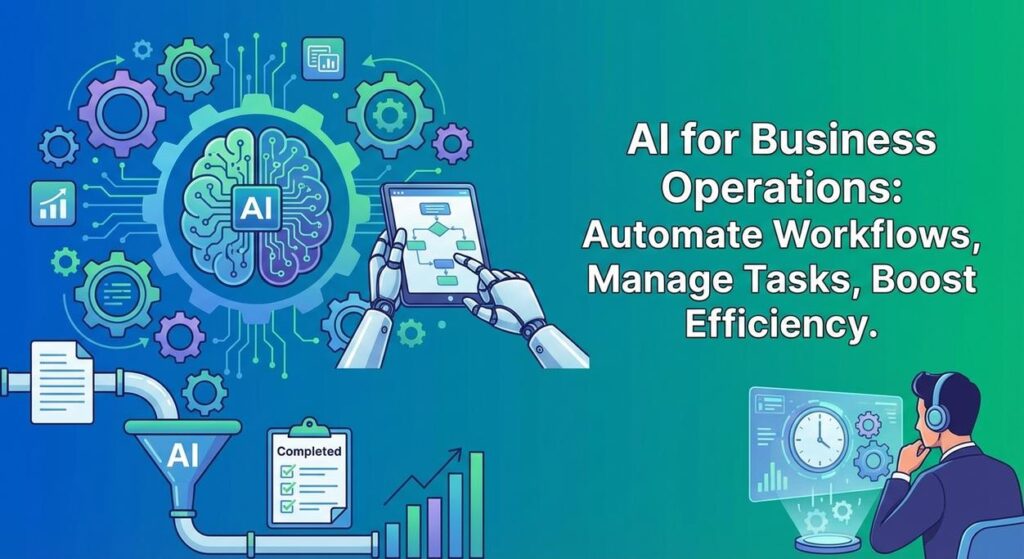
It’s like trying to run a bustling factory where every single bolt, every single lever, and every single quality check has to be done by a human, often with sticky notes and a very confused look on their face. It’s slow, prone to errors, and frankly, a productivity killer. What if I told you that we could bring in a fleet of precision robots, each trained to understand your internal requests, apply your business rules, make lightning-fast decisions, and then automatically trigger the next steps? No more dropped balls, no more endless email chains, just smooth, efficient workflow. Today, we’re building that robot supervisor for your operations.
Why This Matters
This isn’t about simply adding a fancy tech gadget; it’s about fundamentally restructuring how your business runs, impacting your bottom line and your team’s sanity:
- Eliminate Bottlenecks: Manual approvals, data routing, and task assignments are often choke points. AI automates these, ensuring workflows move at the speed of thought, not the speed of human email checks.
- Dramatic Time & Cost Savings: Imagine the hours spent by managers and employees on repetitive administrative tasks. Automating these frees up significant human capital for strategic planning, client engagement, or core product development. You’re effectively replacing or supercharging several administrative assistants or junior managers burdened with process oversight.
- Unwavering Consistency & Compliance: AI applies rules precisely every time. This reduces errors in approvals, ensures consistent data handling, and can even bolster compliance by enforcing internal policies rigorously.
- Faster Decision Making: Whether it’s an expense approval or a project initiation request, AI can quickly process input, apply logic, and present clear recommendations or even automatic decisions, accelerating business agility.
- Enhanced Scalability: As your business grows, the volume of operational tasks often scales linearly with your team size. AI allows you to handle exponentially more tasks without proportionally increasing your headcount, making growth smoother and more cost-effective.
This automation elevates your business operations from a chaotic, reactive mess to a streamlined, proactive, and intelligent system. You move from being a human router to a strategic architect of efficiency.
What This Tool / Workflow Actually Is
This workflow leverages a Large Language Model (LLM) as an intelligent operational assistant. It’s designed to:
- Interpret Unstructured Input: Understand natural language requests or data (e.g., from an email, a form submission, a chat message).
- Extract Key Data: Pull out relevant entities and values from that input (e.g., requester name, budget amount, project deadline, urgency).
- Apply Business Logic & Make Decisions: Based on predefined rules (which we embed in our prompt), the AI evaluates the extracted data and determines an outcome (e.g., approve, reject, escalate, categorize).
- Prepare Structured Output & Actions: It then generates a structured output (like JSON) containing the extracted data, the decision, and even a draft response or a recommended next step for a human or another automated system.
What it DOES do:
- Understand and process diverse operational requests from text.
- Extract specific data points for tracking and decision-making.
- Apply rule-based logic to approve, reject, categorize, or escalate tasks.
- Draft initial responses or internal notes.
- Standardize information for consistent record-keeping.
What it DOES NOT do:
- Replace human accountability for final, high-stakes decisions (it’s an assistant, not the CEO).
- Spontaneously understand complex, unspoken human intent or emotional nuances without explicit training.
- Access external systems or perform actions (like actually transferring money) without explicit integrations and a secure setup.
- Guarantee 100% accuracy on every single data point, especially with ambiguous or poorly formatted input. Human review is crucial for sensitive operations.
Prerequisites
No need for advanced degrees in robotics or enterprise architecture. If you’ve been following our course, you’re well-equipped. If you’re new, welcome – we keep it practical!
- An OpenAI Account: With API access and a generated API key. You’ll need some credit for usage, but for basic tasks, it’s very affordable.
- A Computer with Internet Access: Your mission control.
- Python Installed: We’ll use a simple Python script to connect to the AI.
- A Text Editor: Like VS Code, Sublime Text, or similar.
- A Sample "Request" Text File: This will be our operational input. We’ll create one together.
Think of it as setting up a fancy new office gadget. Simple to plug in, powerful once running.
Step-by-Step Tutorial
Step 1: Get Your OpenAI API Key (or confirm you have it)
Your golden key to the AI kingdom:
- Go to the OpenAI Platform.
- Log in or create an account.
- Navigate to the API Keys section.
- Click "Create new secret key."
- Copy this key! Store it securely.
Step 2: Prepare Your Sample Operational Request (project_request.txt)
Let’s simulate an internal request. Create a file named project_request.txt in your working directory and paste the following content:
Subject: New Marketing Campaign Request - "Summer Sales Boost"

Hi Team,

We need to launch a new marketing campaign for our upcoming summer sales. The target launch date is June 1st, 2024.

The estimated budget for this campaign is $25,000. It will primarily focus on social media ads and email marketing.

Key objectives include: increasing Q3 sales by 15% and boosting brand awareness by 10%.

I need approval from a marketing manager to proceed with planning and resource allocation. Please let me know the status by end of day tomorrow.

Requester: Sarah Jenkins
Department: Marketing
Urgency: Medium
Step 3: Crafting the AI Operations Prompt
This is where we tell the AI its marching orders. We’ll tell it to extract specific data, apply a simple approval rule, and draft a response. JSON output is key.
You are an intelligent operations manager responsible for evaluating internal project requests. Your goal is to analyze the provided request, extract key details, decide on a preliminary approval status, and draft an internal response.

Instructions:
1. Extract the following fields: Campaign Name, Requester, Department, Urgency, Target Launch Date, Estimated Budget, Key Objectives.
2. Determine 'Approval Status' based on this rule: If 'Estimated Budget' is less than or equal to $30,000, set 'Approval Status' to "Pending Marketing Manager Review". Otherwise, set to "Pending Senior Management Review".
3. Provide a brief 'Approval Reason' based on the budget rule.
4. Draft a 'Suggested Internal Response' to the requester, acknowledging the request and stating the preliminary approval status. Keep it professional and concise.
5. Provide the output in JSON format with the specified field names.

Example Output Structure:
{
  "Campaign Name": "...",
  "Requester": "...",
  "Department": "...",
  "Urgency": "...",
  "Target Launch Date": "...",
  "Estimated Budget": 25000,
  "Key Objectives": [
    "..."
  ],
  "Approval Status": "...",
  "Approval Reason": "...",
  "Suggested Internal Response": "..."
}

Here is the project request:
"""
{REQUEST_CONTENT_HERE}
"""
Why this prompt works:
- Role-Playing: "You are an intelligent operations manager…" sets the context.
- Clear Task: "Evaluate the request, extract details, decide status, draft response."
- Specific Extraction: Lists all the fields to pull out.
- Explicit Business Rule: "If ‘Estimated Budget’ is less than…" gives the AI a concrete logic to follow. This is crucial.
- Structured Output & Example: Ensures the AI returns machine-readable JSON, vital for downstream automation.
- Placeholder:
{REQUEST_CONTENT_HERE}is where our Python script will inject the request text.
Step 4: Writing the Python Script for Operational Automation
Open your text editor, create a file named ops_automator.py in the same directory as project_request.txt, and paste the following code:
import os
import openai
import json

# --- Configuration --- START ---
# Set your OpenAI API key as an environment variable (recommended)
# Or, uncomment the line below and replace 'YOUR_OPENAI_API_KEY' with your actual key
# os.environ["OPENAI_API_KEY"] = "YOUR_OPENAI_API_KEY"

# Get API key from environment variable
openai.api_key = os.getenv("OPENAI_API_KEY")

if not openai.api_key:
    print("Error: OpenAI API key not found. Please set it as an environment variable (OPENAI_API_KEY) or uncomment and set it directly in the script.")
    exit()

REQUEST_PATH = "project_request.txt"
OUTPUT_JSON_PATH = "processed_request.json"

# --- Configuration --- END ---

def read_request(file_path):
    try:
        with open(file_path, 'r', encoding='utf-8') as f:
            return f.read()
    except FileNotFoundError:
        print(f"Error: Request file not found at {file_path}")
        return None
    except Exception as e:
        print(f"An error occurred while reading the request: {e}")
        return None

def process_request_with_ai(request_content):
    if not request_content:
        return None

    prompt = f"""
You are an intelligent operations manager responsible for evaluating internal project requests. Your goal is to analyze the provided request, extract key details, decide on a preliminary approval status, and draft an internal response.

Instructions:
1. Extract the following fields: Campaign Name, Requester, Department, Urgency, Target Launch Date, Estimated Budget, Key Objectives.
2. Determine 'Approval Status' based on this rule: If 'Estimated Budget' is less than or equal to $30,000, set 'Approval Status' to "Pending Marketing Manager Review". Otherwise, set to "Pending Senior Management Review".
3. Provide a brief 'Approval Reason' based on the budget rule.
4. Draft a 'Suggested Internal Response' to the requester, acknowledging the request and stating the preliminary approval status. Keep it professional and concise.
5. Provide the output in JSON format with the specified field names.

Here is the project request:
"""
{request_content}
"""
"""

    print("Sending request for AI processing...")
    try:
        response = openai.chat.completions.create(
            model="gpt-3.5-turbo",  # Use "gpt-4" for more complex logic or better language quality, but higher cost
            messages=[
                {"role": "system", "content": "You are a helpful assistant designed to output JSON."},
                {"role": "user", "content": prompt}
            ],
            response_format={"type": "json_object"},
            temperature=0.1 # Keep it very low for logical decision-making to reduce creativity/hallucination
        )

        processed_json_str = response.choices[0].message.content
        return json.loads(processed_json_str)
    except json.JSONDecodeError as e:
        print(f"Error decoding JSON from AI response: {e}")
        print(f"Raw AI response: {processed_json_str}")
        return None
    except Exception as e:
        print(f"An error occurred during AI processing: {e}")
        return None

def write_json_output(data, file_path):
    if not data:
        print("No data to write.")
        return
    try:
        with open(file_path, 'w', encoding='utf-8') as f:
            json.dump(data, f, indent=4)
        print(f"Processed request saved to {file_path}")
    except Exception as e:
        print(f"Error writing JSON output: {e}")

# --- Main execution ---
if __name__ == "__main__":
    request_content = read_request(REQUEST_PATH)
    if request_content:
        processed_results = process_request_with_ai(request_content)
        if processed_results:
            write_json_output(processed_results, OUTPUT_JSON_PATH)
Before you run:
- Install OpenAI library: Open your terminal or command prompt and run:
pip install openai - Set your API Key: As always, set
OPENAI_API_KEYas an environment variable. Or, for quick testing, uncomment and replace"YOUR_OPENAI_API_KEY"in the script. - Run the script: In your terminal, navigate to the directory and execute:
python ops_automator.py
You'll find a new file, processed_request.json, containing your AI's analysis, decision, and drafted response!
Complete Automation Example
Let's imagine "DigitalFlow Agency," a mid-sized digital marketing agency. They frequently receive new project requests from their account managers via internal emails. These requests then need to be approved by a marketing director, assigned to a project manager, and critical details extracted to create tasks in their project management system. This manual process is slow, leads to delays, and sometimes critical details are missed.
The Problem:
New projects are slow to kick off due to manual approval chains. Account managers get frustrated by the delays. Key project details (budget, launch date, objectives) are often re-typed into different systems, introducing errors. The project management system isn't updated consistently.
The Automation:
- Request Ingestion: An account manager sends an email "New Project Request" with the project details (similar to our
project_request.txt) to a dedicated internal email alias (e.g.,project-intake@digitalflow.com). - Automated AI Processing Trigger: A tool like Zapier or Make.com monitors this inbox. When a new email arrives, it extracts the email body and sends it to our AI operations processor (a cloud-hosted version of our
ops_automator.pyscript). - AI Analysis & Decision: The AI processes the email. It extracts the campaign name, requester, department, urgency, budget, launch date, and key objectives. It then applies DigitalFlow's internal approval rules: "If budget < $30,000, status 'Pending Marketing Manager Review'; if budget >= $30,000, status 'Pending Senior Management Review'." It also drafts a preliminary response.
- Structured Output & PM System Update: The AI returns a JSON object with all the extracted data, the approval status, and the drafted response. This JSON is then used by Zapier/Make to automatically perform several actions:
- Create a new task in DigitalFlow's project management system (e.g., Asana, Trello, Monday.com) with the 'Campaign Name' as the task title.
- Populate custom fields in the PM task with the 'Requester', 'Department', 'Budget', 'Launch Date', and 'Key Objectives'.
- Assign the task to the relevant Marketing Manager (if 'Pending Marketing Manager Review') or the Senior Management team.
- Add the AI's 'Suggested Internal Response' as a comment on the task.
- Notification & Human Review: The relevant manager receives a notification (e.g., Slack, email) with a direct link to the newly created project task, showing all the AI-extracted details and the preliminary status, prompting them for final review and approval.
Result: DigitalFlow Agency dramatically cuts down the time from project request to active planning. Errors from manual data entry are virtually eliminated. Managers get pre-digested, actionable information for rapid approvals, and project managers have consistently structured tasks. They went from operational friction to seamless project initiation.
Real Business Use Cases (MINIMUM 5)
This type of AI automation is a secret weapon for almost any operational challenge:
-
HR & Talent Management
Problem: Onboarding new hires involves numerous manual tasks: creating accounts, assigning training, drafting welcome emails, and initiating IT setup requests. These steps are often delayed or missed, leading to a poor new-hire experience.
Solution: AI processes a "New Hire Request" (from a simple form or email). It extracts employee name, department, role, start date. Based on role, it generates a checklist of onboarding tasks (e.g., "IT setup for software engineer," "Marketing team welcome kit"), drafts personalized welcome emails, and sends structured requests to IT for account creation, all within minutes.
-
Finance & Accounting
Problem: Processing expense reports, categorizing invoices, and approving purchase orders are repetitive, rule-based tasks that consume significant time for finance teams and often delay reimbursements/payments.
Solution: AI reviews incoming expense reports or invoices (from text/scanned documents). It extracts vendor, amount, date, and item description. It then categorizes the expense (e.g., "Travel," "Software," "Office Supplies"), flags anything over a certain limit for human review, and then pushes the structured data to the accounting system for pre-approval.
-
IT & Helpdesk Management
Problem: Incoming helpdesk tickets often lack clear categorization or sufficient detail, making it hard to route them to the right specialist or provide a quick initial response.
Solution: AI processes new helpdesk tickets (from email or chat). It extracts the user's problem description, identifies keywords for categorization (e.g., "password reset," "software bug," "hardware issue"), determines urgency, and drafts an initial acknowledgment or suggests a common fix, then routes the ticket to the appropriate support queue.
-
Supply Chain & Logistics
Problem: Processing inventory reorder requests or tracking shipment updates often involves manual data entry from emails or supplier portals into an inventory management system, leading to delays and stockouts.
Solution: AI monitors incoming supplier emails for reorder requests or shipment notifications. It extracts product IDs, quantities, delivery dates, and tracking numbers. This structured data is then used to automatically update inventory levels, trigger reorder processes, and send alerts for critical shipments.
-
Customer Relationship Management (CRM)
Problem: Updating CRM records after customer interactions (notes from calls, meeting summaries from emails) is crucial but often inconsistent or neglected due to time constraints, leading to incomplete customer profiles.
Solution: AI processes call notes or email summaries provided by sales/support reps. It extracts key discussed points (e.g., "customer expressed interest in feature X," "complained about billing issue"), identifies sentiment, and generates concise updates that are automatically pushed to the relevant fields in the CRM, ensuring rich, consistent customer data.
Common Mistakes & Gotchas
- Over-Trusting the AI for High-Stakes Decisions: While AI can make preliminary decisions, for anything with significant financial, legal, or reputational impact, a human must always have the final say. Use AI to *assist*, not *replace*, critical human judgment.
- Vague Rules in the Prompt: "Approve if it makes sense" won't work. Your AI's decision logic needs to be clear, explicit, and quantifiable in the prompt, as we did with the budget rule.
- Ignoring Edge Cases & Ambiguity: Real-world operational requests are messy. What if the budget is missing? What if the urgency isn't clear? Design your prompts to gracefully handle these (e.g., "if X is missing, flag for human review").
- Security & Privacy Concerns: Be extremely cautious about what sensitive internal data (financials, HR records, proprietary project details) you send to external AI APIs. Ensure you have robust data agreements or consider on-premise/private cloud solutions for highly confidential information.
- Lack of Integration Planning: Generating a JSON output is great, but where does it go? You need to plan how this output will connect to your existing CRM, ERP, project management tools, or notification systems.
- Not Iterating & Refining Prompts: Your operational rules might evolve. Continuously review the AI's performance, refine your prompts, and update your business logic as needed.
How This Fits Into a Bigger Automation System
AI for business operations is often the connective tissue that makes other automations truly powerful:
- CRM & ERP Integration: The extracted data and decisions can directly update records in your CRM (for sales/marketing context) or ERP (for financial tracking, resource planning).
- Project Management Tools (Asana, Jira, Trello, Monday.com): AI-generated tasks, assignments, and updates can flow directly into these systems, keeping projects on track automatically.
- Email & Notification Systems (Slack, Teams): AI can draft and trigger instant notifications, ensuring relevant stakeholders are always informed about approvals, task assignments, or critical issues.
- RAG (Retrieval Augmented Generation) Systems: Imagine your AI referencing an internal 'Standard Operating Procedures' (SOPs) manual to apply complex rules, or pulling relevant case studies for a project proposal, directly enhancing its decision-making.
- Multi-Agent Workflows: This is a core component. One AI agent identifies an inbound request, another (our current workflow) processes and decides, a third then interacts with the PM system, and a fourth monitors compliance, creating a fully autonomous operational pipeline.
- Automated Workflows (Zapier/Make.com): These no-code tools are perfect for connecting the output of our AI script to virtually any other application, building end-to-end operational automations.
What to Learn Next
You've just learned how to put an intelligent brain at the core of your business operations, automating tedious tasks and accelerating decision-making. This is a crucial step towards building a truly efficient and scalable enterprise.
In our upcoming lessons, we'll build on this foundation by exploring:
- Complex Decision Trees with AI: How to implement more nuanced, multi-layered business rules for AI to follow.
- Advanced Integrations: Connecting your AI-powered operational flows directly to your CRM, ERP, and other critical business systems via their APIs.
- Human-in-the-Loop & Approval Workflows: Designing systems where AI makes recommendations, but humans retain final approval, ensuring safety and compliance.
- Operational Monitoring & Anomaly Detection: Using AI to not only automate tasks but also to monitor your operational data for unusual patterns or potential problems before they escalate.
Get ready to transform your operational chaos into a symphony of efficiency. The future of smart business is being built, and you're at the forefront. Stay sharp, keep building, and I'll see you in the next lesson!





