
the shot
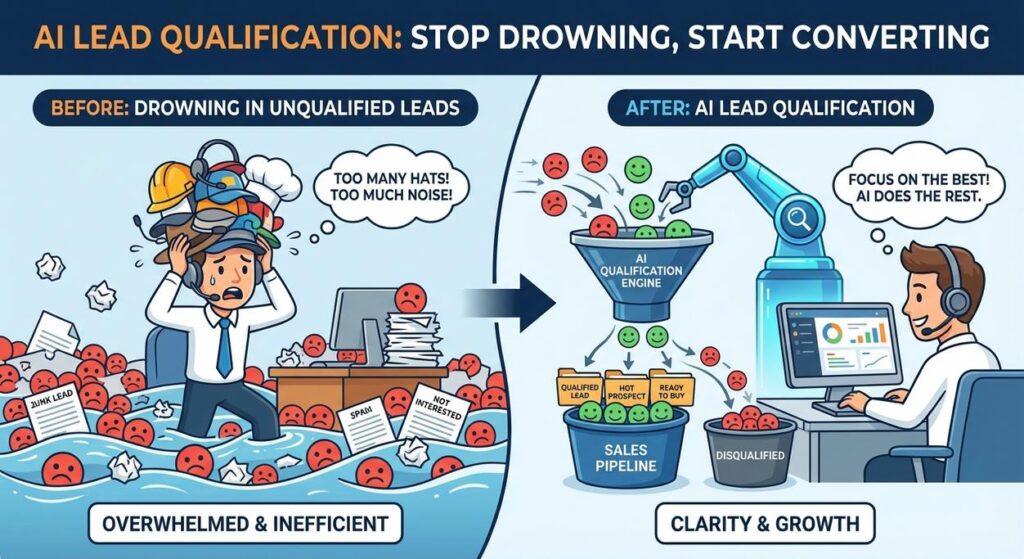
Alright, listen up. Picture this: you’re a small business owner, hustling hard, wearing more hats than a milliner on steroids. Your website form is finally getting some traction! Ding! New lead! Ding! Another one! You feel that rush, that surge of ‘we’re doing it!’
Then reality hits you like a cold bucket of water. Most of these ‘leads’ are about as qualified as my grandma trying to understand TikTok. They’re tire-kickers, students doing research, competitors checking you out, or someone who clearly misunderstood what you even offer. You spend hours, maybe even days, manually sifting through the junk, trying to find that golden nugget. You draft generic emails, copy-paste info, and by the time you actually get to a *good* lead, they’ve already moved on. It’s like trying to find a specific grain of sand on a beach while also building a sandcastle with your toes.
Your time? Gone. Your enthusiasm? Vanished. Your sales pipeline? Clogged with digital lint. Sound familiar? Good. Because today, we’re gonna fix that mess. We’re giving you a robot intern, one that actually does its job.
Why This Matters
This isn’t just about saving a few clicks. This is about turning your lead generation from a chaotic, time-sucking black hole into a smooth, efficient revenue-generating machine. Think of it:
- Massive Time Savings: You’re no longer playing digital detective with every new inquiry. The AI does the heavy lifting, giving you back precious hours you can spend on actual strategy, client work, or, you know, sleeping.
- Higher Conversion Rates: By focusing only on qualified leads and sending them personalized, relevant follow-ups immediately, you drastically increase your chances of closing a sale. No more generic ‘Dear Valued Customer’ emails.
- Scalability Without Hiring: Want to handle 10x the leads without hiring a whole new sales team or burning out your existing one? This is how. Your AI intern doesn’t get tired, doesn’t ask for a raise, and works 24/7.
- Better Sanity: No more dreading opening your inbox. You’ll know that every notification about a new lead is actually worth your attention.
This workflow effectively replaces the soul-crushing, repetitive work of a junior intern whose main job is to ‘qualify leads’ by scanning forms and sending templated emails. Except, our AI intern is faster, smarter, and never complains about the coffee.
What This Tool / Workflow Actually Is
At its core, this automation is a smart pipeline that intercepts your incoming leads, analyzes them using Artificial Intelligence, and then takes action based on that analysis. It’s like having a highly intelligent gatekeeper for your sales process.
What it Does:
- Listens: It waits for new leads from your website forms, spreadsheets, or other data sources.
- Analyzes: It feeds the lead’s information (name, company, request, budget, etc.) to an AI. The AI then qualifies the lead based on criteria you define, extracts key information, and can even draft personalized follow-up messages.
- Decides: Based on the AI’s analysis, the system decides what to do next: send a personalized email, add to your CRM, flag for human review, or even disqualify entirely.
- Automates Follow-Up: It can automatically send tailored emails, update your CRM, or trigger other actions based on the lead’s qualification status.
What it Does NOT Do:
- Replace Human Sales Acumen: While it qualifies, it doesn’t close complex deals requiring nuanced negotiation or deep human connection. It gets you *to* that stage faster.
- Understand Emotions Perfectly: AI is good at text analysis, but it’s not a human psychologist. Edge cases or highly emotionally charged inquiries might still need human review.
- Magically Generate Leads: This system optimizes what you *already* have coming in. You still need a good lead generation strategy.
Prerequisites
Before we turn your lead pipeline into a lean, mean, converting machine, here’s what you’ll need. Don’t worry, none of this involves coding. If you can click buttons and copy-paste, you’re golden.
- A Lead Source: This could be a Google Form, Typeform, your website’s contact form (via a webhook or direct integration), or even a Google Sheet where you manually add leads.
- A Zapier Account (or Make.com): We’ll use Zapier for this walkthrough. Their free tier is great for getting started. Think of Zapier as the digital glue that connects all your apps.
- An OpenAI API Key: This is what gives us access to the AI’s brain. You can get one from the OpenAI platform. You’ll pay for usage, but it’s usually pennies for these kinds of tasks.
- An Email Sending Service: Most people use Gmail or Outlook, which Zapier integrates with directly. If you use a CRM with built-in email or a service like Mailgun/SendGrid, those work too.
Still with me? Fantastic. Let’s build something awesome.
Step-by-Step Tutorial
We’re going to build a Zap that listens for new leads, sends them to AI for qualification, and then sends a personalized email based on the AI’s decision. This is your first robot intern, so treat it kindly.
Step 1: Set Up Your Lead Source & Zapier Trigger
First, we need to tell Zapier where to look for new leads. For simplicity, let’s use a Google Sheet that gets populated from a Google Form or another source.
- Create a Google Sheet: Set up columns like ‘Name’, ‘Email’, ‘Company’, ‘Message’, ‘Timestamp’.
- Create a New Zap in Zapier: Go to Zapier.com, log in, and click ‘Create Zap’.
- Choose Trigger App: Search for ‘Google Sheets’ and select it.
- Choose Trigger Event: Select ‘New Spreadsheet Row’. This tells Zapier to wake up whenever a new entry appears.
- Connect Your Google Account: Follow the prompts to connect your Google account.
- Select Spreadsheet & Worksheet: Choose the specific Google Sheet and worksheet you just created.
- Test Trigger: Add a sample lead row to your Google Sheet manually. Then click ‘Test trigger’ in Zapier. It should pull in your sample data. This confirms Zapier can ‘see’ your new leads.
Step 2: Send Lead Data to OpenAI for Qualification
Now for the brains of the operation. We’ll feed the lead’s message to OpenAI and ask it to qualify and summarize.
- Add an Action Step: Click the ‘+’ icon to add a new step.
- Choose Action App: Search for ‘OpenAI’ and select it.
- Choose Action Event: Select ‘Conversation’ (this allows flexible prompting).
- Connect Your OpenAI Account: You’ll need your OpenAI API key here. Copy it from your OpenAI API dashboard (go to platform.openai.com, click your profile icon -> ‘View API keys’). Paste it into Zapier.
- Set Up Prompt: This is where the magic happens. We’ll give the AI instructions.
- Test Action: Click ‘Test step’. OpenAI should return a JSON output with the qualification, summary, and email draft. If it doesn’t, check your prompt and API key.
In the ‘User Message’ field, paste this. We’re giving it a clear role and instructions:
You are an expert sales qualifier for [YOUR BUSINESS TYPE - e.g., a SaaS company selling marketing automation tools]. Your goal is to evaluate incoming leads and determine if they are a good fit for our services based on their inquiry.

Here is the lead's information:
Name: {{1.Name}}
Email: {{1.Email}}
Company: {{1.Company}}
Message: {{1.Message}}

Criteria for a 'Good Fit':
- Appears to have a clear business need for [YOUR SERVICE/PRODUCT - e.g., marketing automation].
- Seems to understand what we offer (not asking for something completely unrelated).
- Expresses some level of intent (e.g., 'interested in learning more', 'looking for a solution').
- (Add your specific criteria here, e.g., 'Company size seems appropriate', 'Budget indicated is above X', etc.)

Your output MUST be in JSON format with two keys:
1. "qualification": "GOOD_FIT" or "POOR_FIT"
2. "summary": "A brief summary of the lead's needs and why they are/aren't a good fit."
3. "follow_up_email_draft": "A personalized, concise follow-up email draft (max 150 words) addressing their specific needs and suggesting a next step (e.g., a quick call or demo). If POOR_FIT, draft a polite 'not a fit' email."

Evaluate this lead and provide the JSON output.
IMPORTANT: Replace [YOUR BUSINESS TYPE] and [YOUR SERVICE/PRODUCT] with your actual business details. Also, add your *specific* qualification criteria.
Step 3: Conditional Logic with Paths (Qualified vs. Unqualified)
Now we use the AI’s output to decide the next action. This is where Zapier’s Paths (or Router if you have an older account) come in.
- Add another Action Step: Click the ‘+’ icon.
- Choose Action App: Search for ‘Paths by Zapier’ and select it.
- Set Up Path A (Good Fit):
- Name this path ‘Good Fit’.
- Under ‘Rules’, set up a condition: ‘OpenAI Conversation Output’ (you might need to select ‘Show all options’ to find the JSON output) ‘Qualification’ ‘Text Contains’ ‘GOOD_FIT’.
- Set Up Path B (Poor Fit):
- Click ‘Add Path’.
- Name this path ‘Poor Fit’.
- Under ‘Rules’, set up a condition: ‘OpenAI Conversation Output’ ‘Qualification’ ‘Text Contains’ ‘POOR_FIT’.
Step 4: Action for ‘Good Fit’ Leads (Path A)
If the AI says ‘GOOD_FIT’, we send a personalized email and maybe update a CRM.
- Inside Path A (‘Good Fit’), add an Action Step.
- Choose Action App: Search for ‘Gmail’ (or your email service).
- Choose Action Event: Select ‘Send Email’.
- Connect Your Account: Connect your Gmail account.
- Set Up Action:
- To: Map this to the ‘Email’ field from your Google Sheet trigger (e.g.,
{{1.Email}}). - Subject: Something personalized, like ‘Quick question about your inquiry, {{1.Name}}!’
- Body: Map this to the
follow_up_email_draftfrom your OpenAI step (e.g.,{{2.choices__0__message__content__follow_up_email_draft}}– you’ll need to parse the JSON output from OpenAI). - From Name: Your Name/Business Name.
- To: Map this to the ‘Email’ field from your Google Sheet trigger (e.g.,
- (Optional) Add CRM Update: Add another action in Path A to update your CRM (e.g., ‘Create Lead’ in Salesforce, HubSpot, or add a row to a ‘Qualified Leads’ Google Sheet).
- Test Action: Test the email sending.
Step 5: Action for ‘Poor Fit’ Leads (Path B)
For those not quite right, we send a polite ‘thanks but no thanks’ and log them elsewhere.
- Inside Path B (‘Poor Fit’), add an Action Step.
- Choose Action App: Search for ‘Gmail’ (or your email service).
- Choose Action Event: Select ‘Send Email’.
- Connect Your Account: Use the same Gmail account.
- Set Up Action:
- To: Map to
{{1.Email}}. - Subject: ‘Thanks for your inquiry, {{1.Name}}!’
- Body: Map this to the
follow_up_email_draftfrom your OpenAI step, which should contain a polite rejection. - From Name: Your Name/Business Name.
- To: Map to
- (Optional) Log Disqualified Lead: Add another action in Path B to append a row to a ‘Disqualified Leads’ Google Sheet with their details.
- Test Action: Test the email sending.
Step 6: Turn On Your Zap!
Once both paths are set up and tested, go back to your Zap overview and hit the ‘Publish Zap’ or ‘Turn on Zap’ button. Your robot intern is now live, working tirelessly for you!
Complete Automation Example
Let’s make this concrete. Imagine you run a B2B SaaS company, ‘GrowthGenie’, offering an AI-powered content marketing platform. You have a ‘Request a Demo’ form on your website.
The Problem:
You get 50 demo requests a day, but only 10 are from companies that are actually a good fit (right industry, team size, expressed need). Your sales reps waste hours on calls with startups that aren’t ready or agencies that just want to ‘kick the tires’.
The Automation Workflow:
-
Trigger: New Demo Request in HubSpot (or a Google Sheet updated by your form)
A new lead submits your “Request a Demo” form on your website. This lead data (Name, Email, Company, Industry, Number of Employees, ‘What are you hoping to achieve?’) is added to a Google Sheet.
-
Action: OpenAI – Qualify Lead & Draft Email
Zapier detects the new row. It sends the lead’s ‘What are you hoping to achieve?’ message, along with Company and Industry, to OpenAI.
You are a sales qualification expert for GrowthGenie, an AI content marketing platform. Your goal is to qualify leads for a demo based on their company, industry, and expressed needs.

Lead Info:
Name: {{Name from Sheet}}
Email: {{Email from Sheet}}
Company: {{Company from Sheet}}
Industry: {{Industry from Sheet}}
Employees: {{Employees from Sheet}}
Goal: {{What are you hoping to achieve? from Sheet}}

Qualification Criteria for a GOOD_FIT:
- Company is a B2B business (not B2C, agency, or individual).
- Industry is not explicitly excluded (e.g., no gambling, adult content).
- Expresses a clear need for content creation, SEO optimization, or social media scheduling.
- Company has at least 10 employees (indicated or inferred).

Your output MUST be in JSON format with three keys:
1. "qualification": "GOOD_FIT" or "POOR_FIT"
2. "summary": "A concise summary of the lead's needs and why they are/aren't a good fit for GrowthGenie."
3. "follow_up_email_draft": "A personalized, concise follow-up email draft (max 150 words) addressing their specific needs and suggesting a next step (e.g., a 15-min discovery call or a relevant case study). If POOR_FIT, draft a polite 'not a fit' email, perhaps offering generic content resources instead."

Evaluate this lead: Name: Jane Doe, Company: 'Acme Corp', Industry: 'Manufacturing', Employees: 50, Goal: 'We need to scale our blog content and improve our organic search rankings.'
OpenAI might respond:
{ "qualification": "GOOD_FIT", "summary": "Acme Corp is a manufacturing B2B company looking to scale blog content and improve SEO, which directly aligns with GrowthGenie's core offerings. They have a suitable employee count.", "follow_up_email_draft": "Hi Jane, Thanks for reaching out to GrowthGenie! I understand you're looking to scale your blog content and boost organic search rankings at Acme Corp. Our AI content platform is built specifically for B2B manufacturing companies like yours to achieve just that. Would you be open to a quick 15-minute discovery call next week to show you how we've helped other manufacturing firms significantly improve their content performance? You can book a time directly here: [Link to Calendar] Best, [Your Name]" } -
Filter: Zapier Paths
Zapier’s Path step checks the
"qualification"key from OpenAI’s output.- Path A (GOOD_FIT): If
"GOOD_FIT". - Path B (POOR_FIT): If
"POOR_FIT".
- Path A (GOOD_FIT): If
-
Action (Path A – GOOD_FIT): Send Personalized Email & Update CRM
Zapier sends the
follow_up_email_draftto Jane Doe via Gmail. Simultaneously, it updates the lead in HubSpot, setting the ‘Lead Status’ to ‘Qualified – AI’, adding the OpenAI summary to a ‘Notes’ field, and assigning it to a sales rep. -
Action (Path B – POOR_FIT): Send Generic Email & Log
If a lead like ‘I’m a student doing research on AI’ comes in, OpenAI would classify them as
"POOR_FIT". Zapier then sends a polite ‘thanks for your interest’ email and logs the lead to a separate ‘Research/Disqualified’ Google Sheet for later reference, without bothering the sales team.
Result: Your sales team only sees high-quality, pre-qualified leads with a personalized conversation already initiated. Hours saved, conversions up, morale boosted. That’s automation working for you.
Real Business Use Cases
This same AI-powered lead qualification and follow-up pattern can be applied across a staggering number of business types. It’s not just for SaaS companies!
-
Consulting Firm / Agency
- Problem: Inbound ‘contact us’ forms are vague, and consultants waste time on initial calls trying to figure out if the client is serious or has a relevant project.
- Solution: AI analyzes the client’s message, budget indications, and company info to determine if it aligns with the firm’s service offerings and minimum project size. Qualified leads get a calendar link for a deep-dive, while others receive resources or a polite ‘not a fit’ email.
-
Real Estate Agent
- Problem: Many inquiries from Zillow or personal website forms are from casual browsers, not serious buyers/sellers. Manually responding to every single one is a huge time drain.
- Solution: AI processes inquiries, looking for keywords like ‘pre-approved’, ‘ready to move’, ‘specific budget’, ‘looking to sell soon’. It qualifies leads, drafts personalized responses asking for more specific details (e.g., preferred neighborhoods, number of bedrooms), and categorizes them in the CRM. Casual inquiries get automated neighborhood guides.
-
E-commerce Store (High-Ticket Items / Custom Orders)
- Problem: Customer service inquiries or custom order requests can be complex. Some are urgent, some are simple FAQs, some are unqualified custom requests.
- Solution: AI analyzes the message to categorize it (e.g., ‘shipping issue’, ‘custom quote request’, ‘product question’). It can then route urgent issues to a human, answer common questions, or qualify custom requests based on specific criteria (e.g., minimum order quantity, design complexity) before passing them to the design team.
-
Online Course Creator / Coach
- Problem: Prospects fill out application forms for high-value coaching programs. Manually reviewing each application to see if they’re a good fit, motivated, and understand the program is slow.
- Solution: AI reads application essays/answers, scores motivation levels, checks for alignment with program goals, and identifies potential red flags. Qualified applicants receive an automated link to book a discovery call. Poor fits get a polite email suggesting free resources instead.
-
Recruitment Agency
- Problem: Agencies receive hundreds of resumes daily. Manually screening each one for specific role requirements and cultural fit is a monumental task.
- Solution: AI analyzes incoming resumes/inquiries against job descriptions. It can identify key skills, experience levels, and even flag potential cultural alignment based on provided text. Qualified candidates get an automated invite for an initial screening call, significantly narrowing down the pool for human recruiters.
Common Mistakes & Gotchas
Even with a robot intern, you can still trip yourself up. Here are some classic Professor Ajay ‘told you so’ moments to avoid:
-
Garbage In, Garbage Out (GIGO):
Your AI is only as good as the prompt you give it and the data it receives. If your lead form has vague questions or your prompt is unclear, the AI will give you vague, useless answers. Be specific with your qualification criteria!
-
Over-Reliance & No Human Oversight:
Don’t just set it and forget it, especially at the beginning. Periodically review leads the AI qualified and disqualified. You might find your AI is missing subtle cues or being too aggressive. It’s an assistant, not a replacement for your brain… yet.
-
Ignoring Edge Cases & Errors:
What happens if the OpenAI API fails? What if the JSON output is malformed? Always have a ‘fallback’ or ‘error’ path in your Zapier workflow. Zapier often has built-in error handling and retry mechanisms – know where they are.
-
Privacy & Data Security:
You’re sending sensitive lead data to third-party services (OpenAI, Zapier). Understand their data policies. Don’t send highly confidential data to services you haven’t vetted. Always comply with GDPR, CCPA, etc.
-
Prompt Drift:
AI models evolve. What worked perfectly today might be slightly off tomorrow. Keep an eye on your prompt’s performance and be ready to tweak it as models improve or your business needs change.
-
Cost Creep:
While AI API calls are cheap, they’re not free. If you process thousands of leads, those pennies add up. Monitor your OpenAI usage and consider optimization if costs become an issue (e.g., using simpler models for very basic tasks).
How This Fits Into a Bigger Automation System
This lead qualification workflow isn’t a standalone island; it’s a crucial cog in a much larger, automated business engine. Think of it as the first intelligent filter in your factory pipeline.
- CRM Integration (The Central Nervous System): Once a lead is qualified, this automation can push rich data directly into your CRM (Salesforce, HubSpot, Pipedrive). This includes the AI’s qualification status, summary, and even the personalized email draft. This ensures your sales team has all the context they need without digging.
- Email Marketing & Nurturing (The Follow-Up Force): Disqualified leads aren’t necessarily dead leads. This automation can segment them into a ‘nurture’ list in your email marketing platform (Mailchimp, ConvertKit), where they receive educational content until they might become qualified later. Qualified leads can enter a specific sales sequence.
- Voice Agents & Meeting Schedulers (The Next-Gen Receptionist): For highly qualified leads, instead of just sending an email, you could trigger a further automation: an AI voice agent could call them to schedule a discovery meeting, or automatically send a personalized meeting booking link.
- Multi-Agent Workflows (The Smart Team): This basic qualification can be the starting point for a multi-agent system. An ‘Assistant Agent’ could take the qualified lead’s info, research their company, and then draft a full sales proposal, all before a human even says ‘hello’.
- RAG Systems (The Knowledge Base Infusion): Imagine your AI doesn’t just qualify, but also pulls relevant case studies or whitepapers from your internal knowledge base (a RAG system) and includes them in the personalized follow-up email. That’s next-level personalization and value delivery.
This single automation clears the path, making all subsequent interactions more efficient and effective. It’s foundational.
What to Learn Next
You’ve just built your first intelligent gatekeeper for your business. Congratulations! You’re now saving hours and making your sales process significantly smarter.
But this is just the beginning of what’s possible. To truly master the art of AI automation and continue building out your ultimate robot workforce, here’s what you should tackle next:
- Advanced Prompt Engineering for Specific Outcomes: We scratched the surface. Learn how to craft prompts that extract very specific data, format it perfectly, and handle more complex decision-making, like sentiment analysis or competitive analysis.
- Two-Way CRM Integration: Don’t just push data *to* your CRM. Learn how to *pull* data from it to enrich AI prompts (e.g., pull past interaction history) or trigger automations based on CRM status changes.
- Building Multi-Step AI Agents: Think beyond one AI step. How can you chain multiple AI actions together to perform a more complex task, like researching a lead, then drafting a custom proposal, then scheduling a meeting?
- Monitoring & Maintenance of Automations: Zaps can break. APIs change. Learn how to set up alerts, monitor performance, and troubleshoot your automations to ensure they run flawlessly 24/7.
This is Lesson 101, my friend. You’ve proven you can build a powerful system. Now, let’s keep going and build an entire automated empire. The next lesson awaits, and trust me, it’s even more mind-blowing. Don’t be late.





