
the shot
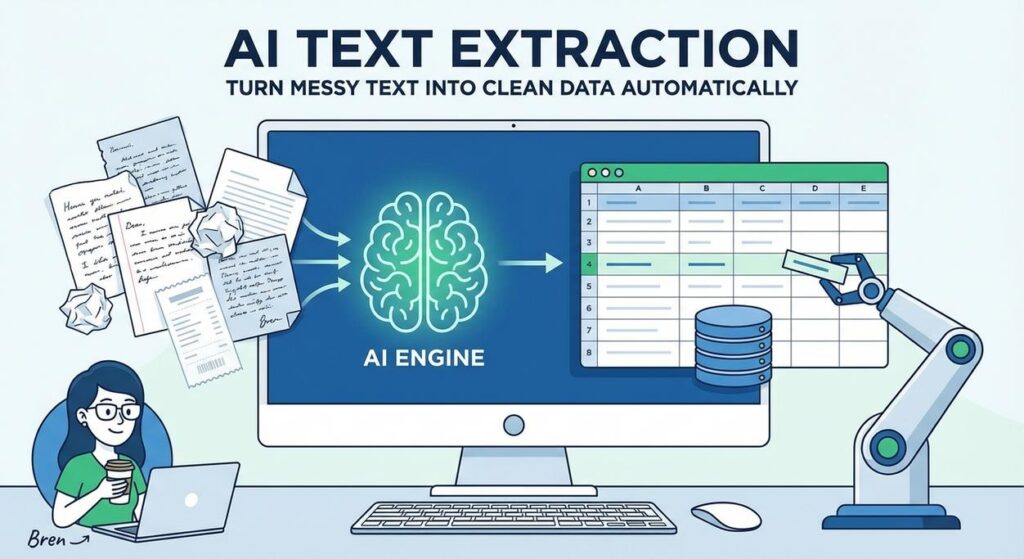
Ah, the classic scene. It’s Tuesday morning. You walk into the office (or, let’s be real, your home office, still in your pajama bottoms), grab your coffee, and there she is: Brenda.
Brenda, your trusty junior intern, is hunched over her keyboard, eyes glazing over. She’s got a mountain of customer feedback emails, product review comments, and scraped web articles. Her mission? To copy-paste every customer’s name, their purchase date, the product they complained about, and the specific complaint into a spreadsheet.
It’s mind-numbing. It’s error-prone. It’s slow. Brenda’s soul is slowly seeping out of her ears, replaced by the faint echo of "Ctrl+C, Ctrl+V." She’s basically a human data vacuum cleaner, but with much less efficiency and a higher chance of crying into her keyboard.
What if I told you we could give Brenda her life back? Or, at the very least, give her a much more interesting job than being a glorified copy machine. What if we could deploy a tireless, accurate, digital intern that slurps up all that messy text and spits out beautifully organized data in seconds?
Welcome to the era of AI-powered text extraction. We’re about to turn that chaotic text swamp into a sparkling data lake, ready for action.
Why This Matters
You see Brenda, you hear "intern." I see dollar signs, lost time, and missed opportunities. Every minute spent manually extracting data is a minute not spent analyzing that data, making decisions, or innovating.
- Time Saved: Hours of manual work shrink to seconds of AI processing. Imagine an entire workday’s worth of data processed while you’re grabbing a second coffee.
- Accuracy Boost: Humans get tired, make typos, and miss details. A well-prompted AI is a meticulously accurate data ninja, far less prone to errors in repetitive tasks.
- Scalability: Need to process 10 documents or 10,000? AI doesn’t care. It scales with your needs without demanding overtime pay or complaining about carpal tunnel.
- Cost Reduction: Less manual labor means fewer payroll hours dedicated to mundane tasks. That’s real money back in your pocket or, even better, redirected to higher-value work.
- Sanity Preserved: Yours, Brenda’s, and everyone else who has ever had to manually sort through reams of unstructured text.
This isn’t about replacing people; it’s about replacing the soul-crushing, repetitive parts of their jobs so they can focus on what humans do best: thinking, creating, and strategizing. Think of it as upgrading your entire team’s skill set, not downsizing it.
What This Tool / Workflow Actually Is
At its core, this workflow leverages the power of Large Language Models (LLMs) – like OpenAI’s GPT models or similar — to understand human language and pull out specific pieces of information you define. You feed it a block of text, give it instructions, and it returns the data you want, often in a structured format like JSON.
What It Does:
- Extracts Specific Data Points: Names, dates, addresses, product IDs, sentiment, prices, specific phrases, categories, and more from emails, articles, reviews, or any free-form text.
- Transforms Unstructured into Structured: Turns a paragraph into a neat table row, a customer complaint into a categorized JSON object, or an article into key bullet points.
- Handles Variety: Adapts to different text formats and contexts, as long as your instructions are clear.
- Automates Data Entry: Feeds extracted data directly into databases, CRM systems, spreadsheets, or other applications.
What It Does NOT Do:
- Read Minds: It’s not magic. If the information isn’t in the text, it can’t extract it. It can, however, infer or hallucinate if not prompted carefully, which we’ll cover.
- Process Images Directly: If your text is inside an image (like a scanned PDF), you’ll need an Optical Character Recognition (OCR) tool first to convert it to text.
- Be 100% Perfect Every Time: While highly accurate, LLMs can sometimes misunderstand context or make minor errors, especially with highly ambiguous or poorly written input. Human review is sometimes still a good idea for critical data.
- Replace Domain Experts for Complex Analysis: It extracts, it doesn’t profoundly analyze or strategize like a human expert.
Prerequisites
Don’t worry, we’re not building a rocket here. This is perfectly achievable for anyone, regardless of their coding background.
- A Computer and Internet Access: (Obvious, but let’s be thorough).
- An OpenAI Account: Or access to another LLM API (like Anthropic, Google Gemini, etc.). We’ll use OpenAI for this lesson because it’s widely accessible and powerful. You’ll need to generate an API key. Yes, there are costs associated with API usage, but they are generally very low for basic tasks. Think pennies, not dollars, per hundred extractions.
- A Basic Text Editor: Notepad, Sublime Text, VS Code – anything to write a bit of Python code.
- Python (Optional, but Recommended): We’ll be using a tiny bit of Python to make API calls. If you’ve never touched code, don’t sweat it. The scripts are simple, copy-paste-ready, and I’ll explain every line. You’ll feel like a pro in no time. If you absolutely refuse to code, you can achieve similar results with no-code tools like Zapier, but learning the API directly gives you more control and understanding.
No prior AI knowledge is needed. Just bring your curiosity and a willingness to automate the tedious!
Step-by-Step Tutorial
Alright, let’s get our hands dirty. We’re going to set up a simple system to extract specific details from a chunk of text. For this tutorial, let’s imagine we’re an e-commerce store, and we want to extract customer feedback details from a review.
1. Getting Your API Key from OpenAI
First things first, you need to tell the AI who you are. This is like getting your backstage pass for the AI concert.
- Go to platform.openai.com and log in. If you don’t have an account, sign up.
- Once logged in, navigate to the API keys section. It’s usually under your profile icon in the top right, then "API keys."
- Click "Create new secret key."
- IMPORTANT: Copy this key immediately and save it somewhere secure. You won’t be able to see it again! Treat it like your bank password.
Keep this key handy; we’ll need it shortly.
2. Crafting the Extraction Prompt: The Brain of Our Operation
This is where we tell the AI exactly what we want. Think of it as giving precise instructions to our digital intern. The clearer you are, the better the results.
We want to extract:
product_namecustomer_sentiment(e.g., positive, negative, neutral)key_issue(if negative)rating(on a scale of 1-5)
And we want it back in a nice, clean JSON format. Why JSON? Because it’s machine-readable, easy to parse, and perfect for feeding into other systems.
Here's a customer review: "I absolutely love the new 'Zen Master Yoga Mat'! It's incredibly comfortable and the grip is fantastic. My old mat always slipped. I'd give it a 5-star rating for sure. The only tiny thing is that the carrying strap feels a bit flimsy, but it's a minor point."

Extract the following information from the review:
- Product Name
- Customer Sentiment (positive, negative, neutral)
- Key Issue (if sentiment is negative, otherwise "N/A")
- Rating (on a scale of 1-5)

Present the extracted information as a JSON object with keys: `product_name`, `customer_sentiment`, `key_issue`, `rating`.
Notice how specific we are. We tell it *what* to extract, *how* to classify sentiment, what to do if there’s no issue, and the exact output format.
3. Making the API Call (Python)
Now, let’s write a tiny Python script to send our text and prompt to OpenAI and get the structured data back.
Setup: Install the OpenAI library
Open your terminal or command prompt and run:
pip install openai
The Python Script: `extract_data.py`
Create a new file named extract_data.py and paste the following code. Replace YOUR_OPENAI_API_KEY with the key you copied earlier.
import os
from openai import OpenAI
import json

# --- Configuration ---
# Replace with your actual API key or set as an environment variable
# It's best practice to use environment variables for sensitive info!
# E.g., export OPENAI_API_KEY='sk-...' in your terminal or .env file
client = OpenAI(api_key=os.environ.get("OPENAI_API_KEY", "YOUR_OPENAI_API_KEY"))

# The messy customer review text
review_text = """
I absolutely love the new 'Zen Master Yoga Mat'! It's incredibly comfortable and the grip is fantastic.
My old mat always slipped. I'd give it a 5-star rating for sure. The only tiny thing is that the
carrying strap feels a bit flimsy, but it's a minor point.
"""

# Our detailed prompt for extraction
extraction_prompt = f"""
Here's a customer review: """{review_text}"""

Extract the following information from the review:
- Product Name
- Customer Sentiment (positive, negative, neutral)
- Key Issue (if sentiment is negative or if there's a specific negative point, otherwise "N/A")
- Rating (on a scale of 1-5, use integers only)

Present the extracted information as a JSON object with keys: `product_name`, `customer_sentiment`, `key_issue`, `rating`.
Ensure the JSON is perfectly formed and contains only the specified keys. Do not include any additional text or explanation.
"""

# --- API Call ---
try:
    # Make the API call to OpenAI's GPT-4 Turbo model (or gpt-3.5-turbo for lower cost)
    response = client.chat.completions.create(
        model="gpt-4-turbo-preview", # You can also use "gpt-3.5-turbo" for faster, cheaper results
        response_format={"type": "json_object"}, # This ensures JSON output!
        messages=[
            {"role": "system", "content": "You are a helpful assistant designed to output JSON."},
            {"role": "user", "content": extraction_prompt}
        ],
        temperature=0 # Use low temperature for factual extraction to minimize creativity
    )

    # Get the extracted content
    extracted_json_string = response.choices[0].message.content

    # Parse the JSON string into a Python dictionary
    extracted_data = json.loads(extracted_json_string)

    print("Successfully extracted data:")
    print(json.dumps(extracted_data, indent=2))

except Exception as e:
    print(f"An error occurred: {e}")
    print("Please check your API key, internet connection, and the structure of your prompt.")
Understanding the Code:
import os,from openai import OpenAI,import json: Importing necessary libraries.client = OpenAI(...): Initializes the OpenAI client with your API key. We useos.environ.getas best practice for security, but the fallback to hardcoding is there for quick testing.review_text: This is our messy input. It can be any string.extraction_prompt: Our instructions for the AI, embedding thereview_textright into it.client.chat.completions.create(...): This is the actual API call.model="gpt-4-turbo-preview": We’re using a powerful model. You could use"gpt-3.5-turbo"for faster and cheaper responses.response_format={"type": "json_object"}: CRUCIAL! This tells the API to strictly enforce JSON output.messages: This is how we interact with chat models. We tell the AI its role (system message) and then provide our prompt (user message).temperature=0: For extraction, we want consistent, factual results, not creative ones. A temperature of 0 achieves this.json.loads(extracted_json_string): Converts the JSON string returned by the AI into a Python dictionary, which is easy to work with.
Run the Script:
Open your terminal, navigate to the directory where you saved extract_data.py, and run:
python extract_data.py
You should see output similar to this:
Successfully extracted data:
{
  "product_name": "Zen Master Yoga Mat",
  "customer_sentiment": "positive",
  "key_issue": "flimsy carrying strap",
  "rating": 5
}
Voila! From messy text to perfectly structured data. Your digital intern just did in milliseconds what would take Brenda several minutes, and with perfect consistency.
Complete Automation Example
Let’s elevate this. Imagine you run a B2B SaaS company, and potential clients submit partnership inquiries through a form on your website. This form, for some reason, just dumps a wall of text into your CRM or an email, and you need to quickly assess them.
Goal: From a partnership inquiry email, extract:
- Company Name
- Contact Person
- Contact Email
- Type of Partnership (e.g., integration, reseller, content collaboration)
- Estimated Potential Revenue (if mentioned)
- Summary of Proposal
Workflow:
- A new inquiry email arrives (simulated as a long string).
- Our Python script is triggered, taking the email content as input.
- The script sends the content and a specific extraction prompt to the OpenAI API.
- The API returns a JSON object with all the extracted details.
- This JSON can then be automatically added to a new lead in your CRM (e.g., Salesforce, HubSpot), or trigger a notification to your sales team with a pre-filled summary.
Python Script for Partnership Inquiry Extraction: `partner_extractor.py`
import os
from openai import OpenAI
import json

# --- Configuration ---
client = OpenAI(api_key=os.environ.get("OPENAI_API_KEY", "YOUR_OPENAI_API_KEY"))

# Simulate a partnership inquiry email/text
inquiry_text = """
Subject: Partnership Opportunity with Acme Solutions

Dear Professor Ajay,

My name is Jane Doe and I am the Head of Business Development at Acme Solutions.
We are a leading provider of cloud infrastructure services and have been closely
following your work at the AI Automation Academy. We believe there's a significant
opportunity for a strategic integration partnership between our platforms.

Specifically, we envision our cloud services seamlessly integrating with your AI
automation workflows, allowing our mutual clients to deploy their solutions faster
and more reliably. We estimate this could generate approximately $50,000 in
joint revenue in the first year alone.

I can be reached at jane.doe@acmesolutions.com or by phone at +1-555-123-4567.
Looking forward to discussing this further.

Best regards,
Jane Doe
Acme Solutions
"""

# Our detailed prompt for extraction for partnership inquiries
partnership_extraction_prompt = f"""
Here is a partnership inquiry email: """{inquiry_text}"""

Extract the following information:
- Company Name
- Contact Person's Name
- Contact Email Address
- Type of Partnership (e.g., integration, reseller, content collaboration, strategic alliance)
- Estimated Potential Revenue (extract the number, if mentioned, otherwise "N/A")
- A concise Summary of the Proposal (1-2 sentences)

Present the extracted information as a JSON object with keys:
`company_name`, `contact_person`, `contact_email`, `partnership_type`, `estimated_revenue`, `proposal_summary`.
Ensure the JSON is perfectly formed and contains only the specified keys. Do not include any additional text or explanation.
"""

# --- API Call ---
try:
    response = client.chat.completions.create(
        model="gpt-4-turbo-preview",
        response_format={"type": "json_object"},
        messages=[
            {"role": "system", "content": "You are an expert assistant at extracting business partnership details from emails into JSON."},
            {"role": "user", "content": partnership_extraction_prompt}
        ],
        temperature=0
    )

    extracted_json_string = response.choices[0].message.content
    extracted_data = json.loads(extracted_json_string)

    print("\n--- Partnership Inquiry Data Extracted ---")
    print(json.dumps(extracted_data, indent=2))

except Exception as e:
    print(f"An error occurred: {e}")
    print("Please check your API key, internet connection, and the structure of your prompt.")
Run this script, and you’ll get a beautiful JSON object, ready to be automatically piped into your CRM’s lead creation API or used to instantly populate a Google Sheet. No more manual data entry for your sales team!
Real Business Use Cases
This isn’t just for feedback or partnership inquiries. The ability to extract structured data from unstructured text is a superpower across virtually every industry. Here are 5 examples:
-
E-commerce Business: Product Review Analysis
Problem: An online clothing store receives thousands of product reviews weekly. Manually reading them all to identify common issues or popular features is impossible.
Solution: Automate text extraction to pull out
product_id,customer_sentiment,specific_praise,common_complaint(e.g., "sizing issue," "color mismatch"), andrating. This structured data is then aggregated to quickly spot trends, prioritize product improvements, or identify top-performing items. -
Real Estate Agency: Property Listing Summarization
Problem: Agents spend hours sifting through verbose property descriptions on various listing sites to find key details like number of bedrooms, bathrooms, square footage, specific amenities (pool, garage), and proximity to schools.
Solution: Use AI to extract
property_type,bedrooms,bathrooms,square_footage,key_amenities(as a list),school_district_info, andpricefrom scraped listing texts. This allows the agency to quickly build a searchable database of properties with consistent data, saving agents immense time. -
Legal Services Firm: Contract Clause Identification
Problem: Lawyers and paralegals spend countless hours manually reviewing contracts to identify specific clauses (e.g., termination clauses, liability limits, payment terms) or extract party names, effective dates, and governing law.
Solution: After converting scanned contracts to text using OCR, apply AI text extraction to identify and pull out
contract_type,party_A_name,party_B_name,effective_date,termination_clause_summary, andgoverning_law. This dramatically speeds up contract review and due diligence processes. -
Customer Support Department: Ticket Triage and Prioritization
Problem: A large volume of incoming support tickets (emails, chat transcripts) makes it hard to quickly understand the issue, assign it to the right department, or prioritize urgent cases.
Solution: Automate extraction of
customer_id,product_involved,issue_category(e.g., "billing," "technical bug," "feature request"),urgency_level(high, medium, low), and asummary_of_problem. This structured data automatically routes tickets, informs agents at a glance, and ensures critical issues are handled first. -
Marketing Agency: Competitor Analysis & Trend Spotting
Problem: Tracking competitor marketing campaigns, ad messaging, and social media sentiment across various platforms manually is a full-time job for several analysts.
Solution: Scrape competitor ads, social media posts, and press releases. Then, use AI to extract
campaign_theme,target_audience,key_messaging,call_to_action, andproduct_focus. This provides a structured overview of competitor strategies, allowing the agency to quickly identify market trends and refine their own campaigns.
Common Mistakes & Gotchas
Even with our powerful digital intern, there are a few banana peels to watch out for:
-
Vague or Ambiguous Prompts:
If you tell the AI "extract details," it’s going to stare at you blankly (metaphorically). Be as specific as possible. Define exactly what you want, in what format (JSON!), and what to do if information is missing.
-
Hallucinations:
LLMs are great at generating text that sounds plausible. Sometimes, if the information isn’t present, they might just invent it. For critical data, always have a sanity check. Prompting for "N/A" or "Not Found" when data is absent helps.
-
Context Window Limits:
Every LLM has a limit to how much text it can process in one go (its "context window"). If you feed it an entire novel, it’ll likely truncate it or error out. For very long documents, you’ll need strategies like "chunking" (breaking the document into smaller pieces) and processing each chunk.
-
Cost Overruns:
API calls cost money, based on the number of "tokens" (roughly words/characters) sent and received. Be efficient with your prompts and input text. Don’t send unnecessary data. Test with smaller models (like
gpt-3.5-turbo) before scaling up to more expensive ones. -
Ignoring `response_format={‘type’: ‘json_object’}`:
If you don’t explicitly tell the OpenAI API to return JSON, it might wrap your JSON in conversational text, making it harder to parse programmatically. Don’t skip this!
-
Security & Privacy:
Be extremely cautious about sending highly sensitive, proprietary, or personal identifiable information (PII) to public LLM APIs without understanding their data retention policies and security measures. For truly sensitive data, self-hosting or using private, enterprise-grade LLMs might be necessary.
How This Fits Into a Bigger Automation System
This text extraction skill isn’t a standalone trick; it’s a fundamental building block in larger, more sophisticated automation systems. Think of it as the "input processing" unit in your digital factory.
-
CRM Integration:
Extracted lead information (company, contact, interest) from emails or web forms can automatically populate new records in your CRM (e.g., Salesforce, HubSpot), triggering follow-up sequences without human intervention.
-
Email Automation:
Extracting the core request from a customer email allows another AI agent or system to draft a highly personalized response, referencing specific details extracted from the original message.
-
Voice Agents & Chatbots:
When a customer speaks or types, their query is unstructured. Extracting key entities (product name, order number, issue type) allows the voice agent or chatbot to quickly understand intent, query databases, and provide accurate responses.
-
Multi-Agent Workflows:
Imagine one AI agent whose sole job is to extract data from incoming messages. This structured data is then passed to a second agent for analysis, and then to a third agent for action (e.g., sending an email, creating a task, updating a database).
-
RAG (Retrieval Augmented Generation) Systems:
Extracting specific keywords or questions from a user query can be used to retrieve relevant documents from a knowledge base. The extracted data acts as the intelligent search filter, feeding the most relevant context to an LLM for generating answers.
-
Data Warehousing & Business Intelligence:
By consistently extracting data from diverse text sources, you build rich, structured datasets that can be fed into data warehouses, allowing for powerful analytics, reporting, and identifying trends that were previously hidden in the noise.
This is where the real magic happens. By structuring unstructured data, you create the fuel for almost any subsequent automation you can imagine.
What to Learn Next
You’ve just leveled up! You’ve transformed Brenda’s soul-crushing job into a lightning-fast, automated process. You’ve taken chaotic text and forced it into submission, turning it into beautiful, structured data. That’s a monumental first step.
But what do you do with that perfectly extracted JSON?
Our next lesson will dive into exactly that: "Piping Your Data: How to Connect Extracted AI Data to Your Business Systems." We’ll explore how to take that Python dictionary you just generated and push it into a Google Sheet, a CRM, or even trigger other automated workflows using tools like Zapier or Make.com.
You’ll learn how to turn extracted data into action, fully closing the loop on your first powerful AI automation. Get ready to build, because the academy’s just getting started!





