
the shot
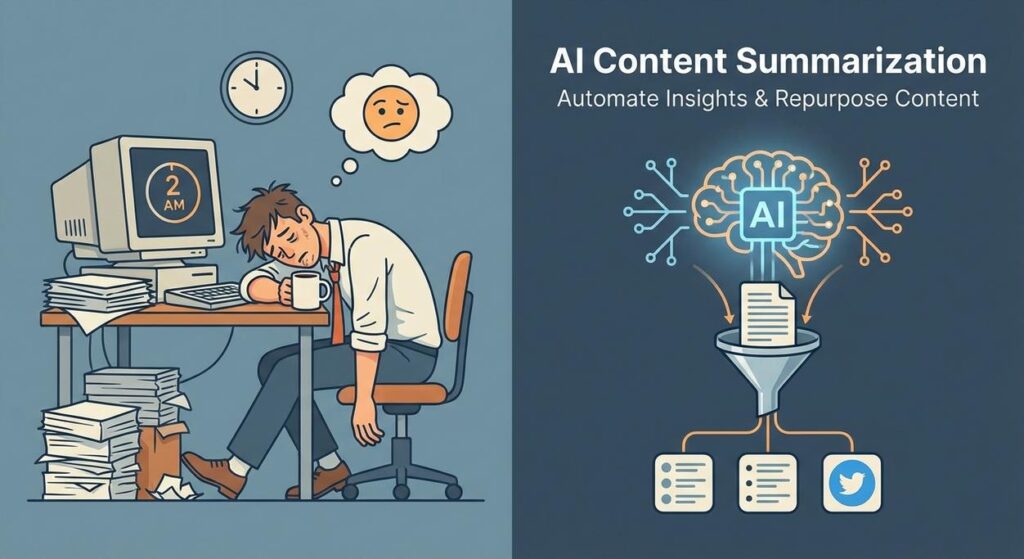
Picture this: It’s 2 AM. You’re slumped over your keyboard, eyes glazed, trying to distill a 50-page industry report into three bullet points for tomorrow’s meeting. Or maybe you’re scrolling through endless competitor blogs, desperately seeking a nugget of insight without actually reading every single word. Sound familiar?
It’s like trying to drink from a firehose, except the firehose is made of text, and your brain is a thimble. Your intern quit, citing ‘text-induced carpal tunnel,’ and your coffee machine is on strike. You’re not just overwhelmed; you’re drowning in the digital word-sea.
Well, good news, Professor Ajay is here to throw you a life raft. A very smart, very automated, AI-powered life raft. Today, we’re going to build your very own content compression machine.
Why This Matters
This isn’t about saving five minutes here or there. This is about reclaiming entire days, even weeks, of your life. Manual summarization is a soul-crushing, time-sucking black hole. It’s the kind of repetitive, low-leverage work that makes you question your life choices.
By automating AI content summarization, you’re not just getting a few bullet points; you’re gaining:
- Time: Immediately frees up hours spent reading, highlighting, and writing executive summaries. Your poor intern can finally work on something creative.
- Scale: Suddenly, you can process dozens, even hundreds, of articles, reports, or meeting transcripts that were previously inaccessible due to sheer volume. Imagine summarizing every relevant industry news article daily!
- Consistency: AI doesn’t get tired or biased (unless you tell it to be). It extracts information based on your precise instructions, every single time.
- Sanity: No more text-induced headaches. No more trying to remember what that one key takeaway was from page 37.
- Revenue: Faster insights lead to quicker decisions. Repurposed content feeds your marketing machine, leading to more leads and sales. This directly impacts your bottom line.
This workflow replaces the grunt work of a junior analyst, a content intern, or simply you, when you’d rather be doing literally anything else.
What This Tool / Workflow Actually Is
At its core, this automation is about getting an AI to read something long and give you the short version, then delivering that short version where it needs to go. We’re primarily using two key players:
OpenAI’s API: Your Genius, Tireless Reader
This is the brain of our operation. OpenAI provides access to powerful language models (like the ones behind ChatGPT) that can understand, process, and generate text. When we talk about AI content summarization, this is where the magic happens.
- What it does: It takes a big chunk of text and, based on your instructions (called a ‘prompt’), spits out a concise summary, key points, action items, or whatever you ask for. It’s like having a hyper-efficient research assistant who never sleeps.
- What it does NOT do: It doesn’t magically know what’s ‘important’ without clear instructions. If you give it garbage, it will summarize garbage. It doesn’t understand context outside the text you provide (unless you build more complex systems around it, which we’ll get to in later lessons). It also isn’t a replacement for human judgment on truly critical analysis.
Zapier: Your Digital Butler and Pipeline Builder
Zapier is the glue, the conveyor belt, the chief of staff for your digital robots. It connects different apps and services together, allowing you to create automated workflows (called ‘Zaps’) without writing a single line of complex code.
- What it does: It triggers actions based on events in one app (e.g., ‘new email in Gmail’), sends that information to another app (e.g., ‘OpenAI’), waits for a response, and then performs a subsequent action (e.g., ‘post to Slack’). It’s the perfect tool for moving data around your business automatically.
- What it does NOT do: Zapier itself does not summarize content or perform complex AI tasks. It’s an orchestrator. It makes sure the right information gets to OpenAI and the summary gets to the right destination.
Prerequisites
Don’t worry, you won’t need a degree in robotics or a black belt in Python for this. Here’s what you will need:
- An OpenAI Account and API Key: You’ll need a paid OpenAI account to access the API. The free tier for ChatGPT doesn’t grant API access. Don’t stress about the cost; for summarization, it’s typically pennies per call, unless you’re processing the entire internet.
- A Zapier Account: A free account might be enough to get started and test, but for ongoing business use, you’ll likely want a paid plan.
- A Source of Long Text: This could be an RSS feed, an email inbox, a Google Drive folder, a web page scraper, or even just text you copy-paste for testing.
- A Destination for Your Summaries: Think Slack, email, Google Docs, Notion, your CRM, etc.
- A Web Browser: Preferably one that hasn’t crashed in the last 15 minutes.
That’s it. No coding required for this specific setup (though we’ll use a prompt, which is like coding in plain English).
Step-by-Step Tutorial
Let’s get this automation factory humming. We’ll set up a simple workflow: Grab a piece of text, send it to OpenAI for summarization, and then post the summary somewhere useful.
Step 1: Get Your OpenAI API Key
- Go to platform.openai.com.
- Log in or create an account. Make sure you’ve added billing information.
- In the left sidebar, click ‘API keys’.
- Click ‘+ Create new secret key’, give it a name (e.g., ‘Zapier Summarizer’), and copy the key. Treat this like your password! Don’t share it.
Step 2: Craft Your Summarization Prompt
The prompt is your instruction manual for the AI. This is where you tell it exactly what kind of summary you want. Think of it as briefing your intern.
We’ll use a simple, effective prompt. You’ll put this into Zapier later.
You are an expert summarization bot. Your task is to provide a concise summary of the following text, focusing on key insights and actionable takeaways. The summary should be no more than 3-4 bullet points. If the text contains any specific numbers or statistics, include them. Do not include introductory or concluding phrases, just the summary itself.

TEXT TO SUMMARIZE:

{Your long article/text goes here}
Why this prompt?
You are an expert summarization bot.: Sets the AI’s role, guiding its behavior.Your task is to provide a concise summary...: Clearly states the objective.no more than 3-4 bullet points.: Constrains the output length and format.include any specific numbers or statistics: Ensures critical data isn’t lost.Do not include introductory or concluding phrases: Keeps the output clean and direct.
Step 3: Set Up Your Zapier Workflow (The Zap)
-
Log in to Zapier: Go to zapier.com and log in.
-
Create a New Zap: Click the ‘Create Zap’ button in the top left.
-
Choose Your Trigger App: This is where your long text will come from. For this example, let’s use ‘RSS by Zapier’ to grab new blog posts. You could also use ‘Email by Zapier’, ‘Google Docs’, ‘Webhooks’, etc.
- Search for ‘RSS by Zapier’ and select it.
- For ‘Trigger Event’, select ‘New Item in Feed’.
- Click ‘Continue’.
- Enter an RSS Feed URL (e.g.,
https://www.theverge.com/rss/index.xmlfor tech news).
- Click ‘Continue’ and then ‘Test trigger’. Zapier will pull in a recent item. This will be the text we summarize.
-
Add an OpenAI Action:
- Click the ‘+’ button to add an action step.
- Search for ‘OpenAI’ and select it.
- For ‘Action Event’, select ‘Send Prompt’. (If you don’t see this, you might need to try ‘Conversation’ or ‘Send Message’ depending on the latest Zapier integration updates. ‘Send Prompt’ is usually what you want for direct text generation.)
- Click ‘Continue’.
- Connect your OpenAI Account: Click ‘Sign in to OpenAI’, paste your API key from Step 1 when prompted, and grant access.
- Click ‘Continue’.
- Set up the Action:
- Model: Choose a recent, capable model like
gpt-3.5-turboorgpt-4o(recommended for better quality, but gpt-3.5-turbo is cheaper). - User Message: This is where your prompt goes. Paste the prompt from Step 2, and then dynamically insert the content from your RSS feed. For example:
You are an expert summarization bot. Your task is to provide a concise summary of the following text, focusing on key insights and actionable takeaways. The summary should be no more than 3-4 bullet points. If the text contains any specific numbers or statistics, include them. Do not include introductory or concluding phrases, just the summary itself. TEXT TO SUMMARIZE: {Insert the 'Description' or 'Content' field from your RSS trigger here by clicking the '+' icon and selecting it from the dropdown.}- Leave other settings as default for now, or adjust ‘Temperature’ (lower for more factual, higher for more creative) if you know what you’re doing.
- Click ‘Continue’ and then ‘Test step’. Zapier will send the RSS content to OpenAI and return a summary.
- Model: Choose a recent, capable model like
-
Add a Destination Action: Now, let’s send that summary somewhere useful. We’ll send it to Slack.
- Click the ‘+’ button to add another action step.
- Search for ‘Slack’ and select it.
- For ‘Action Event’, select ‘Send Channel Message’.
- Click ‘Continue’.
- Connect your Slack Account: Sign in to Slack and grant access.
- Click ‘Continue’.
- Set up the Action:
- Channel: Choose the Slack channel where you want the summaries to appear (e.g., ‘#general’ or a dedicated ‘#daily-insights’ channel).
- Message Text: Dynamically insert the summary from your OpenAI step. You can also add context, like the original article’s title and link. For example:
New Industry Insight: {Title from RSS} Original Article: {Link from RSS} Summary: {Choices Message Content from OpenAI step}- Optionally, customize ‘Send as a bot’, ‘Bot Name’, ‘Bot Icon’, etc.
- Click ‘Continue’ and then ‘Test step’. Check your Slack channel – you should see the summary appear!
-
Publish Your Zap: If everything looks good, click ‘Publish Zap’. Your AI content summarization robot is now officially on duty!
Complete Automation Example
Let’s make this concrete. Imagine you run a digital marketing agency, and you need to keep your team updated on the latest SEO trends without them spending hours sifting through industry blogs.
Scenario: Automated SEO News Briefing
Here’s the full workflow:
-
Trigger: New Item in RSS Feed (Search Engine Land)
- Every time a new article is published on Search Engine Land’s RSS feed (e.g.,
https://searchengineland.com/feed), the Zap is triggered.
- Every time a new article is published on Search Engine Land’s RSS feed (e.g.,
-
Action 1: Send Content to OpenAI for Summarization
- The full content of the new article is sent to OpenAI using the ‘Send Prompt’ action.
- The prompt is tailored to SEO:
You are an expert SEO analyst and summarization bot. Summarize the following article for a team of digital marketers. Focus on new trends, actionable tactics, and significant changes in algorithms or best practices. Provide 3-5 concise bullet points. Include any specific named updates or tools mentioned. Do not include boilerplate text. ARTICLE CONTENT: {Content from RSS Feed} -
Action 2: Post Summary to Slack Channel
- The AI-generated summary, along with the original article title and link, is posted to a dedicated ‘#seo-news-briefing’ Slack channel for the marketing team.
📣 **SEO Daily Briefing: {Title from RSS}** Original: {Link from RSS} **Key Takeaways:** {Choices Message Content from OpenAI} -
Action 3 (Optional, but powerful): Save Full Summary to Notion/Google Doc
- A more detailed summary, perhaps 5-7 bullet points or a short paragraph, is also sent to a Notion database page or a Google Doc that serves as a central knowledge base for ongoing research. This allows easy searching and reference later.
With this, your marketing team gets a daily, concise, and actionable digest of critical SEO news, completely hands-free. No more excuses for not staying updated!
Real Business Use Cases
This AI content summarization superpower isn’t just for tech blogs. It’s a game-changer across industries:
-
Marketing Agencies: Competitive Analysis & Trend Spotting
- Problem: Agencies need to stay on top of competitor strategies, industry trends, and client-specific news across dozens of sources. Manual tracking is impossible.
- Solution: Automate summarization of competitor blogs, industry publications, and client mentions. Summaries are posted to relevant Slack channels or compiled into a daily digest, allowing account managers and strategists to react quickly and spot opportunities.
-
Consulting Firms: Research Synthesis & Client Reports
- Problem: Consultants drown in research papers, internal reports, and long client documents. Synthesizing key findings for presentations and proposals is very time-consuming.
- Solution: Automatically summarize research papers from academic databases, condense client meeting notes, or extract critical data points from lengthy internal documents. Summaries are fed into project management tools or shared via email for faster information dissemination and report generation.
-
E-commerce Businesses: Customer Feedback & Product Research
- Problem: Sifting through thousands of product reviews, customer support tickets, or market research reports to find common pain points or desired features is overwhelming.
- Solution: Summarize incoming product reviews, support tickets, or competitor product descriptions. Extract common themes, sentiment, and feature requests to quickly inform product development, marketing copy, and customer service improvements.
-
Real Estate Agencies: Market Insights & Property Summaries
- Problem: Agents need to quickly grasp new market reports, local development plans, and extensive property listings. Manually extracting key details is tedious.
- Solution: Summarize local real estate market reports (e.g., new construction, price trends), news articles about zoning changes, or even lengthy property descriptions to highlight key features (beds, baths, unique selling points) for clients and internal team members.
-
Course Creators / Educators: Content Curation & Study Guides
- Problem: Curating relevant articles, research, or summarizing long lectures into digestible study material is a huge time sink for educators and students alike.
- Solution: Automate the summarization of academic papers, news articles relevant to course topics, or even transcripts of your own video lectures. These summaries can be used to generate quick study guides, supplemental readings, or internal knowledge base articles for course development.
Common Mistakes & Gotchas
Even though this is powerful, it’s not magic. Here are a few traps beginners often fall into:
-
Vague Prompts = Vague Summaries: If you just say ‘summarize this’, you’ll get a generic summary. Be as specific as possible: ‘summarize for a sales executive’, ‘focus on financial impact’, ‘provide three bullet points’, ‘include statistics’. The better your prompt, the better your AI content summarization.
-
Token Limits: OpenAI models have a maximum number of ‘tokens’ (roughly words/pieces of words) they can process in one go. If your article is incredibly long (e.g., a multi-chapter ebook), you might hit this limit. The API will truncate your input, leading to incomplete summaries. For very long texts, you’d need more advanced techniques (like chunking the text and summarizing each chunk, then summarizing the summaries).
-
Cost Creep: While cheap, frequent API calls on very long texts or using expensive models (like GPT-4o for every tiny summary) can add up. Keep an eye on your OpenAI usage dashboard. For most summarization, GPT-3.5-turbo offers excellent value.
-
Blind Trust: The AI summarizes what it ‘reads.’ It doesn’t verify facts or magically know if the source material is biased or incorrect. Always review critical summaries, especially if they’re feeding into important decisions. AI is a tool, not a guru.
-
Zapier Task Limits: Similar to OpenAI, Zapier plans have task limits. If you’re processing thousands of articles daily, a free or basic Zapier plan might not cut it. Monitor your usage.
-
Input Quality: If your RSS feed gives you poorly formatted content, or your PDF scraper provides garbled text, the AI will struggle. ‘Garbage in, garbage out’ applies here with full force.
How This Fits Into a Bigger Automation System
This single summarization workflow is just one cog in a much larger, more powerful automation machine. Think of it as installing a super-efficient filter on your information intake pipeline. Here’s how it can connect:
- CRM Integration: Summarize client meeting notes, prospect research, or industry news directly into your CRM (Salesforce, HubSpot, Zoho). Sales teams can get instant insights without sifting through long threads before a call.
- Automated Email Campaigns: Generate concise summaries of new blog posts or product updates, then automatically feed them into your email marketing platform (Mailchimp, ConvertKit) to create engaging newsletters with minimal effort.
- Voice Agents & Chatbots: Summaries can be used to pre-process information for retrieval-augmented generation (RAG) systems, making your chatbots and voice agents more knowledgeable and quicker to answer specific queries.
- Multi-Agent Workflows: Imagine one agent summarizing competitor strategies, another analyzing market sentiment from social media, and a third generating action plans based on those summaries. This is just the beginning of multi-agent orchestration.
- Knowledge Bases & RAG Systems: Automatically add summarized documents, articles, or internal memos to your company’s knowledge base (Notion, Confluence, internal wiki). These summaries make it easier for RAG systems to retrieve relevant information quickly and accurately when answering questions.
- Meeting Minutes & Action Items: Feed meeting transcripts to the summarizer, not just for notes, but for extracting concrete action items, owners, and deadlines, then sending them to project management tools.
This summarization skill is a foundational building block for almost any information-processing automation you’ll ever want to create. It’s the ‘read and understand’ layer for your digital workforce.
What to Learn Next
You’ve built your first truly useful AI content summarization robot. Pat yourself on the back, but don’t get too comfortable.
Next time, we’re going to take this concept even further. What if you didn’t just want a summary, but you wanted specific data extracted? What if you wanted to analyze the sentiment of those summaries? Or automatically generate social media posts based on the key takeaways?
We’ll dive into more advanced prompt engineering techniques and explore how to chain multiple AI actions together to turn raw text into structured data, ready for analysis or further creative generation. This is where we start building truly intelligent systems that don’t just compress information, but transform it into new, valuable assets. Get ready to level up your automation game!
“,
“seo_tags”: “AI content summarization, OpenAI, Zapier, content automation, business productivity, automated summaries, content repurposing, AI workflow, business automation, content insights”,
“suggested_category”: “AI Automation Courses





