
the shot
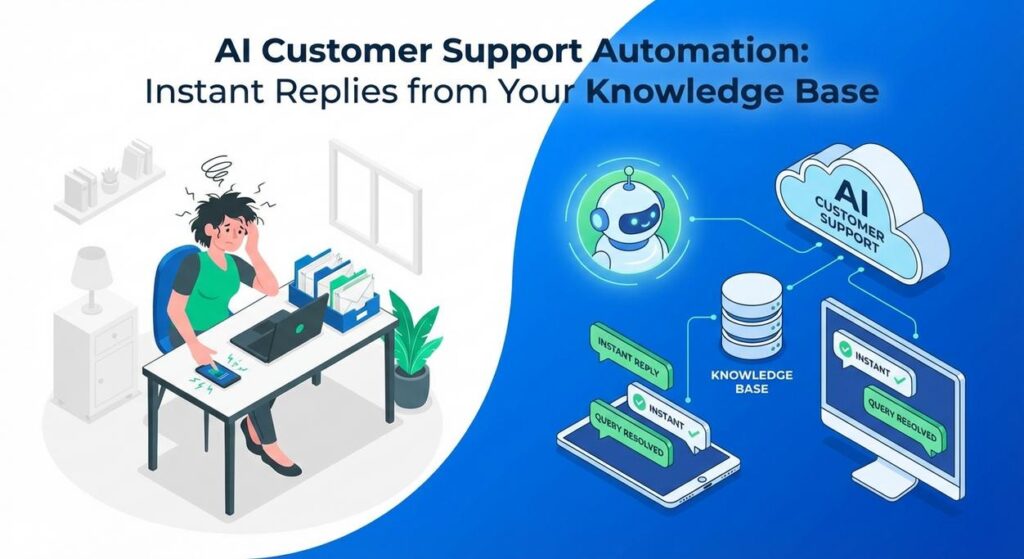
Picture this: Sarah, the dynamo behind ‘SparkleClean Solutions’, a burgeoning eco-friendly cleaning service. Her phone buzzes like a trapped wasp, and her inbox? A horror show. Every day, the same questions: “What’s your service area?” “Do you use pet-friendly products?” “How do I reschedule?” Her tiny team of two customer service reps (mostly Sarah herself after midnight) is drowning. They spend hours copy-pasting answers from a sprawling Google Doc that nobody can ever find anything in anyway. Customers wait. Sarah sweats. Her business, poised for takeoff, feels like it’s stuck in quicksand. Ever been there? We’ve all had that feeling of being swamped by the mundane, the repetitive, the ‘why-am-I-doing-this-again’ tasks.
Well, today, we’re building Sarah a superhero. Not one that wears a cape, but one that reads instruction manuals faster than a speed-reading prodigy and answers questions with the calm precision of a seasoned diplomat. We’re talking about an AI-powered intern that will transform her customer support from a chaotic mess into a streamlined, sanity-saving operation.
Why This Matters
This isn’t just about making life a little easier; it’s about shifting the tectonic plates of your business. When you implement AI Customer Support Automation, you’re not just saving a few minutes here and there. You’re:
- Slashing Response Times: Customers expect instant gratification. AI delivers. No more waiting hours or days for simple answers.
- Boosting Customer Satisfaction: Happy customers are repeat customers. Quick, accurate replies mean they feel valued and heard.
- Freeing Up Human Talent: Your team isn’t paid to be human FAQs. Let them tackle complex, high-value problems that actually require empathy and critical thinking.
- Reducing Costs: Less time spent on repetitive tasks means lower operational overhead. It’s like having an always-on, super-efficient support agent who doesn’t need coffee breaks.
- Scaling with Ease: Whether you have 10 customers or 10,000, your AI-powered system doesn’t get tired or overwhelmed. It just keeps answering.
This automation replaces the manual grunt work, the endless searching through documents, and the slow, error-prone human process of answering the same questions repeatedly. It replaces chaos with order, and frustration with flow.
What This Tool / Workflow Actually Is
At its core, what we’re building today is a system called Retrieval Augmented Generation (RAG). Don’t let the fancy name scare you; think of it as a super-smart librarian. Instead of just making up answers (which AI models sometimes do, brilliantly but inaccurately, if they don’t have context), this librarian first retrieves the most relevant information from your existing ‘library’ – your knowledge base – and then uses that specific information to generate a precise, helpful answer.
What it does:
- Uses your specific data: This isn’t just a generic chatbot pulling answers from the internet. It’s trained on your FAQs, your manuals, your policy documents, your internal memos. It speaks your business’s language.
- Provides factual, grounded responses: Because it retrieves information first, it’s far less likely to “hallucinate” or make up incorrect facts.
- Handles a wide range of queries: From simple “What are your hours?” to more nuanced “Explain your refund policy.”
What it does NOT do:
- Replace human empathy: For sensitive, emotional, or truly unique situations, you still need a human touch.
- Invent information: If the answer isn’t in your knowledge base, it won’t magically create it. (Garbage in, garbage out, folks!)
- Solve novel, complex problems without guidance: It’s fantastic at finding existing solutions, less so at inventing new ones on the fly without specific instructions.
Prerequisites
Alright, time for the real talk. What do you need to get this bad boy running?
- An OpenAI Account: You’ll need an API key to access their powerful language models and embedding services. If you don’t have one, it’s easy to set up. There are costs associated with API usage, usually very small for typical automation tasks.
- Python: We’ll be using some simple Python code. Don’t panic! You don’t need to be a coding guru. If you can copy-paste and follow instructions, you’re golden.
- Your Knowledge Base: This is crucial. Gather all your FAQs, product manuals, service descriptions, and any other text documents you want your AI to learn from. The cleaner and more comprehensive, the better.
- Internet Access: (Obviously, Professor Ajay needs to state the obvious sometimes.)
Seriously, that’s it. No advanced degrees, no server farms, just a few accessible tools and your brain. You got this.
Step-by-Step Tutorial
Let’s build this virtual librarian. We’ll use a simplified approach to demonstrate the core RAG concept, using OpenAI’s embeddings and completions. For truly massive knowledge bases, you’d integrate a dedicated vector database like Pinecone or ChromaDB, but for now, we’ll keep it lean and mean to understand the mechanism.
Step 1: Gather and Prepare Your Knowledge Base
Your knowledge base is your AI’s brain food. The better the food, the smarter the brain.
- Collect all relevant text: FAQs, product descriptions, service details, company policies. Put them into a simple text file or a list in your code.
- Chunk your data: Large documents confuse AI. Break them down into smaller, digestible ‘chunks’ – paragraphs or small sections. Each chunk should ideally contain a single concept or answer.
# Example of a knowledge base (in a real scenario, this would be much larger and loaded from files)
knowledge_base_raw = [
    "Our service areas include New York City, Los Angeles, and Chicago. We plan to expand to other major cities next year.",
    "We use only eco-friendly, non-toxic cleaning products that are safe for pets and children. Our products are biodegradable and sourced from sustainable suppliers.",
    "To reschedule a cleaning appointment, please log into your account on our website and navigate to the 'My Appointments' section. You can change your booking up to 24 hours in advance.",
    "Our standard cleaning package includes dusting, vacuuming, mopping, kitchen surface wipe-down, and bathroom sanitization. Deep cleaning services are also available.",
    "All cancellations made within 24 hours of the scheduled service will incur a 50% cancellation fee. Cancellations made more than 24 hours in advance are free.",
    "Our operating hours are Monday to Friday, 8:00 AM to 6:00 PM. We are closed on weekends and major public holidays."
]
Step 2: Install OpenAI Library and Set Up Your API Key
First, get the necessary tools. Open your terminal or command prompt and type:
pip install openai python-dotenv numpy
Then, create a file named .env in the same directory as your Python script and add your OpenAI API key:
OPENAI_API_KEY="YOUR_OPENAI_API_KEY_HERE"
Replace YOUR_OPENAI_API_KEY_HERE with your actual key from the OpenAI website.
Step 3: Generate Embeddings for Your Knowledge Base Chunks
Embeddings are numerical representations of text. Think of them as the ‘DNA’ of your text chunks. They allow the AI to understand the meaning and find similar chunks.
import openai
import os
from dotenv import load_dotenv

load_dotenv()
openai.api_key = os.getenv("OPENAI_API_KEY")

def get_embedding(text, model="text-embedding-ada-002"):
    text = text.replace("\
", " ")
    # Ensure the text is not too long for the embedding model (e.g., max 8192 tokens for ada-002)
    return openai.embeddings.create(input=[text], model=model).data[0].embedding

# Your knowledge base from Step 1
knowledge_base_raw = [
    "Our service areas include New York City, Los Angeles, and Chicago. We plan to expand to other major cities next year.",
    "We use only eco-friendly, non-toxic cleaning products that are safe for pets and children. Our products are biodegradable and sourced from sustainable suppliers.",
    "To reschedule a cleaning appointment, please log into your account on our website and navigate to the 'My Appointments' section. You can change your booking up to 24 hours in advance.",
    "Our standard cleaning package includes dusting, vacuuming, mopping, kitchen surface wipe-down, and bathroom sanitization. Deep cleaning services are also available.",
    "All cancellations made within 24 hours of the scheduled service will incur a 50% cancellation fee. Cancellations made more than 24 hours in advance are free.",
    "Our operating hours are Monday to Friday, 8:00 AM to 6:00 PM. We are closed on weekends and major public holidays."
]

# Generate embeddings for each chunk and store them with the original text
knowledge_base_embedded = []
for i, chunk in enumerate(knowledge_base_raw):
    print(f"Embedding chunk {i+1}/{len(knowledge_base_raw)}...")
    embedding = get_embedding(chunk)
    knowledge_base_embedded.append({"text": chunk, "embedding": embedding})

print("Knowledge base embedding complete!")
Step 4: Implement Retrieval (Finding Relevant Chunks)
When a user asks a question, we need to find the ‘DNA’ of that question and compare it to the ‘DNA’ of all our knowledge chunks.
import numpy as np

def cosine_similarity(vec1, vec2):
    # Using np.dot for dot product and np.linalg.norm for vector magnitude
    # Handle case where norm is zero to prevent division by zero
    norm1 = np.linalg.norm(vec1)
    norm2 = np.linalg.norm(vec2)
    if norm1 == 0 or norm2 == 0:
        return 0.0
    return np.dot(vec1, vec2) / (norm1 * norm2)

def retrieve_relevant_chunks(query_embedding, embedded_kb, top_k=3):
    similarities = []
    for item in embedded_kb:
        similarity = cosine_similarity(np.array(query_embedding), np.array(item["embedding"]))
        similarities.append((item["text"], similarity))

    similarities.sort(key=lambda x: x[1], reverse=True)
    return [text for text, sim in similarities[:top_k]]
Step 5: Generate the Answer with the LLM
Finally, we take the user’s question, the retrieved chunks, and craft a prompt for the AI to generate a natural language answer.
def generate_answer(query, relevant_chunks):
    context = "\
\
".join(relevant_chunks)
    prompt = f"""You are a helpful customer support assistant for SparkleClean Solutions. ""
             f"""Use the following knowledge base to answer the customer's question. ""
             f"""If the answer is not in the knowledge base, state that you don't have the information and suggest they contact support. ""
             f"""Knowledge Base:\
{context}\
\
Customer Question: {query}\
Assistant:"""

    response = openai.chat.completions.create(
        model="gpt-3.5-turbo",
        messages=[
            {"role": "system", "content": "You are a helpful customer support assistant."},
            {"role": "user", "content": prompt}
        ],
        temperature=0.7 # Adjust for creativity vs. directness
    )
    return response.choices[0].message.content.strip()
Complete Automation Example: AI Customer Support Automation in Action
Let’s put it all together into one executable script. This is the magic. You’ll see your ‘intern’ answer questions instantly, using only the information you provided.
import openai
import os
from dotenv import load_dotenv
import numpy as np

# --- Configuration and Setup ---
load_dotenv()
openai.api_key = os.getenv("OPENAI_API_KEY")

# --- Knowledge Base (from Step 1) ---
knowledge_base_raw = [
    "Our service areas include New York City, Los Angeles, and Chicago. We plan to expand to other major cities next year.",
    "We use only eco-friendly, non-toxic cleaning products that are safe for pets and children. Our products are biodegradable and sourced from sustainable suppliers.",
    "To reschedule a cleaning appointment, please log into your account on our website and navigate to the 'My Appointments' section. You can change your booking up to 24 hours in advance.",
    "Our standard cleaning package includes dusting, vacuuming, mopping, kitchen surface wipe-down, and bathroom sanitization. Deep cleaning services are also available.",
    "All cancellations made within 24 hours of the scheduled service will incur a 50% cancellation fee. Cancellations made more than 24 hours in advance are free.",
    "Our operating hours are Monday to Friday, 8:00 AM to 6:00 PM. We are closed on weekends and major public holidays."
]

# --- Embedding Function (from Step 3) ---
def get_embedding(text, model="text-embedding-ada-002"):
    text = text.replace("\
", " ")
    return openai.embeddings.create(input=[text], model=model).data[0].embedding

# --- Retrieval Function (from Step 4) ---
def cosine_similarity(vec1, vec2):
    # Using np.dot for dot product and np.linalg.norm for vector magnitude
    norm1 = np.linalg.norm(vec1)
    norm2 = np.linalg.norm(vec2)
    if norm1 == 0 or norm2 == 0:
        return 0.0
    return np.dot(vec1, vec2) / (norm1 * norm2)

def retrieve_relevant_chunks(query_embedding, embedded_kb, top_k=3):
    similarities = []
    for item in embedded_kb:
        similarity = cosine_similarity(np.array(query_embedding), np.array(item["embedding"]))
        similarities.append((item["text"], similarity))

    similarities.sort(key=lambda x: x[1], reverse=True)
    return [text for text, sim in similarities[:top_k]]

# --- Generation Function (from Step 5) ---
def generate_answer(query, relevant_chunks):
    context = "\
\
".join(relevant_chunks)
    prompt = f"""You are a helpful customer support assistant for SparkleClean Solutions. ""
             f"""Use the following knowledge base to answer the customer's question. ""
             f"""If the answer is not in the knowledge base, state that you don't have the information and suggest they contact support. ""
             f"""Knowledge Base:\
{context}\
\
Customer Question: {query}\
Assistant:"""

    response = openai.chat.completions.create(
        model="gpt-3.5-turbo",
        messages=[
            {"role": "system", "content": "You are a helpful customer support assistant."},
            {"role": "user", "content": prompt}
        ],
        temperature=0.7
    )
    return response.choices[0].message.content.strip()

# --- Main Automation Workflow ---

print("Initializing AI Customer Support Automation system...")

# 1. Embed the knowledge base (This would typically be done once or updated periodically)
knowledge_base_embedded = []
for i, chunk in enumerate(knowledge_base_raw):
    print(f"Embedding chunk {i+1}/{len(knowledge_base_raw)}...")
    embedding = get_embedding(chunk)
    knowledge_base_embedded.append({"text": chunk, "embedding": embedding})

print("Knowledge base embedded and ready.")

# 2. Start a loop for customer queries
while True:
    user_query = input("\
Customer asks (type 'quit' to exit): ")
    if user_query.lower() == 'quit':
        break

    print("Processing query...")

    # 3. Embed the user's query
    query_embedding = get_embedding(user_query)

    # 4. Retrieve relevant chunks
    relevant_chunks = retrieve_relevant_chunks(query_embedding, knowledge_base_embedded)

    print("\
--- Retrieved Context ---")
    for i, chunk in enumerate(relevant_chunks):
        # Print only a snippet to avoid cluttering the console with long chunks
        print(f"Chunk {i+1}: {chunk[:100]}...")
    print("-------------------------")

    # 5. Generate and print the answer
    answer = generate_answer(user_query, relevant_chunks)
    print(f"\
Assistant: {answer}")

print("AI Customer Support Automation system shut down. Goodbye!")
Save this as a Python file (e.g., ai_support.py) in the same directory as your .env file. Run it from your terminal with python ai_support.py. Try asking questions like “What areas do you serve?” or “I need to change my booking, how?” or “Are your products safe for pets?” See how your AI intern handles it!
Real Business Use Cases
This AI Customer Support Automation isn’t just for cleaning services. The underlying RAG principle is incredibly versatile.
-
E-commerce Store: ‘Global Gadgets’
Problem: Customers constantly ask about shipping times, return policies, and product specifications for hundreds of items. Manual answers are slow and inconsistent.
Solution: Automate replies by feeding all product descriptions, shipping FAQs, and return policies into the AI knowledge base. Customers get instant, accurate answers about their orders or potential purchases, leading to fewer abandoned carts and support tickets.
-
SaaS Company: ‘CodeGenius IDE’
Problem: Developers using their software frequently have questions about API endpoints, common errors, or setup guides. Their support team spends all day linking to documentation pages.
Solution: Ingest all API documentation, troubleshooting guides, and user manuals. The AI can then act as a knowledgeable technical assistant, guiding developers to solutions or explaining complex features, freeing up senior engineers for actual development.
-
Consulting Firm: ‘Strategic Horizons’
Problem: Prospective clients often inquire about their specific methodologies, service packages, and case studies. Sales teams spend valuable time explaining the basics.
Solution: Upload all marketing materials, service brochures, and publicly available case studies. The AI can answer initial client queries on their website, qualifying leads and educating prospects before they even speak to a human.
-
Healthcare Clinic: ‘Wellness Hub’
Problem: Patients call repeatedly asking about clinic hours, appointment rescheduling, accepted insurance, or pre-visit preparation instructions.
Solution: Create a knowledge base with all administrative FAQs. The AI can handle these routine calls/chat messages, ensuring patients get fast answers and reception staff can focus on in-person patients and more complex scheduling.
-
Real Estate Agency: ‘CityScape Properties’
Problem: Potential buyers/renters ask common questions about properties (pet policy, utilities, neighborhood amenities) or the application process. Agents spend hours answering basic inquiries.
Solution: Populate the knowledge base with property FAQs, rental agreements, neighborhood guides, and application instructions. The AI can pre-answer many questions, streamlining the inquiry process and allowing agents to focus on showings and closings.
-
Online Education Platform: ‘LearnFlow Academy’
Problem: Students constantly ask about course prerequisites, assignment deadlines, technical issues with the platform, or certificate requirements.
Solution: All course syllabi, platform FAQs, and academic policies go into the AI knowledge base. Students receive immediate support, reducing instructor workload and improving the learning experience.
Common Mistakes & Gotchas
This isn’t just plug-and-play. Here are a few traps beginners (and even seasoned pros) often fall into:
- Garbage In, Garbage Out: If your knowledge base is outdated, inaccurate, or incomplete, your AI will give bad answers. It’s a mirror, not a magician.
- Poor Chunking Strategy: Chunks that are too large contain too much irrelevant info; chunks too small might break up critical context. Experiment to find the right balance.
- Weak Prompt Engineering: Telling the AI to “answer the question” isn’t enough. You need clear instructions: “Act as a helpful assistant…”, “Only use the provided context…”, “If not found, state that…”, etc.
- Over-reliance on the AI: Don’t let it handle sensitive legal, medical, or highly emotional customer issues without human oversight or clear escalation paths.
- Ignoring Performance: For large knowledge bases, simple list searching becomes slow. This is where dedicated vector databases (like Pinecone, ChromaDB, Weaviate) become essential for lightning-fast retrieval.
How This Fits Into a Bigger Automation System
Think of today’s RAG system as a powerful engine. It doesn’t live in isolation; it plugs into a much larger automation vehicle:
- CRM Integration: Log every AI interaction in your CRM (e.g., Salesforce, HubSpot). This builds a complete customer history, even for queries handled by AI.
- Email & Chat Platforms: Embed this system directly into your helpdesk (Zendesk, Intercom), live chat widgets, or email auto-responders.
- Human Handoffs: Crucial. When the AI can’t answer (or the customer explicitly asks), it should seamlessly escalate the conversation to a human agent, providing the full chat history.
- Voice Agents: Integrate this RAG system with voice-to-text and text-to-voice APIs to create intelligent phone support bots.
- Multi-Agent Workflows: This RAG engine can be one ‘expert’ in a team of AI agents. For example, one agent might classify the customer’s intent, another retrieves info from RAG, and a third formats the answer and decides if a human needs to step in.
- Dynamic Knowledge Updates: Link your RAG system to internal data sources (databases, shared drives) so that as information changes, your AI knowledge base updates automatically, without manual intervention.
Today, you’ve built the brain of an intelligent support system. Next, we bolt it onto the chassis!
What to Learn Next
You’ve just taken your first massive leap into building truly intelligent automation systems. You’ve seen firsthand how AI Customer Support Automation can transform a business by doing the boring work so humans can do the important work. This RAG technique is foundational, a bedrock for many advanced AI applications.
Next time, we’ll dive deeper into how to seamlessly integrate this AI brain into your existing customer service platforms. We’ll explore connecting it to your email system and a simple web-based chat widget, allowing your AI intern to truly interact with your customers in the wild. Get ready to go from script to deployed solution.
Stay curious, stay automating!
“,
“seo_tags”: “AI customer support, automation, knowledge base, RAG, OpenAI, customer service AI, business automation, AI productivity, support system”,
“suggested_category”: “AI Automation Courses





