
the shot
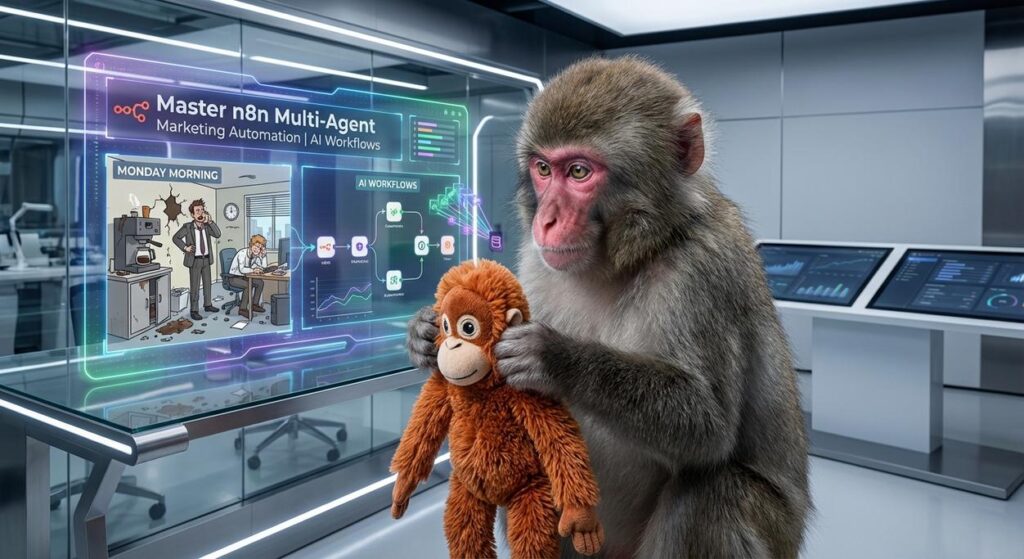
Picture this: It’s Monday morning, and your marketing department looks less like a sleek, data-driven operation and more like a scene from ‘The Office’ after the coffee machine broke. Sarah from social media is furiously copy-pasting tweets. Mark from content is staring blankly at a blinking cursor, trying to brainstorm 20 new blog post ideas. And poor Dave, bless his heart, is manually updating a spreadsheet of campaign metrics while simultaneously trying to remember what a ‘pivot table’ is.
You, the marketing director, feel like a frantic orchestra conductor with a dozen musicians playing different tunes, none of them in sync. You’ve got brilliant ideas, but the sheer volume of repetitive, manual tasks is crushing your team’s soul and your revenue potential. You wish you could just clone your best people, give them specific tasks, and have them all work together seamlessly, like a well-oiled machine.
Well, what if I told you that you *can* clone your best people – not literally, because that’s a whole ethical and scientific mess – but digitally? What if you could build a team of specialized AI ‘digital interns,’ each a master of a single, boring marketing task, all orchestrated by a central brain? Welcome to the world of n8n multi-agent marketing automation, where chaos gets shown the door and productivity pours the coffee.
Why This Matters
Why should you care about orchestrating digital interns for your marketing? Because it’s the difference between scaling your marketing efforts by hiring more people (expensive, slow, prone to human error) and scaling by deploying intelligent automation (fast, consistent, infinitely repeatable).
This isn’t just about saving time; it’s about unlocking new levels of efficiency, consistency, and creativity. Imagine launching campaigns in days instead of weeks, personalizing content at scale, or analyzing market trends with lightning speed. This workflow replaces:
- The Grunt Work Intern: No more entry-level staff spending hours on copy-pasting, data entry, or repetitive content generation.
- The Disconnected Tools Nightmare: Instead of hopping between a dozen apps, your AI agents share information seamlessly, like a well-drilled special ops team.
- The Creative Block Beast: While humans still provide the strategic vision, AI agents can generate a stream of ideas, drafts, and assets, overcoming those dreaded blank page moments.
- The Inconsistency Trap: Ensuring brand voice, tone, and messaging are consistent across all channels and campaigns becomes effortlessly repeatable.
This is about giving your human team back their most valuable asset: their strategic thinking, creativity, and the joy of solving *hard* problems, not just repetitive ones. It’s about revenue, speed, and sanity.
What This Tool / Workflow Actually Is
At its heart, this workflow is about using n8n as the ultimate digital conductor for a symphony of specialized AI ‘agents.’ Now, when I say ‘agent,’ I’m not talking about some sentient AI overlord taking over the world. Relax, Neo. We’re talking about a very practical application of large language models (LLMs) configured to perform specific, narrowly defined tasks.
What n8n does:
n8n is an open-source workflow automation tool that lets you connect just about any app or service, defining triggers, logic, and actions in a visual, flowchart-like interface. In this context, n8n acts as the central nervous system that:
- Receives the Input: A new blog post, a product launch, a customer query.
- Directs the Traffic: Routes that input to the right AI ‘agent’ for processing.
- Orchestrates the Agents: Ensures agents hand off their outputs to the next agent in the sequence.
- Integrates with Tools: Takes the final output and publishes it, stores it, or sends it to another platform.
What a ‘Multi-Agent Workflow’ is:
Think of it like a mini digital marketing agency, but everyone on the team is an AI with a very specific job. Instead of one giant AI trying to do everything (and probably doing nothing well), you have:
- A ‘Brainstorming Agent’ for ideas.
- A ‘Copywriting Agent’ for headlines and body text.
- An ‘Image Prompt Agent’ for visual concepts.
- A ‘Review Agent’ for quality checks (optional, but highly recommended).
Each agent is simply an LLM (like OpenAI’s GPT models or Google’s Gemini) configured with a specialized prompt that gives it a clear role and instructions. n8n ties them all together, ensuring they communicate effectively.
What it does NOT do:
- Replace human strategy: These agents execute tasks; humans define the vision and review the output.
- Generate perfect, ready-to-publish content unsupervised: Human oversight is crucial for brand voice, factual accuracy, and creative flair.
- Magically understand complex, ambiguous instructions: You still need to provide clear inputs and well-engineered prompts.
Prerequisites
Alright, let’s get you set up. Don’t worry, this isn’t rocket science, and you won’t need to dust off your old C++ textbooks.
- An n8n Account: You’ll need access to n8n. You can use their cloud service or self-host it. If you’re new, the cloud service is the fastest way to get started.
- An AI Model API Key: To power your ‘agents,’ you’ll need an API key for a large language model provider. OpenAI (for GPT-3.5/4) and Anthropic (for Claude) are popular choices. Google Gemini is another great option. Make sure your account has enough credits to use their APIs.
- Basic Internet Savvy: If you can fill out an online form and click buttons, you’re good.
- A Browser: Preferably Chrome, Firefox, or Edge.
That’s it! No coding required. We’re building with blocks and wires here, not lines of code. If you’re feeling nervous, just remember: every expert started as a beginner who didn’t quit.
Step-by-Step Tutorial
Let’s build a foundational workflow that showcases the multi-agent concept. We’ll set up a simple chain where one ‘agent’ brainstorms ideas, and another refines them.
1. Access Your n8n Instance
Log in to your n8n cloud account or start your self-hosted n8n instance.
2. Create a New Workflow
- On the n8n dashboard, click the ‘+ New Workflow’ button.
- Give your workflow a descriptive name, like ‘Marketing Agent Orchestrator.’
3. Add a Trigger Node
Every n8n workflow needs a starting point. For this example, we’ll use a ‘Manual’ trigger so you can run it on demand.
- Click the ‘+’ button or search for ‘Manual Trigger’ and select it.
- This node has no configuration needed for now.
4. Introduce Your First ‘Agent’: The Ideation Agent (LLM Node)
This agent’s job is to brainstorm creative ideas based on an initial input.
- Click the ‘+’ next to the ‘Manual Trigger’ node.
- Search for ‘OpenAI’ (or your chosen LLM provider, e.g., ‘Google Gemini’) and select the ‘Chat’ node.
- Authenticate: If you haven’t already, click ‘New Credential’ and paste your OpenAI API Key (e.g., from `platform.openai.com/api-keys`). Name it something clear, like ‘OpenAI API Key’.
- Configure the Chat Model:
- Model: Select a model like
gpt-3.5-turboorgpt-4. - Temperature: Set to
0.7for more creative outputs.
- Model: Select a model like
- Craft the Agent’s Prompt: This is where you give your agent its ‘job description.’
- Test this node: Click ‘Execute Node’ to see its output. You should get 3 ideas.
[
  {
    "role": "system",
    "content": "You are a creative marketing brainstormer. Your goal is to generate 3 unique and engaging social media post ideas (including a suggested hook and core message) for a given topic. Be concise and focus on driving engagement."
  },
  {
    "role": "user",
    "content": "Brainstorm social media post ideas for a new blog post titled: "10 Ways AI Automation Will Change Your Coffee Break""
  }
]5. Introduce Your Second ‘Agent’: The Copy Refinement Agent (Another LLM Node)
This agent will take the ideas from the first agent and refine one of them into a ready-to-use social media blurb.
- Click the ‘+’ next to the first ‘OpenAI Chat’ node.
- Add another ‘OpenAI Chat’ node.
- Authenticate: Use your existing OpenAI credential.
- Configure the Chat Model:
- Model:
gpt-3.5-turboorgpt-4. - Temperature: Set to
0.5for more focused output.
- Model:
- Craft the Refinement Prompt, referencing the previous agent’s output:
- Understand the expression:
{{ $('OpenAI Chat').item.json.choices[0].message.content }}is n8n’s way of saying: ‘Take the content from the *first* OpenAI Chat node’s output.’ This is how agents ‘talk’ to each other! - Test this node: Click ‘Execute Node’ (it will run the previous node first). You should see a refined tweet.
[
  {
    "role": "system",
    "content": "You are a witty and concise social media copywriter. Take one of the provided ideas and turn it into a compelling tweet (max 280 characters, including emojis and relevant hashtags). Ensure it sounds engaging and encourages clicks."
  },
  {
    "role": "user",
    "content": "Refine ONE of these social media post ideas into a tweet:
{{ $('OpenAI Chat').item.json.choices[0].message.content }}"
  }
]You’ve just built your first multi-agent workflow! One agent brainstorms, the next refines. The potential here is enormous.
Complete Automation Example: Social Media Content Engine for a New Blog Post
Let’s make this even more practical. We want an automation that, when given a blog post title, generates a social media post (text + image prompt) and stores it for review.
The Goal:
Input: A blog post title.
Output: A Google Sheet row with social media copy, relevant hashtags, and an image generation prompt, ready for a human to review and schedule.
The Agents in Play:
- The Input Receiver: A Webhook.
- Agent 1 (Brainstormer): Takes the blog title, suggests 3 social media angles.
- Agent 2 (Copywriter): Selects the best angle, writes compelling short-form copy.
- Agent 3 (Hashtag Guru): Generates relevant, trending hashtags.
- Agent 4 (Visualizer): Creates a detailed prompt for an image generator (like DALL-E or Midjourney) based on the post’s theme.
- The Output Channel: Google Sheets.
n8n Workflow Setup:
- Start with a Webhook Trigger:
- Add a ‘Webhook’ node.
- Set ‘Webhook URL’ to ‘POST’.
- Click ‘Webhook URLs’ and copy the Test URL. This is where you’ll send your blog post title.
- Agent 1: Brainstormer (OpenAI Chat Node):
- Connect to Webhook.
- System Prompt: “You are a creative social media strategist. Given a blog post title, generate 3 distinct, engaging social media angles. Focus on the core benefit or intrigue. Present as a numbered list.”
- User Prompt: “Blog Post Title: {{ $(‘Webhook’).item.json.title }}”
- Agent 2: Copywriter (OpenAI Chat Node):
- Connect to Brainstormer.
- System Prompt: “You are a concise and witty social media copywriter. Take one of the provided angles and craft a compelling social media post (e.g., for Twitter or LinkedIn, max 200 characters) that hooks the reader and encourages clicks. Do not include hashtags here.”
- User Prompt: “Here are some angles, pick the best one and write a post: {{ $(‘OpenAI Chat’).item.json.choices[0].message.content }}”
- Agent 3: Hashtag Guru (OpenAI Chat Node):
- Connect to Copywriter.
- System Prompt: “You are an SEO-savvy social media expert. Given a social media post, generate 5-7 relevant and trending hashtags. Use a mix of broad and niche tags. Present as a comma-separated list.”
- User Prompt: “Generate hashtags for this post: {{ $(‘OpenAI Chat1’).item.json.choices[0].message.content }}” (Note: ‘OpenAI Chat1’ refers to the second OpenAI node in the flow)
- Agent 4: Visualizer (OpenAI Chat Node):
- Connect to Hashtag Guru.
- System Prompt: “You are an imaginative AI image prompt generator. Based on the original blog post title and the generated social media copy, create a single, detailed, artistic prompt suitable for an AI image generator (like DALL-E or Midjourney). Focus on visual elements, mood, and style. The prompt should be self-contained.”
- User Prompt: “Original Blog Title: {{ $(‘Webhook’).item.json.title }}
Social Media Post: {{ $(‘OpenAI Chat1’).item.json.choices[0].message.content }}
Generate an image prompt:”
- Output to Google Sheets:
- Connect to Visualizer.
- Add a ‘Google Sheets’ node, select ‘Append Row’.
- Authenticate: Connect your Google account.
- Spreadsheet & Sheet Name: Select your target spreadsheet and sheet (e.g., ‘Social Media Queue’).
- Values to write: This is where you map the outputs of your agents to columns in your sheet.
{
  "Blog Post Title": "{{ $('Webhook').item.json.title }}",
  "Social Media Copy": "{{ $('OpenAI Chat1').item.json.choices[0].message.content }}",
  "Hashtags": "{{ $('OpenAI Chat2').item.json.choices[0].message.content }}",
  "Image Prompt": "{{ $('OpenAI Chat3').item.json.choices[0].message.content }}",
  "Status": "Pending Review"
}
How to Run It:
- Click ‘Execute Workflow’ on the n8n canvas (or ‘Test Workflow’ for the webhook).
- Send a POST request to your Webhook URL with a JSON body like this (if using a tool like Postman or a simple `curl` command):
curl -X POST -H "Content-Type: application/json" -d '{"title": "The Ultimate Guide to Brewing Perfect Coffee at Home"}' YOUR_N8N_WEBHOOK_URLWatch n8n go! Each agent will process the information, passing its refined output to the next, until a new row appears in your Google Sheet, populated with ready-to-review marketing content. You just deployed a digital marketing assistant!
Real Business Use Cases
This n8n multi-agent marketing automation isn’t just a party trick; it’s a workhorse. Here are 5 practical business applications:
-
E-commerce Store: Automated Product Description & Ad Copy
Problem: Launching new products means writing dozens of unique, SEO-friendly descriptions and ad variations across multiple platforms (website, Amazon, Facebook Ads). This is time-consuming and often leads to generic copy.
Solution: An n8n workflow triggered by a new product entry in Shopify/WooCommerce. It uses a ‘Feature Extraction Agent’ (LLM) to pull key product attributes, then a ‘Description Agent’ to write a long-form description, a ‘Short Ad Copy Agent’ for social media, and an ‘SEO Keyword Agent’ to suggest relevant keywords. The output is pushed to a Google Sheet or directly to the product database/ad platform for review.
-
SaaS Company: Feature Update Announcement Generator
Problem: Regularly releasing new features or updates requires crafting announcements for blogs, email newsletters, and social media, often tailoring the message for different segments (e.g., beginners vs. power users).
Solution: A workflow initiated by a new feature description in a project management tool (like Jira or Trello). It employs a ‘Summary Agent’ for a brief overview, a ‘Benefit-Oriented Agent’ for customer-facing copy, and a ‘Technical Detail Agent’ for developer-focused release notes. A ‘Segment Agent’ can even slightly rephrase copy based on audience tags before pushing drafts to an email marketing platform or CMS.
-
Content Marketing Agency: Blog Post Idea & Outline Factory
Problem: Constantly needing fresh, relevant blog post ideas and outlines to pitch clients, ensuring diverse topics within a niche.
Solution: An n8n workflow triggered by a client’s industry keyword or a competitor’s recent post. A ‘Topic Brainstorm Agent’ generates 10 unique blog post titles. A ‘Keyword Research Agent’ suggests long-tail keywords. Then, an ‘Outline Agent’ creates a 5-section detailed outline for the top 3 chosen titles, complete with suggested subheadings and talking points. All outputs are compiled and sent to a shared Google Doc for agency review.
-
Real Estate Agent: Property Listing Blurb & Social Post Creator
Problem: Each new property listing requires unique, compelling descriptions for websites, brochures, and short, punchy social media posts to attract buyers. This is repetitive and needs to highlight different selling points.
Solution: A workflow triggered by new property details entered into a CRM. An ‘Attribute Extractor Agent’ pulls out beds, baths, location, special features. A ‘Listing Description Agent’ crafts a detailed property blurb. A ‘Social Media Highlights Agent’ generates 3-5 short, engaging posts focusing on different aspects (e.g., ‘family-friendly neighborhood,’ ‘stunning views,’ ‘modern kitchen’). An ‘Open House Invite Agent’ creates copy for event promotions. Outputs populate a Google Sheet or are directly pushed to a listing management system.
-
Non-Profit Organization: Donor Communication Drafts
Problem: Engaging donors requires personalized, impactful communication for various campaigns (fundraisers, thank you notes, impact reports). Manually drafting these for different donor segments is resource-intensive.
Solution: An n8n workflow activated by a new campaign brief or a donor segment (e.g., ‘first-time donor,’ ‘long-term supporter’). A ‘Campaign Summary Agent’ distills the campaign’s essence. A ‘Personalization Agent’ crafts a compelling email opening. A ‘Call-to-Action Agent’ generates persuasive closing statements. A ‘Impact Story Agent’ drafts short stories of how donations help. The workflow assembles these into tailored email drafts, pushed to the CRM’s email composer for final human review and sending.
Common Mistakes & Gotchas
While powerful, multi-agent workflows aren’t magic. Here are some common pitfalls to avoid:
- Garbage In, Garbage Out (GIGO): Your agents are only as good as the input they receive and the prompts you give them. If your initial trigger data is messy or your prompts are vague, expect messy or generic outputs.
- Over-Reliance Without Review: Never, ever, EVER let AI-generated content go live without human review. AI can hallucinate, misunderstand context, or deviate from brand voice. Treat agents as highly efficient drafters, not final publishers.
- Not Breaking Down Tasks Enough: If an agent’s output is consistently poor, it might be trying to do too much. Break down complex tasks (e.g., ‘write a blog post’) into smaller, manageable agent tasks (e.g., ‘brainstorm topics,’ ‘create outline,’ ‘draft intro,’ ‘draft body,’ ‘draft conclusion,’ ‘write meta description’).
- API Rate Limits and Costs: Running many LLM calls quickly can hit API rate limits or rack up costs, especially with larger models. Monitor your usage and consider using cheaper models (e.g.,
gpt-3.5-turbo) for intermediate steps or tasks requiring less nuance. Implement error handling for rate limits! - Lack of Error Handling: What happens if an agent’s output is empty or invalid? Your workflow will break. Always consider adding error handling nodes (like n8n’s ‘IF’ nodes or ‘Error Trigger’) to catch unexpected results and gracefully recover or alert you.
- Ignoring Context: Agents, especially in isolation, don’t have long-term memory. Ensure that critical context (like brand guidelines, previous conversations, or specific style guides) is explicitly included in the system prompt for each agent if it’s relevant to their task.
How This Fits Into a Bigger Automation System
This multi-agent marketing automation isn’t a standalone island; it’s a vital cog in a much larger machine. Think of it as a specialized department within your digital factory, seamlessly integrated with other operations:
- CRM Systems: Imagine your sales team logging a common customer objection. This workflow could auto-generate a tailored email response draft or even a piece of marketing collateral that addresses that objection, then push it back into the CRM for the sales rep to send.
- Email Marketing Platforms: Beyond just generating email drafts, agents can analyze past campaign performance, suggest A/B test variations for subject lines, or even segment your audience based on their behavior, feeding that data directly into platforms like Mailchimp or HubSpot.
- Voice Agents / Chatbots: The content generated by your marketing agents (e.g., FAQs, product descriptions) can be fed into knowledge bases that power customer service voice agents or chatbots, ensuring consistent and accurate information is provided across all touchpoints.
- Multi-Agent Workflows (Even Bigger): This is just the beginning! You can chain these marketing agents with other specialized agents. For example, a ‘Market Research Agent’ could pull data, feed it to your ‘Marketing Brainstormer,’ which then passes ideas to ‘Sales Pitch Agents’ for different segments, all orchestrated by n8n.
- RAG (Retrieval-Augmented Generation) Systems: To make your agents truly intelligent and factually accurate, integrate them with RAG. Your agents could query your internal knowledge base (e.g., a database of product specs, brand guidelines, or customer testimonials) *before* generating content. This ensures outputs are always grounded in your specific, accurate data, not just general LLM knowledge.
Each automation you build adds a new capability, a new ‘digital employee’ to your growing AI-powered team. They don’t get tired, they don’t complain, and they work 24/7. Your job is to be the visionary architect, designing the systems that leverage their tireless efficiency.
What to Learn Next
Congratulations, you’ve taken a significant step in deploying true, scalable AI automation in your marketing efforts! You’ve moved beyond simple automations to orchestrating a team of intelligent ‘digital interns.’ You’ve grasped the fundamental concept of multi-agent workflow orchestration using n8n and seen how it directly translates into business value.
But like any good manager, you know that your team can always get better. In our next lesson, we’re going to dive deeper into:
- Advanced Prompt Engineering: How to write prompts that make your agents truly sing, achieving specific tones, styles, and data extractions.
- Error Handling and Robustness: Making your multi-agent workflows resilient, so they don’t break when unexpected things happen (and they will!).
- Connecting to Live Marketing Tools: How to integrate these agents directly with social media schedulers, email platforms, and ad managers for truly end-to-end automation.
Keep building, keep experimenting, and get ready to elevate your automation game even further. This course is designed to turn you into a master orchestrator of digital excellence, one powerful lesson at a time.
“,
“seo_tags”: “n8n, multi-agent, marketing automation, AI workflows, content generation, social media automation, business automation, LLM orchestration, marketing productivity”,
“suggested_category”: “AI Automation Courses





