
Hook
Alright, class, let’s talk about the digital equivalent of knocking on a thousand doors. You know it, you love it (or you hate it with the burning passion of a thousand suns): cold email outreach. For sales teams, marketers, freelancers, and anyone trying to get the attention of a busy stranger, it’s a necessary evil. You spend hours, sometimes days, researching prospects, trying to find that one golden nugget of information that makes your email sound less like spam and more like a genuine, thoughtful conversation starter. Then you type, and re-type, and agonize over every word, only to send it out and hear… crickets.
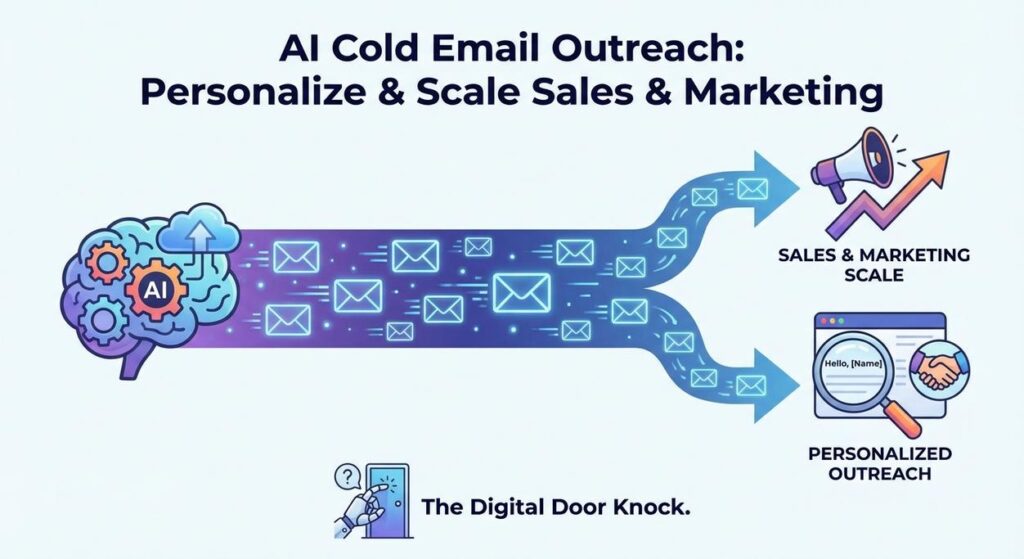
It’s like trying to get a VIP pass to a concert by yelling "LET ME IN!" into a crowd of 10,000 people. You need a better strategy. A more targeted, more compelling, more *personal* approach. What if you could have a dedicated, hyper-observant robot assistant who could analyze each prospect, understand their world, and then draft an email so perfectly tailored that it feels like you spent an entire afternoon just on them? An assistant that can do this for hundreds, even thousands, of prospects, in a fraction of the time? Today, we build that assistant.
Why This Matters
This isn’t about sending more emails; it’s about sending *better* emails, more efficiently. The business impact is massive:
- Scalable Personalization: The holy grail of outreach. AI allows you to create unique, highly relevant emails for hundreds or thousands of prospects, a feat impossible (or prohibitively expensive) with manual effort. This isn’t just mail merge; it’s smart, contextual personalization.
- Dramatic Time Savings: Imagine cutting down the time spent drafting each email from 15-30 minutes to mere seconds. Your sales team can focus on closing deals and building relationships, not on repetitive writing. Your marketing team can launch campaigns faster.
- Increased Conversion Rates: Personalized emails get noticed. They get opened. They get replied to. By speaking directly to a prospect’s specific pain points or goals, you drastically increase your chances of getting a positive response, leading to more leads, meetings, and sales.
- Consistent Brand Voice: AI can be trained to adhere strictly to your brand’s tone, messaging, and value propositions, ensuring every outreach email reinforces your brand identity.
- Reduced Burnout: The monotonous task of crafting endless variations of similar emails is a prime candidate for burnout. Automating this frees up human creativity and energy for higher-value activities.
This automation transforms your sales and marketing outreach from a laborious, hit-or-miss grind into a precise, scalable, and highly effective engine. You’re replacing the repetitive grunt work of a junior copywriter with a sophisticated, AI-powered communication specialist.
What This Tool / Workflow Actually Is
This workflow uses a Large Language Model (LLM) to generate personalized cold emails for sales and marketing. It’s essentially training an AI to be your hyper-efficient, empathetic copywriter, tailored to each individual recipient.
- Prospect Data Input: You provide the AI with specific information about your prospect – their name, company, industry, perhaps a known pain point, or even a recent public achievement. The more data, the better the personalization.
- AI Analysis & Personalization: The AI takes this prospect data, combines it with your core message (what you’re offering, your value proposition), and the instructions you give it (the prompt). It then analyzes this information to identify how your offering specifically relates to the prospect’s context.
- Custom Email Drafting: Based on its analysis, the AI drafts a unique, compelling email that addresses the prospect directly, highlights relevant benefits, and includes a clear Call to Action (CTA).
What it DOES do:
- Generate unique email drafts tailored to individual prospects.
- Incorporate specific prospect details (company, industry, known challenges) into the email body.
- Maintain a consistent tone and brand voice across all generated emails.
- Drastically speed up the email drafting process for outreach campaigns.
- Improve the relevance and engagement potential of cold emails.
What it DOES NOT do:
- Automatically *send* emails (though it can be integrated with sending tools, which is a future step).
- Guarantee a response or sale (no automation can do that!).
- Spontaneously find *new* unique insights about every prospect without being fed data. Your data quality still matters.
- Replace the need for human review, especially for high-stakes outreach.
Prerequisites
Nothing you haven’t seen before if you’ve been following along. Even if you’re new, this is totally doable:
- An OpenAI Account: With API access and an API key. You’ll need some credit for usage.
- A Computer with Internet Access: The essential toolkit.
- Python Installed: For our trusty automation script.
- A Text Editor: VS Code, Sublime Text, etc.
- Prospect Data (CSV file): A simple spreadsheet with names, companies, and a few relevant details. We’ll create an example.
It’s simpler than trying to explain blockchain to your grandma. Trust me.
Step-by-Step Tutorial
Step 1: Get Your OpenAI API Key (or confirm you have it)
You know the drill by now, but just in case:
- Head over to the OpenAI Platform.
- Log in or sign up.
- Go to the API Keys section.
- Click "Create new secret key."
- Copy this key! Don’t lose it.
Step 2: Prepare Your Prospect Data
For true personalization, you need data about your target. Let’s create a simple CSV file named prospects.csv.
- Open a spreadsheet program (Excel, Google Sheets) or a text editor.
- Create a few rows of fake prospect data, saving it as
prospects.csv. - Explanation of Columns:
Name: Prospect’s first name for personalization.Company: Prospect’s company name.Industry: Useful for tailoring the message.Problem_Goal: A specific challenge or objective the prospect likely has. This is crucial for personalization.Product_Feature: How *your* product/service specifically addresses their problem.
Name,Company,Industry,Problem_Goal,Product_Feature
Alice,InnovateCorp,Software,Streamline project management,AI-powered task automation
Bob,GrowthMark,Marketing Agency,Improve lead generation,Predictive analytics dashboard
Charlie,LegalShield,Law Firm,Reduce document review time,Automated contract analysis
Diana,EverGreen Logistics,Logistics,Optimize delivery routes,Real-time route optimization
Step 3: Crafting the AI Email Prompt Template
This is where you instruct the AI how to write a compelling email. We’ll use placeholders that our script will fill with real prospect data.
You are a highly skilled sales development representative for a company called "BizBoost Solutions". Your goal is to write a concise, personalized cold outreach email to a potential client.

Instructions:
1. Personalize the email based on the prospect's company, industry, and their known 'Problem_Goal'.
2. Clearly state how "BizBoost Solutions" helps solve their 'Problem_Goal' using the specified 'Product_Feature'.
3. Keep the email professional, friendly, and under 150 words.
4. End with a clear Call to Action (CTA) to schedule a brief 15-minute discovery call.
5. DO NOT make up information. Use only the provided context.

--- Prospect Information ---
Name: {PROSPECT_NAME}
Company: {PROSPECT_COMPANY}
Industry: {PROSPECT_INDUSTRY}
Problem_Goal: {PROSPECT_PROBLEM_GOAL}

--- BizBoost Solutions Offer ---
Our Solution: BizBoost Solutions helps businesses like {PROSPECT_COMPANY} by offering advanced tools for {PROSPECT_PROBLEM_GOAL_GENERAL_AREA}. Specifically, our {PROSPECT_PRODUCT_FEATURE} feature is designed to directly address the challenge of {PROSPECT_PROBLEM_GOAL}.

--- Call to Action ---
Would you be open to a brief 15-minute call next week to explore how this could specifically benefit {PROSPECT_COMPANY}? You can book a time directly here: [Your Calendar Link]

Draft the email for {PROSPECT_NAME} at {PROSPECT_COMPANY}:
Why this prompt is effective:
- Role-Playing: "You are a highly skilled sales development representative…" sets the tone.
- Specific Goals: "Concise, personalized cold outreach email."
- Clear Instructions for Personalization: Directs the AI to use specific data points.
- Product/Value Prop Integration: Guides the AI on how to weave in your solution.
- Word Limit & CTA: Ensures brevity and a clear next step.
- DO NOT Make Up: Crucial for factual accuracy and avoiding hallucinations.
- Placeholders:
{PROSPECT_NAME},{PROSPECT_COMPANY}, etc., will be filled by our script.
Step 4: Writing the Python Script for Automated Email Drafting
Open your text editor, create a file named email_outreach_automator.py in the same directory as your prospects.csv, and paste the following code:
import os
import openai
import csv

# --- Configuration --- START ---
# Set your OpenAI API key as an environment variable (recommended)
# Or, uncomment the line below and replace 'YOUR_OPENAI_API_KEY' with your actual key
# os.environ["OPENAI_API_KEY"] = "YOUR_OPENAI_API_KEY"

# Get API key from environment variable
openai.api_key = os.getenv("OPENAI_API_KEY")

if not openai.api_key:
    print("Error: OpenAI API key not found. Please set it as an environment variable (OPENAI_API_KEY) or uncomment and set it directly in the script.")
    exit()

PROSPECT_DATA_FILE = "prospects.csv"
OUTPUT_FILE = "drafted_emails.csv"
YOUR_CALENDAR_LINK = "https://calendly.com/your-bizboost-solutions"

# --- Configuration --- END ---

def generate_personalized_email(prospect_data):
    name = prospect_data.get('Name', 'Valued Prospect')
    company = prospect_data.get('Company', 'their company')
    industry = prospect_data.get('Industry', 'their industry')
    problem_goal = prospect_data.get('Problem_Goal', 'improving their operations')
    product_feature = prospect_data.get('Product_Feature', 'our innovative solutions')

    # General area for problem_goal to make the solution statement sound natural
    problem_goal_general_area = problem_goal.split(' ')[-1] if ' ' in problem_goal else problem_goal # A simple heuristic
    if problem_goal_general_area == 'management': problem_goal_general_area = 'project management'
    elif problem_goal_general_area == 'generation': problem_goal_general_area = 'lead generation'
    elif problem_goal_general_area == 'time': problem_goal_general_area = 'document review time'
    elif problem_goal_general_area == 'routes': problem_goal_general_area = 'delivery logistics'
    else: problem_goal_general_area = problem_goal # Fallback

    prompt = f"""
You are a highly skilled sales development representative for a company called "BizBoost Solutions". Your goal is to write a concise, personalized cold outreach email to a potential client.

Instructions:
1. Personalize the email based on the prospect's company, industry, and their known 'Problem_Goal'.
2. Clearly state how "BizBoost Solutions" helps solve their 'Problem_Goal' using the specified 'Product_Feature'.
3. Keep the email professional, friendly, and under 150 words.
4. End with a clear Call to Action (CTA) to schedule a brief 15-minute discovery call.
5. DO NOT make up information. Use only the provided context.

--- Prospect Information ---
Name: {name}
Company: {company}
Industry: {industry}
Problem_Goal: {problem_goal}

--- BizBoost Solutions Offer ---
Our Solution: BizBoost Solutions helps businesses like {company} by offering advanced tools for {problem_goal_general_area}. Specifically, our {product_feature} feature is designed to directly address the challenge of {problem_goal}.

--- Call to Action ---
Would you be open to a brief 15-minute call next week to explore how this could specifically benefit {company}? You can book a time directly here: {YOUR_CALENDAR_LINK}

Draft the email for {name} at {company}:
"""

    print(f"Drafting email for {name} at {company}...")
    try:
        response = openai.chat.completions.create(
            model="gpt-3.5-turbo",  # "gpt-4" for even better quality, but higher cost
            messages=[
                {"role": "system", "content": "You are a professional sales representative."},
                {"role": "user", "content": prompt}
            ],
            temperature=0.7 # A bit higher for more natural, persuasive language
        )
        return response.choices[0].message.content
    except Exception as e:
        print(f"An error occurred during AI email generation for {name}: {e}")
        return f"Error generating email for {name}. Please review manually."

# --- Main execution ---
if __name__ == "__main__":
    drafted_emails = []
    try:
        with open(PROSPECT_DATA_FILE, mode='r', newline='', encoding='utf-8') as infile:
            reader = csv.DictReader(infile)
            for row in reader:
                # Generate the email content
                email_body = generate_personalized_email(row)
                # Add the generated email to the row data, or create a new entry
                row['Drafted_Email'] = email_body
                drafted_emails.append(row)
    except FileNotFoundError:
        print(f"Error: Prospect data file not found at {PROSPECT_DATA_FILE}")
        exit()
    except Exception as e:
        print(f"An error occurred while reading prospect data: {e}")
        exit()

    if drafted_emails:
        # Write results to a new CSV file
        fieldnames = list(drafted_emails[0].keys())
        with open(OUTPUT_FILE, mode='w', newline='', encoding='utf-8') as outfile:
            writer = csv.DictWriter(outfile, fieldnames=fieldnames)
            writer.writeheader()
            writer.writerows(drafted_emails)
        print(f"Successfully drafted {len(drafted_emails)} emails to {OUTPUT_FILE}")
    else:
        print("No emails were drafted.")
Before you run:
- Install OpenAI library: Open your terminal or command prompt and run:
pip install openai - Set your API Key: As always, set
OPENAI_API_KEYas an environment variable. Or, uncomment and replace"YOUR_OPENAI_API_KEY"in the script for quick testing. - Update your Calendar Link: Replace
"https://calendly.com/your-bizboost-solutions"with your actual calendar link in the script. - Run the script: In your terminal, navigate to the directory and execute:
python email_outreach_automator.py
You’ll find a new file, drafted_emails.csv, containing your original prospect data alongside a column of perfectly tailored, AI-generated email drafts!
Complete Automation Example
Imagine "ScaleUp SaaS," a B2B software company selling an AI-powered analytics platform to mid-market retail companies. Their sales development representatives (SDRs) spend half their day researching companies on LinkedIn and then painstakingly crafting emails, often sending only 10-15 truly personalized emails per day.
The Problem:
Limited outreach volume due to manual personalization efforts, leading to fewer booked demos and a slower sales pipeline. Generic emails (when they resort to them) have very low open and response rates.
The Automation:
- Prospect Identification & Data Enrichment: ScaleUp SaaS uses a tool (e.g., ZoomInfo, Apollo.io, or even LinkedIn Sales Navigator combined with a web scraper) to identify 500 relevant retail companies and key decision-makers. This data is enriched with their industry, recent news (if available), and identified pain points (e.g., "inventory management issues," "customer churn," "supply chain bottlenecks"). This enriched data is exported into a
prospects.csvor similar format. - AI-Powered Email Drafting: Our
email_outreach_automator.pyscript is run. It loops through the 500 prospects. For each, it dynamically injects the prospect’s specific company, industry, and identified pain points into a finely tuned prompt, asking the AI to explain how ScaleUp SaaS’s "Predictive Inventory AI" feature solves their "inventory management issues." - Human Review & Personalization Layer: The script outputs 500 drafted emails to a new CSV. An SDR then quickly reviews these drafts. They might add one more personal touch (e.g., "Saw your CEO’s recent interview…") or adjust a phrase, but the bulk of the drafting is done.
- Automated Sending & Tracking: The reviewed emails are then uploaded to an email sequencing tool (e.g., Outreach.io, Salesloft) which handles the sending, follow-ups, and tracks opens, clicks, and replies.
Result: SDRs can now personalize and review 100+ emails per day instead of 10-15. They spend their valuable time refining the *most important* parts of the message and focusing on engaging with positive replies, leading to a significant increase in booked demos and a faster-moving sales pipeline. They went from email typists to strategic communicators.
Real Business Use Cases (MINIMUM 5)
This automated, personalized outreach is a potent weapon for almost any business:
-
B2B SaaS Companies (like ScaleUp SaaS)
Problem: Generating qualified leads for specific industries or company sizes requires highly targeted, personalized outreach that is time-consuming for SDRs.
Solution: AI drafts initial cold emails for target accounts, integrating specific industry challenges and how the SaaS solution addresses them directly. SDRs can then quickly review, add a final personal touch, and send a high volume of relevant emails.
-
Marketing Agencies / Freelancers
Problem: Pitching services (SEO, web design, content creation) to potential clients often requires extensive research to tailor the pitch, leading to low outreach volume.
Solution: AI generates personalized pitches to businesses based on their website analysis (e.g., identifying slow load times for web design, lack of blog for content marketing). The email highlights how the agency’s specific services can directly fix these observed issues, making the pitch highly relevant.
-
E-commerce Businesses (for B2B partnerships or VIP outreach)
Problem: Reaching out to potential affiliates, brand partners, or high-value customers for exclusive offers manually is too slow and generic.
Solution: AI drafts partnership proposals to relevant influencers or complementary brands, citing their audience overlap or product synergy. For VIP customers, it creates personalized re-engagement emails with special offers based on past purchase history, encouraging repeat business.
-
Recruiting Agencies / Headhunters
Problem: Attracting passive candidates for niche roles requires highly personalized, compelling messages that speak to their career aspirations and specific skills.
Solution: AI drafts outreach emails to potential candidates, leveraging their LinkedIn profiles (skills, past roles, recommendations) to highlight how a specific job opportunity aligns with their career trajectory and expertise. This makes the initial contact much more engaging than a generic job posting.
-
Event Organizers / Conference Promoters
Problem: Inviting keynote speakers, exhibitors, or high-value attendees requires personalized invitations that showcase the event’s relevance to their work and goals.
Solution: AI generates customized invitations to potential speakers or sponsors, detailing why their specific expertise or brand aligns perfectly with the event’s theme and audience. For attendees, it highlights sessions or networking opportunities most relevant to their stated interests or industry.
Common Mistakes & Gotchas
- Garbage In, Garbage Out: The AI’s personalization is only as good as the data you feed it. Generic prospect data will result in generic-sounding emails, even with a great prompt. Invest in good data enrichment.
- No Human Review: NEVER send AI-generated emails without a human eye on them. AI can hallucinate, sound unnatural, or miss crucial nuances. A quick review makes all the difference.
- Over-Reliance on Templates: While we use a template for the prompt, the goal is *dynamic* content. If you just copy-paste the same AI output, you’ve missed the point of personalization.
- Ignoring Email Best Practices: AI won’t automatically make your subject lines compelling or your emails short. You still need to apply fundamental copywriting principles to your prompts and review the output.
- Too Salesy / "Me-Centric": AI might default to talking about your product. Your prompt *must* emphasize focusing on the prospect’s problem and how *they* benefit.
- API Costs & Rate Limits: Generating hundreds or thousands of emails can incur costs and potentially hit API rate limits if not managed well. Start small, monitor usage.
- Recipient Data Privacy: Be mindful of data privacy regulations (GDPR, CCPA) when collecting and using prospect data, especially if sending it to third-party AI services.
How This Fits Into a Bigger Automation System
AI-powered email outreach is a powerful component of a sophisticated sales and marketing automation stack:
- CRM Integration: Automatically log AI-drafted emails as activities in your CRM (Salesforce, HubSpot, Pipedrive). This provides a complete historical view of all outreach attempts and allows sales reps to track engagement.
- Lead Scoring & Prioritization: Combine this with lead scoring. Prospects whose data allows for highly personalized AI emails (indicating rich data available) could be prioritized, or AI could even score the *quality* of its own generated personalization, flagging the best for immediate human review.
- Multi-Channel Sequences: The email draft is just one step. Integrate this with a broader multi-channel outreach sequence that includes LinkedIn messages (also AI-drafted?), voicemails, and social media touches, all orchestrated to build relationships.
- A/B Testing & Optimization: Use AI to generate multiple variations of subject lines, opening paragraphs, or CTAs for the same core message. Your email sending platform can then A/B test these, and you can feed the performance data back to your AI prompts for continuous improvement.
- RAG (Retrieval Augmented Generation): Instead of a simple `Problem_Goal` column, imagine feeding the AI your entire product documentation, case studies, or competitor analysis. When drafting an email, the AI could then retrieve the most relevant case study or feature comparison to include, making the personalization even deeper and more factual.
What to Learn Next
You’ve just built a machine that can churn out personalized emails faster and more effectively than an army of junior SDRs. This is a game-changer for your sales and marketing efforts.
In our upcoming lessons, we’ll supercharge this even further:
- Advanced Data Enrichment: How to use tools and AI to automatically gather richer, more specific data about your prospects (e.g., recent news, tech stack, hiring trends).
- Automated Email Sending & Follow-ups: Integrating your AI-generated drafts directly into email platforms like Gmail, Outlook, or dedicated outreach tools for hands-free sending and sequence management.
- A/B Testing with AI: How to leverage AI to generate and test multiple variations of your emails to continuously improve open and response rates.
- Multi-Channel Outreach Automation: Extending your personalized outreach beyond email to platforms like LinkedIn.
Get ready to open up entirely new avenues for growth and engagement. Your sales pipeline is about to get a serious boost. Keep learning, keep automating, and I’ll see you in the next lesson!





