
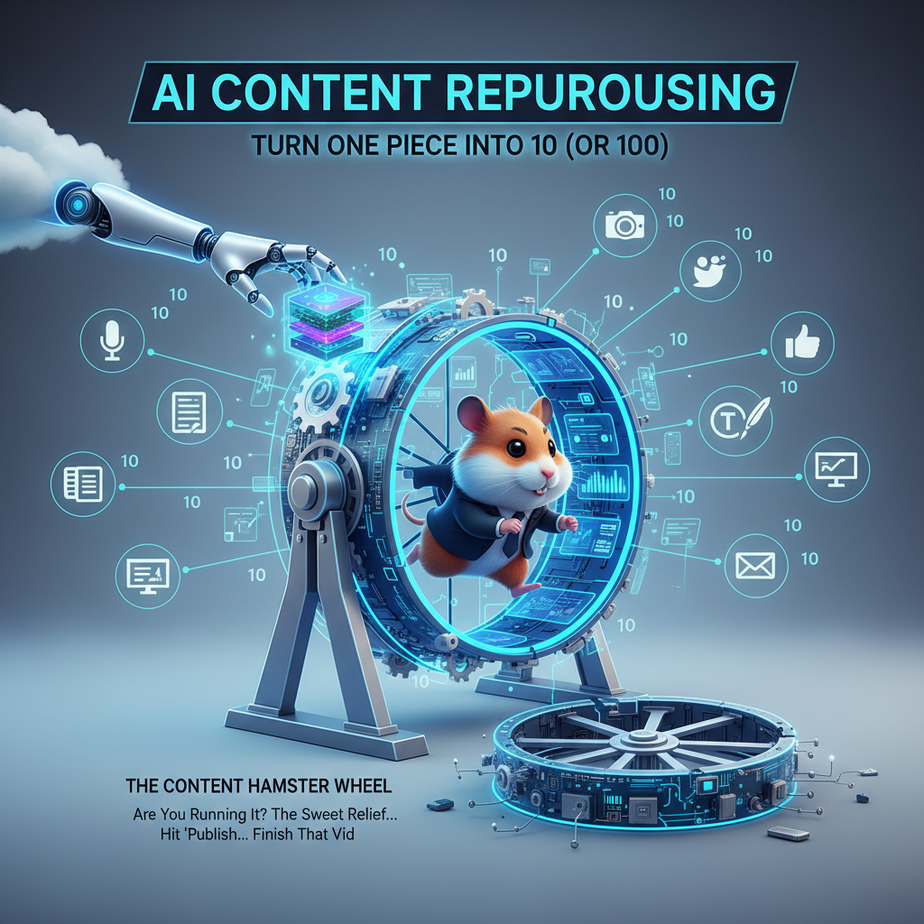
The Content Hamster Wheel: Are You Running It?
Ah, the sweet relief of hitting ‘publish’ on that epic blog post. Or uploading that hour-long podcast. Or finally finishing that in-depth video tutorial. You lean back, sip your lukewarm coffee, and feel a momentary flicker of triumph.
Then, the dread sets in. The cold, hard truth of modern marketing. One piece of content is never enough.
Now, you need to turn that single blog post into:
- Ten bite-sized tweets.
- Five engaging LinkedIn updates.
- A compelling email newsletter snippet.
- A short video script for Instagram Reels.
- Maybe even another blog post, but shorter, for a guest spot.
Suddenly, your moment of triumph feels like you just dug yourself a deeper hole. You’re not a content creator; you’re a content hamster, frantically spinning on a wheel that never stops.
What if I told you there’s a way off that wheel? A way to turn your single, glorious piece of content into a dozen other pieces, practically on autopilot? No, it’s not magic. It’s called AI-powered content repurposing, and it’s about to become your new best friend.
Why This Isn’t Just a ‘Nice-to-Have’ – It’s Your Business Superpower
Look, I get it. You’re busy. Your time is currency, and right now, you’re probably spending it making new content from scratch. But here’s the thing: you already have gold in your archives. That fantastic webinar you did last month? That detailed guide you wrote last year? It’s all sitting there, waiting to be unleashed again.
This isn’t just about saving a few minutes. This is about:
- Scaling Your Reach Without Scaling Your Effort: Imagine reaching different audiences on different platforms with tailored messages, all derived from one source. More eyes, same input.
- Maximizing ROI on Existing Assets: You poured effort into that original content. Don’t let it gather digital dust. Squeeze every last drop of value out of it. It’s like buying a new car and only ever driving it to the grocery store once. Use the damn thing!
- Consistency Across Channels: Ensure your message is unified, even when it’s presented in various formats. No more scrambling to remember what you said where.
- Preventing Burnout: The pressure to constantly generate ‘new, new, new’ content is immense. Repurposing drastically reduces this mental load, freeing you up for higher-level strategic thinking (or just a nap).
- Outmaneuvering Competitors: While they’re still trying to come up with their next ‘big idea,’ you’re flooding the zone with high-quality, relevant content that’s already been proven to work.
This automation replaces not one, but several ‘interns’ who would otherwise be manually summarizing, rephrasing, and formatting for hours. And these AI interns? They don’t complain about the coffee, they work 24/7, and their ‘salary’ is negligible.
What This Workflow Actually Is (And Isn’t)
At its core, AI content repurposing is about taking a large piece of information and using a Large Language Model (LLM) to intelligently transform it into smaller, specific pieces tailored for different platforms or purposes.
What it IS:
- Smart Summarization: Extracting the most important points and presenting them concisely.
- Format Transformation: Changing a blog post into bullet points, a tweet thread, or an email subject line.
- Audience Tailoring: Adjusting tone and language for different demographics or platforms (e.g., professional for LinkedIn, casual for TikTok script).
- Efficiency Multiplier: A pipeline that lets you get more mileage from your content without starting from zero every time.
What it IS NOT:
- A Magic Content Creator from Thin Air: It needs source material. It won’t hallucinate a brilliant new article on a topic you haven’t researched.
- A Human Editor/Strategist: It won’t instinctively know your brand’s deepest nuances or the exact sentiment of your audience without explicit instructions. It’s a tool, not your boss.
- A Replacement for Original Thought: The initial long-form content still needs your expertise, creativity, and unique perspective. AI excels at distribution, not necessarily original insight.
Think of it like a sophisticated content ‘chopping board’ and ‘spice rack.’ You provide the main ingredient (your content), tell the AI how you want it chopped and seasoned (your prompt), and it prepares the dish for various serving platters (social media, email, etc.).
Prerequisites: What You Need to Get Started (Don’t Panic!)
Before we dive in, let’s make sure you have the right tools. Good news: most of these are free or have very affordable tiers.
- An AI Large Language Model (LLM) Account:
- ChatGPT (OpenAI): The free tier (GPT-3.5) is excellent for most tasks. A paid subscription (GPT-4) offers better quality and speed.
- Claude (Anthropic): Also has a free tier and a paid ‘Pro’ version with longer context windows.
- Gemini (Google): Google’s offering, with free access to its Pro model.
- Pick one. They all work for this. You’ll be copy-pasting your content into a chat interface.
- Your Long-Form Content: A blog post, video transcript, podcast notes, article, etc. Ensure it’s in a text format you can easily copy.
- A Text Editor: Basic Notepad, Google Docs, Apple Pages, VS Code, or Sublime Text. You’ll use this to paste AI output and make minor tweaks.
- Internet Access: (Duh, Professor Ajay. But seriously, a stable connection helps).
- A Little Patience & Curiosity: You’re learning a new skill. Embrace the experimentation!
You DO NOT need to be a coder for the core AI interaction. We’ll touch on a tiny bit of optional scripting later, but even that’s designed for absolute beginners.
Step-by-Step Tutorial: Your AI Content Kitchen
Let’s walk through the process like we’re baking a cake. You’ve got the raw ingredients; now we’re going to transform them.
Step 1: Gather Your Source Material (The Main Ingredient)
Pick one piece of long-form content. For this example, let’s imagine you just wrote a killer blog post titled “The 5 Hidden Costs of Cloud Migration (And How to Avoid Them)”.
- Action: Copy the entire text of your blog post. Or, if it’s a video/podcast, grab the transcript.
- Why: The AI needs a clear, complete source to work from. The more context it has, the better its output will be.
Step 2: Define Your Target Outputs (The Serving Platters)
Before you even talk to the AI, know what you want to create. This is crucial for precise prompting.
For our “Cloud Migration” blog post, let’s say we want:
- An engaging email intro (max 100 words).
- 3 distinct LinkedIn posts (each ~150 words, with a CTA).
- 5 unique Twitter posts (each max 280 chars, with relevant hashtags).
- Action: Jot down a list of desired outputs and their constraints (word count, tone, platform).
- Why: Specificity is king with AI. Vague requests lead to generic output.
Step 3: The AI Prompting Magic (The Recipe)
This is where you instruct your AI intern. Your prompt is the recipe. The better the recipe, the better the dish. We’ll use a multi-part prompt to give the AI context, task, and formatting instructions.
General Prompting Strategy:
- Role-play (Optional but powerful): Tell the AI to act as a “skilled social media manager” or “expert copywriter.”
- Context: Provide the full source text.
- Task: Clearly state what you want.
- Constraints: Specify length, tone, keywords, hashtags, CTAs.
- Format: How should the output be structured (e.g., bullet points, numbered list, JSON, plain text)?
Let’s try a few specific prompts for our cloud migration blog post. Imagine the content is a variable named [YOUR_BLOG_POST_TEXT_HERE].
Prompt Example 1: Email Intro
Act as a marketing copywriter specializing in B2B tech. I need an engaging email introduction for my newsletter subscribers, based on the following blog post.

Here is the blog post text:

[YOUR_BLOG_POST_TEXT_HERE]

Your task:
1.  Write a compelling email introduction, no more than 100 words.
2.  Focus on grabbing attention and highlighting the problem of 'hidden costs' in cloud migration.
3.  End with a clear call to action (CTA) to read the full article.
4.  The tone should be informative and slightly urgent, but not fear-mongering.

Output ONLY the email introduction.
Prompt Example 2: LinkedIn Posts
I need three distinct LinkedIn posts derived from the following blog post. Act as a B2B tech consultant writing for fellow professionals.

Here is the blog post text:

[YOUR_BLOG_POST_TEXT_HERE]

Your task:
1.  Generate three separate LinkedIn posts. Each post should be approximately 100-150 words.
2.  Each post should highlight a different key takeaway or hidden cost from the blog post.
3.  Include 2-3 relevant hashtags per post (e.g., #CloudMigration #TechFinance #CostOptimization).
4.  End each post with a question to encourage engagement or a call to action to read the full article.
5.  Present each post clearly labeled as 'LinkedIn Post 1', 'LinkedIn Post 2', etc.

Output ONLY the three LinkedIn posts.
Prompt Example 3: Twitter Posts
I need five unique Twitter posts (tweets) based on the following blog post. Act as a tech news curator.

Here is the blog post text:

[YOUR_BLOG_POST_TEXT_HERE]

Your task:
1.  Generate five separate tweets. Each tweet must be under 280 characters.
2.  Each tweet should present a different point, statistic, or question from the blog post.
3.  Include 1-2 highly relevant hashtags per tweet.
4.  Include a placeholder for a link: [LINK_TO_ARTICLE]
5.  The tone should be concise and attention-grabbing.

Output ONLY the five tweets, clearly separated.
- Action: Copy your source content. Paste one of these prompts (replacing `[YOUR_BLOG_POST_TEXT_HERE]`) into your chosen LLM and hit enter. Repeat for each desired output type.
- Why: This is the core of the automation. The AI does the heavy lifting of understanding, summarizing, and rephrasing according to your exact instructions.
Step 4: Review and Refine (The Taste Test)
AI is a phenomenal assistant, but it’s not you. Always, always, always review the output.
- Does it match your brand voice?
- Is it accurate?
- Are there any awkward phrases or repetitions?
- Does it flow well?
- Action: Paste the AI’s output into your text editor. Read it critically. Make minor edits for voice, clarity, or emphasis.
- Why: The human touch is what elevates AI-generated content from ‘good enough’ to ‘great.’
Step 5: Simple Formatting Script (Optional, but Handy)
Sometimes the AI output is great, but you want to quickly add a prefix, suffix, or split it into individual files. For this, a tiny bit of scripting can save you precious copy-pasting time.
Let’s say your AI gave you 5 tweets, each on a new line, but you want to add “Read more:” and a placeholder link to each one, then put them into separate lines in a single file.
You can use a super simple Python script:
# save this as format_tweets.py

raw_tweets = """
Tweet 1 content here #hashtag
Tweet 2 content here #hashtag
Tweet 3 content here #hashtag
""" # Paste your AI-generated tweets here, ensure each is on a new line

link = "https://yourwebsite.com/your-article-link"

formatted_tweets = []
for tweet in raw_tweets.strip().split('\
'):
    if tweet:
        formatted_tweets.append(f"{tweet} Read more: {link}")

# Now, print them nicely formatted
for i, ft in enumerate(formatted_tweets):
    print(f"--- Tweet {i+1} ---")
    print(ft)
    print("\
") # Add an extra newline for separation

# Or, to save them to a file:
# with open("formatted_tweets.txt", "w") as f:
#     for ft in formatted_tweets:
#         f.write(ft + "\
")
To run this (if you have Python installed):
- Save the code above as `format_tweets.py`.
- Open your terminal or command prompt.
- Navigate to the folder where you saved the file.
- Run:
python format_tweets.py
This is a taste of how simple scripting can streamline repetitive tasks *after* the AI has done the creative heavy lifting. It’s like having a robot organize your kitchen after the AI chef cooks.
Complete Automation Example: From Webinar Transcript to Social Blitz
Let’s tie it all together with a real-world scenario. You hosted a 60-minute webinar on “Demystifying SEO for Small Businesses.” You have the full transcript.
Objective:
Turn this transcript into a social media content blitz for the next week:
- 1 email newsletter summary (for those who missed it).
- 5 LinkedIn posts (each focusing on a different SEO aspect).
- 10 Twitter posts (quick tips and questions).
The Workflow:
-
Get the Transcript: Grab the full text from your webinar platform (Zoom, Riverside, etc.). Let’s call it
[WEBINAR_TRANSCRIPT_TEXT]. -
Email Newsletter Summary:
    Act as a marketing manager. Summarize the following webinar transcript into a concise email newsletter snippet (max 150 words) for subscribers who missed the live session. Highlight the key benefits of understanding SEO for small businesses. Include a call to action to watch the replay and download a free checklist. The tone should be encouraging and value-driven.

    [WEBINAR_TRANSCRIPT_TEXT]
The AI would output something like:
Hey there! Missed our recent webinar, 'Demystifying SEO for Small Businesses'? No worries! We covered essential strategies to boost your online visibility and attract more customers without breaking the bank. From keyword research basics to local SEO hacks and understanding Google Analytics, we broke down complex topics into actionable steps. Learn how to drive organic traffic, improve your search rankings, and truly understand your audience. Don't let SEO intimidate you any longer! Watch the full replay here: [Link to Replay] Download your free SEO checklist: [Link to Checklist] -
LinkedIn Posts (5x):
    As an SEO expert, generate five distinct LinkedIn posts from the following webinar transcript. Each post should be 100-180 words, focus on a unique SEO concept (e.g., local SEO, keyword research, content optimization, backlinks, technical SEO), include 2-3 relevant hashtags, and pose a question to engage professionals.

    [WEBINAR_TRANSCRIPT_TEXT]
The AI would generate 5 structured posts, like:
LinkedIn Post 1: Local SEO Power Did you know 46% of all Google searches have local intent? Our recent webinar dived deep into Local SEO, showing small businesses how to dominate their geographic market. From optimizing Google My Business to local citations, these strategies are critical for driving foot traffic and local online conversions. How are you leveraging local SEO in your business? #LocalSEO #SmallBizSEO #GoogleMyBusiness [... four more LinkedIn posts ...] -
Twitter Posts (10x):
    Create ten unique Twitter posts (tweets) from this webinar transcript, acting as a quick-tip content curator. Each tweet must be under 280 characters, offer a concise SEO tip or ask a relevant question, and include 1-2 trending SEO hashtags. Include a call to action to 'Learn more:' followed by [Link to Blog Post].

    [WEBINAR_TRANSCRIPT_TEXT]
The AI would output 10 tweets, like:
1. Keywords feeling elusive? Start with what your ideal customer is searching for, not what YOU think. It's a game-changer! #SEOtips #KeywordResearch Learn more: [Link to Blog Post] 2. Google My Business is your local SEO secret weapon. Claim, optimize, and engage! Free visibility boost. #LocalSEO #SmallBiz Learn more: [Link to Blog Post] [... eight more Twitter posts ...] - Review & Refine: Quickly skim all outputs for brand voice, accuracy, and flow. Make any minor tweaks. This takes minutes, not hours.
- Distribute: Copy-paste into your email tool, LinkedIn scheduler, and Twitter scheduler. Optionally use the Python script from Step 5 to add consistent links/prefaces if needed before scheduling.
Congratulations. You just transformed one hour of content into a week’s worth of multi-channel marketing material in a fraction of the time it would have taken manually. That’s real leverage.
Real Business Use Cases (Beyond Just Blog Posts)
This isn’t just for bloggers. Every business generates content, and every business can benefit from repurposing.
-
For the Online Course Creator:
- Problem: You’ve spent weeks creating a comprehensive video course. Now you need to market it, but writing unique marketing content for every platform feels overwhelming.
- Solution: Upload your video transcripts (or course module outlines) to the AI. Prompt it to generate promotional email sequences, social media teasers (e.g., “Top 3 takeaways from Module 1”), short blog summaries of each lesson, or even quiz questions to engage potential students.
-
For the SaaS Startup:
- Problem: You’re constantly releasing new features and updates, and writing detailed release notes, help documentation, marketing announcements, and sales outreach messages for each is a drain.
- Solution: Feed your detailed feature documentation into the AI. Ask it to generate a concise email announcement for existing users, a benefit-driven LinkedIn post for prospects, a short internal announcement for the sales team highlighting key selling points, and a tweet thread explaining the feature in simple terms.
-
For the E-commerce Store Owner:
- Problem: You have hundreds of products, each with a basic description. You need engaging content for social media ads, email promotions, and gift guides, but writing unique copy for each product is impossible.
- Solution: Provide the AI with your product description and key features. Prompt it to write 3 compelling Instagram ad captions (focusing on different benefits), a short email blurb for a ‘featured product’ campaign, and a Pinterest description. Do this for batches of products.
-
For the Consulting Firm / Coach:
- Problem: You deliver custom reports, presentations, or client workshops. This valuable intellectual property often gets used once and then stored away.
- Solution: Summarize key findings from a anonymized client report into a thought leadership LinkedIn article. Extract 5 actionable tips from a workshop transcript for an email sequence to potential leads. Turn a complex presentation into a series of digestible ‘myth vs. fact’ social media graphics ideas.
-
For the Non-Profit Organization:
- Problem: Your annual reports, research papers, or impact stories contain vital information, but they’re often too dense for quick consumption by donors or volunteers.
- Solution: Use the AI to transform sections of your annual report into compelling social media campaigns highlighting key achievements, urgent calls to action for fundraising, or short, inspiring stories about beneficiaries for your newsletter. Extract key statistics for easy sharing on infographics.
Common Mistakes & Gotchas (Don’t Trip Here!)
Like any powerful tool, AI can be misused. Here are the traps beginners often fall into:
- The “One Prompt Fits All” Fallacy: Using a single, generic prompt for every output (e.g., “summarize this”). You’ll get generic results. Be specific about platform, audience, tone, and length for EACH output.
- Blind Trust (The “Set It and Forget It” Trap): Never, ever publish AI output without human review. AI can make factual errors, sound repetitive, or generate content that simply doesn’t align with your brand voice. You’re the editor, not just the copy-paster.
- Forgetting Platform Nuances: A tweet isn’t a LinkedIn post. An email isn’t a blog snippet. Each platform has character limits, optimal tones, and engagement styles. Prompt the AI to adhere to these specifically.
- Providing Insufficient Context: Giving the AI only a paragraph when you have a full article. The more relevant text you give it, the better it understands the full scope and nuances.
- Brand Voice Drift: If you don’t explicitly instruct the AI on your brand’s tone (e.g., “friendly and authoritative,” “witty and irreverent,” “formal and academic”), it will default to a generic, often bland, voice. Give it examples if you can!
- Repetitive Output: If you ask for ‘3 blog post ideas’ from the same text without specifying they should be ‘distinct’ or ‘focus on different aspects,’ the AI might give you variations of the same idea. Always prompt for variety.
How This Fits Into a Bigger Automation System (Thinking Bigger)
This content repurposing workflow is a powerful standalone automation, but its true magic shines when you connect it to other systems. Imagine the content flowing automatically through your entire marketing stack:
- CRM & Email Marketing: Once AI generates your email snippets, tools like Zapier or Make.com can pull that content directly into your email marketing platform (e.g., Mailchimp, ActiveCampaign) to populate newsletters or trigger automated follow-up sequences based on user segments.
- Social Media Schedulers: Connect your AI output (after human review!) to tools like Buffer, Hootsuite, or Sprout Social. Your social content calendar practically fills itself.
- Content Management Systems (CMS): If you’re creating shorter articles or summaries, APIs can potentially push these directly into your WordPress or Webflow CMS as drafts, ready for final review and scheduling.
- Multi-Agent Workflows: This is where things get sci-fi. Imagine one AI agent extracting raw content, another refining it for tone and brevity, a third translating it into multiple languages, and a fourth formatting it for specific platforms. Each agent passes its output to the next, creating a content factory.
- RAG (Retrieval Augmented Generation) Systems: If you’re building an internal knowledge base or custom chatbot, your repurposed content (e.g., FAQs, summary points) can be fed into your RAG system to improve its accuracy and relevance when answering user queries. It helps train your internal ‘brain’.
Today, we’re building the first strong link in that chain. Tomorrow, we’ll forge the whole thing.
What to Learn Next: Distribution, Scheduling, and Beyond!
You’ve mastered the art of multiplying your content. Your AI assistant is a whiz at turning one piece of gold into many shiny coins.
But what good are those coins if they just sit in a vault?
The next logical step in our AI Automation Academy is to tackle **content distribution and scheduling.** How do you get all this freshly minted content out to your audience *automatically* and *strategically*?
We’ll dive into connecting your AI output to social media schedulers, email marketing platforms, and even explore basic webhooks to ensure your content reaches the right people, at the right time, every single time. It’s about moving from ‘creation’ to ‘connection.’
Stay tuned, because the true power of automation isn’t just making things, it’s making them *move*.





