
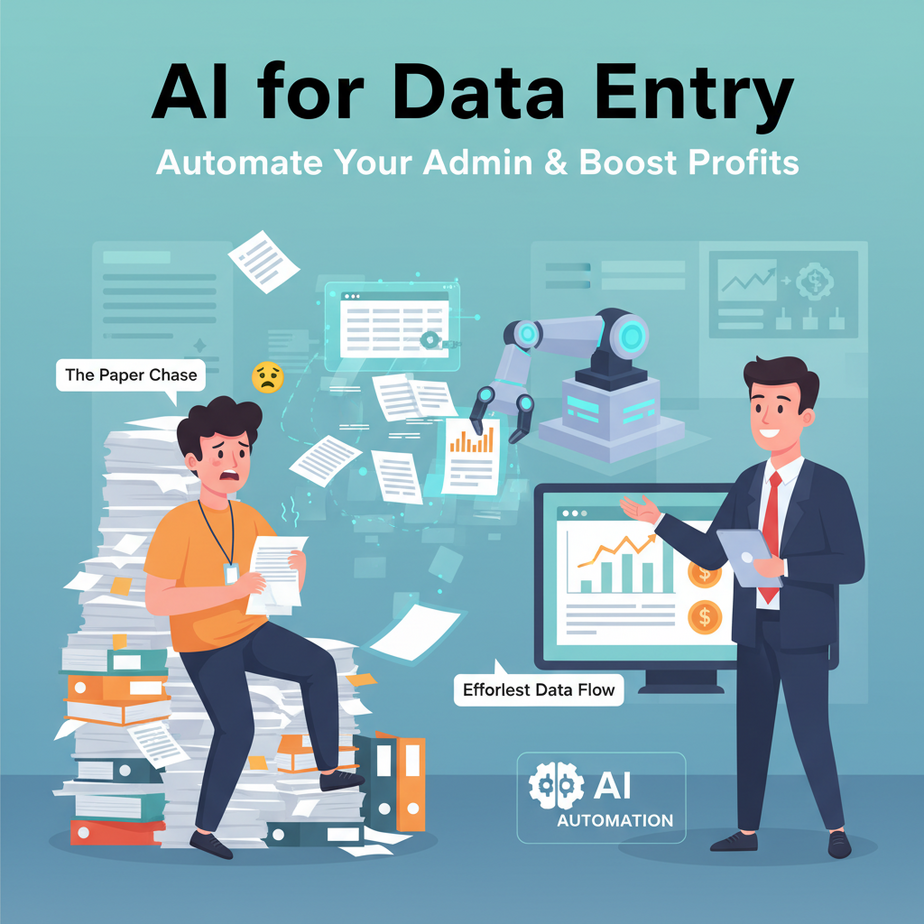
The Paper Chase: Or, Why Your Interns Are Secretly Plotting Your Downfall
Alright, listen up. I’ve seen it a thousand times. The email inbox overflowing, the scanned PDFs piling up like a digital Everest, the frantic scribbled notes from client calls. And somewhere, in the middle of this beautiful mess, is you, or worse, your perpetually overworked (and probably underpaid) intern, squinting at a screen, manually typing names, dates, order numbers, and a whole lot of other ‘exciting’ data into a spreadsheet.
It’s soul-crushing. It’s error-prone. It’s the kind of work that makes even the most optimistic person dream of becoming a professional rock tester. (It’s a thing, look it up. Probably less boring.)
Today, we’re not just going to fix that. We’re going to burn the whole manual data entry factory down and replace it with a sleek, AI-powered system that does the boring stuff faster, cheaper, and with fewer coffee spills.
Why Ditch the Manual Grind? Because Your Sanity (and Wallet) Deserves Better.
Let’s be blunt. Every minute you or your team spends manually copying data is a minute not spent growing your business, innovating, or, you know, enjoying life. This isn’t just about saving a few bucks on an intern’s salary; it’s about:
- Massive Time Savings: What takes a human an hour, AI can do in seconds. Multiply that by hundreds or thousands of documents, and you’re looking at days, weeks, or even months of reclaimed time.
- Boosted Accuracy: Humans make mistakes. We get tired. We misread a ‘B’ for an ‘8’. AI, when trained right, doesn’t. Clean data means better decisions.
- Scalability on Steroids: Need to process 10 documents? No problem. 10,000? Also no problem. Your AI doesn’t get a headache or demand a raise for overtime.
- Reduced Costs: Less manual work means fewer labor hours, fewer errors to fix, and ultimately, a healthier bottom line.
- Unleashed Human Potential: Imagine your team focused on strategy, creativity, and actual problem-solving, instead of being glorified copy-paste robots. That’s a superpower.
This isn’t about replacing people entirely; it’s about replacing the mind-numbing, repetitive tasks that drain energy and talent, allowing your human brainpower to tackle things that *actually* require a human brain.
What This ‘AI Data Extraction Pipeline’ Actually Is (And What It Isn’t)
Think of it like this: You have a stack of highly valuable, but messy, handwritten notes from a genius inventor. Your job is to pull out the key ingredients, the exact measurements, and the patent number, then put them into a perfectly organized database.
Our ‘AI Data Extraction Pipeline’ is your super-smart, tirelessly efficient assistant for this job. It’s a workflow that:
- Takes unstructured text: This can be anything from emails, customer reviews, support tickets, chat transcripts, internal reports, or even text extracted from scanned documents (PDFs, images).
- Uses Artificial Intelligence (specifically, Large Language Models like those from OpenAI): The AI ‘reads’ and understands the content, much like a human would, but at lightning speed.
- Extracts specific, predefined pieces of information: You tell it exactly what you’re looking for (e.g., ‘Name’, ‘Email’, ‘Order ID’, ‘Product Description’, ‘Sentiment’).
- Structures that data: It takes the messy text and turns it into clean, organized formats like JSON, CSV files, or directly into a spreadsheet row.
What it is NOT:
- A magic wand that understands everything instantly: You need to tell it what to look for, and the clearer your instructions, the better it performs.
- A perfect OCR (Optical Character Recognition) solution: If your input is a blurry scan of a coffee-stained napkin, you might need a separate OCR tool first to convert it to text. This AI works best once you *have* the text.
- A replacement for critical human judgment: While it automates extraction, a human might still need to review for extremely complex edge cases or make final decisions based on the extracted data.
Prerequisites: Don’t Panic, It’s Easier Than Building IKEA Furniture
Relax. You won’t need a degree in quantum physics or a PhD in Python. If you can copy-paste, follow instructions, and have a browser, you’re 90% there.
- An Internet Connection: Non-negotiable, obviously.
- An OpenAI API Key: We’ll be using OpenAI’s powerful language models. You’ll need to sign up for an account at platform.openai.com and generate an API key. There’s a free tier, but usage beyond that incurs small costs based on how much you use.
- Python (Optional but Recommended for Our Example): If you want to follow the code example exactly, you’ll need Python installed on your computer. Don’t worry, I’ll show you exactly how to set it up. If code scares you, just understand the concepts and know that no-code tools like Zapier/Make can do this too.
- A Spreadsheet Program: Like Google Sheets, Microsoft Excel, or any tool that can open CSV files. This is where your beautiful, structured data will land.
See? No advanced degree in ‘stuff’ required. Just a willingness to automate the tedious out of your life.
Step-by-Step Tutorial: Building Your Data Extraction Robot
Alright, let’s get our hands dirty. Or, rather, let’s keep them clean because our robot is doing the work.
Step 1: Prep Your Unstructured Data Source
Before you build the extraction machine, you need something to extract from. For our example, let’s imagine we’re getting customer inquiries via email, and we want to pull out the key details.
Example Email Content:
Subject: Inquiry about your Automation Academy

Hi Professor Ajay,

My name is Alex Chen and I'm very interested in your AI Automation Academy. I'm a small business owner struggling with manual lead entry into my CRM. I heard about your course from a friend. I'm looking for solutions to automate my customer onboarding process, specifically data collection from inquiry forms and emails. Can you tell me more about pricing and next steps?

My email is alex.chen@example.com. You can also reach me at (555) 123-4567.

Best,
Alex Chen
Cozy Corner Cafes
This is what we want to feed our AI.
Step 2: Define Your Desired Output Structure
This is crucial. What *exactly* do you want to pull out? Be specific. For our email, we might want:
- Name: Alex Chen
- Email: alex.chen@example.com
- Company: Cozy Corner Cafes
- Service Interest: customer onboarding process, data collection from inquiry forms and emails
- Contact Number: (555) 123-4567
- Notes: Struggling with manual lead entry into CRM, heard from friend, pricing and next steps.
We’ll instruct the AI to output this in JSON format, as it’s easy for programs to read and parse.
Step 3: Get Your OpenAI API Key Ready
- Go to platform.openai.com/signup and create an account.
- Once logged in, navigate to the API Keys section (usually found under your profile icon in the top right, then ‘View API keys’).
- Click ‘Create new secret key’. Copy it immediately and save it somewhere secure. This key gives access to your OpenAI account, so treat it like gold. It usually starts with
sk-.
Step 4: Craft Your AI Prompt (The Instruction Manual for Your Robot)
This is where you tell the AI exactly what to do. The better your prompt, the better your results. We’ll use a technique called ‘few-shot prompting’ by giving it an example. You’re effectively saying, ‘Hey AI, I want you to act like *this* and do *this*.’ Make sure to specify the desired output format (JSON).
Step 5: Write the Code (or Set Up Your No-Code Tool)
For this lesson, we’ll use a simple Python script to interact with the OpenAI API. If Python isn’t your jam, conceptually, you’d be doing similar steps in a no-code tool like Zapier or Make.com (e.g., ‘New Email’ trigger -> ‘OpenAI API’ action -> ‘Parse JSON’ -> ‘Add row to Google Sheet’ action).
Step 6: Store the Structured Data
Once the AI spits out beautiful JSON, we’ll parse it and save it into a CSV file. This CSV can then be imported into a spreadsheet, CRM, or any other system.
Complete Automation Example: Email Lead to CSV Database
Let’s take our `Alex Chen` email and turn it into a structured record.
Setting up your Python environment (if you’re using code):
- Install Python: If you don’t have Python, download it from python.org/downloads/. Follow the installation instructions (make sure to check ‘Add Python to PATH’ during installation on Windows).
- Open your terminal/command prompt:
- Install the OpenAI library: Type this command and press Enter:
pip install openai - Install `python-dotenv` for API key management: This is good practice for keeping your API key out of your code.
pip install python-dotenv - Create a `.env` file: In the same directory where you’ll save your Python script, create a new file named
.env(just ‘.env’, no filename). Open it and add your OpenAI API key like this:OPENAI_API_KEY='YOUR_OPENAI_API_KEY_HERE'Replace
YOUR_OPENAI_API_KEY_HEREwith the key you generated in Step 3.
The Python Script: `extract_lead.py`
Create a file named extract_lead.py and paste the following code:
import os
import openai
import json
import csv
from dotenv import load_dotenv

# Load environment variables (like your API key)
load_dotenv()

# Set your OpenAI API key
openai.api_key = os.getenv("OPENAI_API_KEY")

def extract_lead_data(email_text):
    # Define the desired JSON structure and instruct the AI
    prompt = f"""
You are an expert data extractor. Your task is to extract specific lead information from an incoming email inquiry.

Extract the following fields in JSON format:
- name (string)
- email (string)
- company (string)
- service_interest (string, summarize key services or problems mentioned)
- contact_number (string, if present)
- notes (string, any other important details or context)

If a field is not found, use an empty string "".

Here is the email:
{email_text}

Output ONLY the JSON object. Do not add any other text or explanation.
"""

    try:
        response = openai.chat.completions.create(
            model="gpt-3.5-turbo",  # You can use gpt-4 or gpt-4o for better accuracy if available
            messages=[
                {"role": "system", "content": "You are a helpful assistant designed to output JSON."},
                {"role": "user", "content": prompt}
            ],
            response_format={ "type": "json_object" }
        )

        # Parse the JSON response
        extracted_json_string = response.choices[0].message.content
        lead_data = json.loads(extracted_json_string)
        return lead_data

    except Exception as e:
        print(f"An error occurred: {e}")
        return None

def save_to_csv(data, filename="leads.csv"):
    fieldnames = ['name', 'email', 'company', 'service_interest', 'contact_number', 'notes']
    file_exists = os.path.isfile(filename)

    with open(filename, 'a', newline='', encoding='utf-8') as csvfile:
        writer = csv.DictWriter(csvfile, fieldnames=fieldnames)

        if not file_exists:
            writer.writeheader()  # Write header only if file doesn't exist

        writer.writerow(data)
    print(f"Data successfully saved to {filename}")

# --- Main Execution ---
if __name__ == "__main__":
    # The example email content from Step 1
    sample_email = """
Subject: Inquiry about your Automation Academy

Hi Professor Ajay,

My name is Alex Chen and I'm very interested in your AI Automation Academy. I'm a small business owner struggling with manual lead entry into my CRM. I heard about your course from a friend. I'm looking for solutions to automate my customer onboarding process, specifically data collection from inquiry forms and emails. Can you tell me more about pricing and next steps?

My email is alex.chen@example.com. You can also reach me at (555) 123-4567.

Best,
Alex Chen
Cozy Corner Cafes
"""

    print("\
--- Starting Data Extraction ---")
    extracted_info = extract_lead_data(sample_email)

    if extracted_info:
        print("\
Extracted Data (JSON):")
        print(json.dumps(extracted_info, indent=2))

        print("\
--- Saving to CSV ---")
        save_to_csv(extracted_info)
    else:
        print("Extraction failed.")

    print("\
--- Automation Complete ---")
How to Run It:
- Save the above code as `extract_lead.py` in the same directory as your `.env` file.
- Open your terminal or command prompt, navigate to that directory.
- Run the script:
python extract_lead.py
You’ll see the extracted JSON printed to your console, and a new file named `leads.csv` will be created (or appended to) in your directory, containing the structured data.
Congratulations, you just built your first data entry robot! Feel free to swap out `sample_email` with any other email text you want to process.
Real Business Use Cases: Where This Robot Shines
This isn’t just a party trick; this is real business leverage. Here are just a few ways this exact automation can save time, money, and sanity across different industries:
-
Business Type: E-commerce Store
Problem: Customers often include specific instructions or return reasons in the free-text ‘notes’ section of online orders or reply to order confirmation emails with change requests. Manually scanning these for critical info like ‘change shipping address’ or ‘return item X due to Y’ is tedious and leads to errors.
Solution: The AI extracts the order ID, specific item mentioned, nature of the request (e.g., ‘address change’, ‘return’, ‘cancellation’), and the new details from these unstructured notes/emails. This structured data is then automatically pushed to a fulfillment spreadsheet, flagging urgent actions for the shipping team.
-
Business Type: Service Provider (Consulting, Coaching, Agencies)
Problem: New client inquiries come through various channels (website forms, emails, LinkedIn DMs). Each often contains slightly different phrasing about their needs, budget, timeline, and company size. Manually compiling this into a CRM is slow and inconsistent.
Solution: The AI processes all incoming inquiry text, extracting client name, company, primary pain points, desired outcome, budget range (if mentioned), and urgency. This data is then used to automatically create a lead record in the CRM, pre-populating fields and ensuring no critical detail is missed, speeding up the sales qualification process.
-
Business Type: Real Estate Agency
Problem: Agents receive numerous emails from potential buyers with specific, often conversational, descriptions of their dream home: ‘looking for a 3-bed, 2-bath, pet-friendly house, budget around $500k, good school district in the Northwood area, preferably with a big yard.’ Translating this into searchable criteria is manual and prone to misinterpretation.
Solution: The AI extracts structured fields like ‘bedrooms’, ‘bathrooms’, ‘budget (min/max)’, ‘key features (pet-friendly, big yard)’, and ‘preferred neighborhoods/school districts’ from client emails. This allows agents to quickly filter property listings and match clients more efficiently without manual data entry.
-
Business Type: Customer Support / SaaS Company
Problem: Customer feedback (e.g., survey comments, app store reviews, support tickets) often contains a wealth of insights but in unstructured text. Manually reading thousands of comments to identify common bugs, feature requests, or sentiment trends is impossible.
Solution: The AI processes customer feedback, extracting the product/feature mentioned, the reported issue/request, the sentiment (positive, negative, neutral), and a summary of the feedback. This structured data can then be fed into a reporting dashboard, allowing product teams to quickly identify trending issues or popular feature requests.
-
Business Type: HR & Recruitment
Problem: Sifting through hundreds of resumes for specific keywords, years of experience, or project types is incredibly time-consuming and often leads to missing qualified candidates due to human oversight.
Solution: The AI extracts key information from resume text (after converting from PDF/DOCX to text), such as ‘total years of experience’, ‘specific skills (e.g., Python, SQL, AWS)’, ‘previous job titles’, ‘educational qualifications’, and even ‘project types’. This structured data can then be used to automatically filter candidates, pre-qualify them against job descriptions, and rank them, allowing recruiters to focus on interviews.
Common Mistakes & Gotchas: Don’t Trip at the Finish Line
Even the coolest robots have their quirks. Here’s what beginners often stumble over:
-
Vague Prompts = Vague Results:
If you tell the AI, “Extract important stuff,” it will give you… important stuff, but maybe not the stuff *you* thought was important. Be excruciatingly specific. Define your fields, give examples if needed, and explicitly state the output format (like JSON).
-
Not Handling Edge Cases:
What if a field (like ‘contact number’) isn’t present in the text? Explicitly tell the AI what to do: “If not found, use an empty string `””`” or “use `null`”. Otherwise, your JSON parser might break.
-
Garbage In, Garbage Out:
If your input text is poorly scanned, full of typos, or nonsensical, the AI will struggle. While LLMs are robust, they aren’t miracle workers. Clean up your input as much as possible, especially if it’s from OCR.
-
Security & Privacy Concerns:
If you’re processing highly sensitive data (like HIPAA-protected health info or financial records), sending it to a third-party AI API requires careful consideration of their data privacy policies and compliance. Always anonymize or generalize sensitive data where possible, or explore self-hosted solutions for critical cases.
-
Cost Management:
API calls cost money, usually per token. While cheap for small volumes, processing thousands of documents can add up. Optimize your prompts to be concise, batch requests, and monitor your usage.
-
Over-Reliance on Perfection:
AI isn’t 100% perfect, especially with highly complex or ambiguous text. For critical applications, plan for a human review step or a confidence score threshold. 90% automation is still a massive win.
How This Fits Into a Bigger Automation System: The Grand Plan
Think of this data extraction as a critical piece of a much larger, more powerful automation puzzle. It’s the ‘sensing’ part of your robot, the eyes and ears that turn raw input into actionable intelligence.
-
CRM Integration:
The extracted lead data doesn’t just sit in a CSV. It’s automatically pushed into HubSpot, Salesforce, Zoho, or your custom CRM via their APIs (or using Zapier/Make). This ensures your sales team has up-to-date, clean lead info without lifting a finger.
-
Email & Communication Automation:
Based on the ‘service_interest’ extracted from an inquiry, your system can automatically trigger a personalized follow-up email sequence, sending relevant case studies or pricing guides. This transforms cold leads into engaged prospects instantly.
-
Dynamic Reporting & Analytics:
Imagine feeding thousands of extracted customer feedback points into a dashboard. You can instantly see trends in product issues, sentiment changes, or feature requests, allowing for data-driven product development and customer service improvements.
-
Multi-Agent Workflows:
This is where it gets really fun. One AI agent extracts data. Another agent then *uses* that data to draft a personalized proposal, generate a meeting agenda, or even update project management software. Your data extraction becomes the fuel for a chain reaction of intelligent actions.
-
Retrieval Augmented Generation (RAG) Systems:
If you’re building a Q&A chatbot, the extracted entities (e.g., ‘product name’, ‘customer ID’) can be used as precise search queries to pull relevant information from your internal knowledge base before the AI generates an answer, ensuring accuracy and context.
What to Learn Next: Your Journey Continues…
You’ve just built your first AI data extraction robot. Give yourself a pat on the back. You’ve conquered a huge chunk of manual, soul-sucking work, and you’ve seen the power of AI to transform raw text into actionable insights.
But this is just the beginning, Padawan. Now that you can *extract* information, the next logical step in our Academy is to learn how to *source* that unstructured data automatically. How do you grab those emails as they arrive? How do you automatically convert those scanned PDFs into text ready for your robot?
We’ll dive into automated data ingestion – getting the information into your pipeline without you lifting a finger. Think web scraping, email parsing, and document processing automation. This will make your current robot even more powerful, transforming it from a one-off tool into a self-sustaining, always-on engine of productivity.
Stay curious, stay automating. Your business (and your interns) will thank you.
“,
“seo_tags”: “data entry automation, AI extraction, unstructured data, business automation, OpenAI API, productivity, no-code AI, workflow automation”,
“suggested_category”: “AI Automation Courses





