
Hook
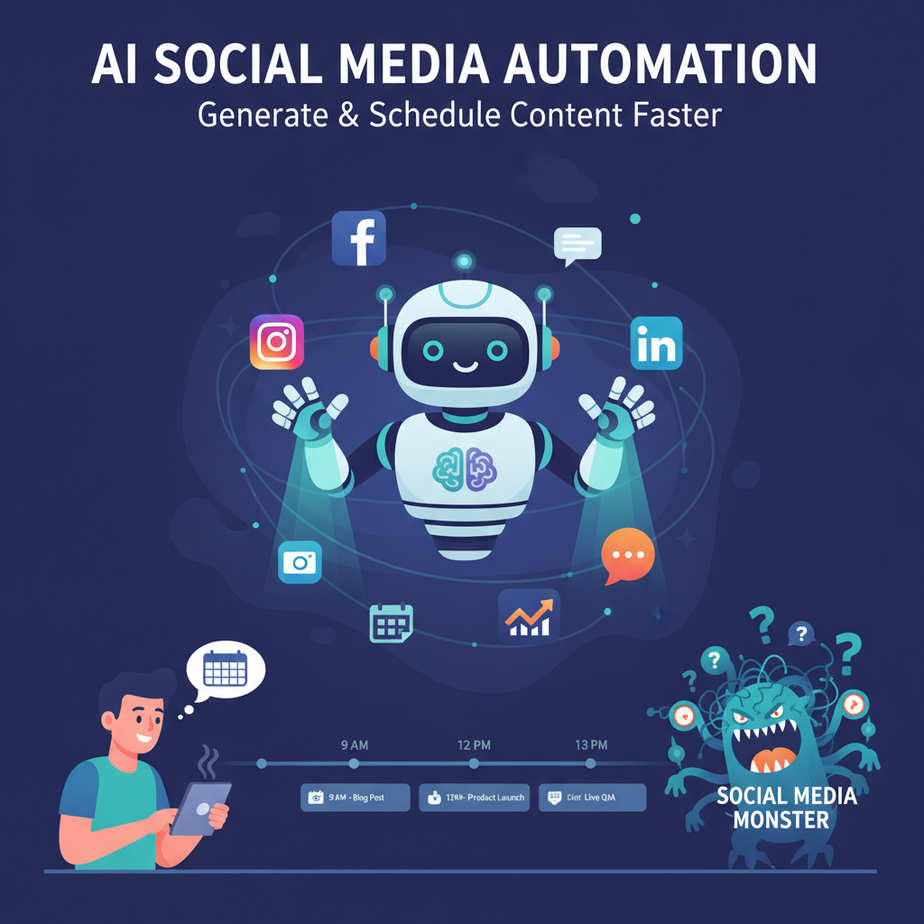
Alright, listen up, because I’ve seen it too many times. You wake up, grab your coffee, and then BAM! The social media monster rears its ugly head. What to post? When? Where? Is it engaging? Is it on-brand? For a lot of you, it feels like an endless, soul-crushing content factory running on pure espresso and last-minute panic. You’re trying to churn out tweets, LinkedIn posts, Instagram captions, maybe even a cheeky TikTok script, and you’re doing it all by hand, often staring at a blank screen wondering if anyone even cares.
It’s like trying to fill an Olympic-sized swimming pool with a teaspoon. Exhausting, inefficient, and you’ll probably get a cramp. Well, what if I told you there’s a better way? A way to put a small, highly efficient, and surprisingly witty robot intern in charge of your content pipeline? An intern that never sleeps, never complains, and is always ready for a new prompt?
Why This Matters
This isn’t just about saving your sanity, though that’s a huge bonus. This is about real business impact. Think about it:
- Consistency is King (or Queen): Social media algorithms reward consistency. Manual posting leads to inconsistency, which leads to less reach, fewer eyes on your offers, and ultimately, less revenue. An automated system posts like clockwork.
- Scale Your Reach Without Scaling Your Team: Imagine posting daily, across five platforms, with unique, engaging content for each. Doing that manually requires an entire marketing team or a heavily caffeinated freelancer. With AI, you can do it with a few clicks and a well-crafted prompt.
- Free Up Valuable Time: How many hours do you (or your team) spend brainstorming, drafting, editing, and scheduling social media posts? Probably more than you’d like to admit. What if that time could be spent on strategy, customer engagement, or actual product development?
- Lower Costs: Replacing even a fraction of that manual content creation time translates directly into savings. That’s money in your pocket, or reinvested into growth.
- Always-On Brand Voice: AI, when properly trained, can maintain your brand’s voice, tone, and messaging consistently, making your brand feel more professional and reliable.
In short, this automation upgrades you from a content-churning factory worker to the strategic CEO of your social media presence. This replaces the junior marketer who spends half their day staring at a Canva template and the other half agonizing over hashtags.
What This Tool / Workflow Actually Is
At its core, this workflow uses Artificial Intelligence to perform two key functions:
- Content Generation: An AI model (like those from OpenAI) acts as your super-powered copywriter. You feed it a topic, a target audience, a desired tone, and a platform, and it spits out draft posts, headlines, hashtags, and calls to action. It’s not just spinning generic words; it can understand context and generate surprisingly nuanced copy.
- Content Preparation for Scheduling: Once the AI has done its creative heavy lifting, another automated step (which can be a simple script or a no-code tool like Zapier/Make.com) takes that raw AI output, structures it, and funnels it into a system ready for scheduling. Think of it as an assembly line: AI creates the components, and then a robot organizes them neatly into boxes for delivery.
What it DOES do:
- Generate ideas, drafts, and variations for social media posts.
- Adapt content for different platforms (e.g., shorter for Twitter, longer for LinkedIn).
- Help maintain a consistent posting schedule by providing a steady stream of ready-to-go content.
- Save immense amounts of time on the initial creative and drafting phases.
What it DOES NOT do:
- Replace human oversight and creativity entirely. AI is a tool, not a sentient marketing genius (yet). You still need to review and approve.
- Guarantee virality. No AI can promise that.
- Spontaneously react to real-time events without your input. It needs guidance.
- Understand the deeply nuanced, emotional context that only a human brain can (though it gets surprisingly close sometimes).
Prerequisites
Don’t sweat it. If you can click buttons and copy-paste, you’re 90% there. Here’s what you’ll need:
- An OpenAI Account: Specifically, access to their API. You’ll need to generate an API key. A little bit of credit for usage, but it’s usually pennies for what we’re doing.
- A Computer with Internet Access: Obviously.
- A Text Editor: Like VS Code, Sublime Text, Notepad++, or even just plain old Notepad if you’re feeling adventurous.
- Python (Optional but Recommended for this lesson): If you want to follow the copy-paste-ready code to process the AI output, you’ll need Python installed on your machine. Don’t panic, it’s straightforward, and I’ll walk you through it. If not, you can still use ChatGPT directly for content generation and manually copy-paste.
- A Google Sheet (Optional): For storing your generated content, ready for a scheduler.
Reassuring, right? No advanced coding degrees required. Just curiosity and a willingness to automate away the boring stuff.
Step-by-Step Tutorial
Step 1: Get Your OpenAI API Key
- Go to the OpenAI Platform.
- Log in or create an account.
- Once logged in, navigate to the API Keys section (usually found under your profile icon in the top right, then "API keys").
- Click "Create new secret key."
- IMPORTANT: Copy this key immediately! You won’t be able to see it again. Treat it like gold. We’ll use this in our script.
Step 2: Crafting the AI Content Brain Prompt
This is where the magic starts. Your prompt is your instruction manual for the AI. The better your instructions, the better the content. We want structured output, so we’ll ask for JSON.
Here’s a basic template for a social media post generation prompt:
You are a professional social media content creator for [Your Industry/Niche].

Your task is to generate 3 unique social media posts about the topic: "[Specific Topic]".

Each post should be tailored for a different platform: Twitter, LinkedIn, and Instagram. Adopt a [Tone: e.g., friendly, authoritative, witty] tone.

Ensure each post includes:
- Relevant hashtags (2-3 for Twitter, 3-5 for Instagram, 1-2 for LinkedIn)
- A clear Call to Action (CTA)
- Emojis where appropriate (for Instagram/Twitter)

Provide the output in JSON format, with an array of objects. Each object should have 'platform', 'content', 'hashtags', and 'cta' fields.

Example Output Structure:
[
  {
    "platform": "Twitter",
    "content": "Tweet content here",
    "hashtags": "#Hashtag1 #Hashtag2",
    "cta": "Link to something"
  },
  {
    "platform": "LinkedIn",
    "content": "LinkedIn content here",
    "hashtags": "#Hashtag1 #Hashtag2",
    "cta": "Link to something"
  }
]

Now, generate the posts.
Why this prompt works:
- Role-Playing: "You are a professional social media content creator" helps the AI adopt the right persona.
- Clear Task: "Generate 3 unique social media posts…" sets the objective.
- Specific Topic: Crucial for focused content.
- Platform Tailoring: Guides the AI on length, style, and emoji usage.
- Tone: Ensures brand consistency.
- Mandatory Elements: Hashtags, CTA, and emojis are often overlooked, but vital.
- JSON Format: This is key for automation. It makes the AI output machine-readable.
- Example Output: Gives the AI a clear structure to follow, reducing errors.
Step 3: Generating Content with Python (and the OpenAI API)
Now, let’s put that prompt to work. Open your text editor and create a new Python file (e.g., social_generator.py). Paste this code in.
import os
import openai
import json
import csv

# --- Configuration --- START ---
# Set your OpenAI API key as an environment variable (recommended)
# Or, uncomment the line below and replace 'YOUR_OPENAI_API_KEY' with your actual key
# os.environ["OPENAI_API_KEY"] = "YOUR_OPENAI_API_KEY"

# Get API key from environment variable
openai.api_key = os.getenv("OPENAI_API_KEY")

if not openai.api_key:
    print("Error: OpenAI API key not found. Please set it as an environment variable (OPENAI_API_KEY) or uncomment and set it directly in the script.")
    exit()

TOPIC = "The benefits of sustainable coffee farming for local economies"
TONE = "authoritative and inspiring"
OUTPUT_FILE = "social_media_posts.csv"
# --- Configuration --- END ---

prompt_template = f"""
You are a professional social media content creator for a sustainable coffee brand.

Your task is to generate 3 unique social media posts about the topic: "{TOPIC}".

Each post should be tailored for a different platform: Twitter, LinkedIn, and Instagram. Adopt an {TONE} tone.

Ensure each post includes:
- Relevant hashtags (2-3 for Twitter, 3-5 for Instagram, 1-2 for LinkedIn)
- A clear Call to Action (CTA)
- Emojis where appropriate (for Instagram/Twitter)

Provide the output in JSON format, with an array of objects. Each object should have 'platform', 'content', 'hashtags', and 'cta' fields.

Now, generate the posts.
"""

def generate_posts(topic, tone):
    print(f"Generating posts for topic: '{topic}' with tone: '{tone}'...")
    try:
        response = openai.chat.completions.create(
            model="gpt-3.5-turbo",  # You can use "gpt-4" for better quality, but higher cost
            messages=[
                {"role": "system", "content": "You are a helpful assistant designed to output JSON."},
                {"role": "user", "content": prompt_template}
            ],
            response_format={"type": "json_object"},
            temperature=0.7 # Adjust for creativity (higher = more creative, lower = more focused)
        )
        # The content of the response is a string, which we need to parse as JSON
        posts_json_str = response.choices[0].message.content
        return json.loads(posts_json_str)
    except Exception as e:
        print(f"An error occurred during AI generation: {e}")
        return None

def write_to_csv(posts, filename):
    if not posts:
        print("No posts to write to CSV.")
        return

    # Define CSV header based on the expected JSON keys
    fieldnames = ['platform', 'content', 'hashtags', 'cta']

    with open(filename, 'w', newline='', encoding='utf-8') as csvfile:
        writer = csv.DictWriter(csvfile, fieldnames=fieldnames)

        writer.writeheader()
        for post in posts:
            writer.writerow(post)
    print(f"Successfully wrote {len(posts)} posts to {filename}")

# --- Main execution ---
if __name__ == "__main__":
    generated_data = generate_posts(TOPIC, TONE)
    if generated_data:
        # OpenAI often wraps the array in an outer object, so we need to access the correct key
        # Let's assume the array of posts is under a key like 'posts' or 'social_posts'
        # or if the AI directly returns an array, this will just be the array.
        # We'll try to be robust.
        if isinstance(generated_data, list):
            final_posts = generated_data
        elif isinstance(generated_data, dict) and 'posts' in generated_data:
            final_posts = generated_data['posts']
        elif isinstance(generated_data, dict) and 'social_posts' in generated_data:
            final_posts = generated_data['social_posts']
        else:
            print("Could not find an array of posts in the AI's output. Please check the JSON structure.")
            final_posts = []

        write_to_csv(final_posts, OUTPUT_FILE)
Before you run:
- Install OpenAI library: Open your terminal or command prompt and run:
pip install openai - Set your API Key: The safest way is to set it as an environment variable named
OPENAI_API_KEY. How you do this depends on your operating system, but a quick search for "how to set environment variable [your OS]" will get you there. Alternatively, for testing, you can uncomment and replace"YOUR_OPENAI_API_KEY"in the script with your actual key (not recommended for production). - Run the script: In your terminal, navigate to the directory where you saved
social_generator.pyand run:python social_generator.py
You should see a new file named social_media_posts.csv created in the same directory, filled with your AI-generated content!
Complete Automation Example
Let’s imagine you run "Perk Up Coffee," a local coffee shop dedicated to sustainable sourcing. You want to post daily engaging content without hiring a social media manager just yet.
The Problem:
You spend an hour every morning trying to come up with posts about your beans, your ethos, and the occasional "TGIF" message. It’s inconsistent, drains your creative energy, and often gets delayed.
The Automation:
- Topic Brainstorm: Every Monday morning, you spend 15 minutes listing 7-10 topics for the week (e.g., "Benefits of Fair Trade Coffee," "New Summer Blend Launch," "Meet Our Barista Sarah," "Friday Coffee Fact"). You pop these into a simple text file or a Google Sheet.
- AI Content Generation: You modify the
social_generator.pyscript to loop through your list of topics. For each topic, it calls the OpenAI API, asking for 3-5 social media posts tailored for Twitter, Instagram, and LinkedIn, maintaining Perk Up Coffee’s friendly, sustainable, community-focused tone. - Content Preparation: The Python script then takes the AI’s JSON output for all topics and compiles it into a single, clean
weekly_posts.csvfile. This CSV has columns for ‘Platform’, ‘Content’, ‘Hashtags’, ‘CTA’, and perhaps an empty ‘Scheduled Date’ column. - Scheduling: You now have a CSV filled with a week’s worth of diverse, engaging content. You can then:
- Manual Upload: Quickly upload this CSV to your preferred social media scheduler (Buffer, Hootsuite, Later, etc.) which often support bulk uploads.
- No-Code Connection (Next Level): Use a tool like Zapier or Make.com. A "trigger" could be a new row added to a Google Sheet (where your script could directly write, instead of a CSV file). The "action" would be to post that content to your respective social media accounts, perhaps with a delay based on the ‘Scheduled Date’ column. (This is for a future lesson, but you can see the path!)
Result: You go from an hour of daily struggle to 15 minutes of Monday planning, and your social media presence is consistent, engaging, and always fresh. You just replaced the time sink with a smart, automated assistant.
Real Business Use Cases
This isn’t just for coffee shops. The underlying principle applies to almost any business:
-
Local Restaurant/Cafe
Problem: Daily specials, upcoming events, and seasonal menu changes need constant promotion. Manually writing unique posts for Facebook, Instagram, and local event listings is time-consuming and often falls by the wayside when the kitchen is busy.
Solution: A daily automation pulls the day’s special (e.g., "Today’s Soup: Creamy Tomato Basil") from a simple internal sheet, feeds it to the AI, which then generates 3 posts for Instagram (with emojis, focus on visuals), Facebook (a bit more detail), and Twitter (short, punchy). These are saved to a CSV for quick scheduling each morning.
-
E-commerce Store (e.g., Handmade Jewelry)
Problem: Promoting new product launches, flash sales, customer testimonials, and behind-the-scenes content across Etsy, Instagram, Pinterest, and a Facebook Shop. Keeping up a fresh stream of content to drive traffic and sales is a full-time job.
Solution: When a new product is added to the inventory system (or a product ID is manually entered), the AI generates a launch announcement for Instagram (focus on craftsmanship), a "Shop Now" post for Facebook, and a "Styling Tip" post for Pinterest/blog. It pulls product names, descriptions, and even suggested keywords for hashtags, automating product promotion cycles.
-
Consultant/Coach (e.g., Business Growth Coach)
Problem: Needing to consistently share thought leadership, success stories, and practical tips on LinkedIn and Twitter to establish authority and attract clients. Content often feels stale or takes too long to craft, impacting personal branding.
Solution: A weekly prompt feeds the AI 2-3 core coaching principles or recent client success themes. The AI then generates a longer, authoritative LinkedIn article snippet and a series of actionable Twitter tips, complete with relevant industry hashtags and a CTA to "Book a Free Consultation." This ensures a steady stream of valuable content that positions the coach as an expert.
-
SaaS Startup (e.g., Project Management Tool)
Problem: Announcing feature updates, sharing productivity tips, customer testimonials, and differentiating from competitors across Twitter, LinkedIn, and a blog. The marketing team is small, and developers are busy shipping code.
Solution: When a new feature is deployed (or a feature brief is written), the AI takes the brief and generates release notes for LinkedIn (highlighting business impact), a short "How-To" tweet with a GIF idea, and a customer testimonial post based on provided quotes. This ensures rapid, consistent communication of product value to users and prospects.
-
Non-Profit Organization (e.g., Animal Shelter)
Problem: Constantly needing to appeal for donations, recruit volunteers, share adoption success stories, and raise awareness for animal welfare, often with limited marketing resources.
Solution: Weekly, the AI is prompted with themes like "Urgent Need for Cat Food," "Volunteer Spotlight," or "Happy Adoption Story." It generates emotional, engaging posts for Facebook (with donation links), Instagram (visuals-first, adoption focus), and Twitter (urgent calls to action), allowing the small team to focus on direct care for the animals.
Common Mistakes & Gotchas
- Garbage In, Garbage Out: The AI isn’t a mind-reader. If your prompt is vague, generic, or poorly structured, the output will be too. Be specific, provide context, and use examples.
- Blind Trust: NEVER post AI-generated content without human review. AI can hallucinate, make factual errors, or sound robotic/generic. Always read, edit, and humanize.
- Ignoring Platform Nuances: While the prompt tries to differentiate, a Twitter post is fundamentally different from a LinkedIn post. Ensure your final review catches any generic language that doesn’t quite fit the platform’s culture.
- Over-Automating Authenticity: Your audience wants to connect with real humans. Don’t let your entire social media presence become a cold, automated stream. Mix in spontaneous, real-time posts and direct engagement.
- API Costs & Rate Limits: While OpenAI API is cheap for basic use, if you start generating thousands of posts daily, costs can add up. Be mindful of your budget. Also, APIs have rate limits; don’t bombard them with requests too quickly.
- Not Iterating: Pay attention to which posts perform well. What language, tone, or CTA resonates? Use that feedback to refine your prompts and improve future AI generations.
How This Fits Into a Bigger Automation System
This social media automation isn’t a standalone island. It’s a crucial cog in your overall digital machine:
- CRM & Lead Nurturing: Content generated here can be repurposed for email sequences that nurture leads captured via your social channels, ensuring a consistent message from first touchpoint to conversion. Imagine sharing a social post about a new feature, then having an email automation follow up with a deeper dive into that feature for interested leads.
- Email Marketing: Your best-performing social content can be automatically compiled into a "Weekly Digest" email newsletter, saving you even more time. The AI can even write the intro and outro for the email.
- Voice Agents & Chatbots: The same AI models that generate social content can be fine-tuned to power your customer service chatbots or voice agents, ensuring a consistent brand voice across all customer interaction points.
- Multi-Agent Workflows: This is where things get really cool. Imagine one AI agent that brainstorms topics, another that generates content drafts, a third that edits for brand voice and SEO, and a fourth that schedules it. You’re building a fully autonomous marketing department.
- RAG (Retrieval Augmented Generation) Systems: Connect your AI to your internal knowledge base, product documentation, or even your CRM. This allows the AI to generate social media posts with specific, up-to-date facts about your products, services, or customer stories, making the content far richer and more accurate than generic AI output.
What to Learn Next
This lesson was your first step into replacing manual, tedious social media work with smart automation. You’ve learned how to harness AI for content generation and prepare it for scheduling.
Next up, we’ll dive deeper into:
- Visual Content Automation: How to use AI to generate images, videos, and graphics that pair perfectly with your text-based social posts.
- Advanced Prompt Engineering: Crafting prompts that not only generate text but also analyze trends, identify gaps in your content, and suggest new strategies.
- Full Scheduling Robots: We’ll explore how to connect this generated content directly to social media schedulers using no-code tools like Zapier or Make.com, turning your content generation into a truly hands-off system.
- Performance Analytics & Iteration: How to track what’s working (and what’s not) and use that data to make your AI even smarter.
Get ready to put your social media on autopilot and reclaim your day. This is just the beginning of what your new AI automation skills can do. Stay sharp, and I’ll see you in the next lesson.





