
Hook
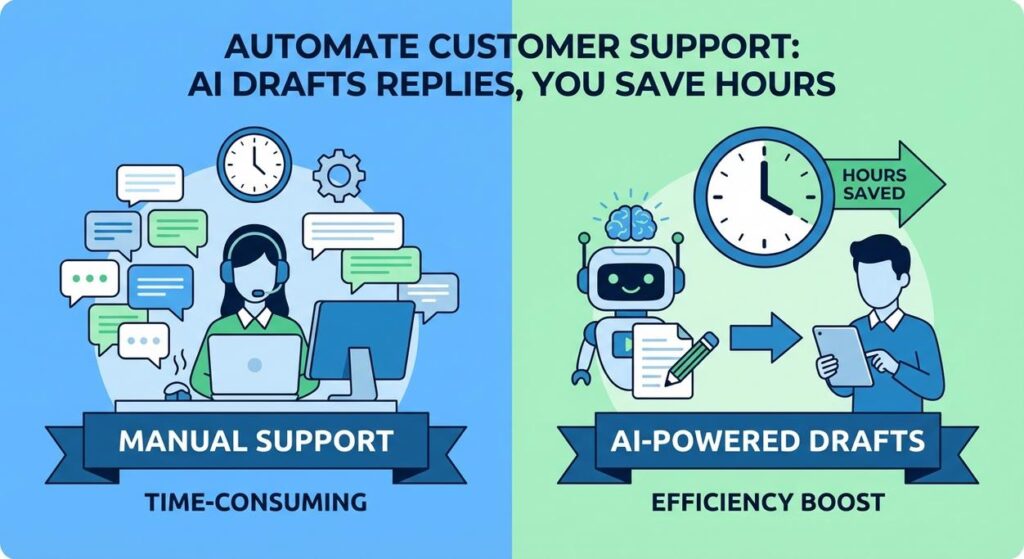
Alright, let’s talk about the unsung heroes of every business: your customer support team. Or, if you are the customer support team, then this is for you. Picture this: you’ve got an inbox overflowing with emails. Another "Where’s my order?" Another "How do I reset my password?" Another "What’s your return policy?" You find yourself typing the same answers, day in and day out, feeling less like a problem-solver and more like a human broken record. Your fingers ache, your eyes glaze over, and you start wondering if you accidentally signed up for a never-ending game of ‘Simon Says’ with your customers.
It’s soul-sucking, inefficient, and frankly, a waste of your valuable human brainpower. What if you could give your support team (or yourself!) a tireless, super-fast assistant that instantly understands customer queries, pulls relevant information, and drafts a perfectly polite, on-brand response, all before you’ve even finished your first sip of coffee? Sound like a sci-fi dream? Not anymore. We’re building that dream today.
Why This Matters
This isn’t just about giving your support team a coffee break (though they absolutely deserve one). This is about fundamental business improvement:
- Blazing-Fast Response Times: Customers hate waiting. AI-drafted responses mean you can acknowledge, and often fully answer, basic queries within minutes, not hours or days. This dramatically boosts customer satisfaction.
- Massive Cost Reduction: Reducing the time spent on repetitive tasks means your support agents can handle more queries, or you can maintain high service levels with a smaller team. This directly impacts your operational budget. Think of it as replacing a fleet of junior agents manually typing, with a single, highly efficient AI brain.
- Consistent & On-Brand Communication: AI, when properly instructed, maintains a consistent tone, voice, and accuracy across all responses, ensuring your brand image is always professional and reliable.
- Free Up Human Talent: The most complex, nuanced, and empathetic customer issues still need a human touch. By automating the routine stuff, you free up your skilled agents to focus on these high-value interactions, leading to better problem resolution and happier customers.
- Scalability: Whether you get 10 customer emails a day or 10,000, the AI scales effortlessly. No more hiring sprees every time you launch a new product or hit a sales peak.
This automation transforms your support from a reactive, overwhelmed cost center into a proactive, efficient customer satisfaction powerhouse. It’s like giving your support team a superpower – the ability to be everywhere at once, with all the right answers.
What This Tool / Workflow Actually Is
This workflow centers on using a Large Language Model (LLM) as an intelligent assistant to interpret customer queries and generate appropriate responses. It’s like having a hyper-efficient, always-available knowledge worker who excels at drafting communications.
- Query Understanding: The AI first analyzes the customer’s input (an email, a chat message) to understand the core question or problem.
- Contextual Information Retrieval: Crucially, the AI doesn’t just make things up. It’s given access to relevant information, acting as a mini-knowledge base (FAQs, product details, return policies). This ensures accurate, context-specific answers.
- Response Drafting: Based on the query and the retrieved context, the AI then drafts a human-like, personalized response, complete with a polite opening, a clear answer, and a professional closing.
What it DOES do:
- Instantly understand the intent behind common customer queries.
- Draft detailed and accurate responses based on provided information.
- Maintain a consistent brand voice and tone.
- Significantly reduce the time human agents spend on repetitive tasks.
What it DOES NOT do:
- Replace human empathy and problem-solving for complex, emotional, or highly unusual issues.
- Spontaneously access external databases or perform actions (like refunding an order) without integration and explicit instruction.
- Guarantee 100% accuracy without a robust, well-maintained knowledge base and human review.
- Handle multi-turn, conversational dialogue seamlessly in this basic setup (though that’s a future lesson!).
Prerequisites
You’re probably sensing a pattern here. Nothing scary, just a few familiar tools:
- An OpenAI Account: With API access and a generated API key. Make sure you have some credit in your account.
- A Computer with Internet Access: Your trusty machine.
- Python Installed: We’ll use a simple Python script.
- A Text Editor: VS Code, Sublime Text, Notepad++, etc.
- A "Knowledge Base" (for this lesson, a simple Python dictionary): This is the information the AI will use to answer questions.
Seriously, if you’ve been following along, this is old hat. If you’re new, welcome! It’s all straightforward, I promise.
Step-by-Step Tutorial
Step 1: Get Your OpenAI API Key (or confirm you have it)
Standard procedure by now:
- Go to the OpenAI Platform.
- Log in or create an account.
- Navigate to the API Keys section.
- Click "Create new secret key."
- Copy this key immediately! You know the drill.
Step 2: Create a Simple Knowledge Base
For this tutorial, we’ll simulate a knowledge base using a Python dictionary. In a real-world scenario, this would be a database, a set of FAQs, or a comprehensive document library. This keeps our script simple but demonstrates the core concept of providing context.
You can define this directly in your Python script.
KNOWLEDGE_BASE = {
    "shipping_policy": "Our standard shipping takes 5-7 business days within the domestic United States. Expedited shipping options are available at checkout. International shipping times vary by destination.",
    "return_policy": "We offer a 30-day return policy for unused items in their original packaging. To initiate a return, please visit our Returns Portal on our website and enter your order number. Refunds are processed within 5-10 business days after we receive the returned item.",
    "password_reset": "To reset your password, please go to our login page and click on 'Forgot Password'. Enter your registered email address, and we will send you a link to reset your password. If you don't receive the email, check your spam folder.",
    "contact_support": "You can reach our customer support team via email at support@yourcompany.com or by calling us at (555) 123-4567 during business hours (Mon-Fri, 9 AM - 5 PM EST).",
    "product_warranty": "All our electronics products come with a 1-year manufacturer's warranty covering defects in materials and workmanship. Please retain your proof of purchase for warranty claims."
}
Step 3: Crafting the AI Support Prompt
This is crucial. We need to tell the AI its role, give it the customer’s query, and critically, provide the context from our knowledge base. We want it to act like a professional support agent.
You are a helpful and polite customer support agent for "TechGadget Pro". Your goal is to provide clear, concise, and accurate answers to customer inquiries based on the provided knowledge base information.

Instructions:
1. Read the customer's question carefully.
2. Identify the most relevant information from the 'Knowledge Base' provided below.
3. Draft a professional and friendly email response.
4. If the exact answer is not in the knowledge base, politely state that you cannot find the answer and suggest the customer contact a human agent or provide more details.
5. Do NOT make up information.

--- Knowledge Base ---
{KNOWLEDGE_BASE_CONTENT}

--- Customer Question ---
{CUSTOMER_QUESTION}

Draft the email response:
Why this prompt works:
- Role-Playing: "You are a helpful and polite customer support agent for "TechGadget Pro"" sets the tone and persona.
- Clear Goal & Instructions: "Your goal is to provide clear…answers…based on the provided knowledge base" directs the AI. The numbered instructions clarify expectations.
- Emphasis on Accuracy: "Do NOT make up information" is critical to prevent hallucinations.
- Fall-back Instruction: What to do if the answer isn’t found is important for graceful handling.
- Placeholders:
{KNOWLEDGE_BASE_CONTENT}and{CUSTOMER_QUESTION}are where our script injects dynamic data.
Step 4: Writing the Python Script for Automated Drafting
Open your text editor, create a file named support_automator.py, and paste the following code:
import os
import openai
import json

# --- Configuration --- START ---
# Set your OpenAI API key as an environment variable (recommended)
# Or, uncomment the line below and replace 'YOUR_OPENAI_API_KEY' with your actual key
# os.environ["OPENAI_API_KEY"] = "YOUR_OPENAI_API_KEY"

# Get API key from environment variable
openai.api_key = os.getenv("OPENAI_API_KEY")

if not openai.api_key:
    print("Error: OpenAI API key not found. Please set it as an environment variable (OPENAI_API_KEY) or uncomment and set it directly in the script.")
    exit()

# Our simulated knowledge base
KNOWLEDGE_BASE = {
    "shipping_policy": "Our standard shipping takes 5-7 business days within the domestic United States. Expedited shipping options are available at checkout. International shipping times vary by destination.",
    "return_policy": "We offer a 30-day return policy for unused items in their original packaging. To initiate a return, please visit our Returns Portal on our website and enter your order number. Refunds are processed within 5-10 business days after we receive the returned item.",
    "password_reset": "To reset your password, please go to our login page and click on 'Forgot Password'. Enter your registered email address, and we will send you a link to reset your password. If you don't receive the email, check your spam folder.",
    "contact_support": "You can reach our customer support team via email at support@yourcompany.com or by calling us at (555) 123-4567 during business hours (Mon-Fri, 9 AM - 5 PM EST).",
    "product_warranty": "All our electronics products come with a 1-year manufacturer's warranty covering defects in materials and workmanship. Please retain your proof of purchase for warranty claims."
}

# --- Configuration --- END ---

def get_relevant_knowledge(query):
    # Simple keyword-based matching for demonstration
    # In a real system, this would be a more sophisticated search (e.g., semantic search)
    query_lower = query.lower()
    relevant_info = []
    if "shipping" in query_lower or "delivery" in query_lower:
        relevant_info.append(KNOWLEDGE_BASE["shipping_policy"])
    if "return" in query_lower or "refund" in query_lower:
        relevant_info.append(KNOWLEDGE_BASE["return_policy"])
    if "password" in query_lower or "login" in query_lower or "account" in query_lower:
        relevant_info.append(KNOWLEDGE_BASE["password_reset"])
    if "contact" in query_lower or "support" in query_lower or "help" in query_lower:
        relevant_info.append(KNOWLEDGE_BASE["contact_support"])
    if "warranty" in query_lower or "guarantee" in query_lower:
        relevant_info.append(KNOWLEDGE_BASE["product_warranty"])

    return "\
\
".join(relevant_info) if relevant_info else "No specific knowledge found.\
"

def draft_support_response(customer_question):
    relevant_kb_content = get_relevant_knowledge(customer_question)

    prompt = f"""
You are a helpful and polite customer support agent for "TechGadget Pro". Your goal is to provide clear, concise, and accurate answers to customer inquiries based on the provided knowledge base information.

Instructions:
1. Read the customer's question carefully.
2. Identify the most relevant information from the 'Knowledge Base' provided below.
3. Draft a professional and friendly email response.
4. If the exact answer is not in the knowledge base, politely state that you cannot find the answer and suggest the customer contact a human agent or provide more details.
5. Do NOT make up information.

--- Knowledge Base ---
{relevant_kb_content}

--- Customer Question ---
{customer_question}

Draft the email response:
"""

    print(f"Drafting response for: '{customer_question}'...")
    try:
        response = openai.chat.completions.create(
            model="gpt-3.5-turbo",  # Use gpt-4 for better quality, but higher cost
            messages=[
                {"role": "system", "content": "You are a helpful customer support agent for TechGadget Pro."},
                {"role": "user", "content": prompt}
            ],
            temperature=0.7 # A bit higher for slightly more natural language
        )
        return response.choices[0].message.content
    except Exception as e:
        print(f"An error occurred during AI response generation: {e}")
        return "Apologies, I encountered an error and cannot draft a response at this time."

# --- Main execution ---
if __name__ == "__main__":
    # Example Customer Queries
    queries = [
        "Hi, I need to know how long does shipping usually take?",
        "My order arrived damaged, how do I return it?",
        "I can't log into my account. How can I reset my password?",
        "I have a very specific technical question about product X, can you help?", # Intentional gap in KB
        "What's the warranty on the new smartwatch I bought?"
    ]

    for i, query in enumerate(queries):
        print(f"\
--- Processing Query {i+1} ---")
        drafted_response = draft_support_response(query)
        print("\
--- AI DRAFTED RESPONSE ---")
        print(drafted_response)
        print("-------------------------\
")
        # In a real system, this would be passed to a human agent for review/sending
Before you run:
- Install OpenAI library: Open your terminal or command prompt and run:
pip install openai - Set your API Key: As always, set
OPENAI_API_KEYas an environment variable. Or, uncomment and replace"YOUR_OPENAI_API_KEY"in the script for testing. - Run the script: In your terminal, navigate to the directory and execute:
python support_automator.py
Watch as the AI generates tailored responses for each query, leveraging the little knowledge base you gave it!
Complete Automation Example
Let’s take "AquaWear," an e-commerce store selling specialized swimming gear. They get hundreds of customer emails daily, mostly about order status, sizing, returns, and product care. Their small support team is always swamped.
The Problem:
Long response times lead to frustrated customers and abandoned carts. The support team is constantly repeating basic information, leading to burnout and less time for complex issues like faulty products or specific sizing advice.
The Automation:
- Email Ingestion & Trigger: New customer emails arrive in the "support@aquawear.com" inbox. A service like Zapier, Make.com, or a custom script monitors this inbox.
- Query Extraction & Categorization: The incoming email’s body is fed to an AI. This AI’s first task is to extract the core question (e.g., "What’s the return policy for goggles?") and classify it (e.g., "Returns," "Shipping," "Product Info").
- Knowledge Retrieval (RAG): Based on the extracted query category, the system dynamically retrieves the most relevant information from AquaWear’s comprehensive knowledge base (which might be a Google Sheet, a Notion database, or an internal wiki). For example, if it’s a "Returns" query, it pulls the return policy text.
- AI Response Drafting: The customer’s original email, combined with the retrieved knowledge base content, is fed to our AI response generator (like the Python script we just built). It drafts a personalized email reply.
- Human Review & Send: The drafted response is presented to a human support agent in their helpdesk system (e.g., Zendesk, Freshdesk). The agent quickly reviews for accuracy, tone, and any need for personalization or escalation. With a single click, they send the AI-prepared response. For very low-risk, simple queries (e.g., "What are your hours?"), the system might even be configured for auto-send.
Result: AquaWear’s response times drop from hours to minutes. Support agents spend less than 30 seconds reviewing and sending most common replies, freeing up 70% of their day to handle complex customer issues, provide personalized shopping advice, or even proactive customer outreach. Customer satisfaction soars, and potential revenue from frustrated customers is saved.
Real Business Use Cases (MINIMUM 5)
This automation is universally applicable for any business dealing with customer interactions:
-
E-commerce Stores (like AquaWear)
Problem: High volume of repeat questions about order tracking, sizing charts, product features, and basic troubleshooting. Agents are bottlenecked by repetitive typing.
Solution: AI drafts replies for shipping updates, product FAQs, sizing recommendations (pulling from product descriptions), and basic return instructions. This dramatically speeds up initial contact resolution and allows agents to focus on complex product issues or customer loyalty programs.
-
SaaS Companies (Software as a Service)
Problem: Users frequently ask about "How-to" guides, basic troubleshooting steps, pricing plans, and feature availability. Manually sending links to documentation or explaining simple functions is inefficient.
Solution: AI analyzes user queries, retrieves relevant snippets from product documentation or FAQ articles, and drafts step-by-step instructions or direct answers. For more complex issues, it summarizes the problem for escalation to a technical support engineer, pre-filling helpdesk tickets.
-
Financial Advisors / Insurance Agencies
Problem: Clients have common questions about policy details, investment account balances, application processes, or general market information. Providing accurate, compliant answers promptly is crucial but time-consuming.
Solution: AI drafts responses for inquiries about specific policy terms, account balance queries (if integrated with secure data), or instructions for filling out forms. It ensures answers are compliant and uses approved language, with human review for sensitive financial advice.
-
Healthcare Providers / Clinics
Problem: Patients often call or email about appointment scheduling, prescription refills, billing inquiries, or general information about services. Clinic staff are overwhelmed with administrative tasks.
Solution: AI drafts replies for appointment confirmations/reminders, instructions for telehealth visits, explanations of common billing codes, or general practice information (hours, location). This frees up receptionists and nurses to focus on direct patient care.
-
Travel Agencies / Tour Operators
Problem: Clients frequently inquire about visa requirements, baggage allowances, itinerary changes, or destination information. Agents spend significant time looking up and relaying standard information.
Solution: AI drafts responses for common questions like "What are the visa requirements for France?" (pulling from a travel database), "What’s the baggage limit on my flight?" (accessing flight details), or instructions for modifying bookings. This allows agents to focus on personalized travel planning and emergency support.
Common Mistakes & Gotchas
- Lack of Context / Poor Knowledge Base: The AI is only as good as the information you give it. A sparse, outdated, or inaccurate knowledge base will lead to generic, incorrect, or even hallucinated responses. Garbage in, garbage out!
- Over-Automation of Sensitive Issues: Do NOT fully automate responses for sensitive topics (e.g., complaints, financial disputes, medical advice, highly emotional customer interactions). Always have human oversight for these.
- Generic Responses: If your prompt isn’t strong enough or your knowledge base too broad, the AI might default to generic, robotic-sounding replies that lack personalization. Fine-tune your prompts and provide customer-specific details where possible.
- Hallucinations & Inaccuracy: AI can confidently present incorrect information. This is why human review is essential, especially initially. Implement checks and balances.
- Ignoring Multi-Turn Conversations: This basic setup is best for single-shot queries. For true conversational support (chatbots), you need more advanced techniques to manage conversation history, which we’ll cover later.
- Security & Privacy: Be extremely cautious about what customer data you send to external AI services. For highly sensitive PII (Personally Identifiable Information) or financial data, ensure you have appropriate data processing agreements (DPAs) with your AI provider or consider on-premise solutions.
How This Fits Into a Bigger Automation System
Automating customer support responses is a keystone in a comprehensive business automation strategy:
- CRM (Customer Relationship Management) Integration: The drafted responses (and even the initial queries) can be automatically logged in your CRM, creating a complete record of customer interactions. This helps build rich customer profiles and informs future sales/marketing efforts.
- RAG (Retrieval Augmented Generation) Systems: Our simple Python dictionary is a primitive RAG. In advanced setups, this involves connecting the AI to extensive internal wikis, product databases, or even customer past purchase history, allowing for truly personalized and accurate responses far beyond simple FAQs.
- Chatbot & Voice Agent Integration: The same AI models and knowledge retrieval techniques can power your website chatbots or even basic voice agents, providing 24/7 instant support.
- Sentiment Analysis & Prioritization: Before drafting a response, another AI can analyze the customer’s sentiment (e.g., "angry," "neutral," "happy") and urgency. This allows high-priority, negative-sentiment emails to be immediately flagged for human intervention, while routine queries are automated.
- Proactive Outreach: Insights from frequently asked questions can inform your marketing or product teams to proactively create content (e.g., blog posts, new FAQ sections) that answers these questions before customers even ask.
What to Learn Next
You’ve just equipped your support team with a powerful AI assistant that can draft responses like a pro. No more endless typing, no more robotic replies, just faster, better customer service.
In our upcoming lessons, we’ll take this even further:
- Building a Dynamic Knowledge Base: Moving beyond simple dictionaries to integrate with actual databases, wikis, or document repositories for powerful RAG.
- Multi-Turn Conversational AI: How to build chatbots and virtual assistants that can maintain context over multiple exchanges, leading to truly interactive customer experiences.
- Helpdesk Integration: Connecting your AI directly into platforms like Zendesk or Freshdesk to streamline the human review and sending process.
- Proactive Support & Personalization: Using AI to anticipate customer needs and offer highly personalized assistance before they even ask.
Get ready to transform your customer interactions from a painful chore into a delightful experience. The journey to a fully automated, hyper-efficient business continues. Stay curious, and I’ll see you in the next lesson!





