
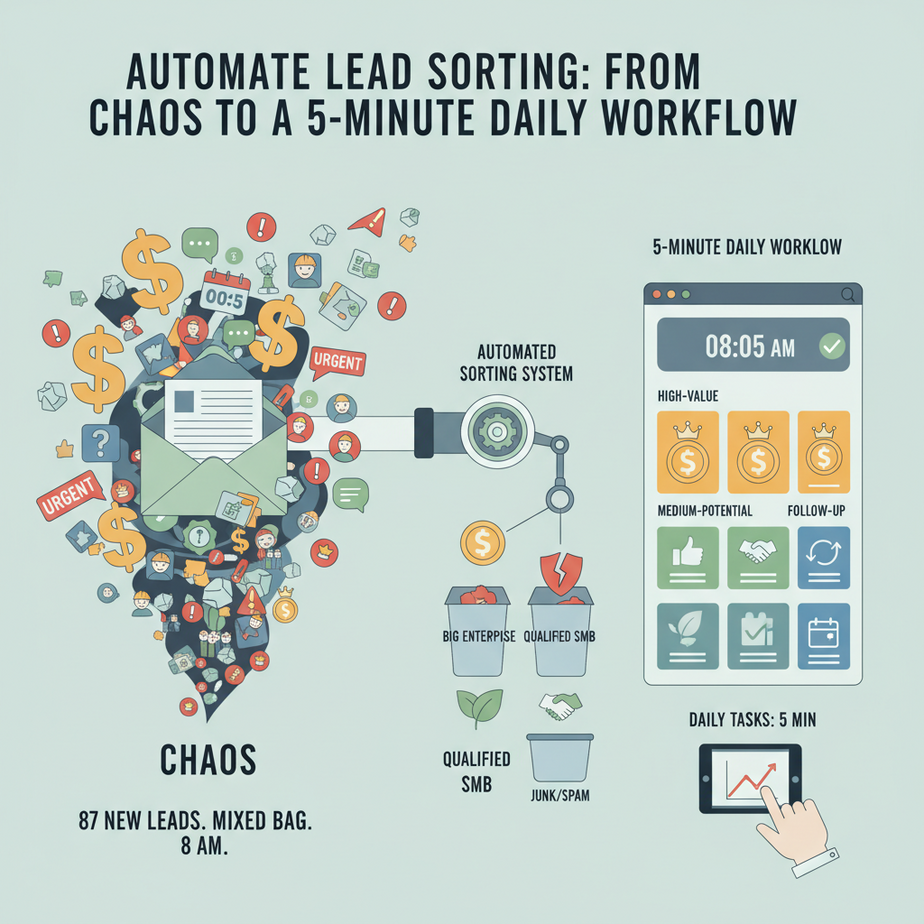
The Hook: Your Leads Are Drowning Your Business
Let me paint you a picture. It’s 8 AM. You have 87 new leads in your inbox from a marketing campaign. They came in overnight. Some are big enterprise clients. Some are tire-kickers. Some are just noise. Your sales team, if you have one, is already panicking. If you’re a solo founder, you are the sales team. So you start the “lead triage” game: open email, read, copy-paste into a spreadsheet, guess at potential value, repeat. By lunch, you’ve processed 10 leads. You have 77 to go. The hot lead from yesterday? Buried. The tire-kicker? You’re chasing them. This isn’t scaling. This is professional chaos.
Why This Matters: Your Time is the Only Asset
This lead sorting isn’t just admin. It’s the gatekeeper between you and revenue. Every minute you spend manually sorting is a minute you’re not selling. Every cold lead you accidentally call is a dead hour. A system that automatically scores and prioritizes turns this daily scramble into a 5-minute review. It replaces the intern whose job was to read emails and guess. It turns chaos into a pipeline. The business impact isn’t just time saved; it’s the faster, smarter pursuit of the right opportunities.
What This Automation Actually Is (And Isn’t)
It is: A workflow that takes raw lead data (name, company, email, source, any text), processes it using simple rules or an AI model, assigns a priority score (e.g., Hot, Warm, Cold), and organizes it in a central place for action.
It is not: A magic psychic machine that will close deals for you. It won’t replace your sales skill. It doesn’t require a data science PhD. It’s a smart filing system for your opportunities.
Prerequisites: Just Basic Browsing & a Spreadsheet
Do not panic. You need:
- An email account (Gmail/Outlook is fine).
- A Google Sheets or Airtable account (free tier is enough).
- The ability to click a button and follow instructions.
We’re going to use a no-code/low-code approach. The goal is a “set it and forget it” daily digest.
Step-by-Step Tutorial: Building Your Lead-Scoring Robot Intern
We’ll use a simple, powerful trio: Zapier (our workflow conductor), Google Sheets (our dashboard), and OpenAI’s GPT-4 mini (our scarily smart intern). Zapier has a free plan to start.
Step 1: The Central Command Hub (Your Sheet)
First, create a new Google Sheet. Name it “Master Lead Dashboard.” Create these columns: Timestamp, Name, Company, Email, Source, Raw Notes, AI Score, AI Reason, Action.
Why? This is our factory floor. Every lead gets a line, and every processed lead gets a judgment stamped on it.
Step 2: The Trigger – Catching the Lead
We need our workflow to start automatically. The most common source is a form (like a “Contact Us” page) or new emails. For this example, we’ll simulate a new form submission landing in your email. In Zapier, create a new Zap. Set the trigger to Gmail (or your email). Choose “New Email Matching Search.” In the search criteria, put from:(forms@yourdomain.com) subject:(New Lead) (adapt this to your form’s actual details).
Pro Tip: You could also trigger from a new row in a different sheet where marketing dumps form submissions. Same logic.
Step 3: Extract Data (The Setup)
Our email has the info, but we need to get it into structured fields. Zapier can parse this, but let’s assume the email body is clean. Add an action: Google Sheets (Create Row in “Master Lead Dashboard”). Map the fields from your email to your sheet columns.
// Sample Zapier Mapping (Conceptual)
Timestamp = [Gmail Created At]
Name = [Extracted from Email Body - Use Zapier's Formatter or AI]
Company = [Extracted from Email Body]
Email = [Extracted from Email Body]
Source = 'Web Form'
Raw Notes = [Full Email Body Text]
At this point, you have a raw lead. Now, let’s call our AI intern.
Step 4: The Brain – AI Scoring & Reasoning
Add an action: OpenAI (ChatGPT) in Zapier. Use the GPT-4o mini model for cost-effectiveness. In the “User Message,” give it this exact prompt template:
You are a senior sales lead. I will give you information about a new lead. Analyze it and return a JSON object with two keys:
1. "score": A single word from [HOT, WARM, COLD].
2. "reason": A one-sentence explanation of your decision.

Here is the lead information:
Name: {{Name}}
Company: {{Company}}
Email: {{Email}}
Notes: {{Raw Notes}}

Do not add any extra text. Return only the JSON.
Map the fields from the sheet row (Name, Company, etc.) into the prompt. This is the magic. The AI reads the context and makes a judgment call, just like a seasoned salesperson would, but instantly.
Step 5: Updating the Record & Notification
We need to get the AI’s judgment back into our sheet and get a notification. This is a two-part action in Zapier:
- Parse the JSON: Use Zapier’s built-in JSON parser after the OpenAI step.
- Update the Google Sheet Row: Use a second Google Sheets action (Update Row). Map the parsed “score” to the
AI Scorecolumn and “reason” toAI Reason. - Send a Notification: Add a final action like Gmail or Slack. Send yourself a digest once a day (e.g., every morning at 8 AM) listing only leads with “HOT” score. The email subject could be: “🚀 Your Daily Hot Leads ({{Date}})”. The body: A table of names, companies, and AI Reason from the sheet filtered by today’s date and “HOT” score.
Complete Automation Example: The Daily Lead Digest
Here’s how it runs, silently, in the background. A visitor fills your “Contact Us” form. Zapier sees the new email from the form handler. It adds a raw row to your Master Lead Dashboard. It sends the data to OpenAI. The AI thinks for 2 seconds, looks at the notes (“looking for enterprise API integration”), and scores it HOT with reason: “Enterprise language indicates high budget and complex needs.” Zapier updates the row. At 8:01 AM the next day, your phone buzzes. A Slack message (or email) from you (the bot) says: “Hot Lead Alert: Jane Doe, Acme Corp – Enterprise API integration interest.” You open your sheet, see the full context, and you call Jane before 9 AM. Meanwhile, 20 other leads were scored WARM/COLD and sit quietly in the sheet for a weekly review. Your day just went from chaotic to strategic.
Real Business Use Cases (Beyond You)
- Consulting Firm: Problem: Hundreds of RFPs (Request for Proposals) via email. Automation: Score based on project scope, client budget hint, and alignment. Prioritizes the 5% of RFPs worth a proposal.
- Real Estate Agent: Problem: Zillow, Realtor.com, and direct inquiries. Automation: Scores lead intent (“must move by June” = HOT) vs. “just browsing” (COLD).
- E-commerce Brand: Problem: Abandoned cart emails and customer service tickets. Automation: Tags customer value (based on purchase history, viewed products) and urgency (“my order is broken” = HOT).
- Freelancer (Web Developer): Problem: Client applications from a portfolio site. Automation: Scores based on project budget mentioned, tech stack match, and detail in inquiry.
- Marketing Agency: Problem: Social media DMs and contact forms. Automation: Scores B2B intent (company mentioned) vs. B2C or spam, directing to correct team channel.
Common Mistakes & Gotchas
- Garbage In, Garbage Out: If your raw notes are “Hi, interested,” the AI has nothing to work with. Ensure your form asks for key details (“What’s your biggest challenge?”).
- Prompt Drift: Over time, the AI’s responses might get weird. Tweak your prompt. It’s a software asset; maintain it.
- Cost Creep: Zapier and OpenAI have free tiers, but scale costs. Start with 100 leads/month free. Monitor your usage. This is cheaper than a part-time intern.
- The Notification Bomb: If you score 50 leads daily, don’t get 50 Slack notifications. Group them into a daily digest. That’s your 8 AM email, not a real-time alert.
How This Fits Into Your Automation Empire
This lead scoring is your foundational layer. It’s the first AI agent in your sales stack. Here’s how it connects:
- Upstream: It feeds from your website forms, email, ad platforms, or social media DMs.
- Downstream:
– CRM Connection: Instead of a Google Sheet, your Zapier update could create a contact in HubSpot/Salesforce with the score as a property. Your sales team lives in the CRM.
– Email & Follow-up: A “HOT” score could trigger a separate Zapier workflow: add to a “Fast-Track” sequence in your email tool (Mailchimp, ActiveCampaign).
– Voice Agent Prep: This scored list becomes the target list for a future AI voice agent that makes first-touch qualification calls.
– Multi-Agent Handoff: Imagine a team: one agent scores, another drafts a personalized intro email, another schedules a meeting. This lead scorer is the gatekeeper for that entire team.
What to Learn Next: Closing the Loop
You’ve just built the frontline scout for your business. In our next lesson, we’re going to give that scout a sidekick: an AI that drafts the perfect first response email based on the lead’s score and notes. We’ll connect it so that your HOT leads get a custom email drafted in seconds, ready for your final send. This isn’t just sorting anymore; it’s the beginning of a full sales automation pipeline.
Head over to the course dashboard, and I’ll see you in the next module. Go build your lead-sorting intern. I’ll be here when you’re ready for the next step.





