
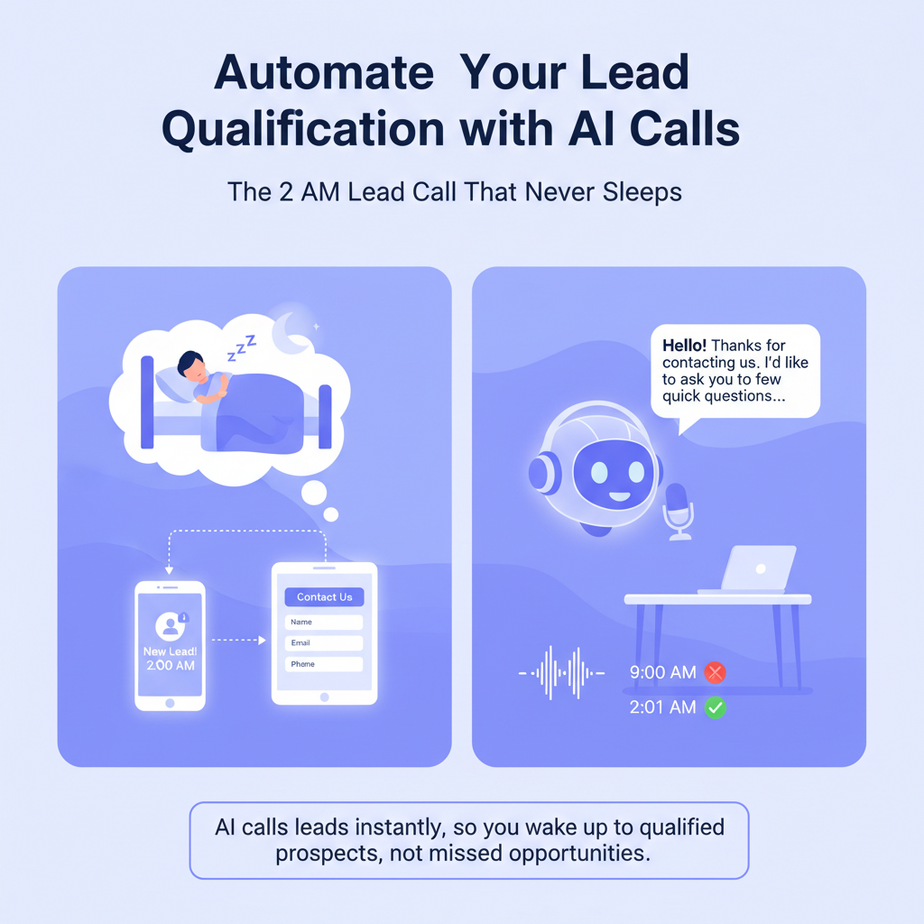
The 2 AM Lead Call That Never Sleeps
Imagine this: You’re fast asleep at 2 AM. A lead fills out your contact form. In the old world, you’d wake up, see the email, call them at 9 AM, only to discover they have a budget of $50. Meanwhile, your competitor who set up an AI phone agent five minutes ago already qualified them, learned they have a $50,000 budget, and booked a demo for 10 AM. Your intern is asleep too. The AI intern isn’t.
Why This Matters: The 80% Problem
Business owners tell me the same story: “We spend 80% of our lead time chasing people who should have told us ‘no’ immediately.” Your sales team burns hours on calls that go nowhere. Your junior hire, bless their heart, asks the same five questions on every call. The real decision-makers are in meetings all day, so you play phone tag for weeks. An AI phone agent fixes this by doing the one thing humans hate: repetitive, logical follow-up. It works while you sleep, it’s consistent, and it scales infinitely. This isn’t replacing your salesperson; it’s upgrading your internship to a lead-surfing robot.
What This Tool/Workflow Actually Is
We’re building an AI phone agent using a platform called Vapi.ai. It’s a voice AI infrastructure that lets you create, deploy, and manage phone agents that can understand and speak naturally. You give it a script, a voice, and logic to follow. It makes outbound calls, handles inbound calls, and transcribes everything. It does NOT: write your code, host your CRM, or magically close deals for you. It IS: a configurable voice robot that asks qualifying questions, listens to answers, and records the data. Think of it as a polite, tireless intern with a phone.
Brutally Honest Prerequisites
You do NOT need to be a developer. You DO need a Vapi.ai account (they have a free tier). You will need to think logically about the questions you need to ask to qualify a lead. That’s it. No coding, no servers, no head-scratching over APIs. If you can write an email, you can build this. If you’re a developer, you can extend this with your own backend logic, but you don’t have to.
Step-by-Step Tutorial: Build Your Lead Qualification Bot
Let’s build a bot for a fictional SaaS company, “FlowMinder.” The goal: Call leads, ask 3 key questions (budget, timeline, decision-maker), and score them. Hot leads get a calendar booking link sent via SMS.
Step 1: Get Your Vapi Key
- Go to vapi.ai and create a free account.
- Navigate to the dashboard. Click on “API Keys” in the left sidebar.
- Copy your Public Key and Secret Key. Paste them into a secure note. Treat these like a username and password for your AI intern.
Step 2: Create Your Agent’s Brain (The “Assistant”)
In Vapi, an “Assistant” is the configuration for your AI. It defines the voice, the model, and the system prompt (its instructions).
- Go to “Assistants” in the Vapi dashboard. Click “Create Assistant.”
- Name it:
FlowMinder Lead Qualifier. - For Voice, choose something professional (e.g., “Sarah (Female)”). This is your intern’s voice.
- For Model, select the default (e.g.,
gpt-4o-realtime-previewfor best conversation). - Here’s the CRITICAL part: The System Prompt. This is where you give your intern its instructions. Copy and paste the following into the “System Prompt” box:
You are a helpful and professional sales intern for FlowMinder. Your job is to qualify inbound leads quickly and politely. You will call the lead and ask these THREE questions only:

1. "What's your primary goal you're hoping FlowMinder will help you achieve?"
2. "What's your typical monthly budget for a solution like this?"
3. "Are you the final decision-maker for this purchase, or is there someone else involved?"

If the budget is below $500/month, say: "Thank you for your time. I'll pass this information to our team." Then end the call.
If the budget is $500+/month, say: "That sounds like a great fit. Let me text you a link to book a demo with our specialist." Then ask for their phone number to text the link and end the call.

Always be polite, clear, and brief. Do not ask questions outside of these three.
Step 3: Create a Phone Number (The “Phone”)
Your AI needs a phone number. Vapi provides phone numbers or you can use your own (via SIP). For beginners, using a Vapi-provided number is easiest.
- In the Vapi dashboard, go to “Phone Numbers.”
- Click “Buy Number.” Select a number that fits your business. Assign it to your
FlowMinder Lead Qualifierassistant.
Step 4: Test with a Simple Call (The “Rehearsal”)
Vapi has a test call feature. Click on your assistant and hit “Test Call.” Use your own cell phone. You’ll get a call from your new AI intern. Talk to it. Give it a budget of $100. It should end the call politely. Give it a budget of $1000. It should ask for your number to text a link. It just worked. Your intern is now trained.
Complete Automation Example: From Lead Form to Hot Lead
Let’s connect this to a real business flow. Imagine a lead fills out a form on your website. You want to trigger a call immediately. We’ll use a simple webhook to Vapi. Here’s the flow:
- A lead submits the form on your website.
- Your website backend (e.g., using a tool like Zapier, Make, or a simple script) sends the lead’s phone number to Vapi’s API to initiate a call.
- Vapi calls the lead. The AI runs its script.
- Based on the call, Vapi sends a webhook back to your system with the transcript and the lead’s score (e.g., “Hot” or “Cold”).
- Your system then: a) If hot, adds the lead to your CRM as “Qualified” and schedules a demo. b) If cold, adds them to a nurturing email sequence.
Code Example: Trigger a Call from a Webhook
Here’s a simple Node.js script using the Vapi SDK. You would place this in your backend (e.g., Vercel, AWS Lambda, or even a serverless function). This assumes you have the lead’s phone number.
const Vapi = require('@vapi-ai/server'); // Install via `npm install @vapi-ai/server`

// Initialize Vapi with your keys
const vapi = new Vapi({
  apiKey: 'your_public_key_here', // Use environment variables for security
  apiKeySecret: 'your_secret_key_here'
});

// This function runs when your form is submitted
async function initiateLeadCall(leadPhoneNumber) {
  try {
    const call = await vapi.call.create({
      assistantId: 'your_assistant_id_here', // Find this in your Vapi dashboard
      phoneNumber: leadPhoneNumber, // e.g., "+1234567890"
      variables: {
        // You can pass custom data to the AI, like the lead's name
        leadName: 'Alex'
      }
    });
    console.log(`Call initiated: ${call.id}`);
    // You can now store this call ID in your database to track status
    return call.id;
  } catch (error) {
    console.error('Failed to initiate call:', error);
    throw error;
  }
}

// Example usage (e.g., from an Express route)
// initiateLeadCall('+19876543210');
To get the call results, you need to set up a Vapi Webhook URL in your dashboard. Vapi will POST data to that URL when the call ends. You’ll receive a JSON payload with the transcript and the results from the AI’s questions.
Real Business Use Cases (MINIMUM 5)
1. Real Estate Agency
Problem: Agents waste hours on calls from people just “looking” with no serious intent to buy or sell this year.
Solution: AI agent asks: “Are you looking to buy or sell?” “What’s your target timeline?” “Are you pre-approved?” Filters out tire-kickers, schedules calls for ready clients.
2. Consulting Firm
Problem: The intake form gets inquiries from individuals seeking cheap advice, not businesses needing project work.
Solution: AI agent asks: “What’s the annual revenue of your company?” “Is this for a specific project or ongoing work?” “Who’s the budget owner?” Routes qualified B2B leads to the right consultant.
3. E-commerce Brand (High-Ticket Items)
Problem: Lots of traffic, low conversion. Customer service calls about custom products take 20 minutes to qualify.
Solution: AI agent qualifies custom orders: “What are the dimensions needed?” “What is your delivery deadline?” “What is your target price?” Sends quotes to sales for high-value opportunities only.
4. Healthcare Clinic (Specialist)
Problem: Front desk staff spend all day scheduling consults for issues the clinic doesn’t treat, or for patients not ready for the procedure.
Solution: AI agent asks: “What is the primary symptom or condition?” “Have you been diagnosed by another doctor?” “Do you have current insurance?” Schedules only pre-qualified patients.
5. Coaching Business
Problem: Discovery calls with people who aren’t willing to invest or commit to the program’s structure.
Solution: AI agent asks: “What’s the biggest challenge you’re facing right now?” “What have you already tried to solve this?” “What’s your available budget for coaching?” Books calls for motivated, funded prospects.
Common Mistakes & Gotchas
Mistake 1: Overcomplicating the Script
Beginners want the AI to handle a 10-question deep dive. Don’t. Start with 3 core questions. More questions = higher drop-off rate. Keep it like a speed date: quick, focused, then out.
Mistake 2: No Fallback
What if the lead doesn’t answer the phone? Your AI should leave a polite, pre-recorded voicemail prompting them to call back or check their email. Vapi can do this. Missing this means lost leads.
Mistake 3: Ignoring Compliance
Calling people requires following TCPA (USA) and similar laws globally. Ensure you’re only calling leads who explicitly consented to be contacted (e.g., via a form submission). Your AI intern must not become a spam robot.
Mistake 4: Not Acting on the Data
If the AI qualifies a lead as “hot,” you MUST have a workflow to act instantly. Waiting 24 hours to follow up kills the lead’s momentum. Automate the handoff to your CRM and calendar.
How This Fits Into a Bigger Automation System
Your AI phone agent is not a standalone piece; it’s a crucial node in your automation network. Think of it as the factory foreman who talks to new raw materials (leads) before sending them to the assembly line.
- CRM Integration: The lead’s data from the call (transcript, score, answers) is pushed into your CRM (HubSpot, Salesforce, Pipedrive). This creates a lead score automatically.
- Calendar & Email: For “hot” leads, the AI can be connected to Calendly or Google Calendar API to book a meeting. A follow-up email with the recorded call summary can be sent via SendGrid or Zapier.
- Multi-Agent Workflows: Imagine a lead is disqualified by the phone agent. The system can then assign them to a different, nurturing AI agent that sends educational content via email or SMS over time.
- Voice-to-CRM RAG: The transcribed call becomes part of a larger Retrieval-Augmented Generation (RAG) system. Future sales calls can reference past call data, giving your human salesperson superpowers with context.
What to Learn Next
You’ve just built a tireless, 24/7 lead qualification intern. In our next lesson, we’ll teach this intern to read your CRM and personalize its questions based on the lead’s company size and source. Then, we’ll connect it to a second AI that writes a hyper-personalized follow-up email based on the call transcript. You’re building an army of AI collaborators. Your sales team’s workload is about to drop by half, and their closing rate is about to double. Ready for the next step?





