
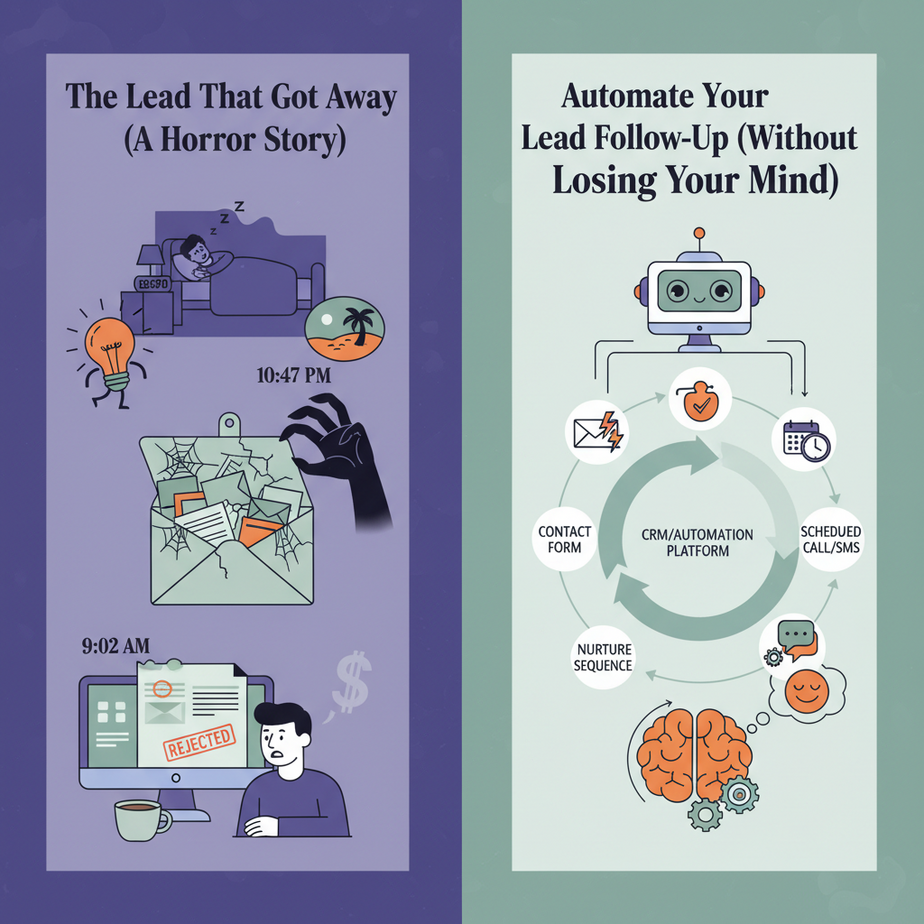
The Lead That Got Away (A Horror Story)
Imagine this: A hot lead fills out your contact form at 10:47 PM. You’re in bed, dreaming of vacation. Their message sits in your inbox until 9:02 AM the next day. By then, they’ve already replied to a competitor who answered in 3 minutes.
This happens every single day to thousands of businesses. Not because you’re lazy, but because you’re human. Humans sleep. Humans have meetings. Humans get distracted by cat videos on Instagram.
Enter: The AI Follow-Up Agent. Your 24/7 sales intern who never drinks coffee, never takes a bathroom break, and can hold 100 conversations simultaneously.
Why This Matters: The $10,000 Email Gap
The average sales lead response time is 47 hours. Studies show that if you respond within the first 5 minutes, you’re 21 times more likely to convert the lead. That’s not a stat—it’s a paycheck.
What you’re about to build replaces:
- The manual email check (bye-bye 9 AM panic)
- The generic “Hey, just following up” template (robots make it personal)
- The “Did they reply?” anxiety (automated tracking)
- The calendar juggling to book a meeting (AI schedules it for you)
What This Workflow Actually Is
It is: A sequence of AI-driven messages that detect intent, qualify the lead, and book a meeting on your calendar—without you touching a keyboard.
It is NOT: A spam bot that blasts 10,000 people with “HEY U WANT TO BUY???” That’s how you get banned. This is a personalized, human-like conversation that respects the lead’s time.
Prerequisites (Be Brutally Honest)
You need:
- A brain that wants to save time (you’re already here)
- Access to a no-code platform (We’ll use Make.com—free tier works)
- Your business email (Gmail or Outlook)
- A Google Calendar (for booking)
- Zero coding experience (seriously, this is drag-and-drop)
If you’re nervous about technology, that’s normal. This isn’t rocket science—it’s smarter-than-average plumbing. We’re just connecting pipes so water flows.
Step-by-Step: Build Your Follow-Up Agent
Step 1: Set Up Your Free Make.com Account
Go to Make.com, sign up with your Google account. You’ll get a dashboard that looks like a factory floor—empty at first. That’s where we build our robot assembly line.
Step 2: Create Your First “Scenario”
Click “Create a new scenario.” You’ll see a blank canvas with a big purple + button. This is where we add our automation modules.
Step 3: Capture the Lead (The Trigger)
Click the purple +, search for “Google Sheets.” Choose “Add a row.” We’ll use a simple spreadsheet as our lead database.
Sheet Name: Leads
Columns: Email, Name, Message, Timestamp, Status
Why a spreadsheet? It’s universal. You can connect it to your website form, a Typeform, or even a manual entry. Think of it as the raw material feeder for our automation factory.
Step 4: The First Contact (The Auto-Reply)
Click the + after your Google Sheets module. Search for “Gmail.” Choose “Send an Email.”
Connect your Gmail account. Now, configure the email:
- To: Click the field, drag the “Email” variable from your Google Sheets module
- Subject: “Thanks for reaching out, {{Name}}!”
- Body:
Hi {{Name}},

Thanks for your message about: “{{Message}}”.

I saw your email come in at {{Timestamp}}. My assistant (that’s me!) is checking it now.

Quick question to help you better: What’s your timeline for solving this?

Cheers,
Your Team
Why this works: It’s instant, personal, and asks a qualifying question. You’ve just bought yourself time while showing the lead you’re on the ball.
Step 5: Wait & Listen (The Decision Router)
Add a router (click + after Gmail, choose “Router”). This splits the flow based on whether the lead replies or not.
We’ll set up two paths:
- Path A: Lead replies (We’ll capture this later)
- Path B: Lead doesn’t reply within 48 hours (We send a nudge)
For the nudge, add a “Sleep” module (search “Sleep”) and set it for 48 hours. Then add another Gmail “Send an Email” for the follow-up message.
Subject: Quick follow-up on our conversation, {{Name}}?

Hi {{Name}},

Hope you’re well! I noticed you hadn’t gotten back to me about your {{Message}} question.

No pressure at all—just wanted to make sure you didn’t miss my last email.

If now’s still not a good time, no worries. Just reply “later” and I’ll check back in a couple weeks.

Best,
Your Team
Step 6: The Meeting Booker (The Finish Line)
Now, the magic. We’ll integrate with your calendar. Add a Google Calendar module after the initial email (before the router), set to “Create an Event.”
Configure it:
- Summary: “Intro Call with {{Name}}”
- Start Time: Use a formula to schedule 1 business day later
- Attendees: {{Email}} and your email
- Description: “Booked automatically by AI. Lead message: {{Message}}”
But wait—don’t book for everyone! We’ll trigger this ONLY if the lead replies “Yes” or “Ready” to our first email. Add a filter after the router for “Yes” or “Ready” in the email body.
Step 7: Turn It On & Test
Click “Run once,” send a test email to your form, and watch the automation in action. It’ll feel like watching a sous chef work—while you’re at the table, your kitchen is preparing the next course.
Complete Automation Example: The Real Estate Lead Machine
Here’s how a realtor could use this same workflow:
- Trigger: A visitor fills out “What’s your home budget?” on the website → Goes to Google Sheets
- Auto-Reply: Instant email: “Hi {Name}, got your budget info. Quick question: Are you pre-approved?”
- If Yes: Auto-book a viewing for tomorrow at 5 PM (synced to Google Calendar)
- If No: Send lender resources + schedule a reminder in 3 days
- If No reply: Send a property recommendation based on their budget after 2 days
Result: The realtor wakes up to a full calendar of qualified showings, not a pile of random inquiries.
5 Real Business Use Cases (Exactly This Workflow)
- Consulting Firm: Leads submit a “What’s your challenge?” form. Auto-reply qualifies timeline and urgency. If urgent, book a discovery call. If not, nurture with case studies.
- E-commerce Store: Abandoned cart emails get a 3-message sequence: (1) Reminder, (2) 10% offer, (3) “Last chance” warning. Sells recover 15%+ of abandoned carts.
- Freelancer/Agency: Client fills “Request a quote.” Auto-reply asks for project files. If files attached, book a call. If not, send a questionnaire. Saves 2 hours of back-and-forth daily.
- SaaS Startup: Trial sign-ups get onboarding emails over 7 days, each asking one question. If they click a feature link, trigger a personal email from the founder.
- Real Estate Agent (detailed): The example above—turns 100 random leads into 5 qualified appointments daily without manual follow-up.
Common Mistakes & Gotchas
- Mistake #1: Too many emails. Don’t blast 10 follow-ups. Three touches max before you sound desperate.
- Mistake #2: Generic language. Always include the lead’s original message. Personalization is the secret sauce.
- Mistake #3: Forgetting the “no” path. If a lead says “Not now,” tag them in your CRM and set a reminder for 6 months. Don’t delete them.
- Mistake #4: No human handoff. Set alerts for when a lead replies! AI books meetings, but you should review complex replies.
- Mistake #5: Ignoring data. Track reply rates. If everyone says “later,” your ask is too aggressive. Adjust.
How This Fits Into Your Bigger Automation System
This follow-up workflow is like the front desk of your business. It’s where leads first interact. But it connects to larger systems:
- CRM Integration: Push lead data to HubSpot or Salesforce after booking (use Make’s webhooks).
- Multi-Agent Workflow: If a lead asks a technical question, route it to a specialized AI agent that knows your product specs.
- RAG System: Connect your knowledge base. If a lead asks “Do you integrate with Slack?” the AI can pull your documentation and answer instantly.
- Voice Agents: For high-value leads, trigger a voice call from your AI receptionist to confirm the meeting time.
- Analytics Dashboard: Feed all lead data into a Google Data Studio dashboard to see which channels bring the hottest leads.
Today you built the receptionist. Tomorrow, you’ll build the entire intelligent customer service department.
What to Learn Next: The “Close the Deal” Workshop
In our next lesson, we’ll take the leads your new bot has booked and automate the presentation and proposal process. Imagine sending a personalized proposal PDF 5 minutes after a discovery call—generated, priced, and sent without you opening Microsoft Word.
Your homework: Set up the basic version of this follow-up system. Test it with 5 emails. Let it run for 48 hours. Come back and tell me: How many replies did you get? How much time did you save?
The goal isn’t to build the world’s most complex AI. It’s to make your business run while you’re living your life. Start here. The rest is just connecting more pipes.
“,
“seo_tags”: “AI automation, lead follow-up, business automation, workflow automation, Make.com tutorial, AI for sales, CRM automation, marketing automation, lead generation, productivity tools”,
“suggested_category”: “AI Automation Courses





